Install_EN_00196423-01.pdf - 第109页
In stal la tion an d Co nfig ura tio n G uide SIP LAC E E xpl ore r 5 Un in stall at ion Edi tio n 05/200 9 E N 5.3 R epai r 109 5. 3 Re p air 5 Fig. 5 - 6 S I PLA CE Ex pl ore r 2.6 - ins tal l shi eld w izar d → Cl i c…
5 Uninstallation Installation and Configuration Guide SIPLACE Explorer
5.2 Modify Edition 05/2009 EN
108
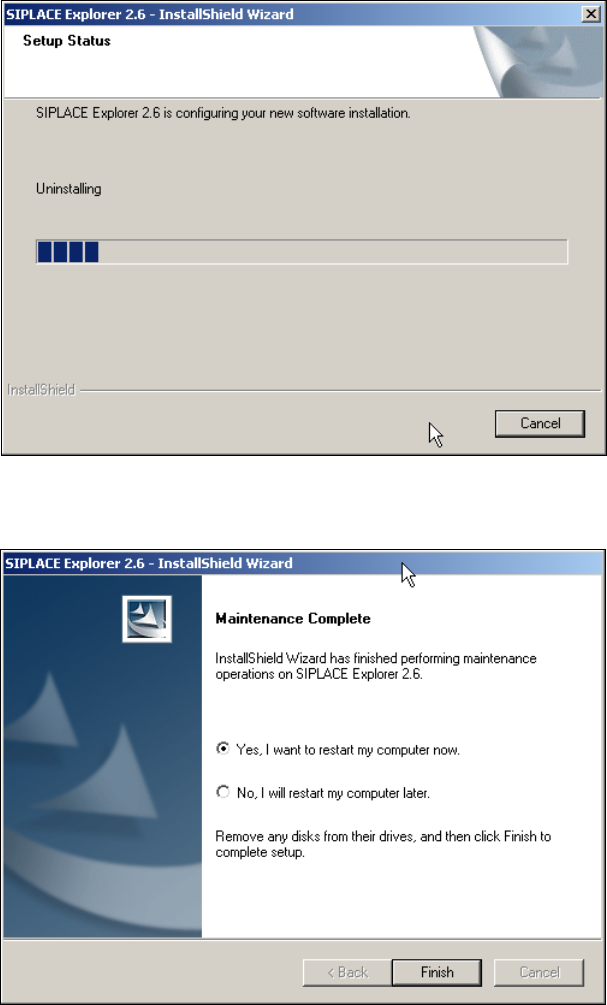
→ Uninstallation will be performed. The Setup Status dialog box shows you which features will
be uninstalled or installed.
5
Fig. 5 - 4 SIPLACE Explorer 2.6 - install shield wizard
→ SIPLACE Explorer 2.6 uninstallation/installation has been completed.
5
Fig. 5 - 5 Modify completed
→ Click on Finish to close the SIPLACE Explorer 2.6 - InstallShield Wizard.
Installation and Configuration Guide SIPLACE Explorer 5 Uninstallation
Edition 05/2009 EN 5.3 Repair
109
5.3 Repair
5
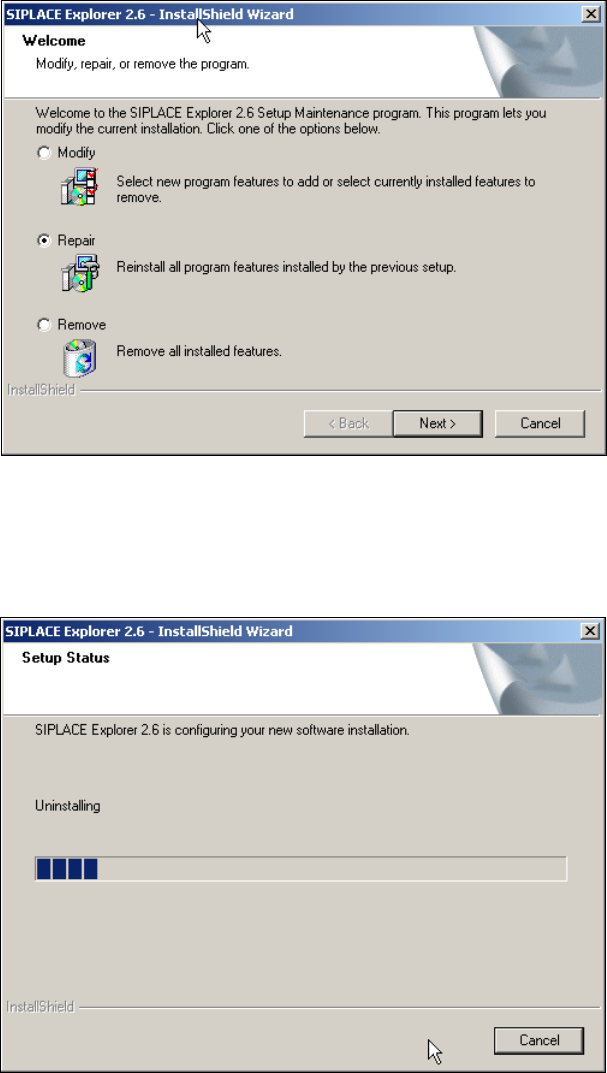
Fig. 5 - 6 SIPLACE Explorer 2.6 - install shield wizard
→ Click on Repair and then on Next to continue.
→ The recovery process will be performed. The Setup Status dialog box shows you which
features will be uninstalled or installed.
5
Fig. 5 - 7 SIPLACE Explorer 2.6 - install shield wizard
5 Uninstallation Installation and Configuration Guide SIPLACE Explorer
5.3 Repair Edition 05/2009 EN
110
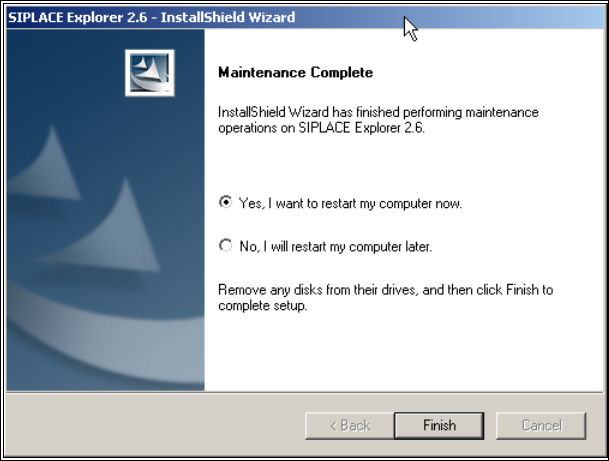
→ SIPLACE Explorer 2.6 recovery has been completed.
5
Fig. 5 - 8 Repair completed
→ Click on Finish to close the SIPLACE Explorer 2.6 - InstallShield Wizard.