Install_EN_00196423-01.pdf - 第53页
In stal la tion an d Conf ig ura tion Gui de SIP LACE Ex pl orer 3 I ns talli ng SIP LACE Ex pl orer Edi tio n 05/200 9 E N 3.5 Tom cat Conf igu rat ion 53 3 Fig. 3 - 34 Add a pr og ram → S elect t he entry tomcat5.exe f…
3 Installing SIPLACE Explorer Installation and Configuration Guide SIPLACE Explorer
3.5 Tomcat Configuration Edition 05/2009 EN
52
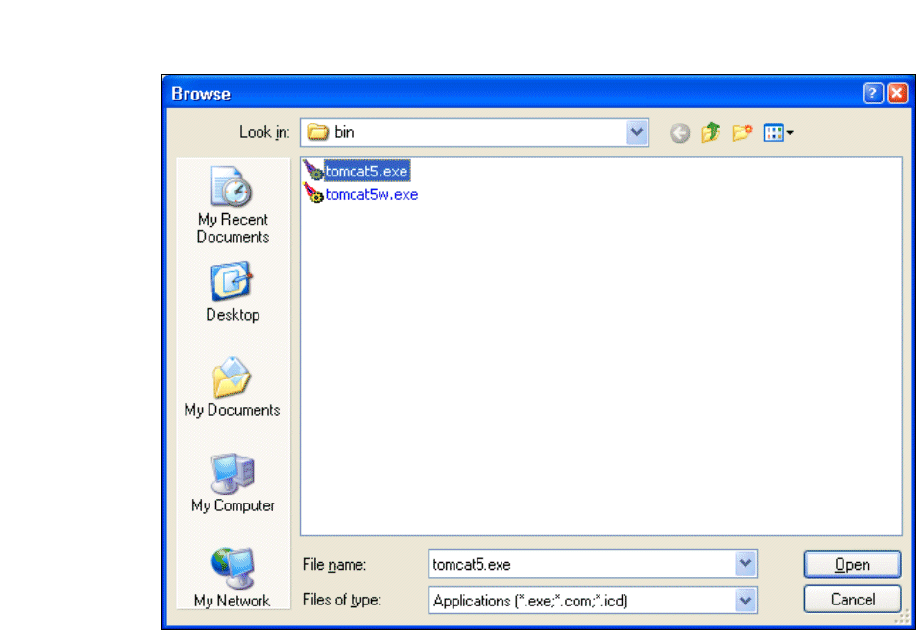
→ In the Tomcat installation path, click on the ..\Tomcat 5.5\bin path and then on the Open
button.
3
Fig. 3 - 33 Windows firewall - exceptions
→ Select the file tomcat5.exe and click on the Open button.
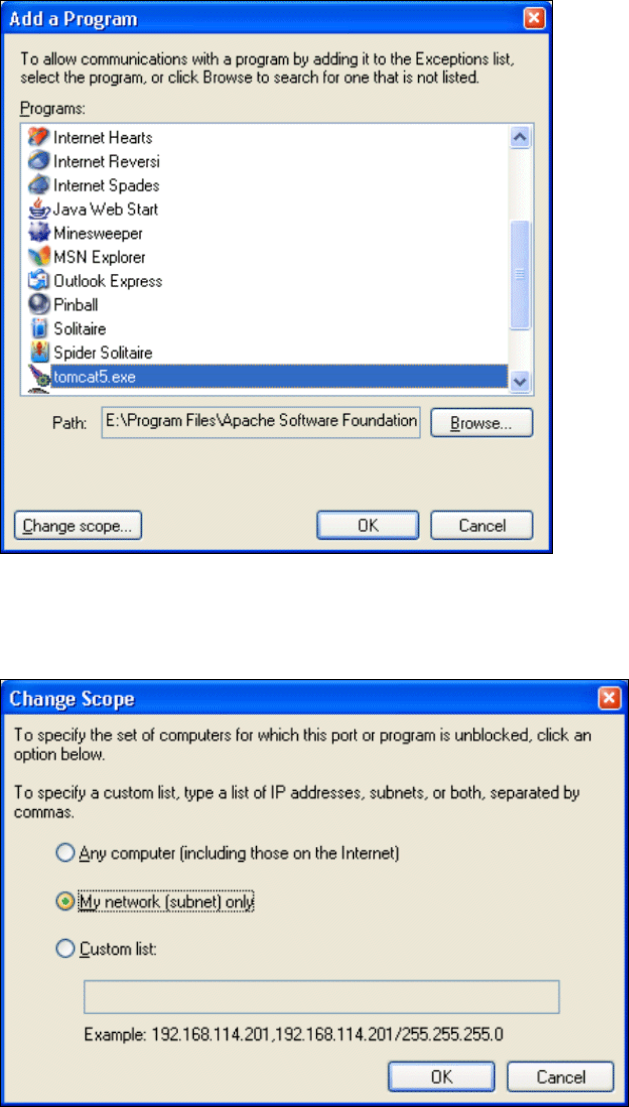
→ The Add a Program dialog box will open again:
Installation and Configuration Guide SIPLACE Explorer 3 Installing SIPLACE Explorer
Edition 05/2009 EN 3.5 Tomcat Configuration
53
3
Fig. 3 - 34 Add a program
→ Select the entry tomcat5.exe from the Programs menu and click on the Change Scope
button.
3
Fig. 3 - 35 Change scope
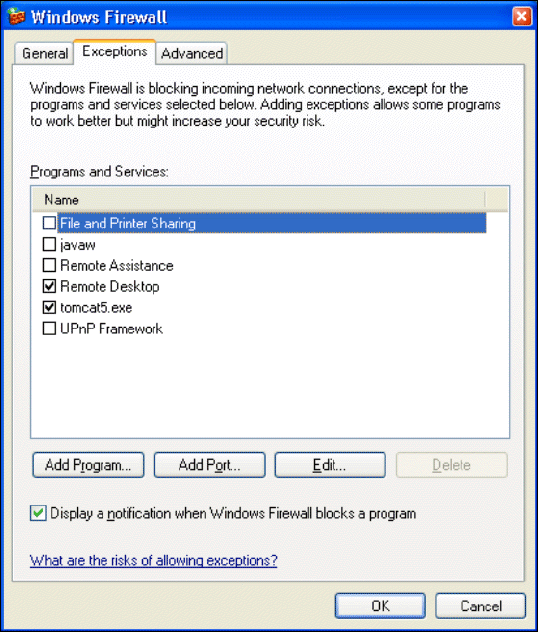
→ Enable the My network option and confirm with OK. You have now released the port for
Tomcat. This can be checked in the Windows Firewall - Exceptions
dialog box.
3 Installing SIPLACE Explorer Installation and Configuration Guide SIPLACE Explorer
3.5 Tomcat Configuration Edition 05/2009 EN
54
3
Fig. 3 - 36 Windows firewall - exceptions
→ Now release the port for SIPLACE Explorer V2.6. Proceed as described for Tomcat 5.5.