Install_EN_00196423-01.pdf - 第52页
3 In st alli ng SIPLA CE Expl ore r Ins ta llat i on and Con fi gur ati on Gu id e SI PLA CE Exp lo rer 3. 5 Tom cat Conf igu rat ion Editi on 05/2 009 EN 52 → I n t he T omca t installation path, cli ck on the ..\T om c…
Installation and Configuration Guide SIPLACE Explorer 3 Installing SIPLACE Explorer
Edition 05/2009 EN 3.5 Tomcat Configuration
51
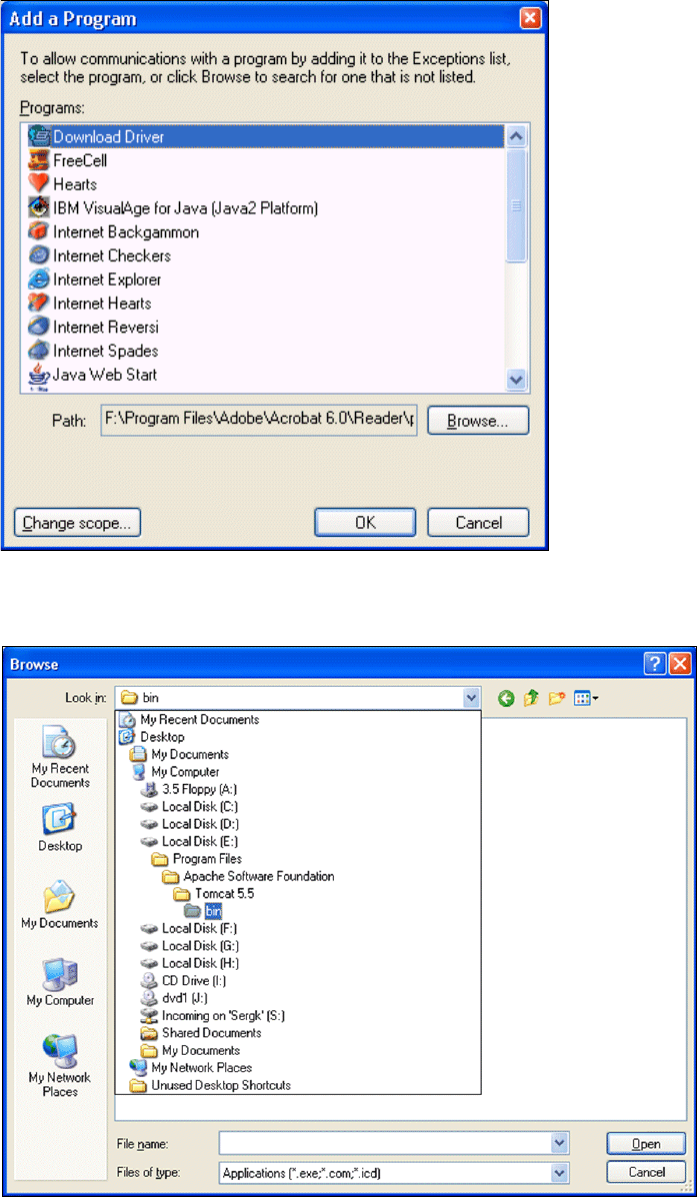
→ The Add a Program dialog box will open:
3
Fig. 3 - 31 Add a program
→ Specify the path in which the Tomcat.exe file is stored, by using the Browse button.
3
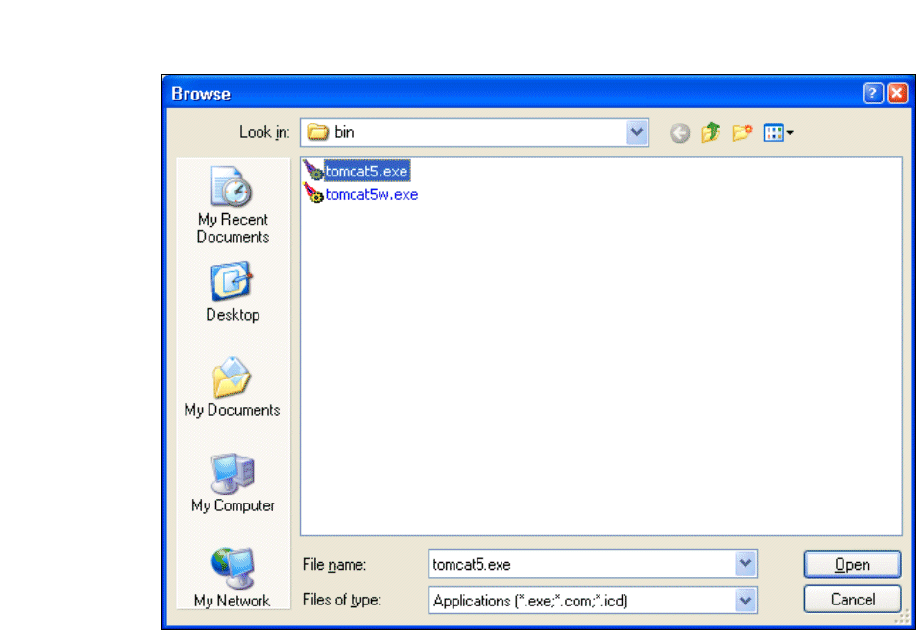
Fig. 3 - 32 Windows firewall - exceptions
3 Installing SIPLACE Explorer Installation and Configuration Guide SIPLACE Explorer
3.5 Tomcat Configuration Edition 05/2009 EN
52
→ In the Tomcat installation path, click on the ..\Tomcat 5.5\bin path and then on the Open
button.
3
Fig. 3 - 33 Windows firewall - exceptions
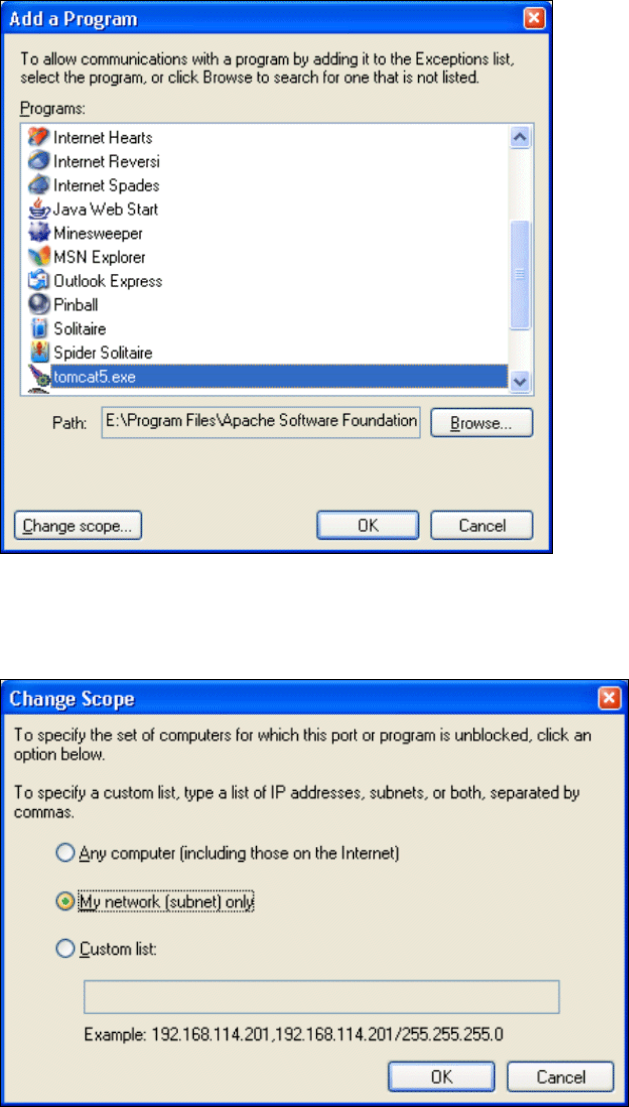
→ Select the file tomcat5.exe and click on the Open button.
→ The Add a Program dialog box will open again:
Installation and Configuration Guide SIPLACE Explorer 3 Installing SIPLACE Explorer
Edition 05/2009 EN 3.5 Tomcat Configuration
53
3
Fig. 3 - 34 Add a program
→ Select the entry tomcat5.exe from the Programs menu and click on the Change Scope
button.
3
Fig. 3 - 35 Change scope
→ Enable the My network option and confirm with OK. You have now released the port for
Tomcat. This can be checked in the Windows Firewall - Exceptions
dialog box.