SIPLACE S-23 HM User Manual.pdf - 第31页
31 ● Click on OK in the di alog box to ca ncel the procedure. ’PCB conveyor width’ menu ↑ UM 5.3.2 This menu i s used fo r measuring a nd adjus ting the conve yor belt w idth. CAUTION Make sure there are no board s on th…
30
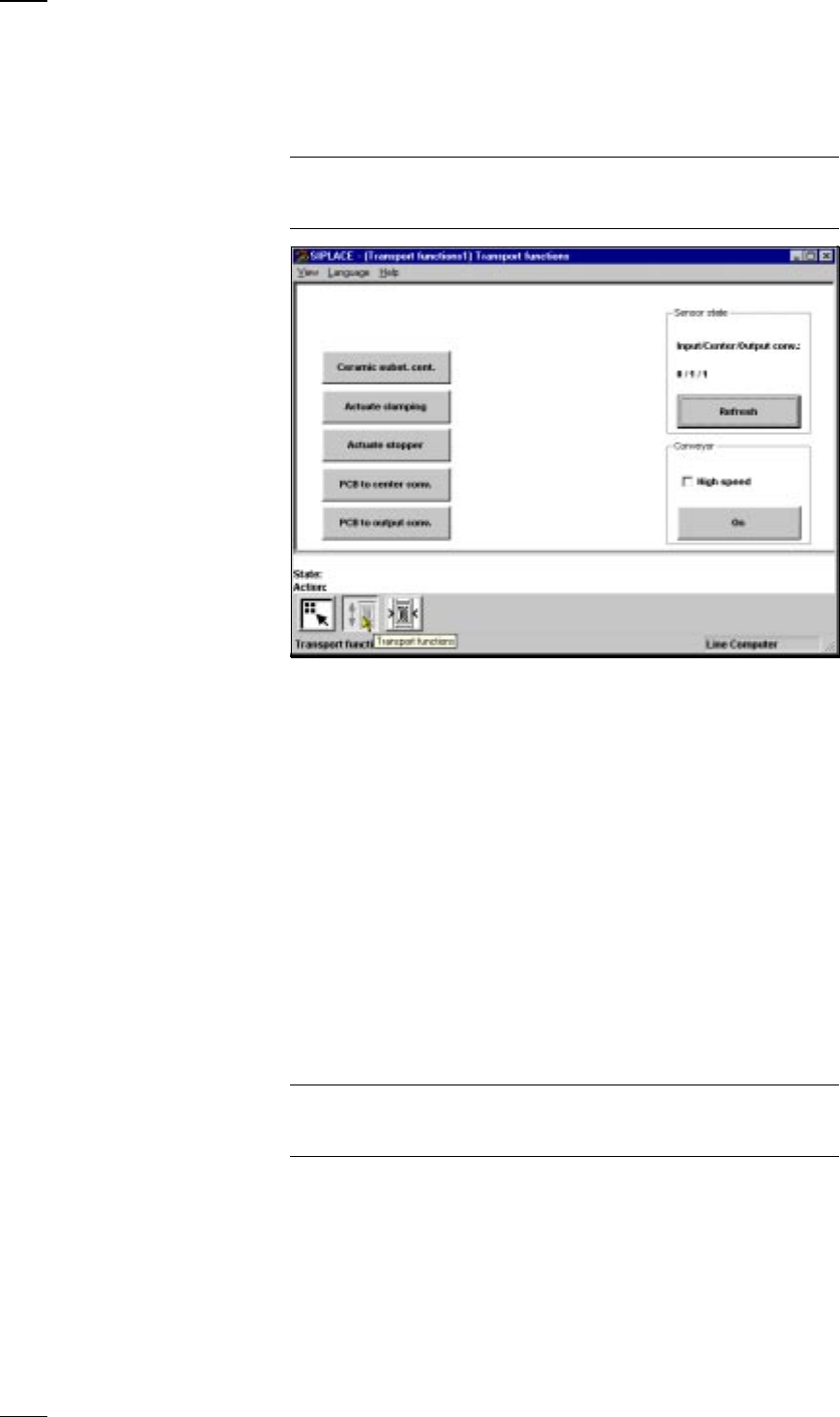
’Single functions PCB transport 1’ menu
↑ UM 5.3 This menu is used for checking and setting the function modules of the
PCB conveyor. If the twin conveyor option is installed, the Single functions
PCB transport 2 menu will be activated. The same functions as with PCB
transport 1 will then be available to you.
NOTE
To move the gantries, close the covers and then press the start button. All
gantry and head axes will move at low speed.
PCB The PCB is transported from the input conveyor onto the center conveyor
to center conveyor and then stopped and clamped.
PCB The PCB is transported from the center conveyor onto the output
to output conveyor conveyor.
The following menu items behave like a toggle switch when clicked on.
Ceramic substrate Click on the Ceramic substrate centering button and the substrate
centering (option) centering clamp will be activated or deactivated.
Actuate clamping Click on the Actuate clamping button and the clamp will be activated or
deactivated.
Actuate stopper Click on the Actuate stopper button and the stopper will be moved in and
out of position.
Sensor You can use this menu item to interrogate the states of the ultrasonic
Input/center/output beros in the input, center and output conveyors:
Refresh 1 = has responded
0 = has not responded
Conveyor - Select different speeds for the conveyor width adjustment.
high speed
NOTE
Make sure that there are no boards on the conveyor belts. The input belt
runs at high speed only.
Conveyor - On This starts the conveyor belts.
31
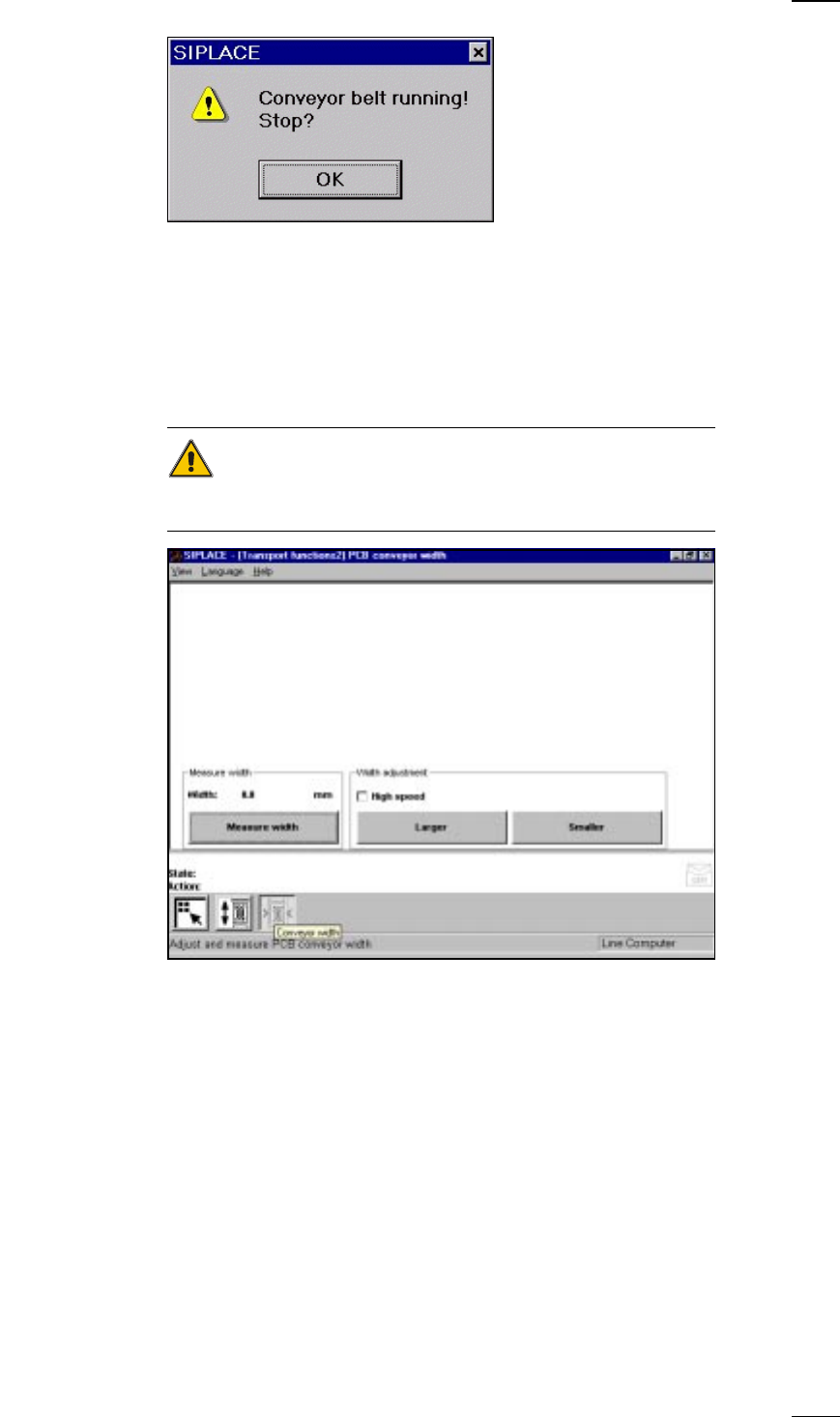
● Click on OK in the dialog box to cancel the procedure.
’PCB conveyor width’ menu
↑ UM 5.3.2 This menu is used for measuring and adjusting the conveyor belt width.
CAUTION
Make sure there are no boards on the conveyor belts when you adjust the
conveyor belt width.
Measure width Press this button to display, measure and save the width of the PCB trans-
port.
Width adjustment With this menu item you can adjust the width of the PCB conveyor at a
higher or lower speed as you like. If you have changed the width when
you quit the Single functions menu, the conveyor width will be measured
with the left-hand gantry and updated. Access this menu once again to
see the current width.
32
Troubleshooting
↑ UM 4.2 If errors occurs at the placement machine, such as
– track errors
– machine errors
– transport errors
– fiducial errors
– nozzle configuration errors or
– PCB bar code reading errors
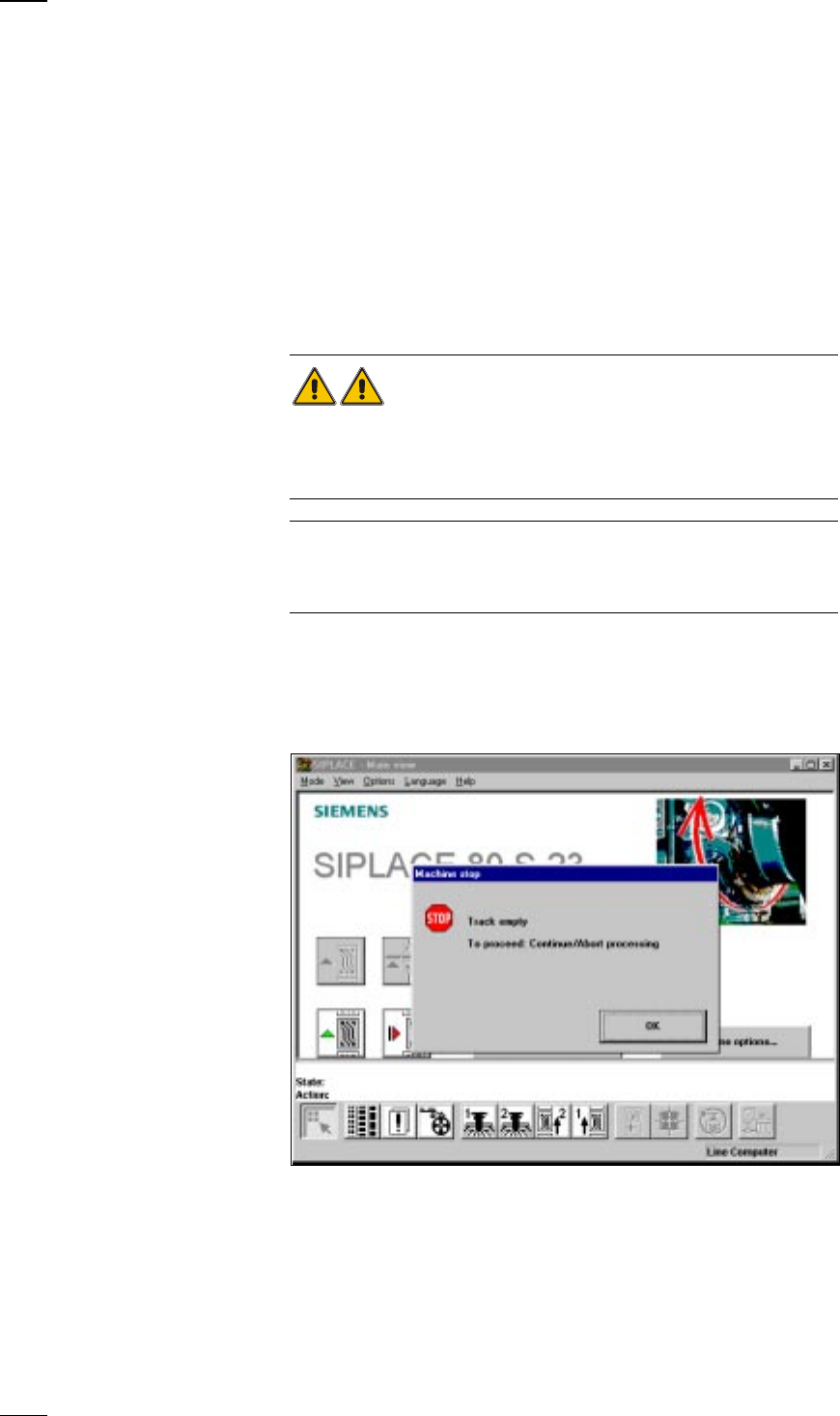
it will be stopped and the warning box is displayed on the screen with a
message such as ’Track empty error ...’ and so on.
● You should comply with the instructions in the warning box and carry out
the actions requested.
WARNING
Only personnel with the corresponding training and qualifications are per-
mitted to carry out actions requiring Line engineer authorization since
improper treatment of the machine may result in serious physical injury
and considerable damage to property.
NOTE
Close the protective covers before attempting to move the axes.
If you wish to carry out head functions with the cover open, this will only be
possible with the key-operated switch in position "I".
Empty track errors
↑ UM 4.2.2 Placement of a board will continue until there is none left of all of the com-
ponents which are to be inserted. In this situation the machine will stop
and the error message Track empty will appear on the screen.
● Click on OK to acknowledge and then select from the functions displayed:
Abort processing When you select Abort processing the board will be transported onto the
output conveyor and the components in the placement head dropped into
the rejects container. After this the gantries return to their waiting posi-
tions.