SOM-1747-003.pdf - 第8页
7 Tg0969-PM-SO • Do not use the floppy disk drive in the control box. Otherwise, the machine may break down because the program may be corrupted due to computer vi- ruses or worms or may be changed in the hard disk drive…
6 Tg0969-PM-SO
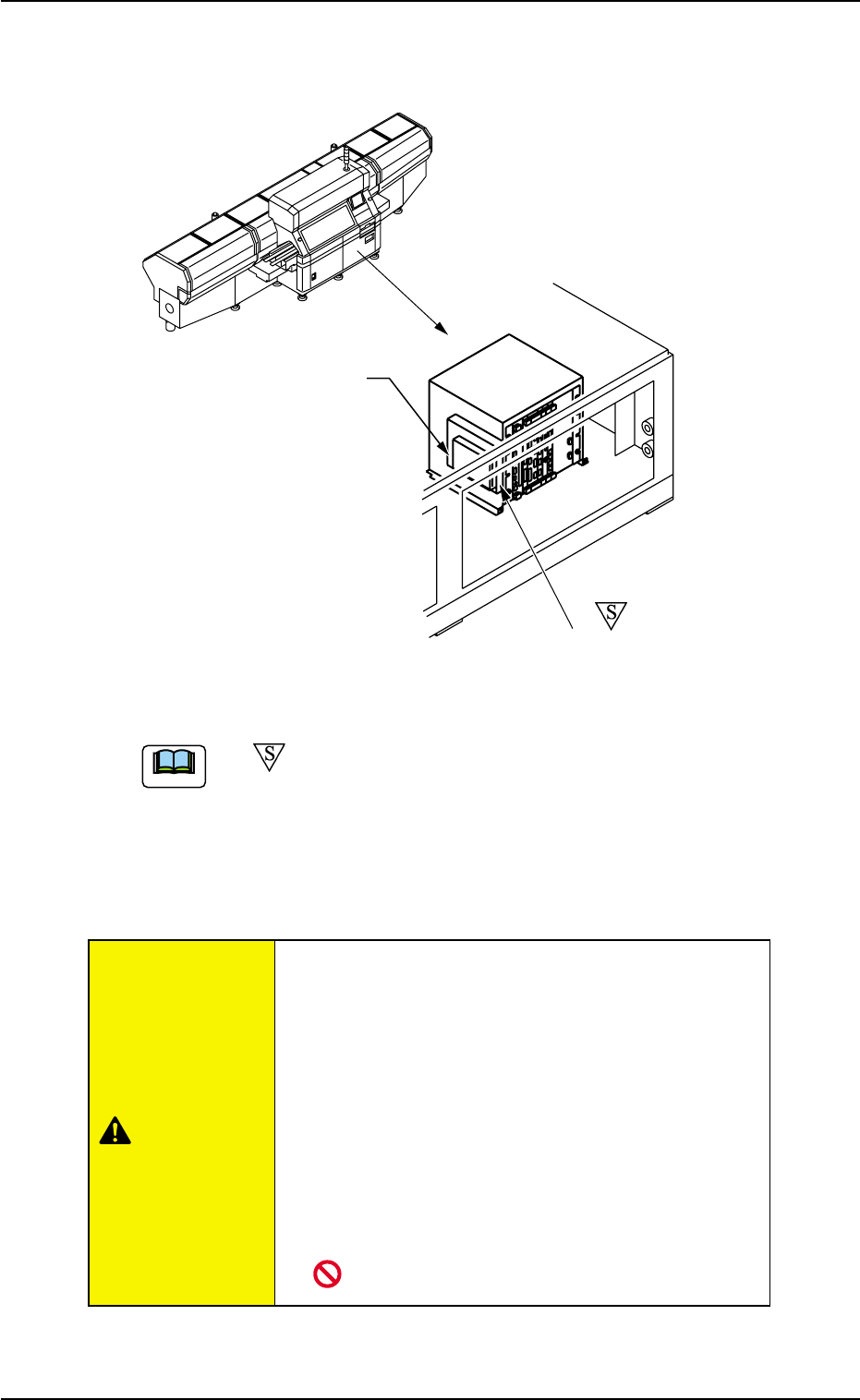
3. Control Box
Fig. 2
CD-ROM Drive
This is a device that can only read information from CD-ROM disk.
This is used to upgrade the system program.
• Do not use any CDs other than the provided
ones.
Otherwise, the machine may break down because
the program may be corrupted due to computer vi-
ruses or worms or may be changed in the hard disk
of the machine.
• Do not remove the inserted CD from the drive
while the lamp is
"ON ". Otherwise, the data
may be corrupted, causing the machine to break
down.
0311-002
3. Control Box
CAUTION
CD-ROM Drive (E-DRIVE)
Floppy Disk Drive (A-DRIVE)
(a) -marked area is specially specified.
(b) CD-ROM Drive (E-DRIVE) is not installed in "C-S376-02".
Note
7 Tg0969-PM-SO
• Do not use the floppy disk drive in the control
box.
Otherwise, the machine may break down because
the program may be corrupted due to computer vi-
ruses or worms or may be changed in the hard disk
drive of the machine.
0310-001
3. Control Box
CAUTION
8 Tg0969-PM-SO
4. Description of Operation Windows
4.1 Save Operation of Recognized Image
••
••
• Sheet Layout
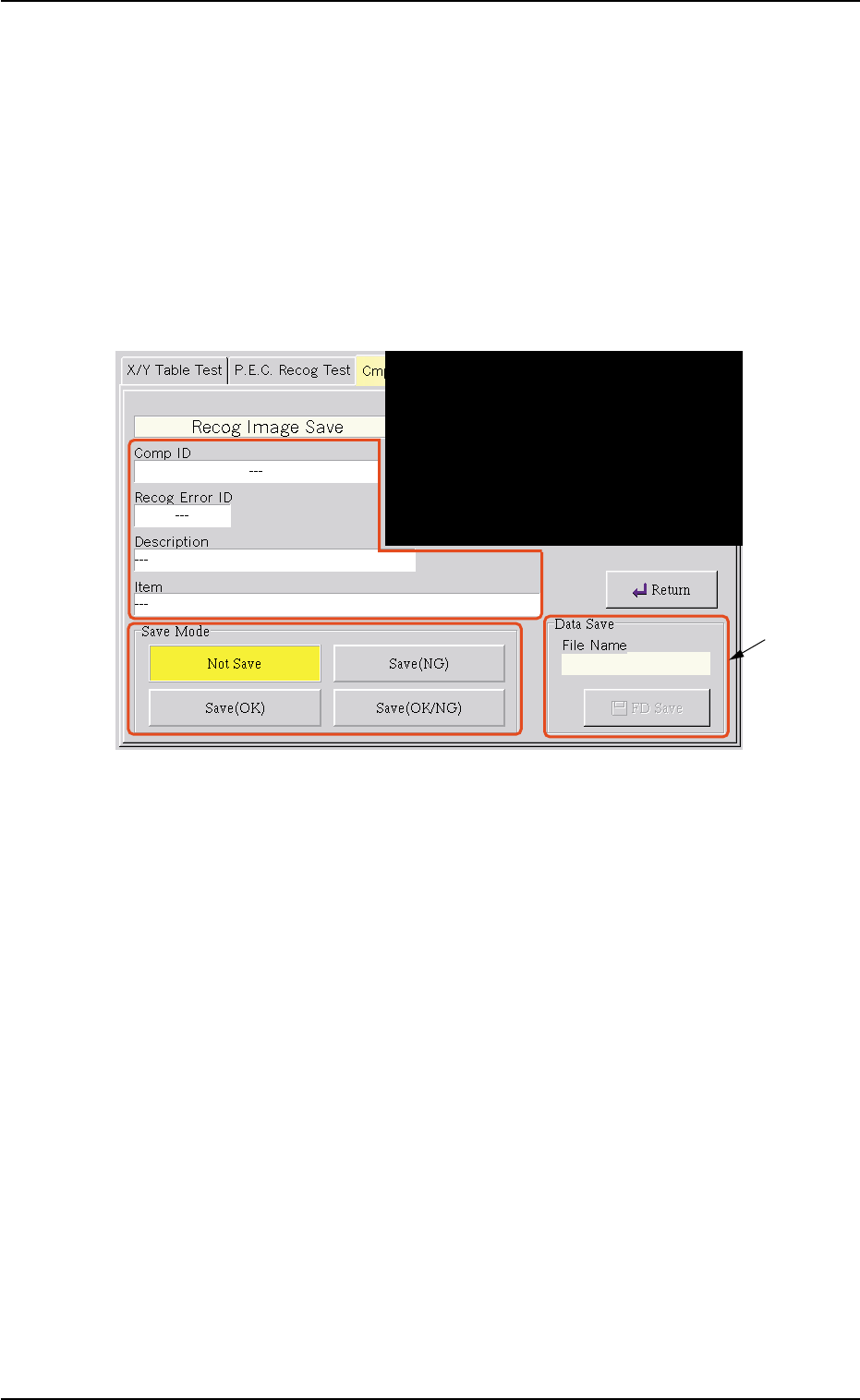
When the [Recog Image Save] button is pressed in the "Cmpnt Recog
Test" tab sheet, the following sheet appears.
Fig. 3 "Recog Image Save" Sheet
*1 Data Save
Enter a file name of the data to be saved and press the [FD Save]
button. The recognized image is saved on a floppy disk in the speci-
fied save mode.
0310-001
4. Description of Operation Windows
*1