TM3200.Schedule task result displays_Manual.pdf - 第10页
SMT Software Eng ineering Group IM Operations Y AMAHA MOTOR CO., L TD. MD OC-SOFT50138 10/13 “Schedu le T as k Last Date” is up dated ac cording to the follo wing conditions. Condition of the Schedule T ask star…
SMT Software Engineering Group
IM Operations YAMAHA MOTOR CO., LTD.
MDOC-SOFT50138
9/13
3.5. Update of “Schedule Task Last Date” by the Schedule Task
manual execution
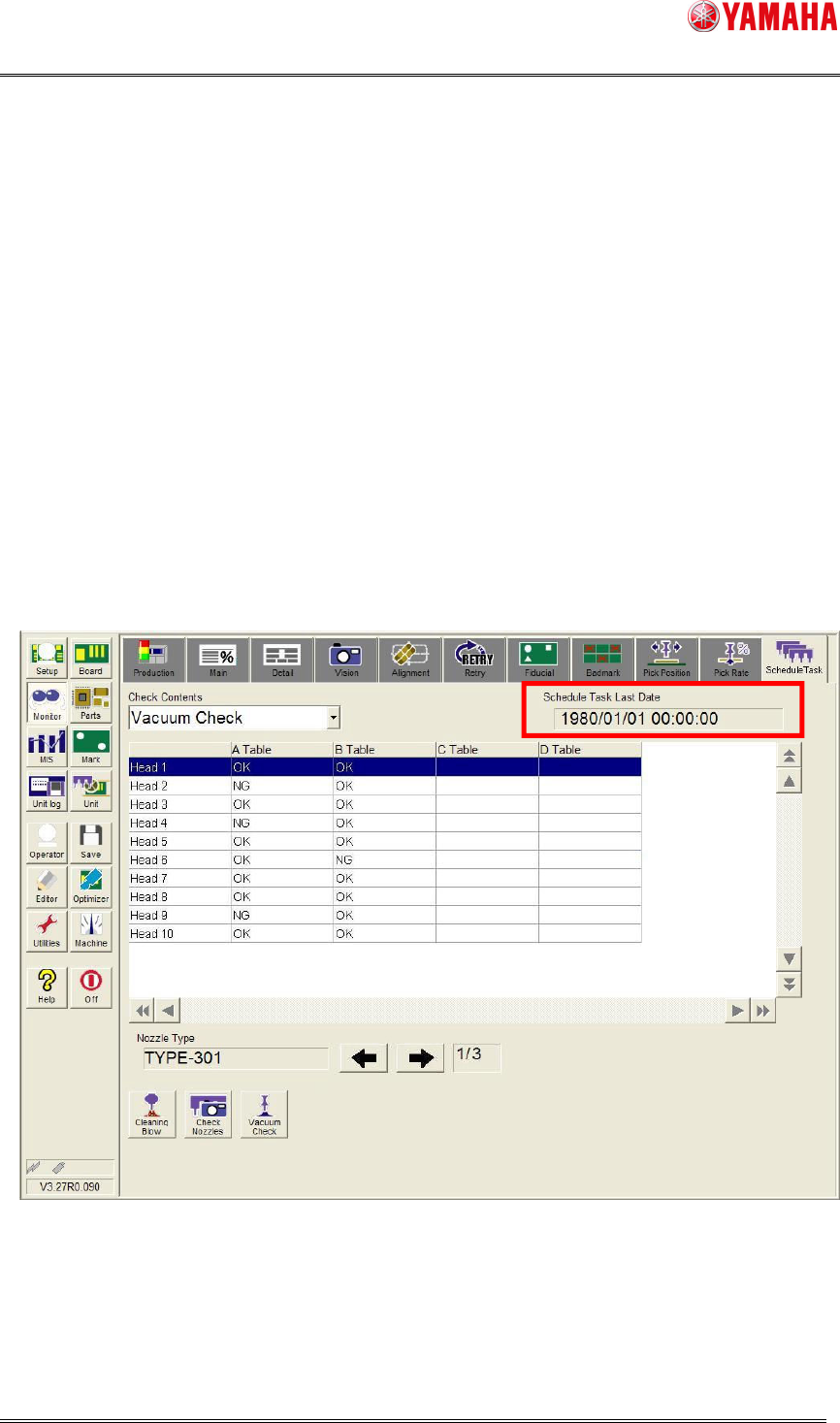
When "Update with manual operation" of [Machine (VmSpec)] - [Specification Information] -
[Schedule Specification] is "ON", “Schedule Task Last Date” is updated even with a manual
operation. When the “Schedule Task Last Date” is updated, cycle calculation is restarted for
the next Schedule Task execution.
When "Update with manual operation" of [Machine (VmSpec)] - [Specification Information] -
[Schedule Specification] is "OFF", the “Schedule Task Last Date” is not updated with Schedule
Task by manual operation. “Schedule Task Last Date” is updated only when the Schedule
Task of automatic cycle is executed.
(Attention 1) Refer to "4 Setting" for the set of "Schedule Task Last Date".
Fig.3.6 Schedule Task monitor screen
SMT Software Engineering Group
IM Operations YAMAHA MOTOR CO., LTD.
MDOC-SOFT50138
10/13
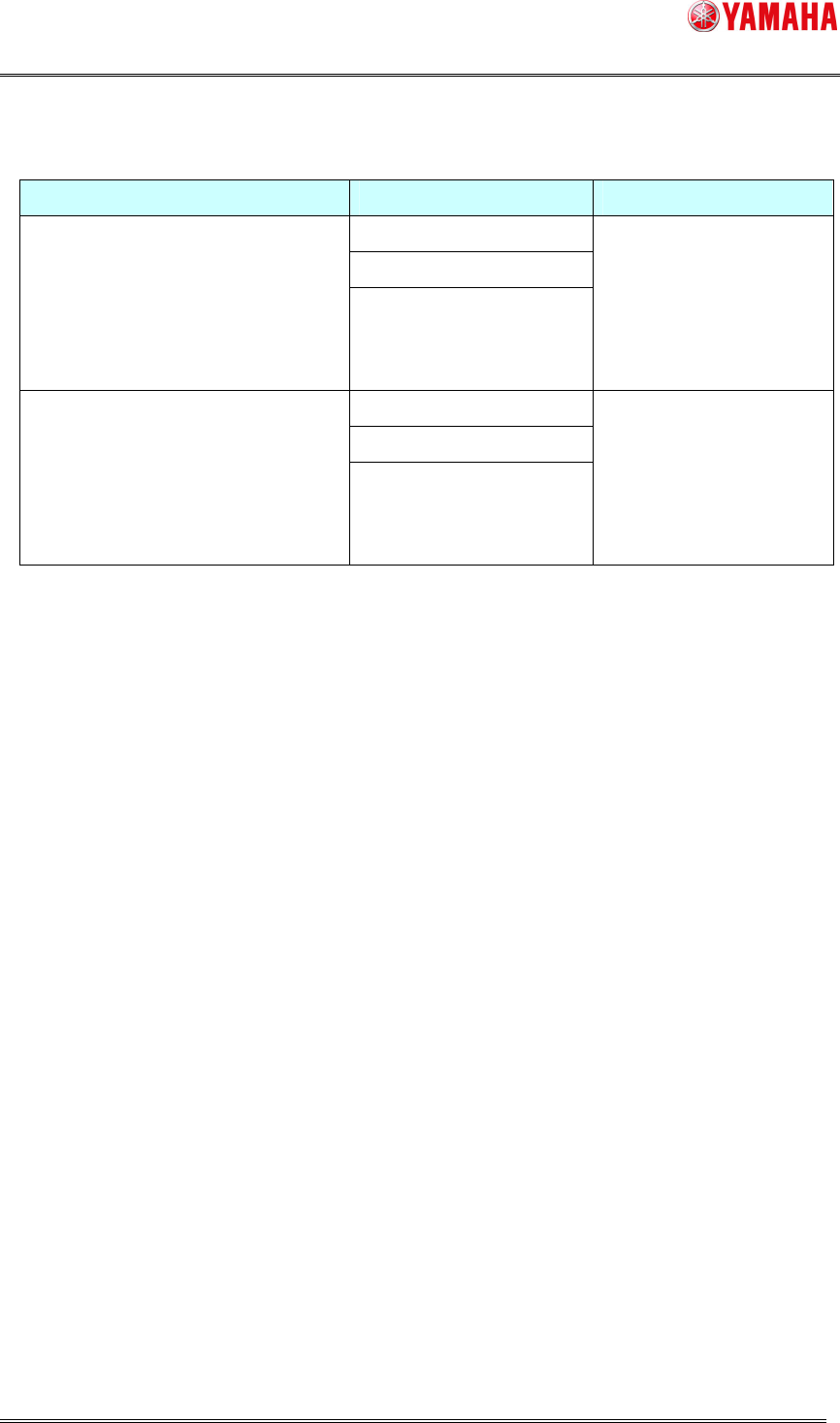
“Schedule Task Last Date” is updated according to the following conditions.
Condition of the Schedule Task start Check Item Schedule Task Last Date
Vacuum Check
Nozzle Condition Check
When
“Check Item” of the Schedule
Task is executed by
the automatic
cycle.
Shaft Cleaning Blow
Updated.
IfnotScheduleTaskisnot
executedbecauseofsome
hardwaretroubles,it’snot
updated.
Vacuum Check
Nozzle Condition Check
When
“Check Item” of the Schedule
Task is executed by
the manual
operation.
(It is not related to setting of "Update
with manual operation".)
Shaft Cleaning Blow
Not updated
SMT Software Engineering Group
IM Operations YAMAHA MOTOR CO., LTD.
MDOC-SOFT50138
11/13
3.6. Schedule Task Result Display at the time of the movement
abnormality
When the following abnormities are detected during an execution of Schedule Task, it stops
with errors immediately. In this case, results list dialog is not displayed.
< About movement abnormal. >
- When the nozzle change failed.
- When the nozzle dropped to cleaning blow unit.
- When the system error occurred. (Es error)
etc.
If there is a nozzle with Schedule Task completed, only a result of the nozzle is displayed.
(The result is not displayed even on the Schedule Task monitor screen, when the Schedule
Task is canceled or emergency stop.)
when a movement abnormity occurs, remove the cause displayed on the error screen.
And then, operate those units of the each tab on the [unit] screen if it is possible to do by hand
in order to confirm a normalcy movement.
In addition, execute Schedule Task by the manual operation, and confirm a normal finish.
Refer to "3.4 Schedule Task manual operation from the Schedule Task monitor" for the
manual execution of the Schedule Task.