TM3200.Schedule task result displays_Manual.pdf - 第6页
SMT Software Eng ineering Group IM Operations Y AMAHA MOTOR CO., L TD. MD OC-SOFT50138 6/13 3.3. Histor y Display W hen this f unction is us e d, it indicates error i nformation, l ogs of Schedule Task Re sult m e…
SMT Software Engineering Group
IM Operations YAMAHA MOTOR CO., LTD.
MDOC-SOFT50138
5/13
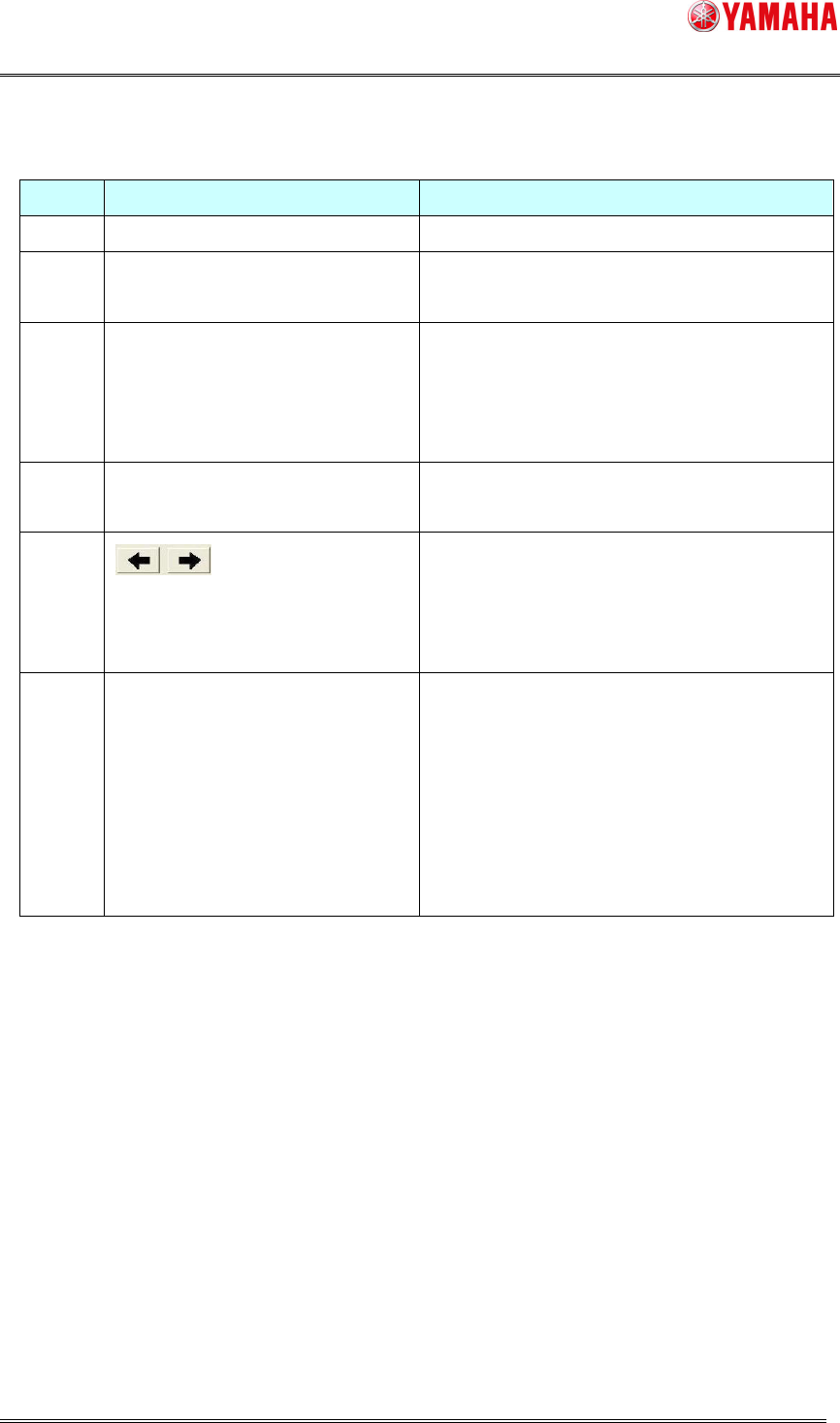
[ Explanation of the Schedule Task monitor screen ]
Number
Item name Explanation
(1) Check Contents This can change the Schedule Task actions.
(2) Schedule Task Last Date The last executing date of each Schedule Task is
displayed.
(3) List of Schedule Task results Each Schedule Task result is displayed.
“OK” : Schedule Task is completed normally.
“NG” : Schedule Task is finished with error.
“Blank” : The Schedule Task is not executed.
(4) Nozzle Type The nozzle type that executed the Schedule Task is
displayed.
(5) This can change pages by tapping this button when
there is more than one checked nozzle.
When there is only one page, this buttons are not
effective.
(6) Current page / Maximum page Current page number and maximum page number
are displayed.
<Attention>
The maximum page is the number of the total
nozzle types which are checked by the Schedule
Task actions.
This is not displayed, when there is only one page.
SMT Software Engineering Group
IM Operations YAMAHA MOTOR CO., LTD.
MDOC-SOFT50138
6/13
3.3. History Display
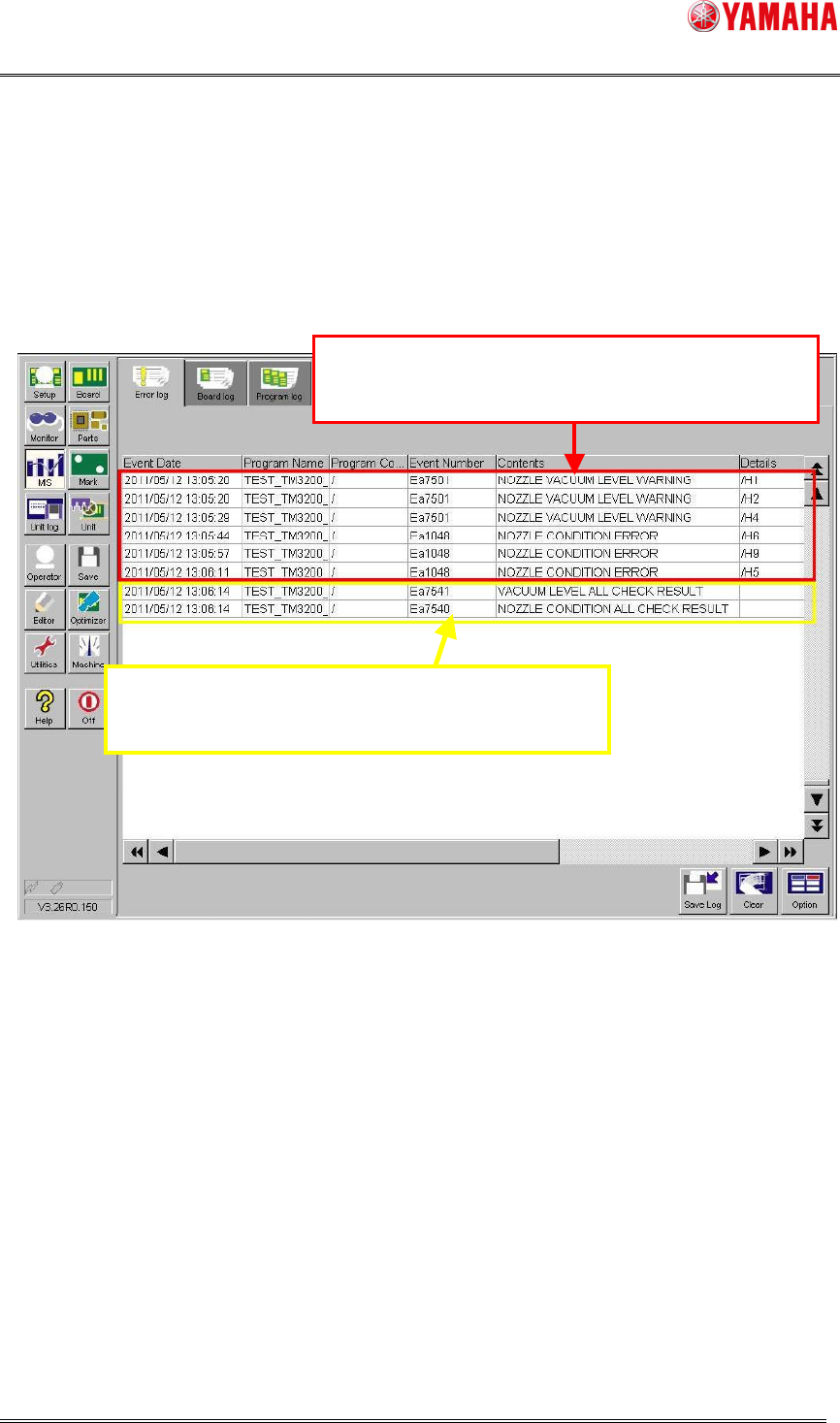
When this function is used, it indicates error information, logs of Schedule Task Result
message displayed after the Schedule Task on the [MIS] – [Error log] tab screen.
Error information is output with its error head number. The head number is displayed as /H1
/H2 in the [Details] row.
Fig.3.4 Error log screen
Information which head has error is output on "E
rror
log".
After Schedule Task finishes, execution result mess
age
information is output on "Error log".
SMT Software Engineering Group
IM Operations YAMAHA MOTOR CO., LTD.
MDOC-SOFT50138
7/13
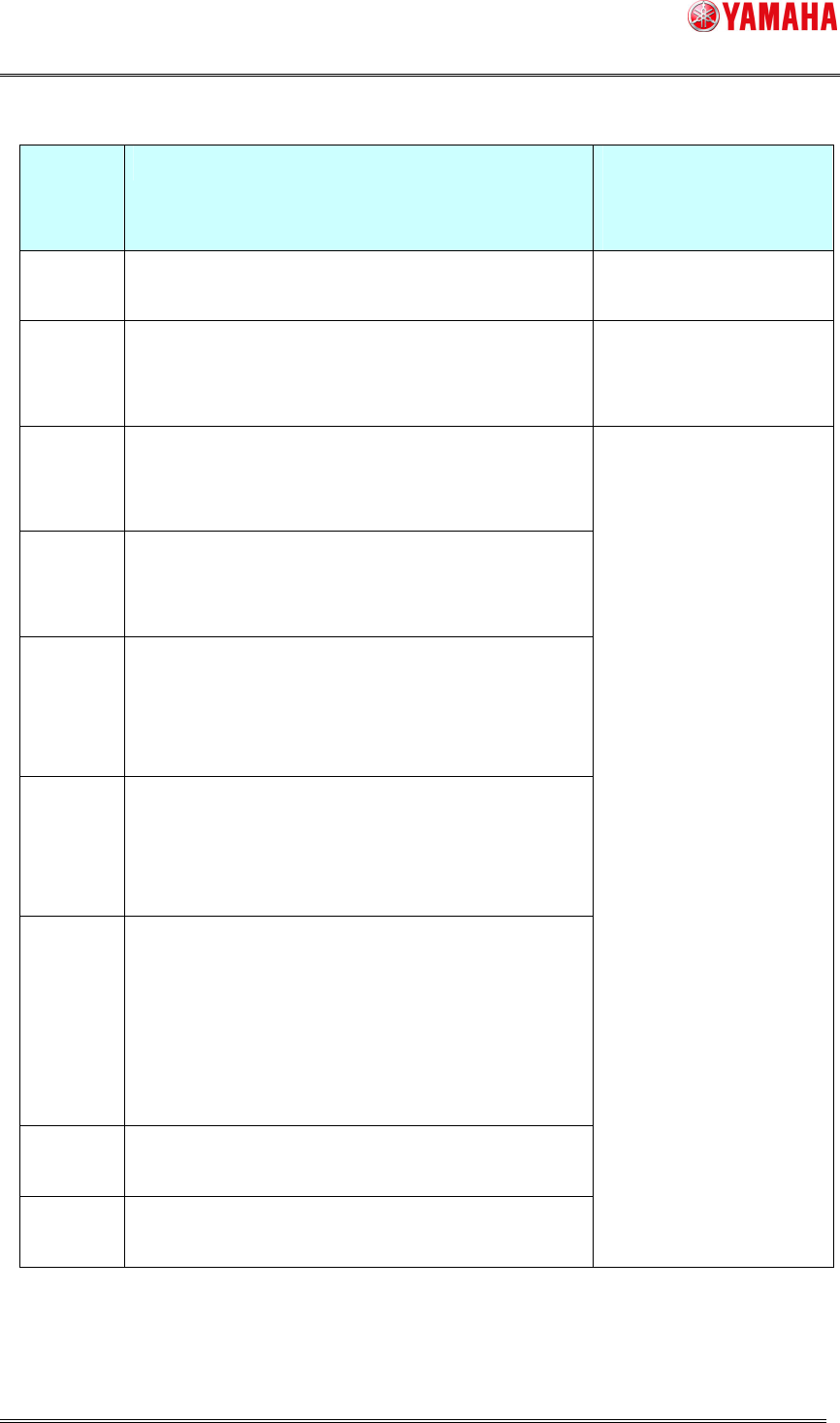
[Kind of the Schedule Task that an error number and an error occurred]
Error
number
Content of error Kind of the Schedule
Task that an error
occurred
Ea7501 NOZZLE VACUUM LEVEL WARNING
Detected Illegal Vacuum Level.
Vacuum Check
Ea1048 NOZZLE CONDITION ERROR
As a result of vision recognition, the following nozzle
is concluded dirty.
Nozzle Condition Check
Es887 You can't move X or Y axis,
because some nozzles exist in the shaft cleaning
blow units.
Es891 You can't move X or Y axis,
because there isn't a shaft cleaning blow unit at the
bottom.
Es993 Nozzle detecting sensor on the shaft cleaning blow
unit detects something. (One shaft cleaning blow unit
exist. or two shaft cleaning blow units exist; and in
the case of a front shaft cleaning blow unit.)
Es994 Nozzle detecting sensor on the shaft cleaning blow
unit detects something. (Two shaft cleaning blow
units exist; and in the case of a rear shaft cleaning
blow unit.)
Ea7504 SHAFT CLEANING BLOW ERROR
- The designation of the blow position is out of a soft
limit range.
- The head lower-end sensor did not react with in the
fixed time, when the head downed.
- failed in nozzle exchange.
Ea7506 The machine stopped in shaft cleaning blow action
during operation.
Ea7518 The shaft cleaning blow cannot be executed
because of servo OFF or interlock error.
Shaft Cleaning Blow
(Attention 1) About the "Shaft Cleaning Blow", it is not output in the each head.
In addition, about the head number, it is not output either.