TM3200.Schedule task result displays_Manual.pdf - 第3页
SMT Software Engineering G roup IM Operations Y AMAHA MOTOR CO., L TD. MD OC-SOFT50138 3/13 3. Det ail 3.1. A cti on when the Sched ule T ask error is detected After the Schedu le T as k process of all tables, the…
SMT Software Engineering Group
IM Operations YAMAHA MOTOR CO., LTD.
MDOC-SOFT50138
2/13
1. Target Model and Target Version
The target model and the target version of this specification are as follows.
Table1 Target Machine and Software
Machine, Software Version Remarks
VGOSV3 Mounter Application Software
(YG300 is not supported.)
V3.27STD R1.000 or later
2. Outline
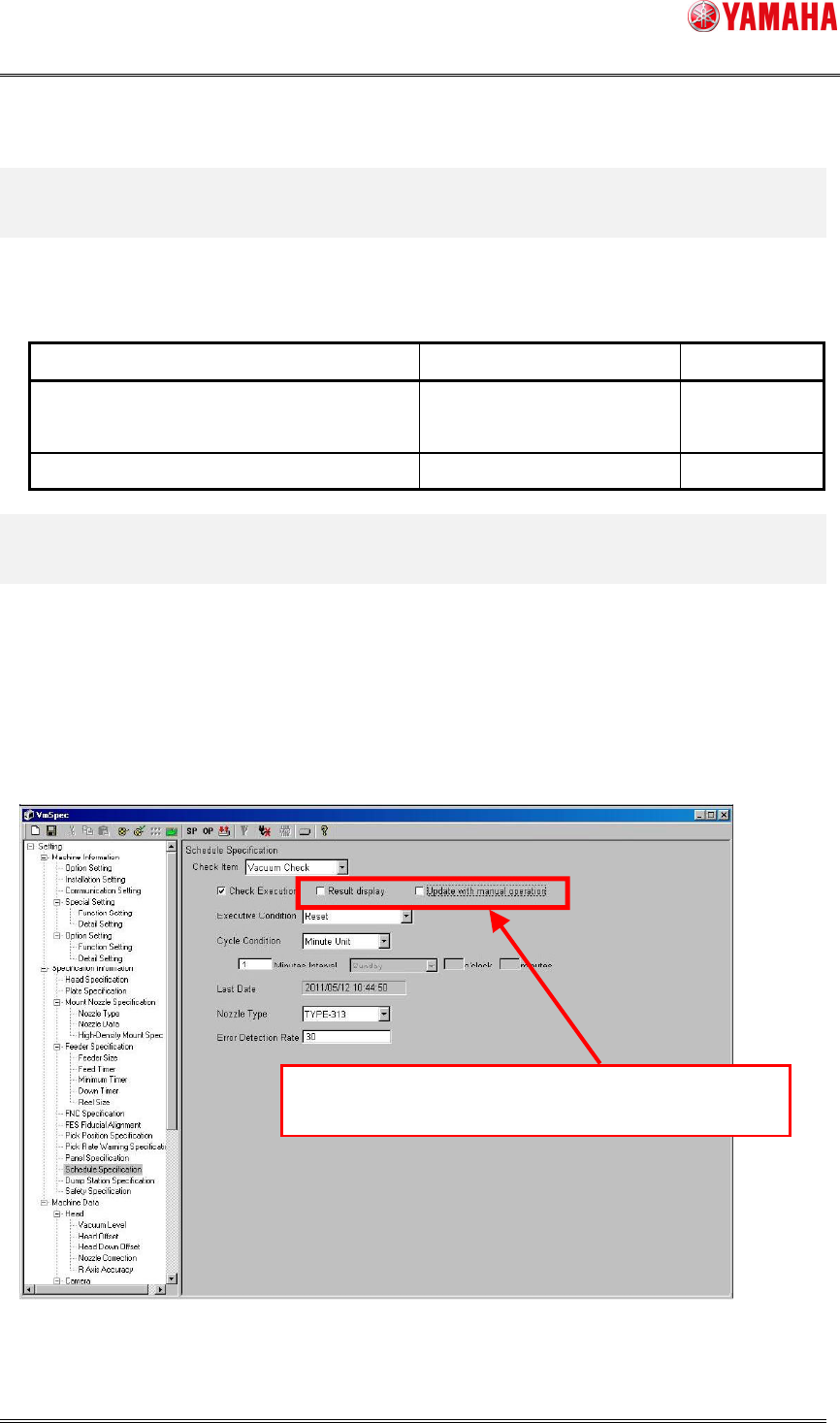
This function displays Schedule Task Result of "Vacuum Check", "Nozzle Check" and "Shaft
Cleaning Blow" set on "Schedule specification" on the monitor screen after the check of all
tables are done.
The "Schedule Task result displays" function (describes “this function” as below) has been
added to [Specification information] - [Schedule specification] of factory setting (VmSpec), it
is described below.
Fig.3.1 Schedule specification screen
Added the “Schedule Task result displays” function.
SMT Software Engineering Group
IM Operations YAMAHA MOTOR CO., LTD.
MDOC-SOFT50138
3/13
3. Detail
3.1. Action when the Schedule Task error is detected
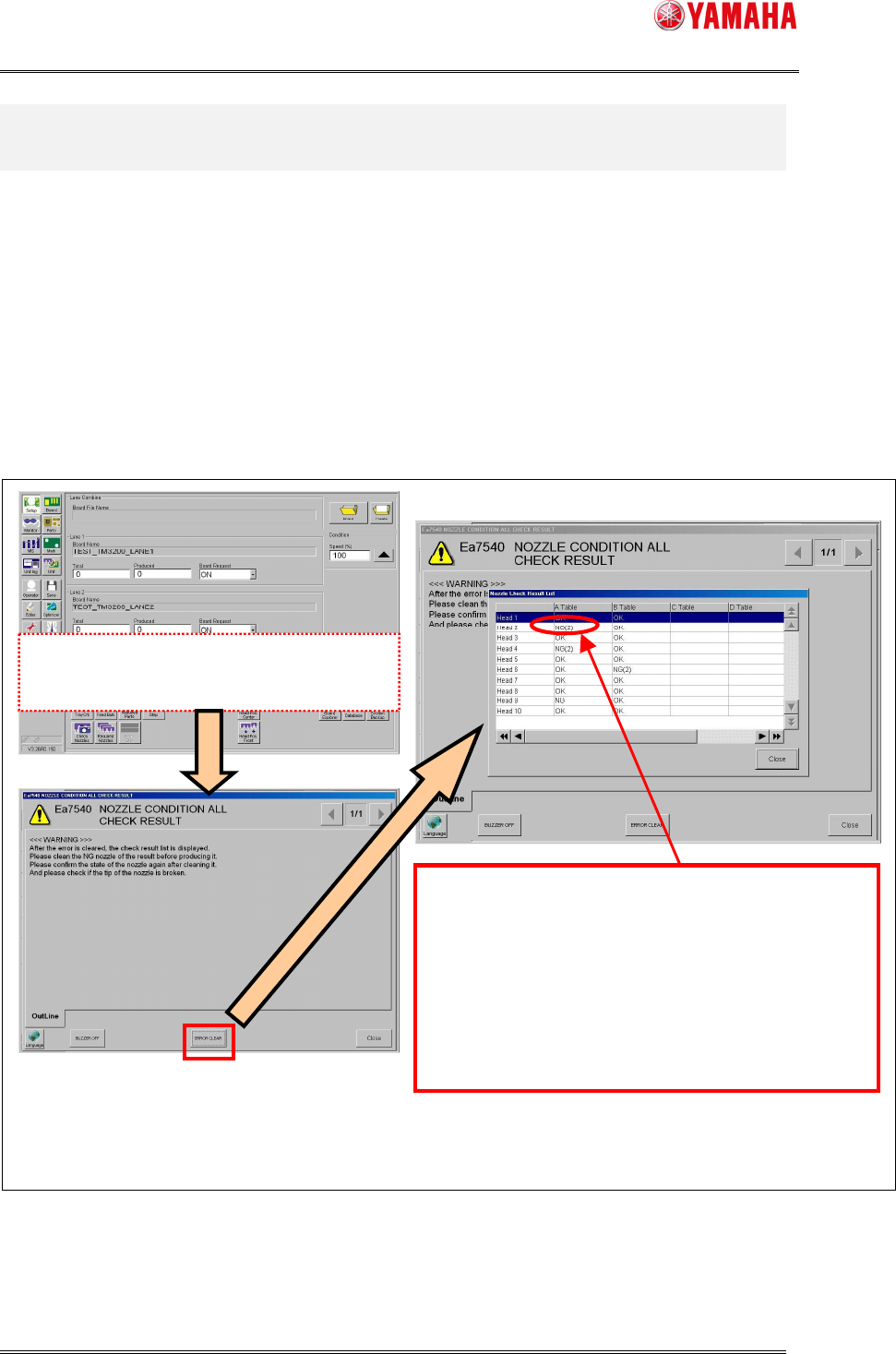
After the Schedule Task process of all tables, the following messages are displayed if an error
is detected with the head or the nozzle.
The “Nozzle Check Result List” dialog is displayed when "ERROR CLEAR" button is tapped on
the Ea7540 message screen. (Refer to the following chart image.)
When more than one Schedule Task is executed at the same time, their warning messages
are displayed after all Schedule Tasks finishes.
Fig.3.2 Operation image at the error detection
Schedule Task is finished.
There were error heads.
When the error is detected with the several kinds
of nozzle,
Error nozzle number is displayed in parentheses.
On the "Schedule Task monitor screen" described later,
you
can confirm which nozzle has the error.
The line of the head which is not checked is blank.
The Schedule Task Result message
When error head or nozzle exists after the executio
n
of all tables, this error message is displayed.
The Check Results List dialog is displayed
SMT Software Engineering Group
IM Operations YAMAHA MOTOR CO., LTD.
MDOC-SOFT50138
4/13
3.2. Monitor Display
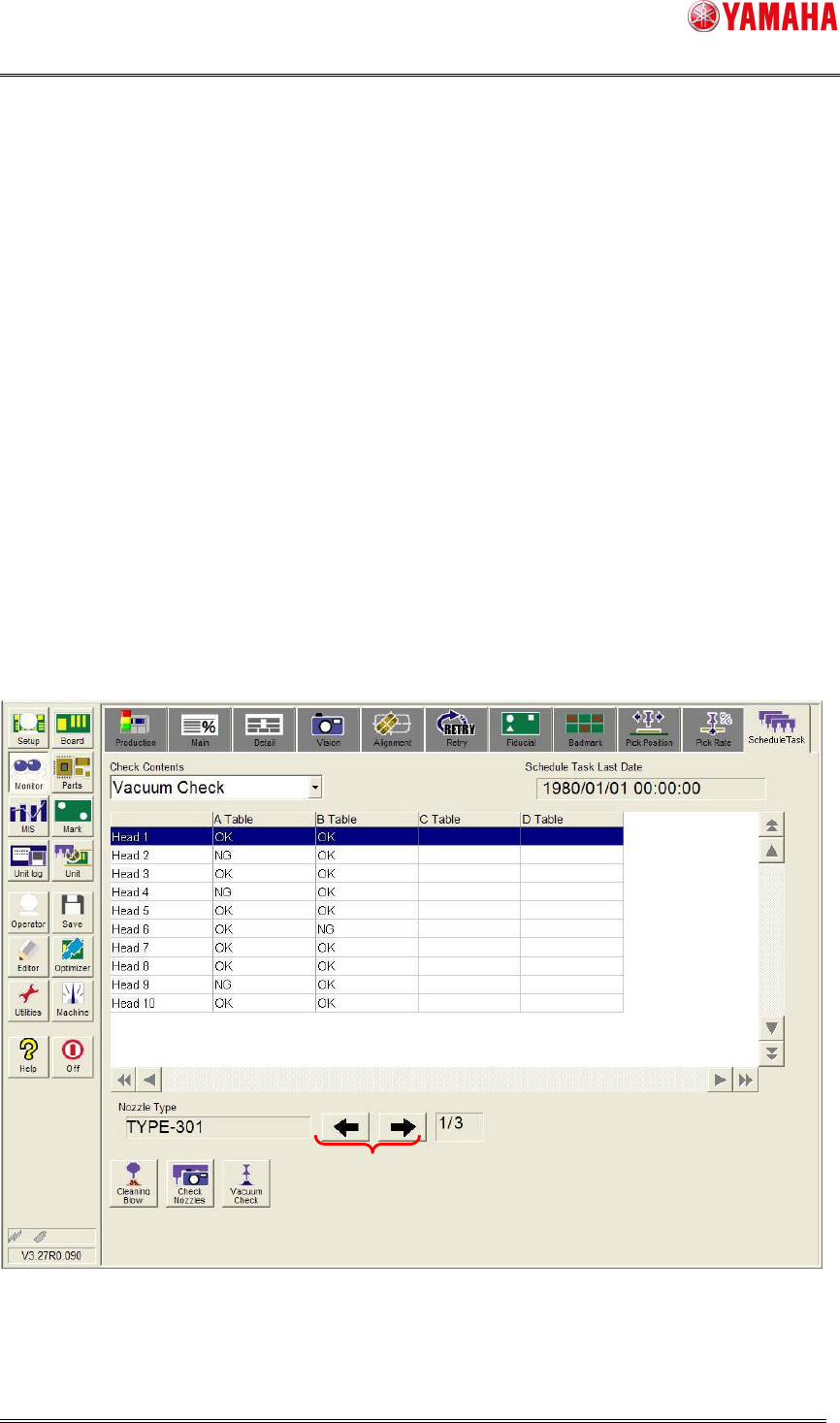
Schedule Task Result List is displayed on the [Monitor] – [Schedule Task] tab with this
function.
On this screen, a result of Schedule Task is displayed, and you can see which nozzle
number and head number is checked and detected with errors.
When the information of nozzle type which executed the Schedule Task can not insert on
one page (when there are plural pages), it can change the screen display by pushing the arrow
button of the screen lower right (5).
The list of Schedule Task results is displayed about the result that executed the check last.
The Schedule Task result information is kept until next Schedule Task start. (Each unit of
“Check Contents”.)
The Schedule Task result information is cleared when the machine power ON and reload the
board data.
Fig.3.3 Schedule Task monitor screen
(1) (2)
(3)
(4)
(5)
(6)