TM3200.Schedule task result displays_Manual.pdf - 第5页
SMT Software Eng ineering Group IM Operations Y AMAHA MOTOR CO., L TD. MD OC-SOFT50138 5/13 [ Explana tion of th e Schedule T ask monitor sc reen ] Number Item name Explanation (1) Check Con tents This can c han…
SMT Software Engineering Group
IM Operations YAMAHA MOTOR CO., LTD.
MDOC-SOFT50138
4/13
3.2. Monitor Display
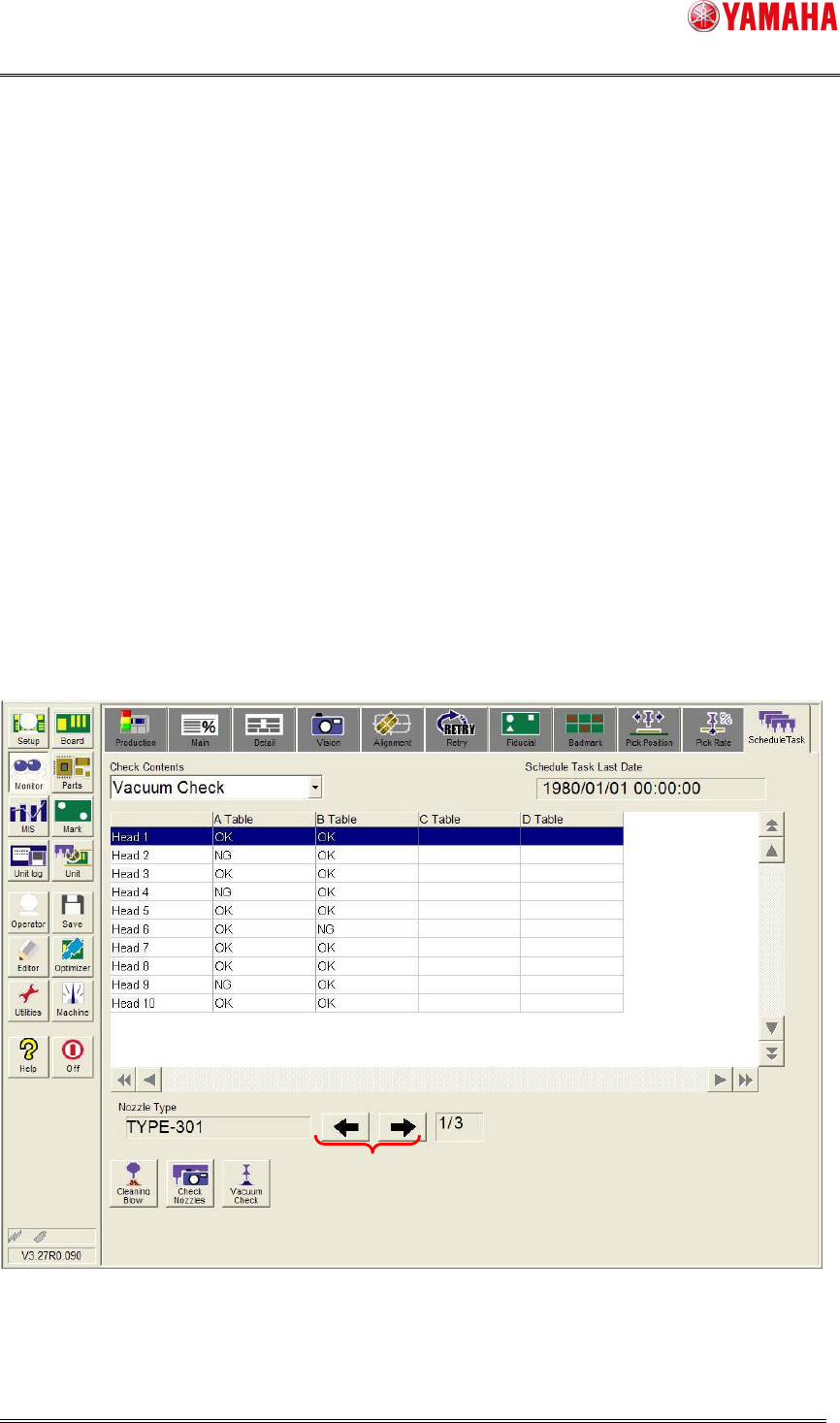
Schedule Task Result List is displayed on the [Monitor] – [Schedule Task] tab with this
function.
On this screen, a result of Schedule Task is displayed, and you can see which nozzle
number and head number is checked and detected with errors.
When the information of nozzle type which executed the Schedule Task can not insert on
one page (when there are plural pages), it can change the screen display by pushing the arrow
button of the screen lower right (5).
The list of Schedule Task results is displayed about the result that executed the check last.
The Schedule Task result information is kept until next Schedule Task start. (Each unit of
“Check Contents”.)
The Schedule Task result information is cleared when the machine power ON and reload the
board data.
Fig.3.3 Schedule Task monitor screen
(1) (2)
(3)
(4)
(5)
(6)
SMT Software Engineering Group
IM Operations YAMAHA MOTOR CO., LTD.
MDOC-SOFT50138
5/13
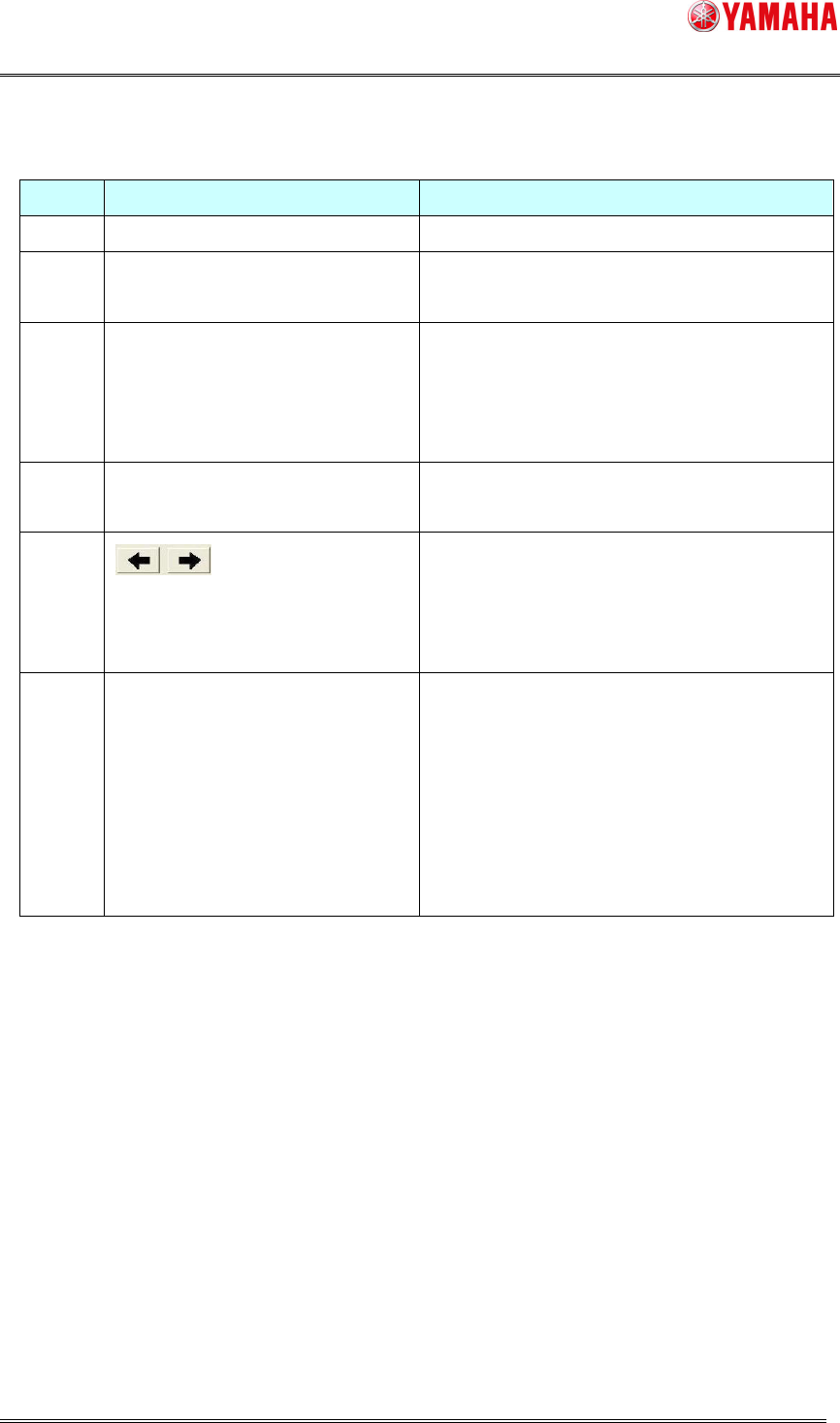
[ Explanation of the Schedule Task monitor screen ]
Number
Item name Explanation
(1) Check Contents This can change the Schedule Task actions.
(2) Schedule Task Last Date The last executing date of each Schedule Task is
displayed.
(3) List of Schedule Task results Each Schedule Task result is displayed.
“OK” : Schedule Task is completed normally.
“NG” : Schedule Task is finished with error.
“Blank” : The Schedule Task is not executed.
(4) Nozzle Type The nozzle type that executed the Schedule Task is
displayed.
(5) This can change pages by tapping this button when
there is more than one checked nozzle.
When there is only one page, this buttons are not
effective.
(6) Current page / Maximum page Current page number and maximum page number
are displayed.
<Attention>
The maximum page is the number of the total
nozzle types which are checked by the Schedule
Task actions.
This is not displayed, when there is only one page.
SMT Software Engineering Group
IM Operations YAMAHA MOTOR CO., LTD.
MDOC-SOFT50138
6/13
3.3. History Display
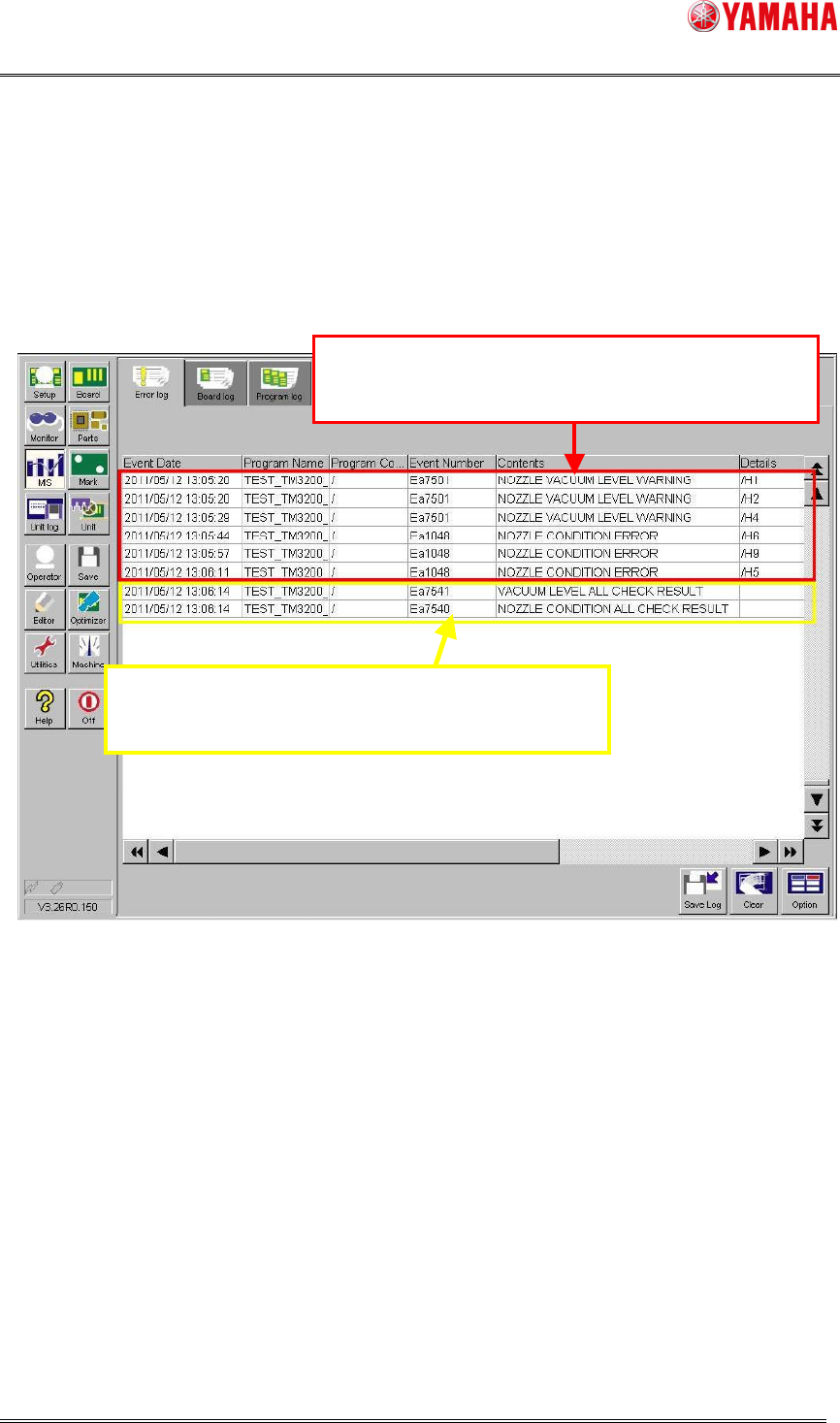
When this function is used, it indicates error information, logs of Schedule Task Result
message displayed after the Schedule Task on the [MIS] – [Error log] tab screen.
Error information is output with its error head number. The head number is displayed as /H1
/H2 in the [Details] row.
Fig.3.4 Error log screen
Information which head has error is output on "E
rror
log".
After Schedule Task finishes, execution result mess
age
information is output on "Error log".