00197185-02_IM_Required_Steps_before_using_Support_Media_EN.pdf - 第40页
Required Steps bef ore us ing Su pport Me dia 07/2013 E dit ion 40
Required Steps before using Support Media 07/2013 Edition
39
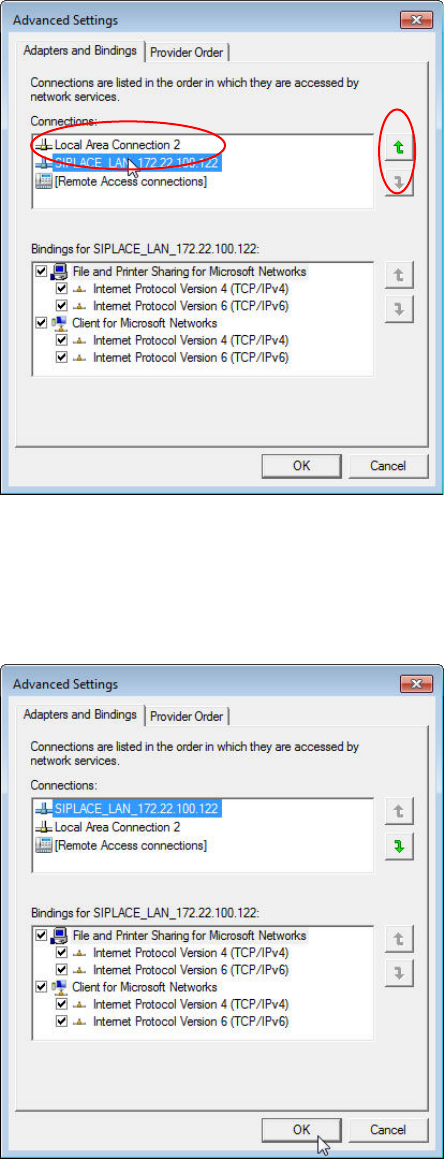
A window similar to the following opens.
Figure 8-12: Advanced Network Settings with SIPLACE_LAN network connection selected
► In the upper area, select the network connection for which you want to change the order.
► Click the appropriate arrow button to move the connection up/down in the order.
Figure 8-13: Advanced Network Settings with Network Connections order changed
► After you’ve changed the order complying with your wishes, click the OK button to apply the
setting.
Required Steps before using Support Media 07/2013 Edition
40
Required Steps before using Support Media 07/2013 Edition
41