Printer 600 Pneumatic Module.pdf - 第16页
31( 80$7,&0 2'8 /( 31(80$7,& '(9,&(6 24.16 Technical Reference Manual Chapter Issue 3 May 03 Rot ary Actuat or The rot ary actuator pr oduces a rotar y output f rom a compressed air input . This d…
31(80$7,&02'8/(
31(80$7,&'(9,&(6
Chapter Issue 3 May 03 Technical Reference Manual 24.15
Venturi Vacuum
Pump
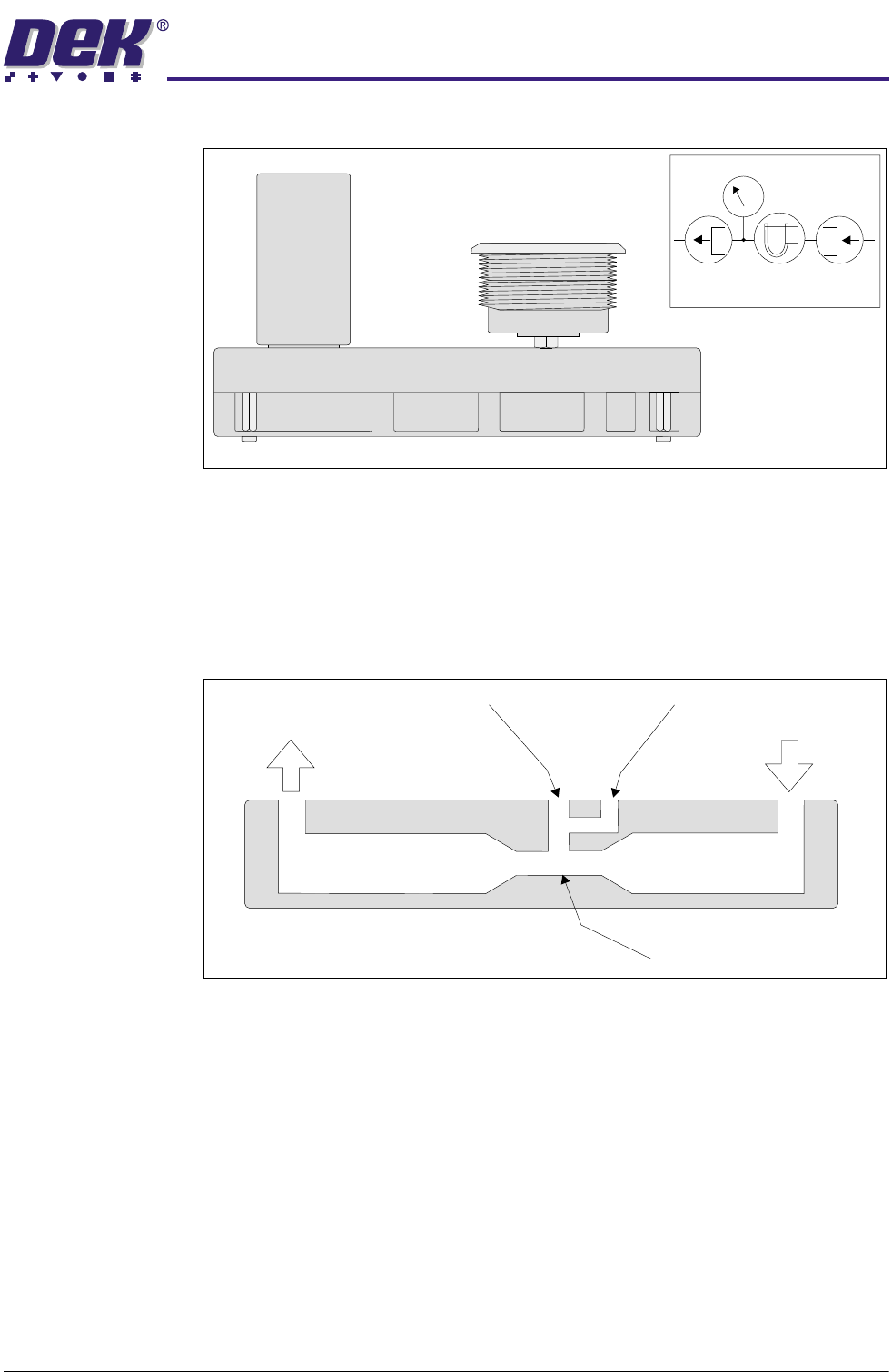
The pump provides the suction required for vacuum tooling.
Figure 24-19 Venturi Vacuum Pump and Symbol
The device consists essentially of a convergence in a pipe line, followed by a
short parallel-sided throat and a divergence. Air at the inlet is accelerated
through the throat to the exhaust. The flow of air through the throat causes a
suction at the vacuum port. The faster the flow of air through the throat the
greater the vacuum.
Figure 24-20 Venturi Vacuum Pump Cross Section
Symbol
P
Inlet
Exhaust
Vacuum Gauge
Throat
31(80$7,&02'8/(
31(80$7,&'(9,&(6
24.16 Technical Reference Manual Chapter Issue 3 May 03
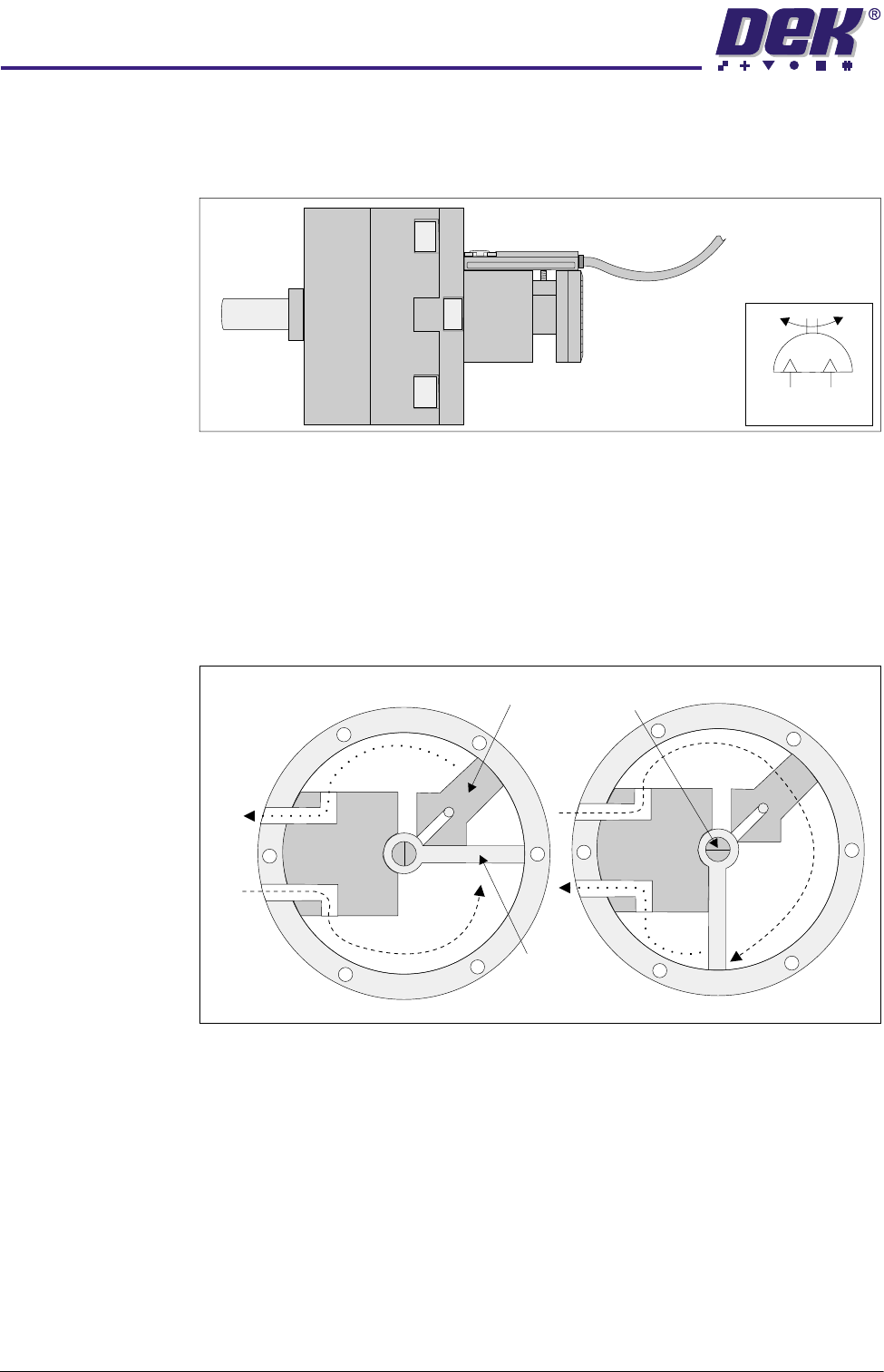
Rotary Actuator The rotary actuator produces a rotary output from a compressed air input. This
drive is used via a rotary arm, to rotate the remote board stop through 90
degrees.
Figure 24-21 Rotary Actuator and Symbol
In the rest state air is supplied to Port A with Port B venting. The vane is driven
anti-clockwise against the stop, turning the drive shaft. On selection the air
supply is switched to Port B with Port A venting. This drives the vane and the
drive shaft clockwise through 90 degrees, producing the rotary drive. This is
the mode of operation when the remote board stop is fitted to the right hand side
of the rising table.
Figure 24-22 Rotary Actuator Cross Section
When the remote board stop is fitted to the left hand side of the rising table, the
air supplies to Port A and Port B are swapped over. In the rest state air is
supplied to Port B with Port A venting. The vane is driven clockwise, turning the
drive shaft. On selection the air supply is switched to Port A with Port B venting.
This drives the vane and the drive shaft anti-clockwise through 90 degrees,
against the stop, producing the rotary drive.
Symbol
Stop
Drive
Shaft
Vane
Port
B
Port
A
31(80$7,&02'8/(
$'-8670(176$1'6(77,1*6
Chapter Issue 3 May 03 Technical Reference Manual 24.17
ADJUSTMENTS AND SETTINGS
Pressure Switch
and Mains Air
Regulator Setting
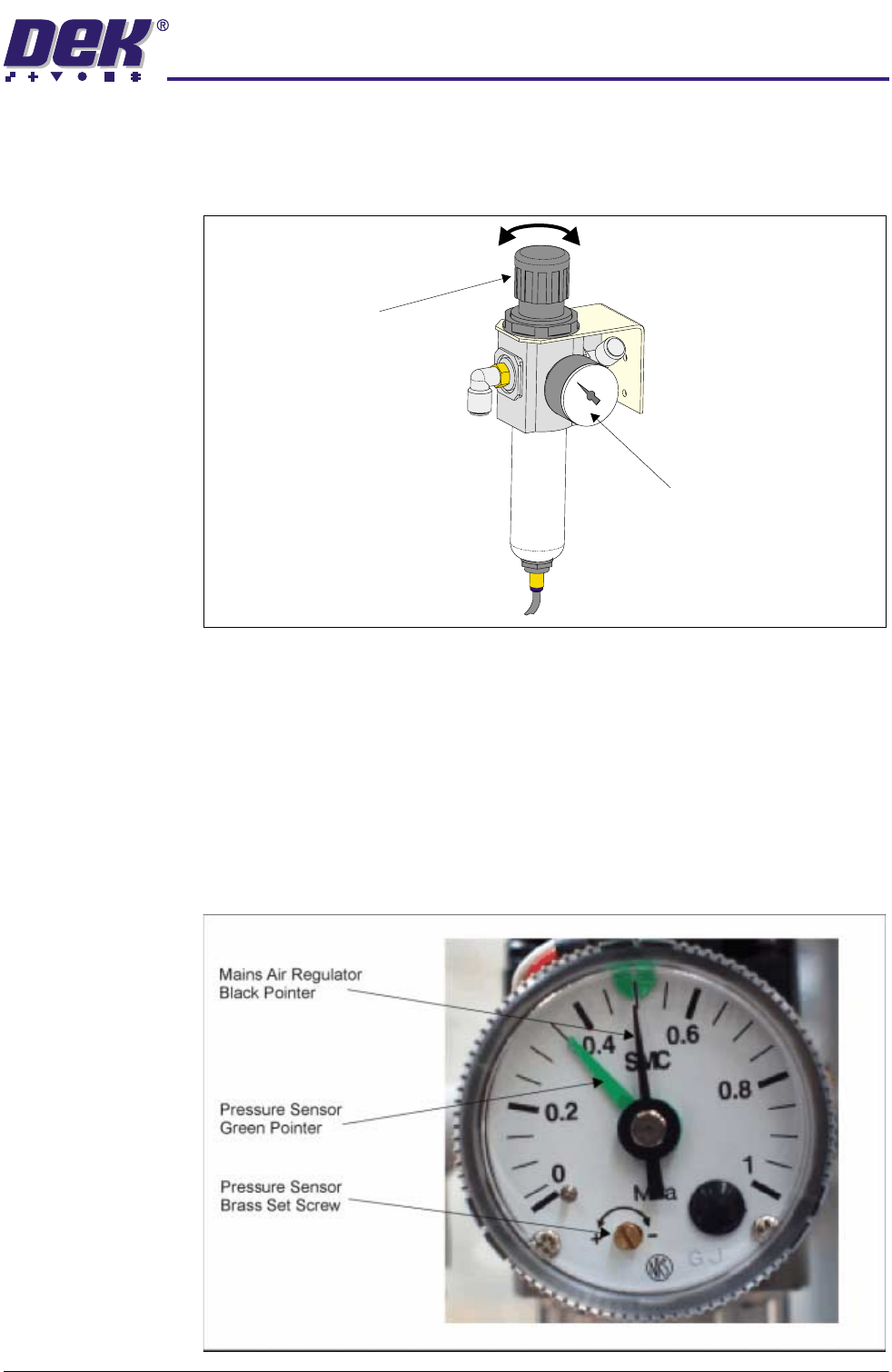
1. Set the mains air regulator (black pointer) to 0.3MPa (3 bar) by turning the
regulator control valve, clockwise to increase the pressure and anti-clock-
wise to decrease it.
2. Turn the cover on the pressure sensor and gauge anti-clockwise and
remove.
3. Set the pressure sensor (green pointer) by using a screwdriver to turn the
brass set screw slowly until the tricoloured beacon changes from green to
red, clockwise to decrease the pressure and anti-clockwise to increase it.
When the tricoloured beacon just changes to red, the pressure sensor is
correctly set at 0.3MPa (3 bar).
4. Replace the cover on the pressure sensor and gauge and turn clockwise to
lock.
5. Reset the mains air regulator to 0.5MPa (5 bar).
Regulator
Control
Valve
Pressure Sensor
and Gauge