Nordson-EFD-8040-Operating-Manual.pdf - 第11页
ValveMate 8040 Controller 11 www.nordsonefd.com info@nordsonefd.com +1-401-431-7000 Sales and service of Nordson EFD dispensing systems are available worldwide. Fr ont Panel Buttons SEL — Pressing the SEL button scrolls …
ValveMate 8040 Controller
10 www.nordsonefd.com info@nordsonefd.com +1-401-431-7000 Sales and service of Nordson EFD dispensing systems are available worldwide.
Specifications
NOTE: Specifications and technical details are subject to change without prior notification.
Item Specification
Cabinet size 18.3
W x 5.1H x 8.6D cm (7.20W x 2.00H x 3.38D")
Weight 0.3 kg (0.6 lb)
Cycle rate Exceeds 400 per minute
Time range 0.001–99.9 s
Electrical power input 24 VDC, 1.25 Amp maximum
Input AC (to power supply) 100–240 VAC (±10%), 50/60Hz, 1.0 Amp
Output DC (from power supply) 24 VDC, 1.25 Amp maximum
Feedback circuits 5–24 VDC NC solid-state switch, 100 mA maximum
Cycle initiate 5–24 VDC signal
Ambient operating conditions
Temperature: 5–45° C (41–113° F)
Humidity: 85% RH at 30° C, 40% at 45° C non-condensing
Height above sea level: 2,000 m (6,562 ft) maximum
Product Classification
Installation Category I
Pollution Degree 2
Approvals CE, UKCA, TÜV, RoHS, WEEE, China RoHS
RoHS标准相关声明标准相关声明 (China RoHS Hazardous Material Declaration)
产品名称
Part Name
有害物质及元素
Toxic or Hazardous Substances and Elements
铅
Lead
(Pb)
汞
Mercury
(Hg)
镉
Cadmium
(Cd)
六价铬
Hexavalent
Chromium
(Cr6)
多溴联苯
Polybrominated
Biphenyls
(PBB)
多溴联苯醚
Polybrominated
Diphenyl Ethers
(PBDE)
外部接口
External Electrical
Connectors
X 0 0 0 0 0
O: 表示该产品所含有的危险成分或有害物质含量依照EIP-A, EIP-B, EIP-C
的标准低于SJ/T11363-2006 限定要求。
Indicates that this toxic or hazardous substance contained in all the homogeneous materials for this part, according to EIP-A, EIP-B, EIP-C is below the
limit requirement in SJ/T11363-2006.
X: 表示该产品所含有的危险成分或有害物质含量依照EIP-A, EIP-B, EIP-C
的标准高于SJ/T11363-2006 限定要求.
Indicates that this toxic or hazardous substance contained in all the homogeneous materials for this part, according to EIP-A, EIP-B, EIP-C is above the
limit requirement in SJ/T11363-2006.
WEEE Directive
This equipment is regulated by the European Union under WEEE Directive (2012/19/EU). Refer to
www.nordsonefd.com/WEEE for information about how to properly dispose of this equipment.
ValveMate 8040 Controller
11www.nordsonefd.com info@nordsonefd.com +1-401-431-7000 Sales and service of Nordson EFD dispensing systems are available worldwide.
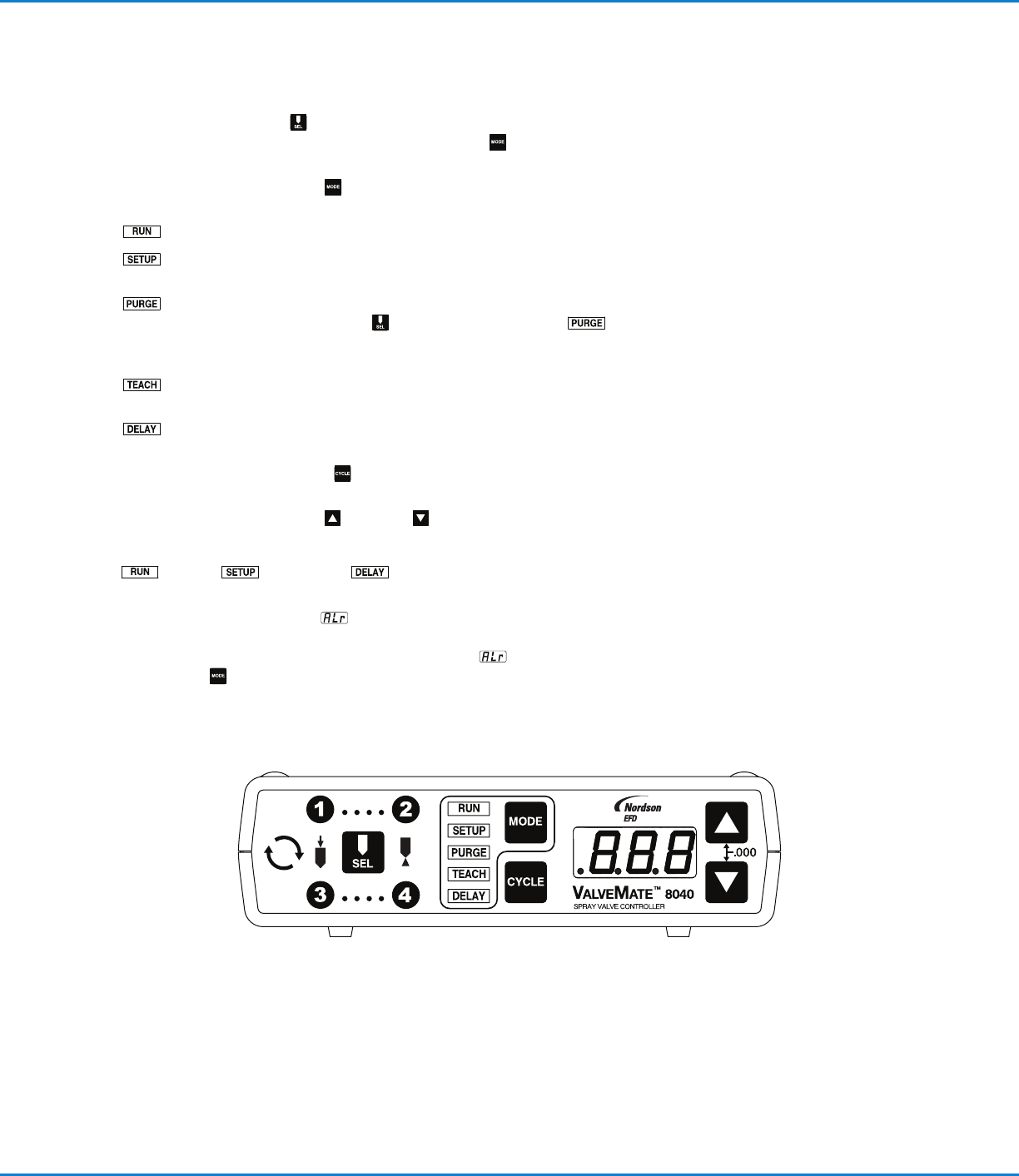
Front Panel Buttons
SEL — Pressing the SEL button scrolls sequentially through ···· and
···· channel time settings appropriate to the MODE selection. Time in
seconds is displayed on the three digit LED display.
MODE — Pressing the MODE
button scrolls through the menu at the left of
the LED. Also used for clearing ALARM faults.
RUN — Enables external initiate inputs. The cycle button is disabled.
SETUP — Setup / testing / and modification of ···· and ····
TIMER modes.
PURGE — Enables individual or simultaneous purge of spray valves.
Used in conjunction with SEL
channel selector, PURGE can
occur with or with out nozzle air function. See page22 for complete
PURGE sequence details.
TEACH — For easy setting / teach of times modes longer spray cycle
applications.
DELAY — Allows user entry to increase or decrease post nozzle air
delay upon completion of spray valve actuation.
CYCLE — Pressing the CYCLE button will provide different results according
to the selected MODE.
TIME SET — Pressing the UP
or DOWN buttons will change valve-on time
for the selected valve(s) or the DELAY time. Pressing both buttons
simultaneously will zero out the time. These buttons are enabled in the RUN
, SETUP , and DELAY modes only.
ALARM INDICATORS — At the beginning of any of the spray activities, if
ALARM circuit is open, “ALr”
flashes on the LED display. ALARM condition
needs to be corrected — either low pressure, low level, or other alarm open
circuit. After the circuit is restored, the flashing “ALr”
becomes steady.
Press MODE button to resume normal operation.
Operating Features
ValveMate 8040 Controller
12 www.nordsonefd.com info@nordsonefd.com +1-401-431-7000 Sales and service of Nordson EFD dispensing systems are available worldwide.
Indicator Lamps
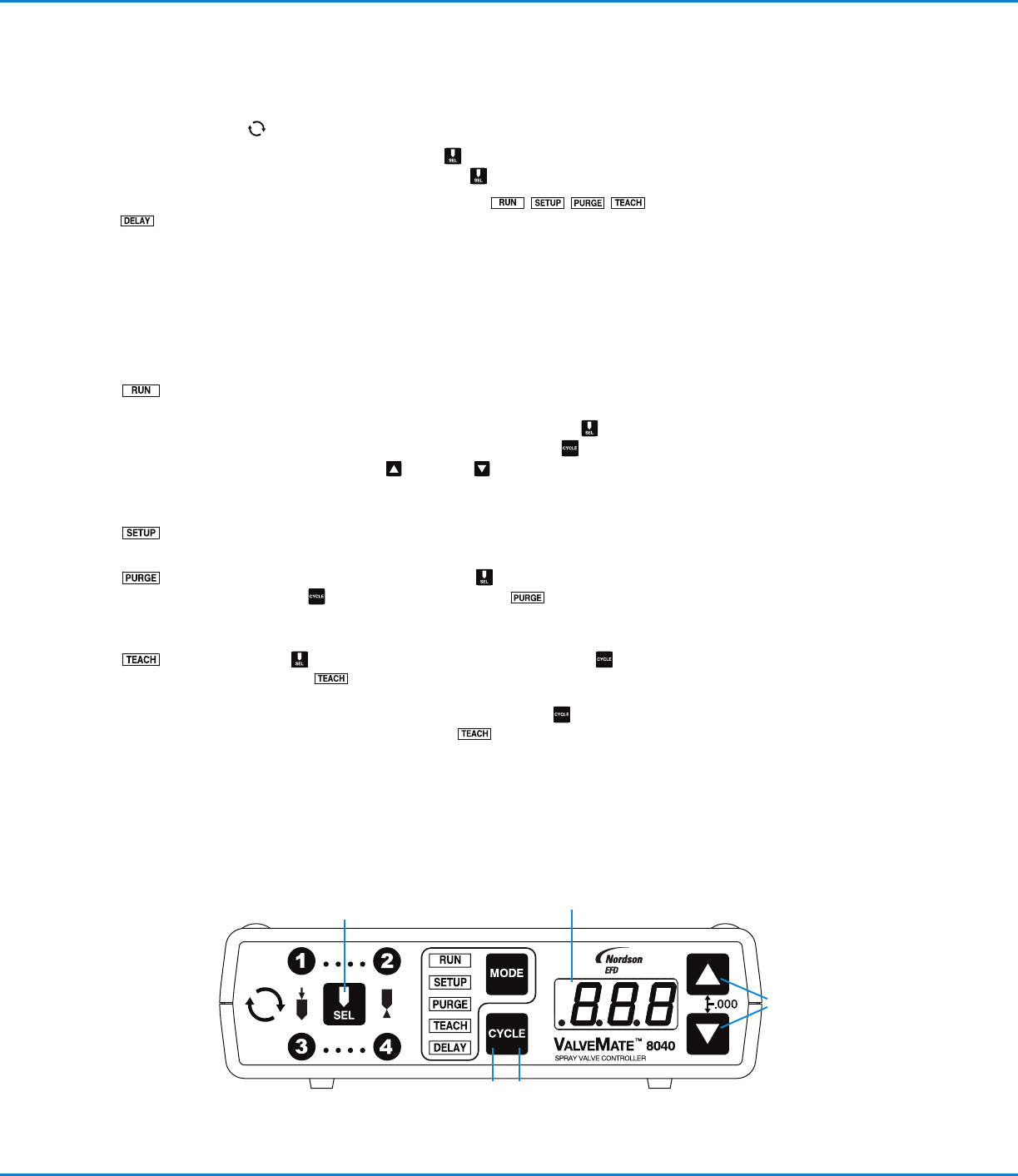
The indicator lamp at the far left will be lit any time valves are actuated.
The four numbered spray lamps around the SEL button will be lit ···· and
···· sequentially then all ON by pressing the SEL button.
In the center of the front panel are five indicator lamps:
. These lamps indicate the mode of operation.
Modes of Operation
RUN — The ValveMate 8040 is ready to be initiated through the I/O,
resulting in a spray cycle. Time settings can be made “on the fly” while
the machine is running. For “on the fly” adjustment,
select
appropriate channel, ···· and ····. Press CYCLE . LED
display will “flash.” Press UP or DOWN arrow to add or subtract
time to selected channel. When finished, press CYCLE to lock in new
TIME. Initiate signals are only enabled in the RUN mode.
SETUP — In the SETUP mode, time settings can be changed and spray
volume tested.
PURGE — This allows purging from selected or all channels for the
duration the CYCLE button is pressed. PURGE can occur with
or without nozzle air function. See page22 for complete PURGE
sequence details.
TEACH — Select channel. Pressing and holding the CYCLE
button in the TEACH mode will begin “flashing” of the LED display
for 5 seconds before TEACH function begins. Add incremental time to
selected channel by continued press and hold of CYCLE button, or
“.000” out channel time and begin TEACH sequence described
above. Repeat sequence for each channel.
FLASHING LED
Operating Features (continued)