Nordson-EFD-8040-Operating-Manual.pdf - 第16页
ValveMate 8040 Controller 16 www.nordsonefd.com info@nordsonefd.com +1-401-431-7000 Sales and service of Nordson EFD dispensing systems are available worldwide. The 16 pin terminal strip includes four dispense valve init…
ValveMate 8040 Controller
15www.nordsonefd.com info@nordsonefd.com +1-401-431-7000 Sales and service of Nordson EFD dispensing systems are available worldwide.
Connecting Power
Connect the power cord (ordered separately) to the appropriate input voltage.
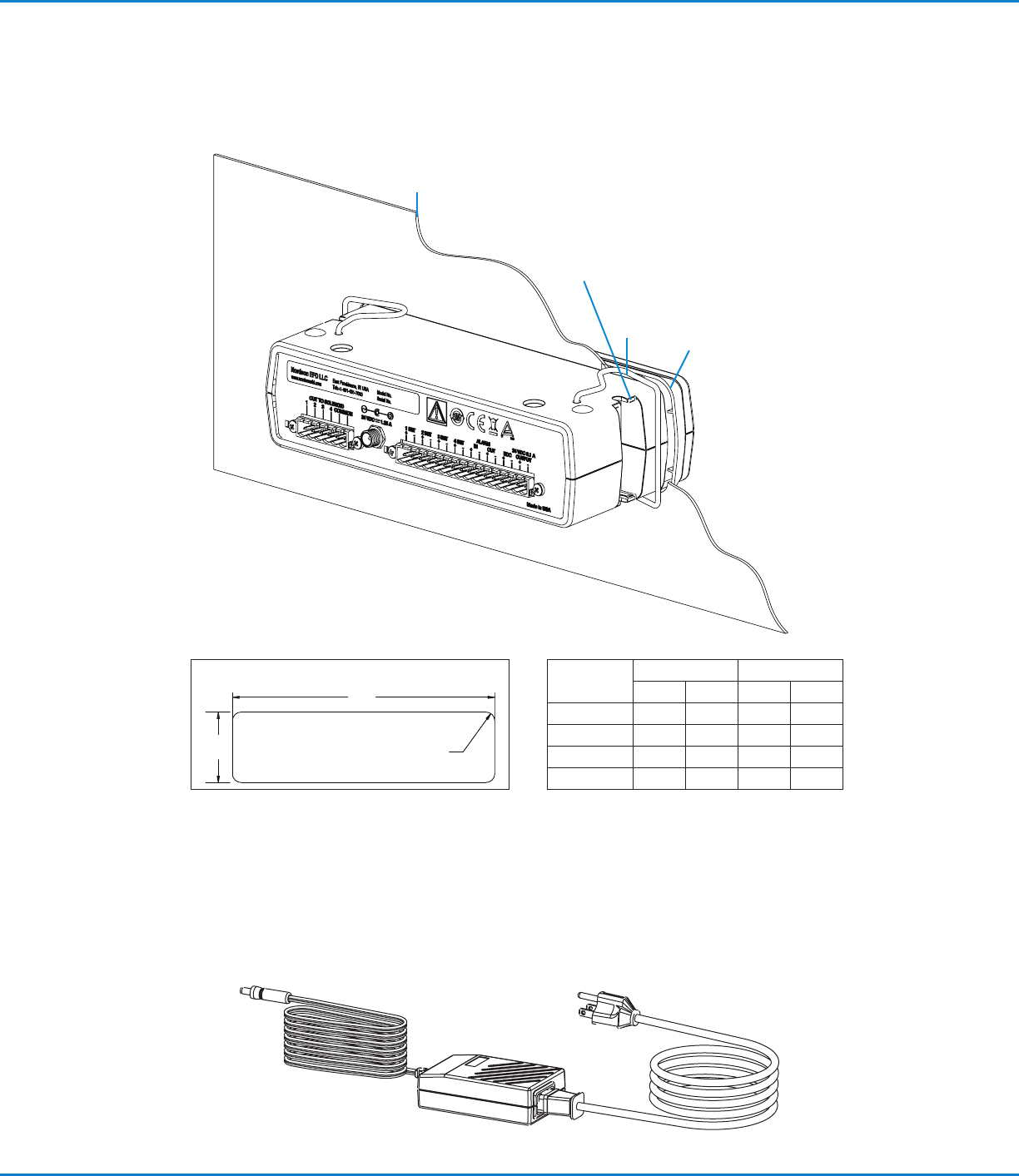
Mounting the ValveMate 8040
The ValveMate 8040 can be mounted either over or under a cabinet using screws.
Panel mount
bezel
Fits M4 or UNC / UNF #8
screws for under or over
cabinet mounting
Panel thickness
(see table)
Spring
clamps
Dimension
Min Max
mm in. mm in.
A 183.6 7.23 185.2 7.29
B 51.6 2.03 53.1 2.09
C R3.3 R.13 R9.4 R.37
Thickness 1.6 0.063 2.3 0.091
B
A
C (4X)
Panel Cutout Dimensions
ValveMate 8040 Controller
16 www.nordsonefd.com info@nordsonefd.com +1-401-431-7000 Sales and service of Nordson EFD dispensing systems are available worldwide.
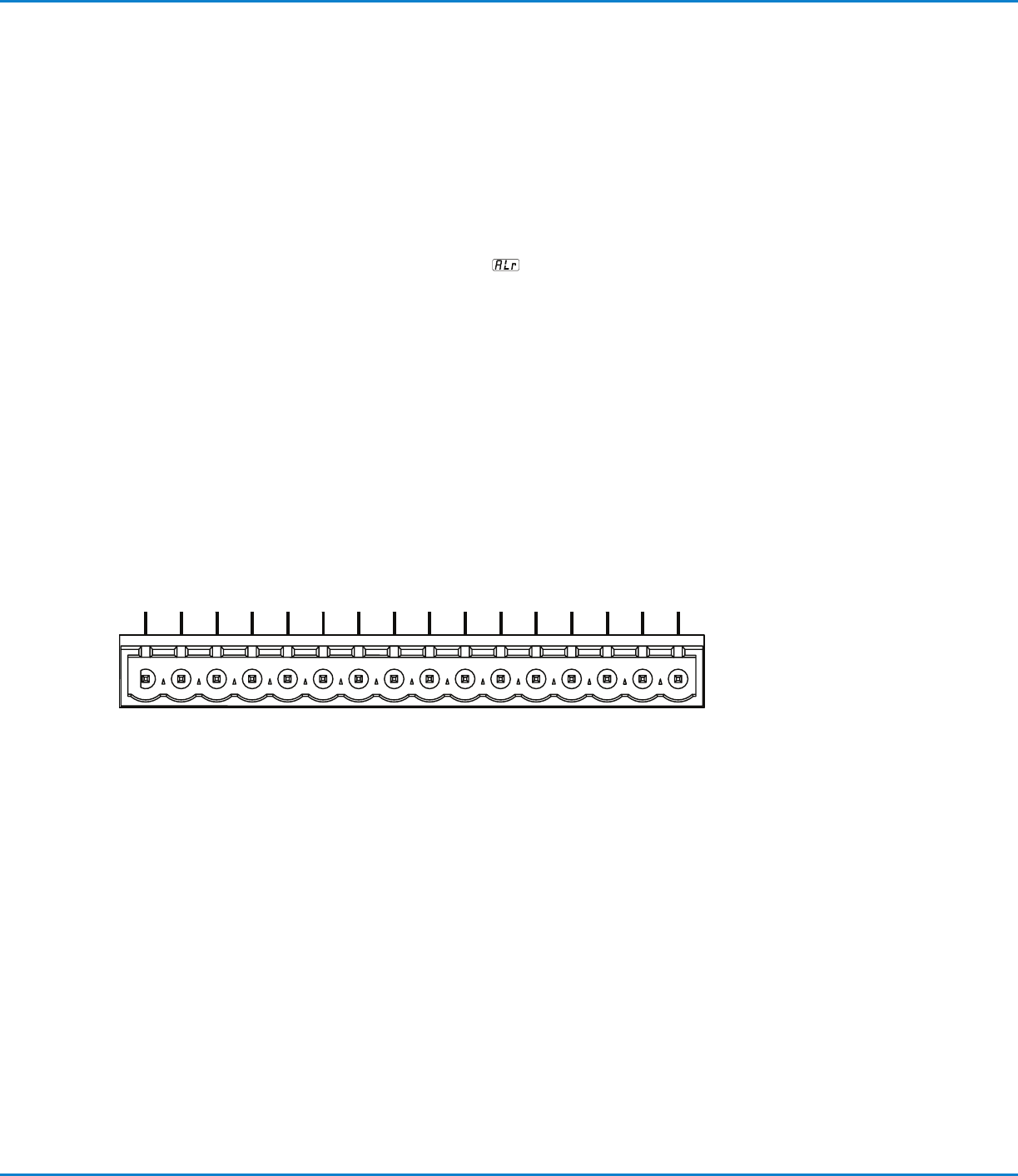
The 16 pin terminal strip includes four dispense valve initiate inputs, an alarm
I/O, an End of Cycle output, and a 24VDC courtesy power output.
The four initiate inputs can be connected in series, parallel, or to separate input
sources for independent valve control, or ability to disable a specific valve when
using “part in place” verification.
For a detailed connection schematic and instructions, refer to page17.
The alarm I/O is used to monitor air supply pressure and / or tank low level. This
I/O can be used to operate an audible alarm, or be connected to the machine
controls to shut off the machine if air pressure or tank level is low. In addition,
when the alarm is activated, the display will flash “ALr”
, indicating that air
pressure or tank level has dropped below minimum.
The End Of Cycle (EOC) feedback can send a signal back to the machine
controls, signaling when the dispense cycle is finished. Using this signal can
increase machine productivity by eliminating any delay after the dispense cycle
and also confirms a dispense cycle has occurred. 2 INIT and 4 INIT are non-
active inputs. As long as an initiate sequence is in progress on any channel, the
EOC circuit is open. Maximum load is 100 mA from 5 to 24 VDC.
Input / Output Connections
--------
ALARM
1 INIT.2 INIT.3 INIT.4 INIT. IN OUT EOC
OUTPUT
++++++++
24 VDC 0.1A
ALARM 24 VDC 0.1 A
1 INIT. 3 INIT. IN EOC2 INIT. 4 INIT. OUT OUTPUT

ValveMate 8040 Controller
17www.nordsonefd.com info@nordsonefd.com +1-401-431-7000 Sales and service of Nordson EFD dispensing systems are available worldwide.
See page19 for a detailed Initiate Connection Schematic.
1····2 and 3····4 Channel Initiate
The 8040 can be initiated through a time cycle by the application of 5 to 24 VDC
to the 1 INIT or 3 INIT input terminals. A system set-up schematic is detailed on
page14. 2 INIT and 4 INIT input terminals are not used.
Alarm IN / OUT Connection
The ValveMate 8040 features an ALARM input and output circuits. The ALARM
IN can be activated through the connection of either the low air pressure sensor
(supplied), low level fluid float switch (if used) or other such device / accessory
that may be selected for ALARM purposes. ALARM switches are to be wired in
series and must be normally closed switches.
If no ALARM switch is being used, the ALARM IN positive (+) and
negative (-) terminals must have a jumper installed to disable the
ALARM feature.
The ALARM OUT circuit is a normally OFF electronic switch that can switch an
external 5–24 VDC circuit to an external signaling device or PLC input. Maximum
load is 100 mA, 5–24 VDC.
Initiate Connection