Nordson-EFD-8040-Operating-Manual.pdf - 第14页
ValveMate 8040 Controller 14 www.nordsonefd.com info@nordsonefd.com +1-401-431-7000 Sales and service of Nordson EFD dispensing systems are available worldwide. T ypical Setup — T wo V alve System Installation Alarm In L…
ValveMate 8040 Controller
13www.nordsonefd.com info@nordsonefd.com +1-401-431-7000 Sales and service of Nordson EFD dispensing systems are available worldwide.
Modes of Operation (continued)
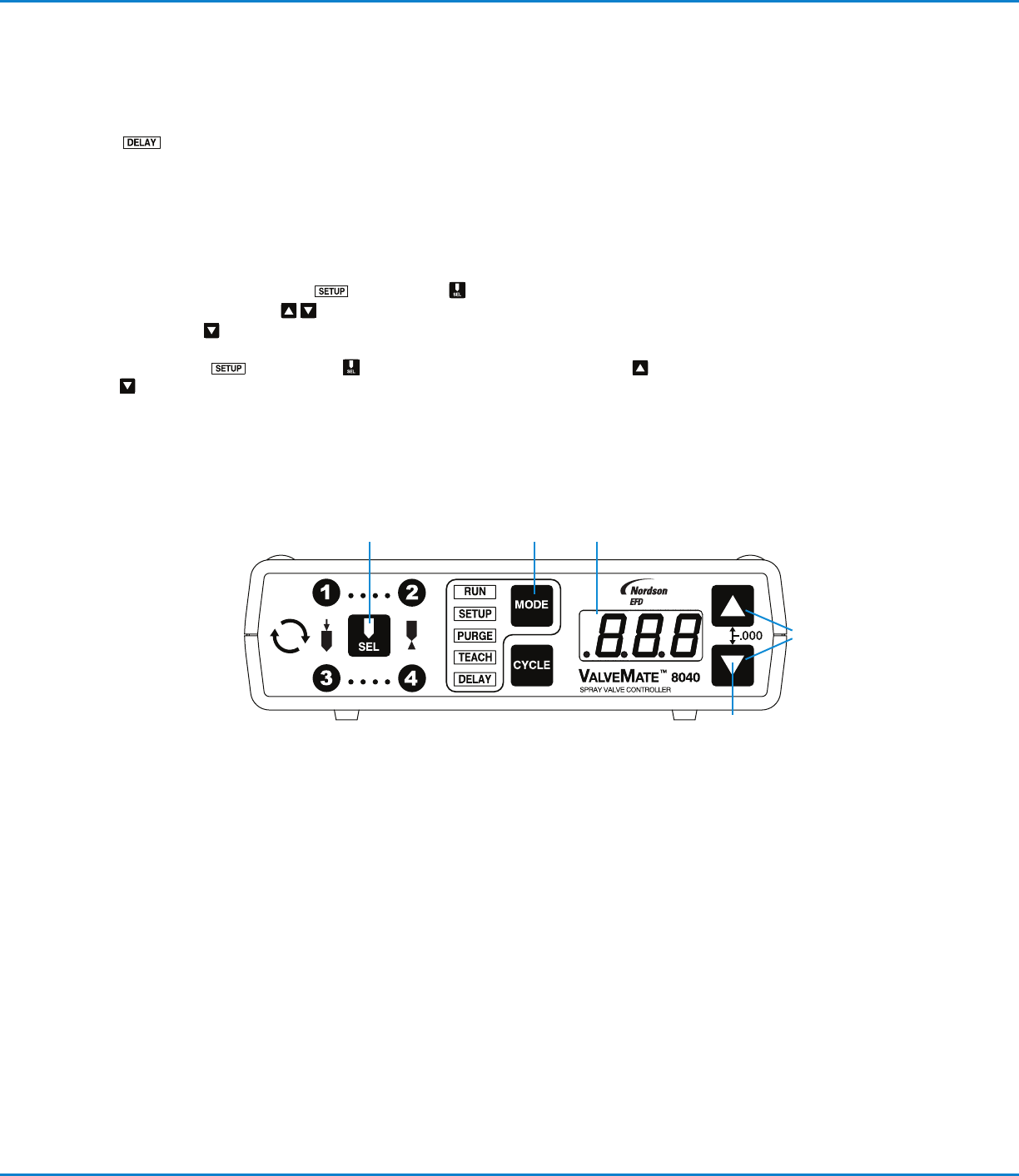
DELAY — In the DELAY mode, the time set buttons can be used to
enter a post nozzle air delay for the selected spray valve. This delay is
used to ensure that all fluid is atomized after the valve closes leaving a
clean nozzle.
Steady Mode Operation
Channel ···· and ···· can be put into a steady mode / time override
operation.
In Setup mode , press SEL for selected channel.
Press both UP / DOWN
buttons to “.000” out channel time. Press and
hold DOWN
button for 5 seconds or until “– – –” appears on LED display.
Repeat steps for each channel requiring steady mode. To return to TIME setting,
enter SETUP mode. Select appropriate channel. Press UP / DOWN
buttons simultaneously. “.000” will appear on LED display. Re-enter time
value as needed.
Operating Features (continued)
ValveMate 8040 Controller
14 www.nordsonefd.com info@nordsonefd.com +1-401-431-7000 Sales and service of Nordson EFD dispensing systems are available worldwide.
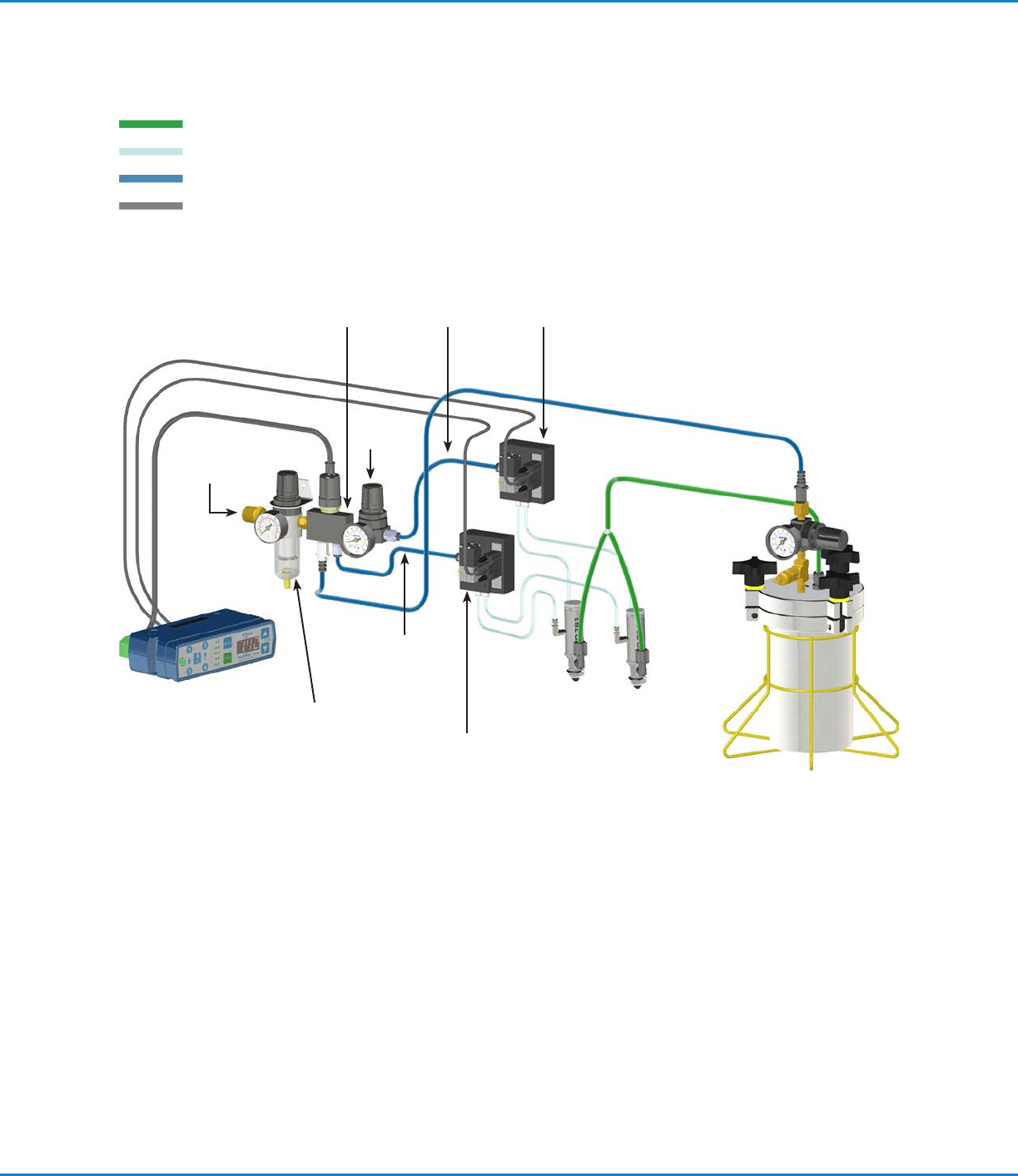
Typical Setup — Two Valve System Installation
Alarm
In
Low pressure
switch
Tank air
line
Fluid feed
line
Actuating
air
Spray valves
1-Liter tank
Filter
regulator
Solenoid cables
Nozzle air
solenoid
ValveMate 8040
Controller
Regulated air
supply
Nozzle air
regulator
Actuating air
solenoid
Nozzle air
supply
Actuating air
supply
Nozzle
air
Fluid
Actuating air, nozzle air
Constant air
Electrical
ValveMate 8040 Controller
15www.nordsonefd.com info@nordsonefd.com +1-401-431-7000 Sales and service of Nordson EFD dispensing systems are available worldwide.
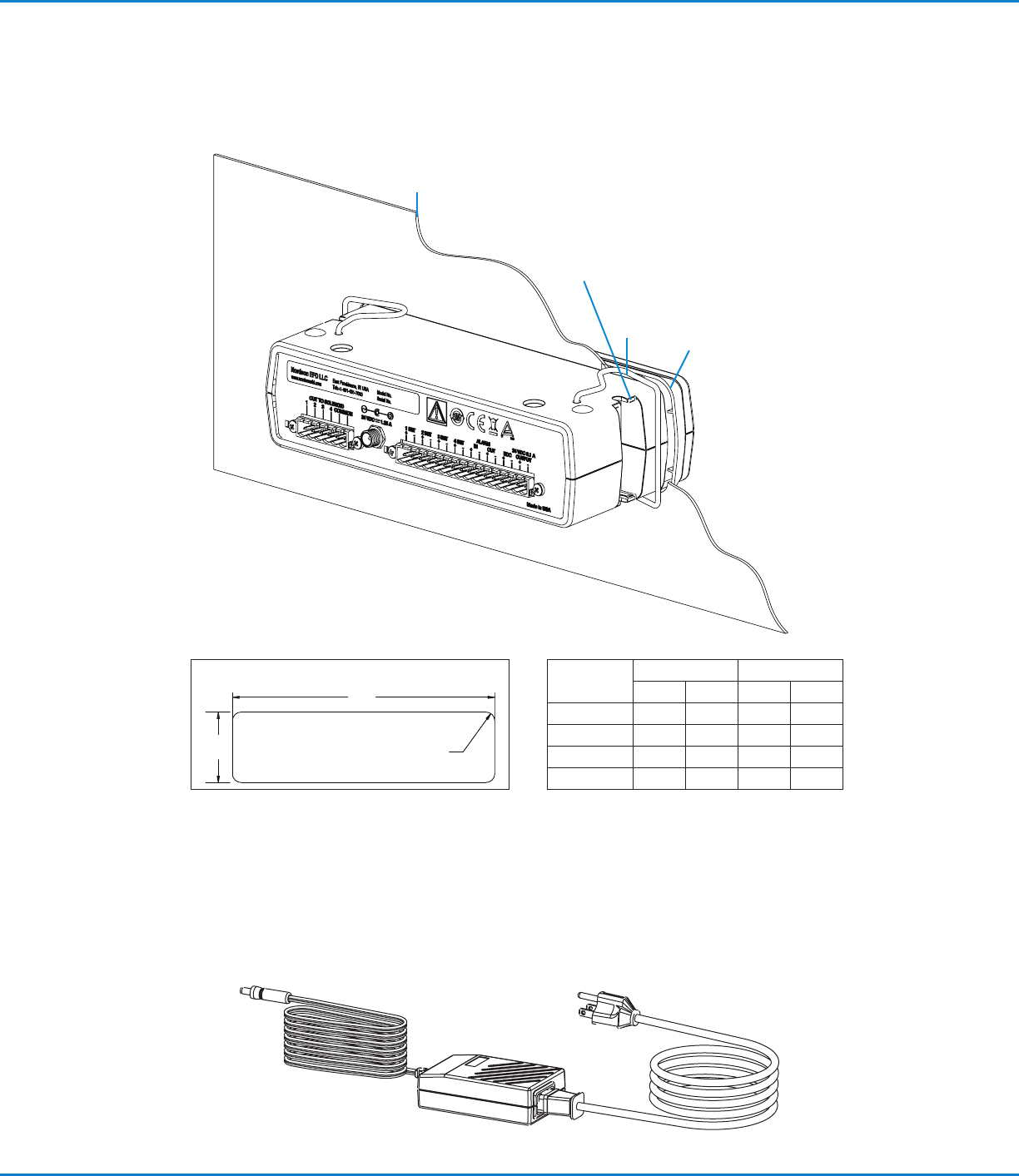
Connecting Power
Connect the power cord (ordered separately) to the appropriate input voltage.
Mounting the ValveMate 8040
The ValveMate 8040 can be mounted either over or under a cabinet using screws.
Panel mount
bezel
Fits M4 or UNC / UNF #8
screws for under or over
cabinet mounting
Panel thickness
(see table)
Spring
clamps
Dimension
Min Max
mm in. mm in.
A 183.6 7.23 185.2 7.29
B 51.6 2.03 53.1 2.09
C R3.3 R.13 R9.4 R.37
Thickness 1.6 0.063 2.3 0.091
B
A
C (4X)
Panel Cutout Dimensions