00198487-02_Operation_Manual_E_by_DEK_EN.pdf - 第18页
Your Sketches and Notes 18
Your Sketches and Notes
17
Your Sketches and Notes

Your Sketches and Notes
18
Operation - Pre-production checks
19
5 Operation - Pre-production checks
It is important to ensure that the Printer and peripherals are in suitable condition for production. This involves performing
a quick visual check in and around the printer.
Preparation
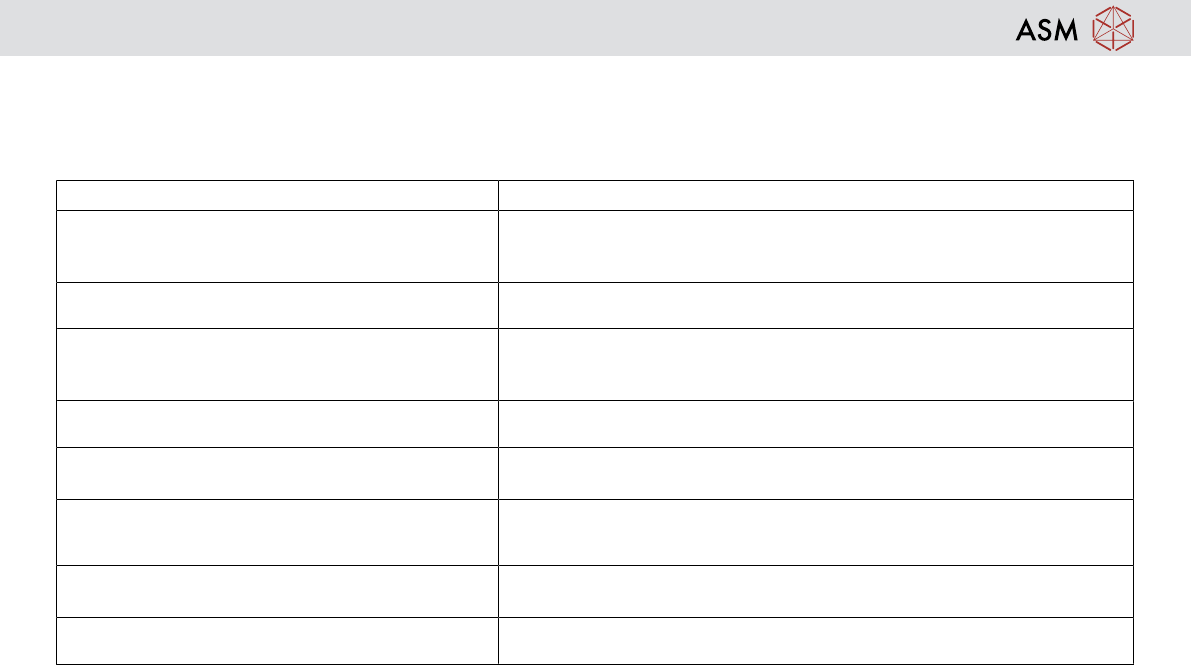
– Refer to the table below listing these items and highlighting the checks that should be made
Item of Hardware Checks to be made
Squeegees Ensure they are the right ones for product
Clean and free from damage
Correct type for product
Paste Ensure paste is in date
Correct type for product
Tooling Correct type for product
Check vacuum hose is connected (vacuum tooling only)
Ensure tooling is clean and free from damage
Stencil Correct type for product
Ensure tooling is clean and free from damage
PCB Correct type for product
Clean and free from damage
USC Fabric Correct type for USC
Spare rolls near machine
Clean and free from damage
Solvent Correct type for product
Spares near machine
TCM
Correct temperature set
Plugged in / switched on