00198487-02_Operation_Manual_E_by_DEK_EN.pdf - 第41页
Operation - Load Recipe 41 Start Production NOTICE Check if tooling is necessary 1. Click Start Inspection. – Printer scans fiducials, Print cycle starts till batch limit is reached.
Operation - Load Recipe
40
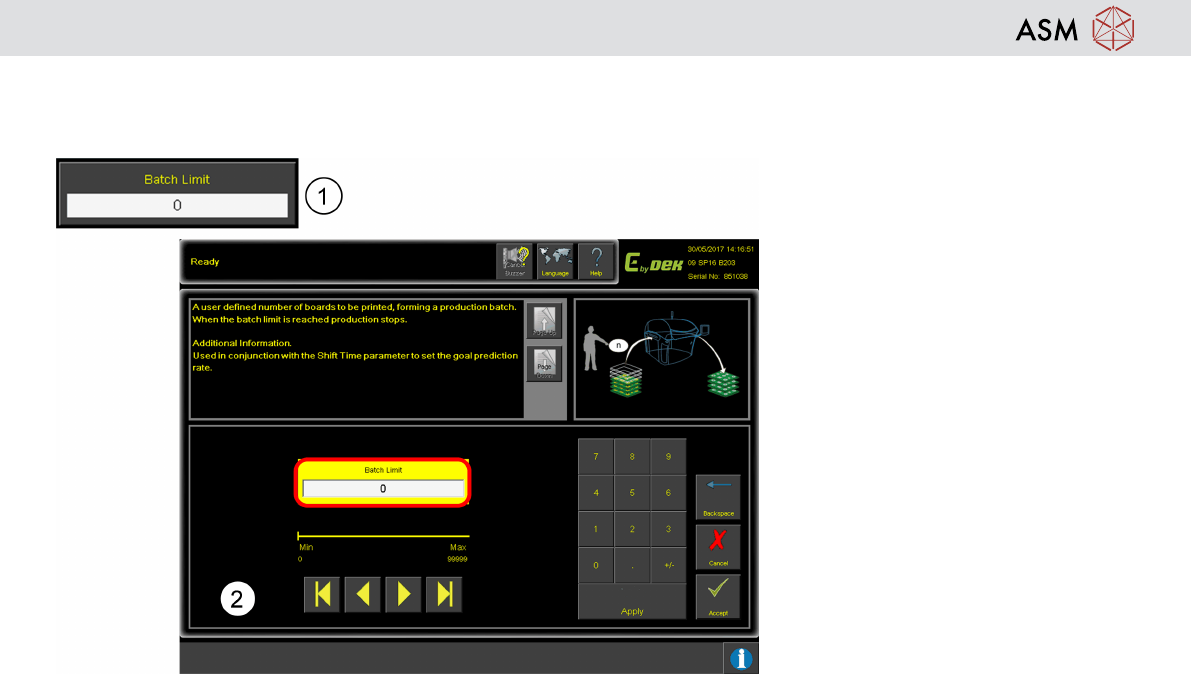
Production Batch Setting
Batch Limit function to prevent over production or under production.
1. Click Batch Limit.
2. Enter production batch size,
production stop when reach batch
size. Input the batch size. 0 = no
limit to batch size.
Operation - Load Recipe
41
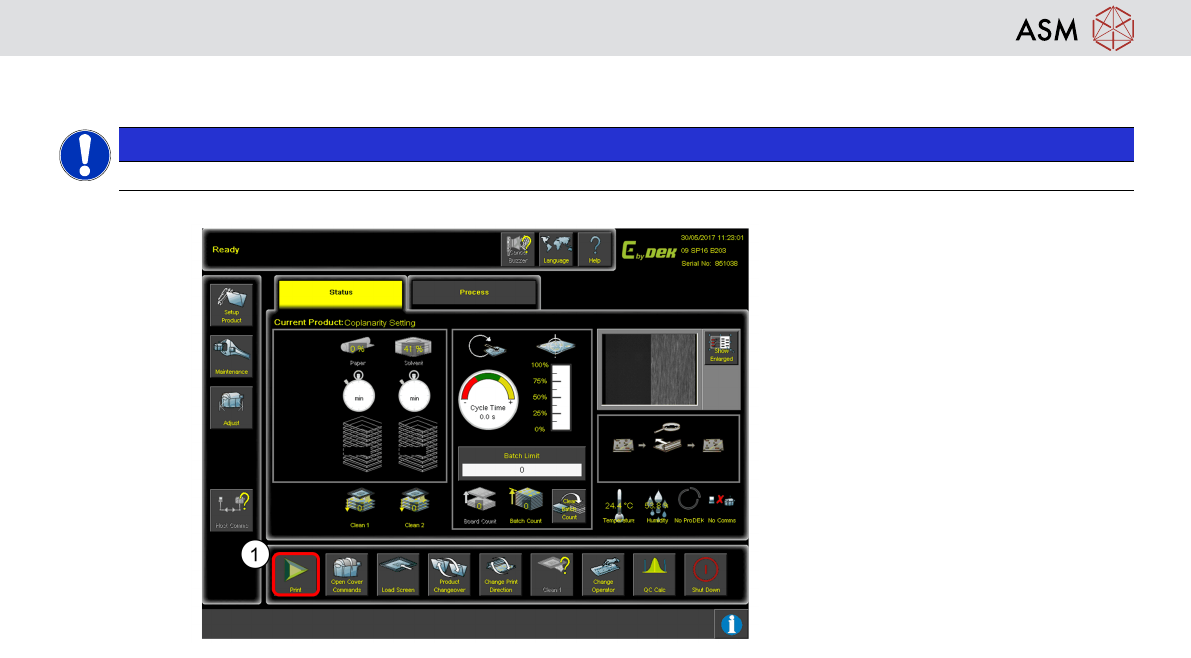
Start Production
NOTICE
Check if tooling is necessary
1. Click Start Inspection.
– Printer scans fiducials, Print cycle
starts till batch limit is reached.
Operation - Load Recipe
42
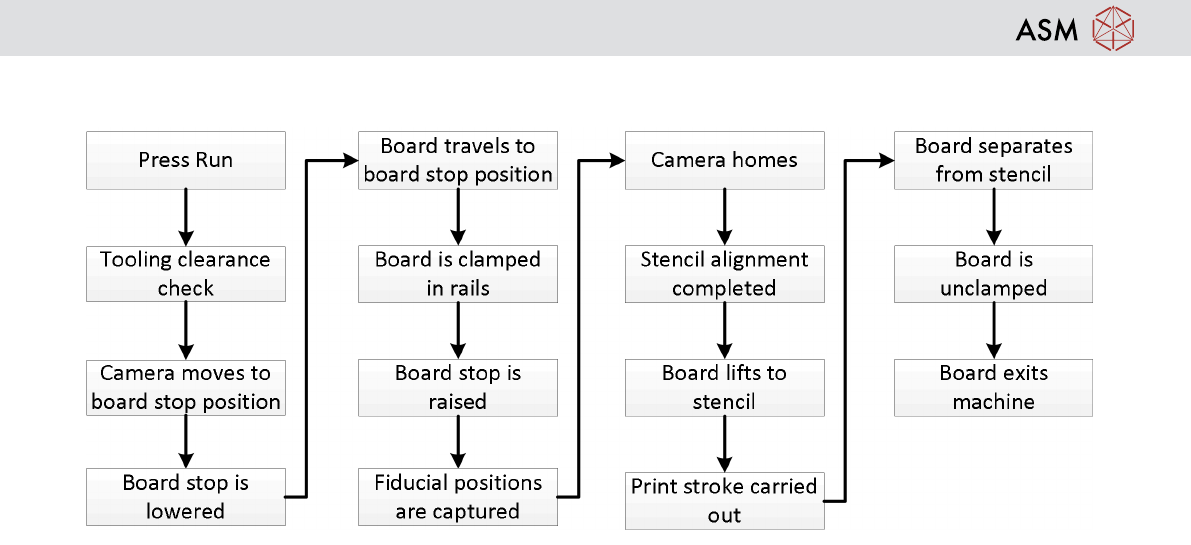
Printing Sequence