00198487-02_Operation_Manual_E_by_DEK_EN.pdf - 第42页
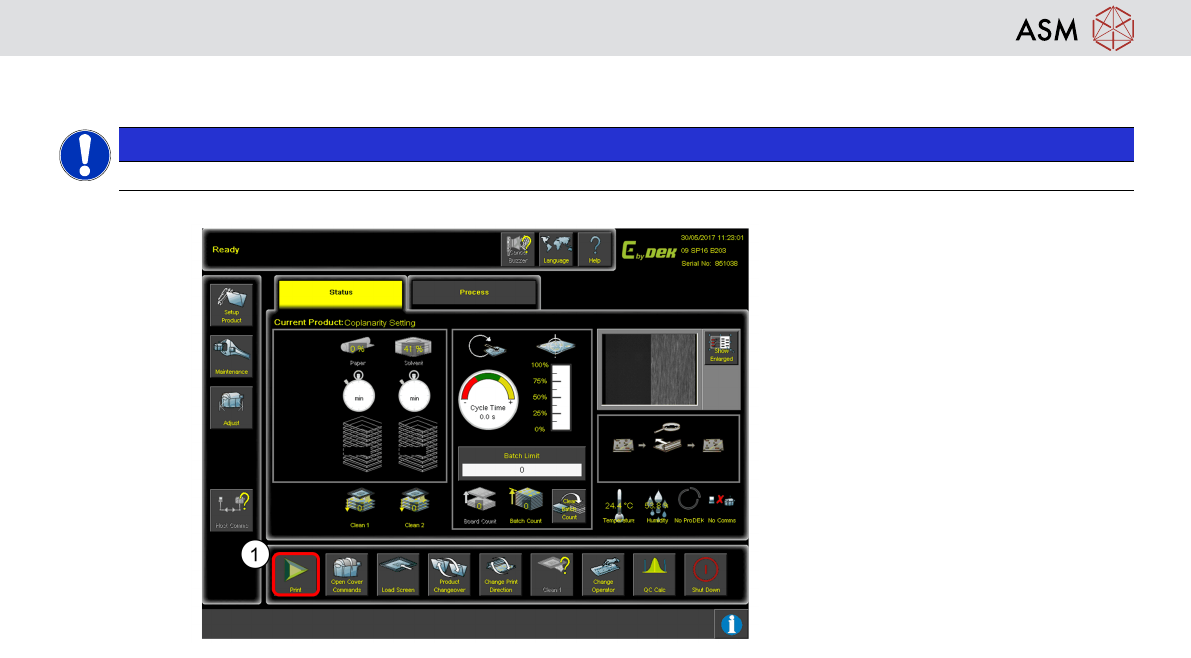
Operation - Load Recipe 42 Printing Sequence
Operation - Load Recipe
41
Start Production
NOTICE
Check if tooling is necessary
1. Click Start Inspection.
– Printer scans fiducials, Print cycle
starts till batch limit is reached.
Operation - Load Recipe
42
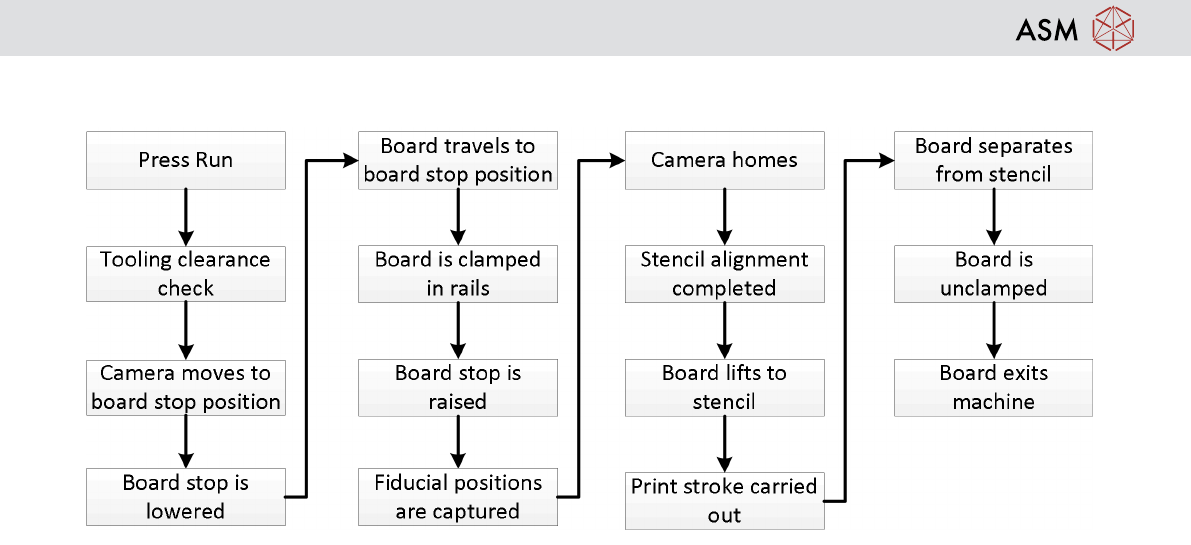
Printing Sequence
Operation - Defect Handling
43
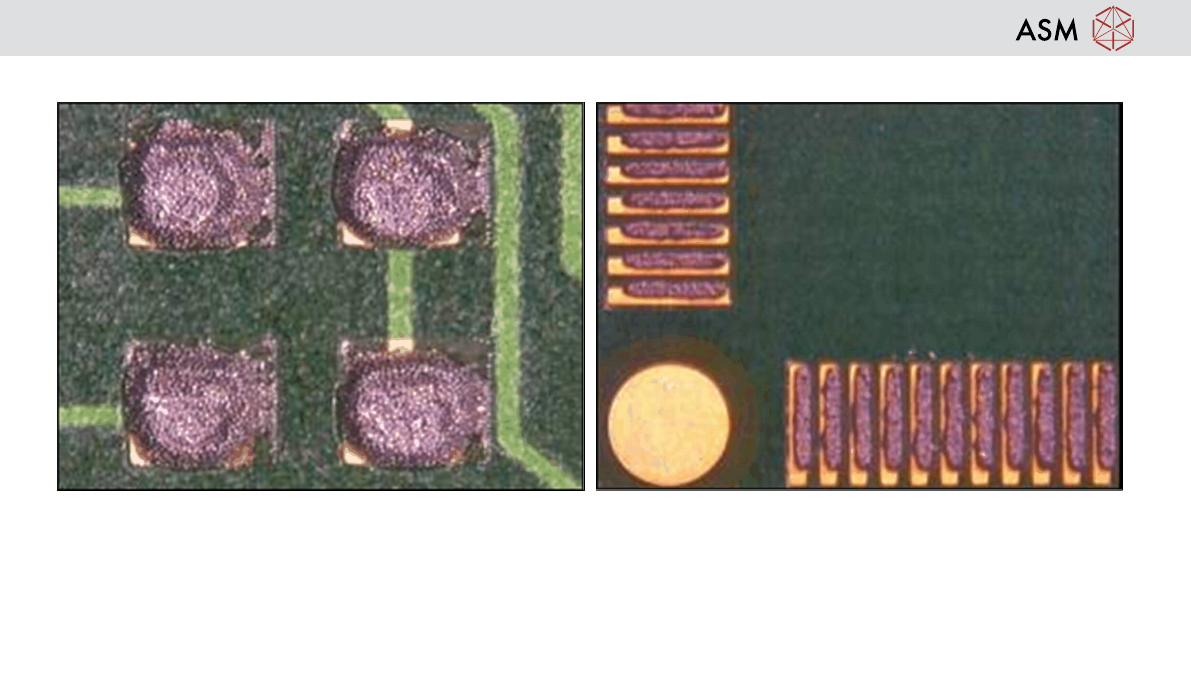
10 Operation - Defect Handling
Excess Print height –
Tooling missing
Paste temperature incorrect
Damaged squeegees
Damaged stencil
Stencil Surface not clean
Misalignment –
Tooling too high or missing
Wrong stencil (check revision)
Fiducial damage on stencil
Poor board quality / different batch of boards