00198487-02_Operation_Manual_E_by_DEK_EN.pdf - 第26页
GUI and Icon Overview 26 Icon Overview Start Print Open Cover Com- mands Load Screen Change Print Dir- ection Change Operator Shut Down Help Language Setup Product Maintenance Adjust Board Clamps Carriage to Rear Change …
GUI and Icon Overview
25
7 GUI and Icon Overview
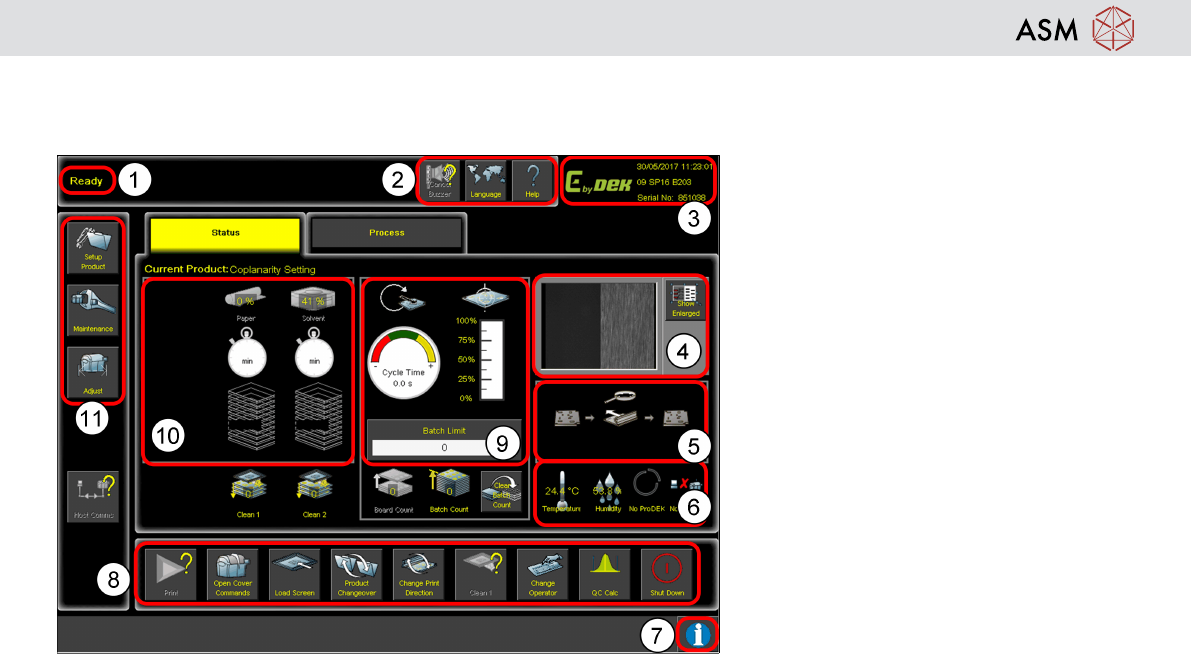
GUI Overview
1. Breadcrumb
2. Tools
3. Status
4. Vision Window
5. Board Mimic
6. Temperature Humidity Host Comms
7. Information
8. Commands
9. Performance
10. Time to Go
11. Navigation
GUI and Icon Overview
26
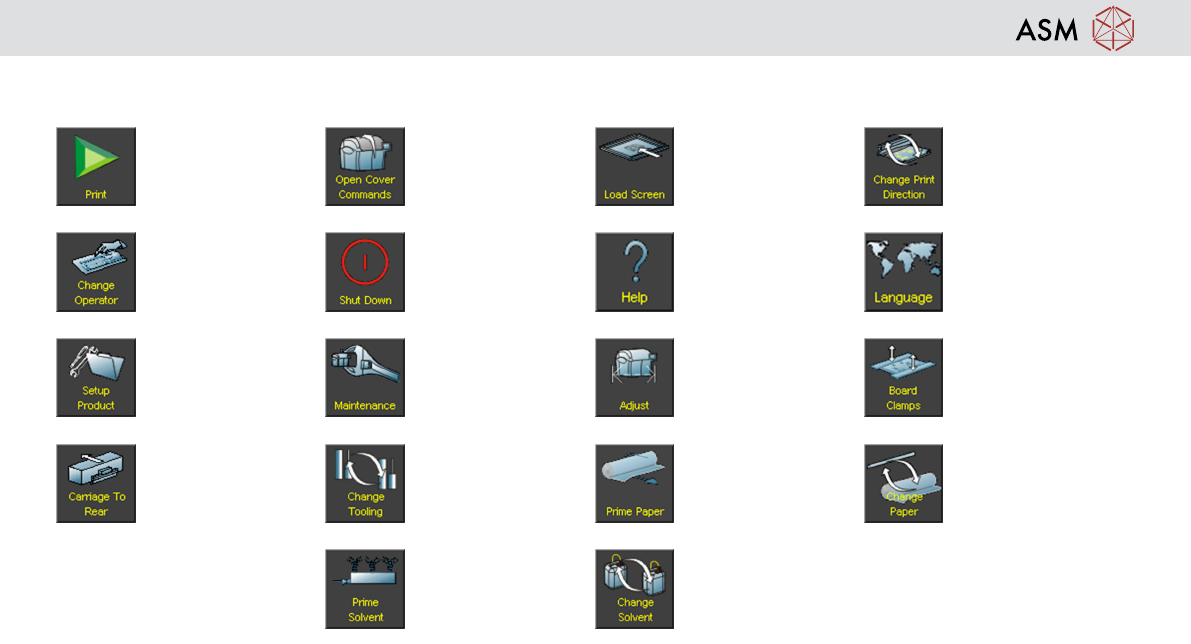
Icon Overview
Start Print Open Cover Com-
mands
Load Screen Change Print Dir-
ection
Change Operator Shut Down Help Language
Setup Product Maintenance Adjust Board Clamps
Carriage to Rear Change Tooling Prime Paper Change Paper
Prime Solvent Change Solvent

Operation - Prepare the machine for production
27
8 Operation - Prepare the machine for production
Reference: Machine Operator manual
Preparing the machine for production involves a step-by-step sequence. Following the correct sequence will ensure quick
and trouble free product changeovers.
Demonstration
Given a complete set production hardware and using the operator manual as a guide, setup the printer ready for
production. Complete the steps in the following order:
1. Log on
2. Load an existing product file
3. Setup tooling
4. If you are using squeegees:
5. Fit squeegees
6. Perform squeegee height calibration
7. Load a stencil
8. Load print material manually