00198487-02_Operation_Manual_E_by_DEK_EN.pdf - 第39页
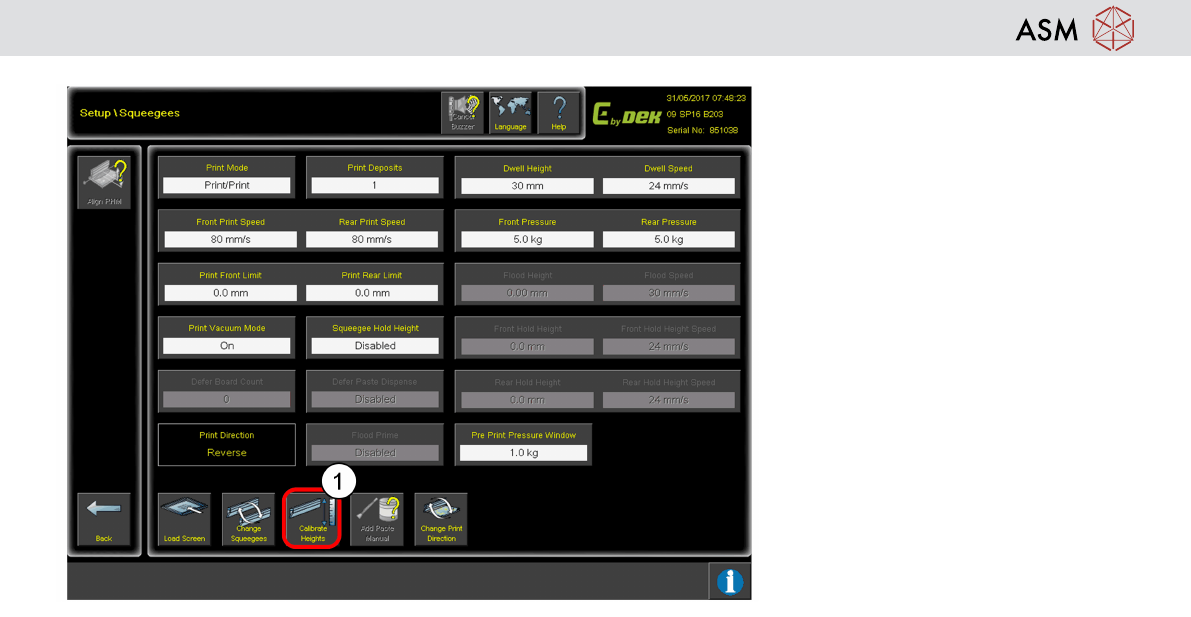
Operation - Load Recipe 39 1. Click Calibrate Heights to ensure no Squeegee pressure errors.
Operation - Load Recipe
38
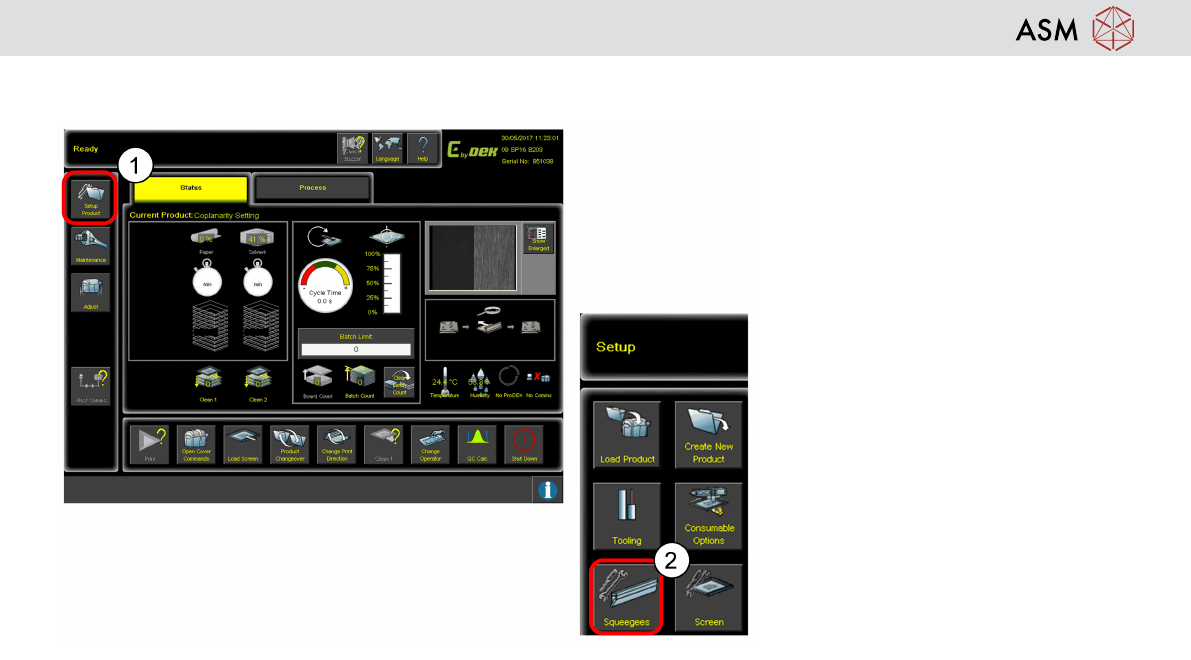
Setup Squeegees
1. Click Setup Product.
2. Click Squeegees.
Operation - Load Recipe
39
1. Click Calibrate Heights to ensure
no Squeegee pressure errors.
Operation - Load Recipe
40
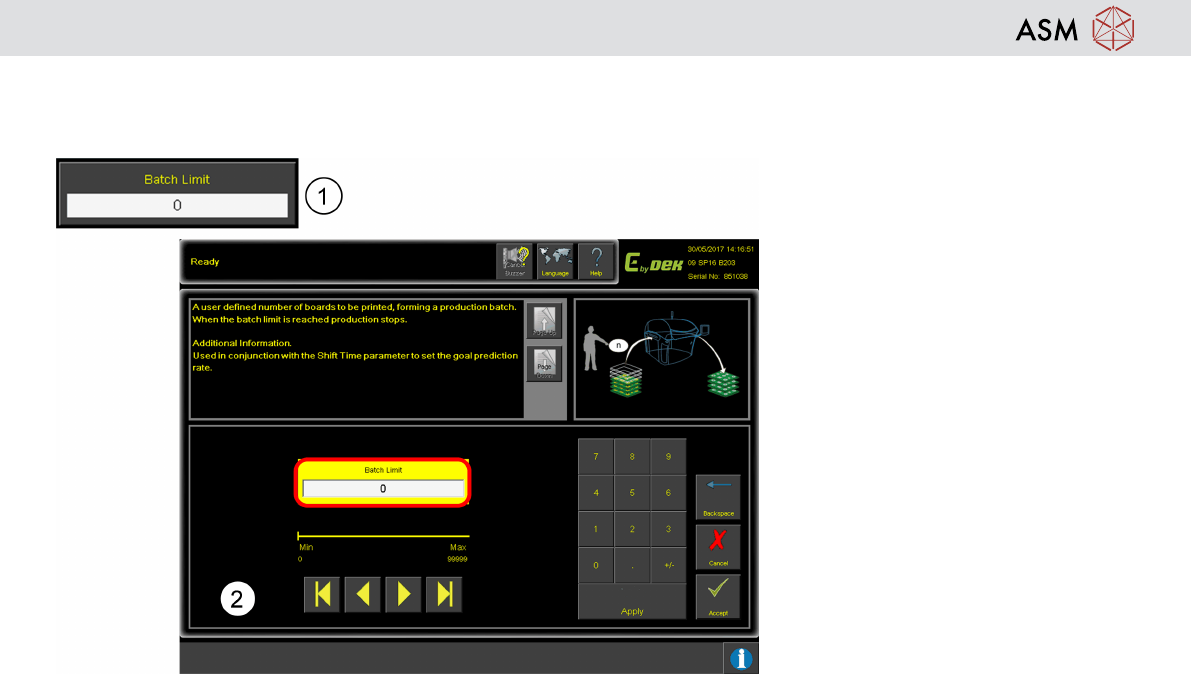
Production Batch Setting
Batch Limit function to prevent over production or under production.
1. Click Batch Limit.
2. Enter production batch size,
production stop when reach batch
size. Input the batch size. 0 = no
limit to batch size.