M20_Ope_E.pdf - 第375页
Chapter 11 Parameter Setting 11-29 11-4-3 Adjusting Cameras This parameter has been adjusted prior to shipment. Use the default setting normally. Menu: System>SystemParameter>Tool>AdjustCamera Window: Resolution…
Chapter 11 Parameter Setting
11-28
11-4 System Prameter
To enable the changes you made to the system parameters, turn off the system
once and then restart the system.
11-4-1 Machine Origin (ST)
Menu: System>SystemParameter>Parameter>MachineOrigin(ST)
Allows you to adjust coordinates of each feeder station (ST-F/R).
To perform teach entry, click in the line of the desired station and click <Teach> button to access
the Teach dialog box. When the teach entry has been done, return to the Machine Origin (ST)
dialog box and click <Save> button.
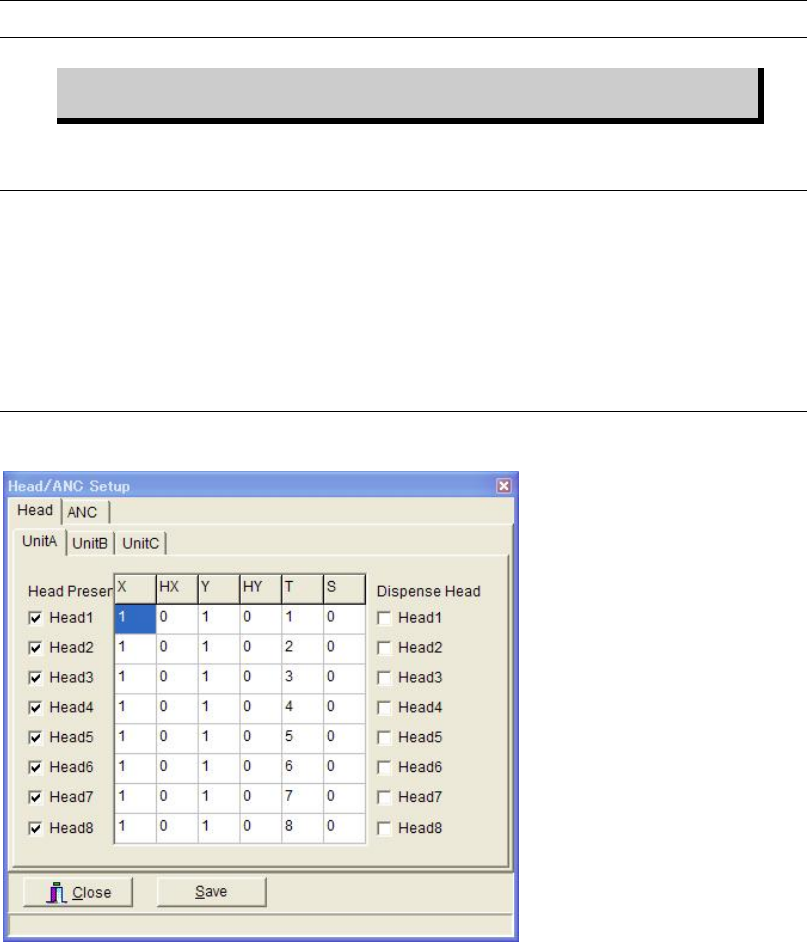
11-4-2 Head/ANC Setup
Menu: System>SystemParameter>Parameter>Head/ANC Setup
* The number of heads varies with the machine.
Head tab
To assign particular head not to be used, uncheck the head. Then click <Save> button.
ANC tab
To assign particular nozzle station not to be used, enter “0” to [Nozzle] field of the
corresponding nozzle station number (ANC No.) Then click <Save> button.
Chapter 11 Parameter Setting
11-29
11-4-3 Adjusting Cameras
This parameter has been adjusted prior to shipment. Use the default setting normally.
Menu: System>SystemParameter>Tool>AdjustCamera
Window:
Resolution: Measures the resolution of the specified camera.
Tilt: Measures tilt of the specified camera.
Focus: Measures focus of the specified camera.
Brightness: Measures brightness of the specified camera.
Nozzle Center: Measures nozzle rotational center of the specified head.
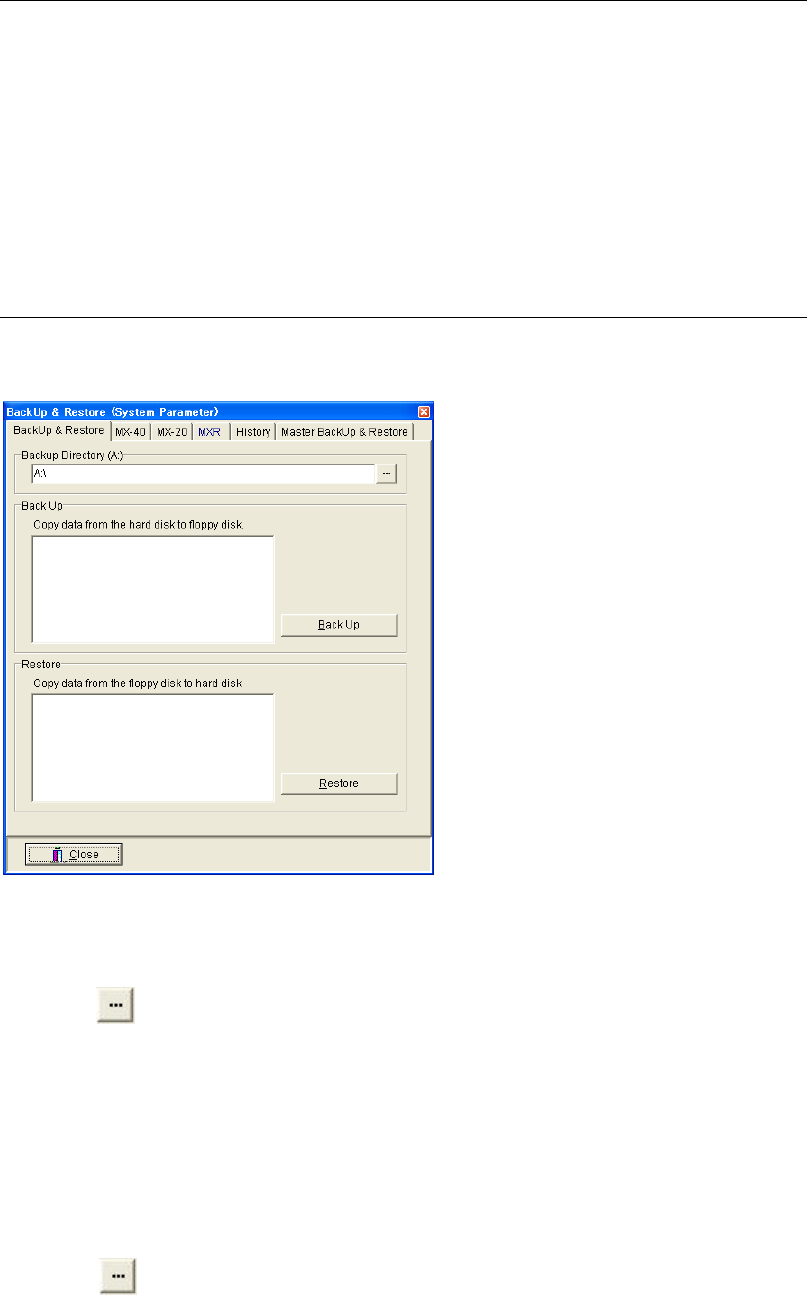
11-4-4 Backing Up & Restoring Data
Menu: System>SystemParameter>Tool>Backup&Restore
Allows for backing up and restoring system parameters.
Backing Up System Parameters
Action:
① Connect a USB memory stick to the port on the mounter.
② Click button to select the Removable disk.
③ Click <Back Up> button.
④ “Execute?” message appears. Click <Yes> button to execute.
⑤ When the backup process is completed, “System parameters have been backed up.”
message appears. Click <OK> button to finish.
Restoring System Parameters
Action:
① Connect the USB memory stick contains the system parameters to the port on the mounter.
② Click button to select the Removable disk.
③ Click <Restore> button.
④ “Execute?” message appears. Click <Yes> button to execute.
⑤ When the restoring process is completed, “System parameters have been restored.”
message appears. Click <OK> button to finish.
Chapter 11 Parameter Setting
11-30
---Blank page---