00197706-02_VB_SetupCenter7.1_DE_EN.pdf - 第43页
Restrictions 6.2.7 Length of the Setup Names Known Facts / Problems (General) SIPLACE Setup Center 7.1 43 ▪ In general, Setup Center does not actively react to changes made in SIPLACE Pro. This means that all ac tions li…
Restrictions
Known Facts / Problems (General) 6.2.1 Update Installation
42 SIPLACE Setup Center 7.1
If the packaging units have a unique ID and if the packaging unit data including the brightness class in-
formation are already present in the Setup Center database (e.g. after an import of XML data or through
a MES system), a successful check of the brightness class is possible.
6.2
6.2 Known Facts / Problems (General)
Known Facts / Problems (General)
6.2.1
6.2.1 Update Installation
Update Installation
▪ A backup copy is created during the installation. This backup copy can be used to recover the data-
base if a fallback to the old version should be necessary.
▪ We recommend that you reduce the database to a minimum before updating to a newer version of
Setup Center
(see user manual: Database Maintenance).
▪ When updating the installation at least 1.7 times the size of the Setup Center database must be avail-
able as free disk space.
▪ Depending on the size of the database and the hardware used, the database update can take up to
several hours.
▪ During the database upgrade the Setup Center GUI must not be started and no production must be
in progress.
▪ Up to Setup Center version 6.0, barcode labels were saved locally for each Setup Center installation.
With Setup Center version 6.3 and higher, the barcode labels are saved in the Setup Center data-
base. After the update installation from an older Setup Center version to Setup Center 6.3 and high-
er, check the sequence and the settings of the barcode labels.
6.2.2
6.2.2 Setup Verification
Setup Verification
▪ It is a requirement that feeders are not pulled out or switched during setup verification. To put it dif-
ferently, as long as setup verification takes place for a single track, the feeder and the corresponding
packaging units must remain in the same location.
▪ Urgent recommendation: when splicing a reel it must be verified immediately (refill mode). Otherwise
there is a danger of unverified components being placed when the pickup rates are extremely poor
and the threshold values are low. If no Splice sensors are installed the remaining quantity of a tape
running empty should be checked and corrected before splicing.
6.2.3
6.2.3 Partial Setup
Partial Setup
Setup verification for partial setups at S feeders behaves differently than at E- and X-feeders because
S-feeders do not have a feeder ID.
6.2.4
6.2.4 Quantity Management
Quantity Management
▪ If the packaging unit without unique ID is taken from the feeder, the information about the remaining
filling level is lost or unclear. It is no longer possible to monitor the quantities on the reels. If the pack-
aging unit is configured anew, you will need to manually correct the quantity.
▪ If no packaging unit size is defined as barcode, the number of components as indicated in SIPLACE
Pro is used. Component shape quantity information from SIPLACE Pro will be ignored.
6.2.5
6.2.5 Feeders
Feeders
▪ Refilling of a tray in a WPC / MTC always causes setting up. That means that the preceding pack-
aging unit is torn down and the just scanned packaging unit is set up.
6.2.6
6.2.6 SIPLACE Pro
SIPLACE Pro
▪ Setup Center references objects in SIPLACE Pro by names and is therefore unable to find them
again, if the names are subsequently changed.
▪ Case-sensitive SIPLACE Pro object names are retained in Setup Center, but case-sensitivity is not
relevant.
Restrictions
6.2.7 Length of the Setup Names Known Facts / Problems (General)
SIPLACE Setup Center 7.1 43
▪ In general, Setup Center does not actively react to changes made in SIPLACE Pro. This means that
all actions like renaming, moving, changing objects are not tracked by Setup Center. After changes
have been made in SIPLACE Pro, Setup Center needs to reload the setups. In the case of online
verification, the setup needs to be transmitted to the line again via SIPLACE Line Control. In the case
of offline verification, it is sufficient to close and reopen the setup. Adding, deleting and changing a
barcode to a component is recognized. The renaming of lines in the line configuration is also recog-
nized.
6.2.7
6.2.7 Length of the Setup Names
Length of the Setup Names
▪ The length of setup names is limited to 20-50 characters for machines of the S, F, HS and HF series,
i.e. only the first 20 or 50 characters are looked at when there is a setup change.
6.2.8
6.2.8 Special Characters
Special Characters
▪ Do not use characters with the hexadecimal codes [00 - 19; D800 - DFFF; FFFE; FFFF] for barcodes,
as these cannot be transferred to the machines.
6.2.9
6.2.9 Docking Station and Feeder Rack
Docking Station and Feeder Rack
▪ If the CAN Bus is not properly terminated, problems may arise when trying to connect.
6.2.10
6.2.10 Manual Barcode Input
Manual Barcode Input
▪ When the barcode is entered manually, registration of user barcodes (via Barcode Wizard) is not
supported.
6.2.11
6.2.11 Multiple Instances Setup Center
Multiple Instances Setup Center
▪ Setup Center does not synchronize several running instances. The GUI is updated only when the
associated data is changed in the current instance of Setup Center. This happens most frequently if
for example one Setup Center instance is used in the pre-setup area and another one at the line.
The tables taken from offline to online are only updated in the Setup Center instance on the line.
▪ Offline setup data can be refreshed by closing and re-opening the offline setup verification.
6.2.12
6.2.12 Barcode Reader
Barcode Reader
▪ The Datalogic barcode readers can only show ASCII characters on their displays. This means that
all names that contain non-ASCII characters have difficulties in being displayed correctly.
▪ If a button is pressed on the Datalogic barcode reader when no receiver is present, this information
will not be transferred again. It is then necessary to press another button or scan a barcode to rees-
tablish the communication.
▪ Data transmission between base and reader is done at a frequency of 433 MHz. The maximum dis-
tance between base and reader is 50 m (unobscured). It is possible to connect up to 32 scanners to
one base.
Restriction for the USA model:
The USA model works at 910 MHz with a maximum coverage of 30 m.
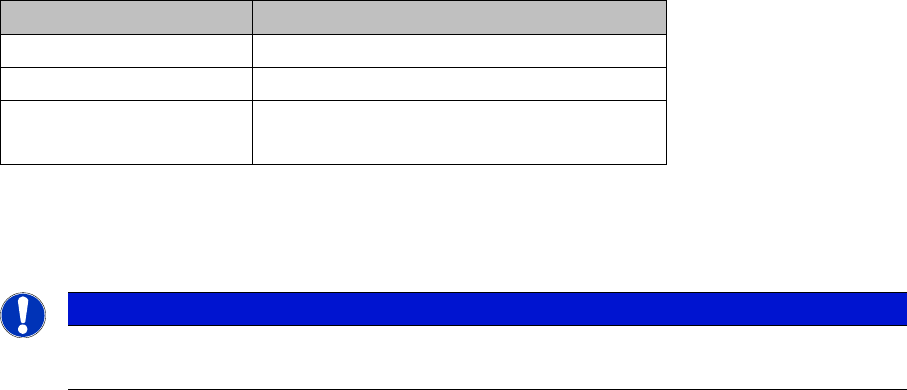
Station software Max. length of setup names
407 20 characters exc. path
505 50 characters exc. path
From 605 and higher
From 703 and higher
255 characters inc. path
NOTICE
Do not use special characters
We recommend that you do not use special characters since it can cause errors.
Restrictions
Known Facts / Problems (General) 6.2.13 Management of Equipment
44 SIPLACE Setup Center 7.1
6.2.13
6.2.13 Management of Equipment
Management of Equipment
▪ Setup Center does not offer any GUI elements for managing equipment, for example changeover
tables or feeders.
6.2.14
6.2.14 Barcode Fragment
Barcode Fragment
▪ The maximum length of a barcode fragment is 255 characters, except the barcode fragment ‘Unique
ID’ with 40 signs. The length is also restricted by the barcode reader type used, by the barcode code
(e.g. Code 3of9, EAN 128 etc.) and by the barcode contents. It is therefore impossible to give a fixed
length restriction.
▪ The first configured barcode of a barcode label must have a minimum length of 5 letters. It doesn't
matter whether it is divided on one fragment or several fragments.
6.2.15
6.2.15 Locked Packaging Units
Locked Packaging Units
▪ In rare cases, tracks may be locked by Setup Center at a station, although this locked status is no
longer available in Setup Center, preventing automatic release of the tracks.
In this case the locks can be synchronized with the station: Right-clicking on the relevant station
opens a menu in which the locks will be synchronized by left-clicking on the menu item "Synchroniz-
ing locks".
6.2.16
6.2.16 Switchover Between Unforced and Forced Setup Verification
Switchover Between Unforced and Forced Setup Verification
A direct changeover from jobs with forced setup verification to jobs with unforced verification (or vice ver-
sa) is not possible. The verification would be lost in this case.
When changing from forced verification to unforced verification (or vice versa), you need to completely
tear down and reconfigure the line.