96722_AX-201 AX-301 AX501 Spec bookl.pdf - 第20页
Trolley with SVS-Pro loading unit The Setup Verification System (SVS Pro) enables zero defect (offline) preparation and verification of the feeder set. SVS Pro takes advantage of the intelligence in the ITF feeders. Only…
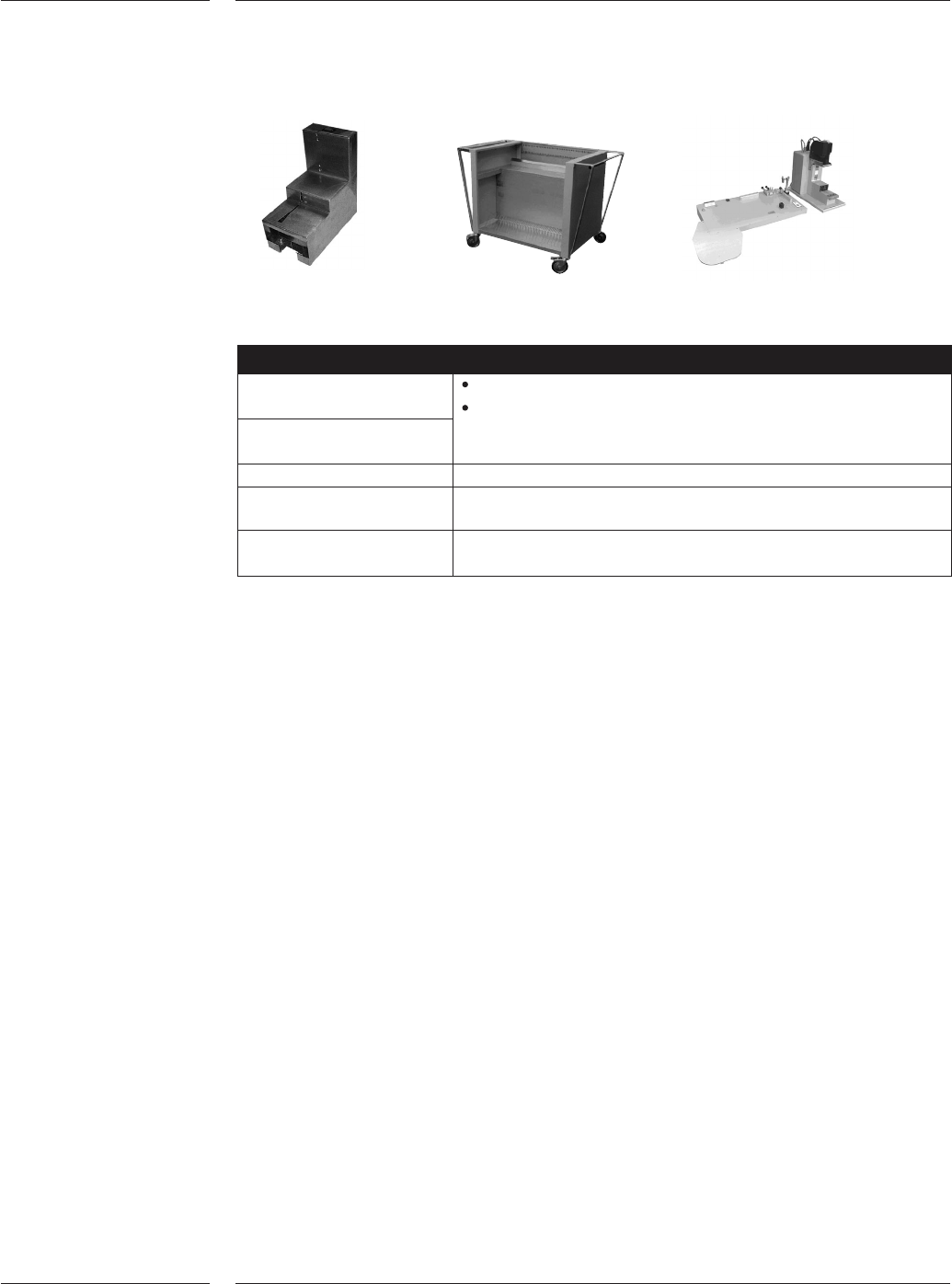
The following feeder options support the TTF and all ITF2 feeders. TLU, Feeder storage
card and ITF-TTF analysis and calibration tool
Description
ITF-TTF Analysis tool Fast feeder analysis and trouble shooting
Easy operation by local technical personnel
Quick feeder repair for fast return to operation
ITF-TTF Calibration tool
ITF Tape loading unit For off-line loading of tapes. Capacity of one (1) tape feeder
Feeder storage cart 50 x 8mm feeders (or equivalent)
100 reels 8mm size
Small feeder storage cart 20 x 8mm feeders (or equivalent)
40 reels 8mm size
Each machine is supplied with one user interface at the front-right-hand side. A
2
nd
user interface can be optionally mounted at the front-left-hand side. If rear
side feeding is configured a 2
nd
user interface will be mounted on the rear side of
the machine.
The re-use module is available for components, which fail inspection because of
pick-up errors or vision alignment. The required reject position can be
programmed by the user and specified per component.
For the AX-201 an accuracy verification set can be used to verify the accuracy of
the placement system by means of a glass board and glass components. The
machine places the glass components and measures the accuracy using the
board alignment camera. The components are placed under four different angles,
and the user can define how many placements should be done. Offset measure-
ments are automatically calculated and can be used to improve the calibration
file. This verification set is required to reach the best possible accuracy.
The A-Series off line vision tool is available for off line preparation and inspection
of components. This means that time spent on the machine for product change
over, with new components, can be minimized. This tool, consisting of a Large
Field Of View camera with toolbit interface, an industrial PC and monitor, is a
simulation model of an AX. Compressed air is required to operate this tool.
4.2.5 Other
feeding
options
Figure 14
4.3 2
nd
User
interface
4.4 Re-use
module
4.5 Accuracy
verification
set
4.6 A-Series
vision tool
Options
17 of 34
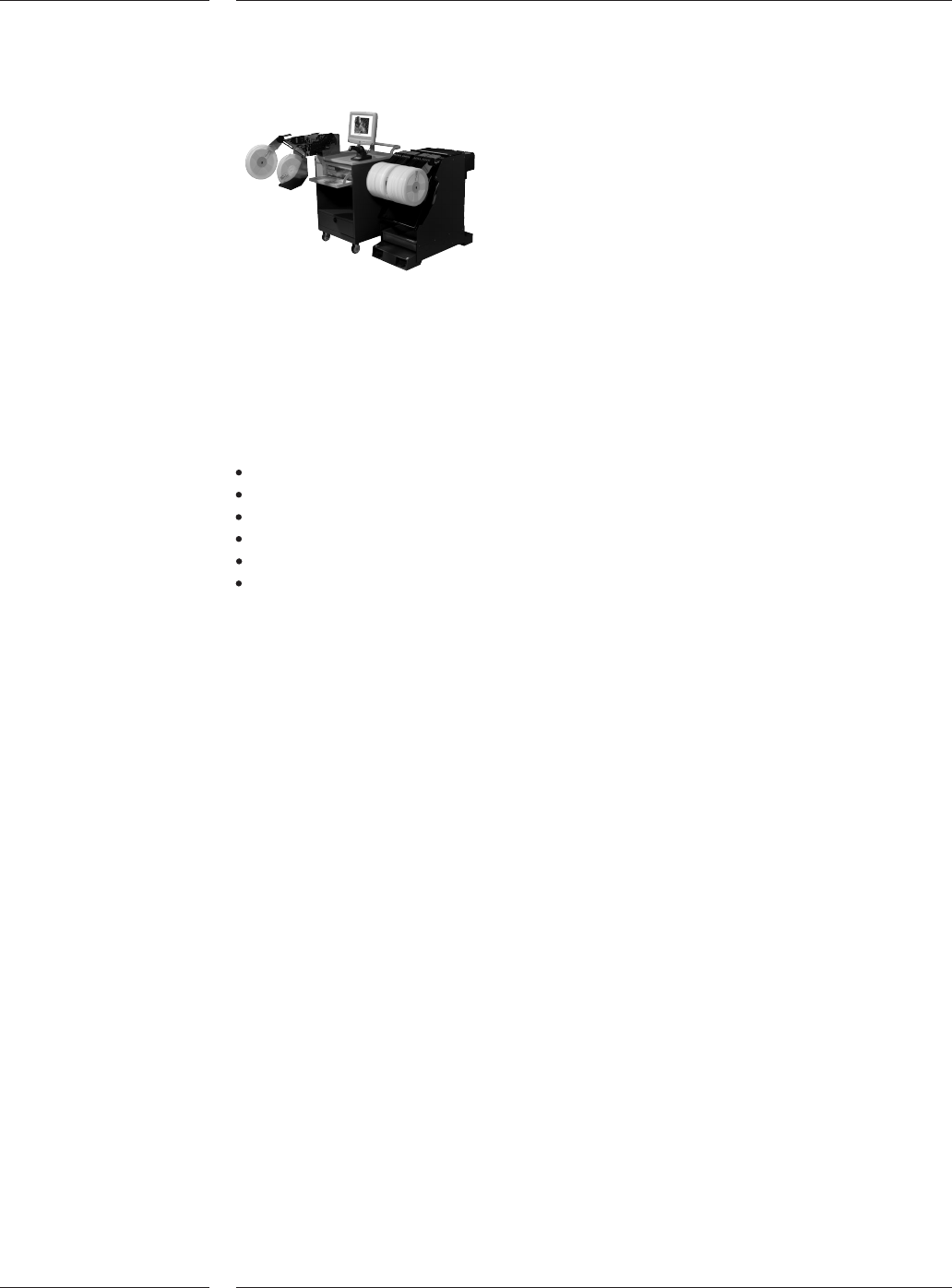
Trolley with SVS-Pro loading unit
The Setup Verification System (SVS Pro) enables zero defect (offline) preparation
and verification of the feeder set.
SVS Pro takes advantage of the intelligence in the ITF feeders. Only one time
reel-scan is required to store reel-info in the feeder memory, which means that if
you move a feeder to another placement machine the info will remain with the
reel eliminating any chance of errors. Reel info consists of:
Part number
Quantity
Vendor ID
Lot code
Operator ID
Date & time stamp
Any possible setup error can be corrected prior to the actual changeover using
SVS Pro. The system minimizes the online changeover time from one to the other
production batch to the bare minimum. Other features of SVS Pro are pro-active
pre-empty tape warnings, splice detection and continuous set-up verifications.
SVS Pro consists of two elements, an offline loading unit for the feeder and trolley
setup, and the online machine set-up controller.
The offline loading unit is a small trolley that conveniently can be moved around the
factory floor, for instance to be placed near the trolleys that needs to be prepared
for a next production batch.
The system guides the user in the creation of the setup for the selected placement
program.
On the offline loading unit a barcode and text printer can be connected to save
actual reel quantities after reels have been used. New barcode labels can be
printed when unloading the feeder. Various reports can be printed via a text
printer. The unit can be network connected to download placement programs.
The trolley is connected to the loading unit via a cable at the rear side of the
trolley unit. For SVS Pro minimum one (1) offline loading unit is required.
4.7 Setup
Verification
System
Figure 15
4.7.1 Offline
loading unit
Options
18 of 34
When a trolley is docked, the machine specific part of SVS Pro will start its
continuous checking of the feeder set-up. If mistakes, at any time, are detected, it
will be impossible to start the production or if the machines was running,
production will stop. Error messages will be provided on the Graphical User
Interface as well as on the wireless barcode scanner. The ITF feeder where an
improper setup is detected will also be indicated with a blinking LED on the ITF
feeder.
Feeder set-up errors can be resolved by (re-) programming the feeder on the
machine (online feeder programming).
Barcode Triggered Change Over provides:
1. Automatic placement program changeover if a new type of PCB is offered to the
machine (indicated with barcodes).
2. Optimal use of production with combined set-ups (e.g. family board)
3. An easy to use production scheme especially if you are running small batches
Notes:
1. Board Identification is required for this option
2. Rolling change-over can only be done if the new board has the same board width, board
thickness and index scheme (the same pitch) as the previous board.
Traceability system layout
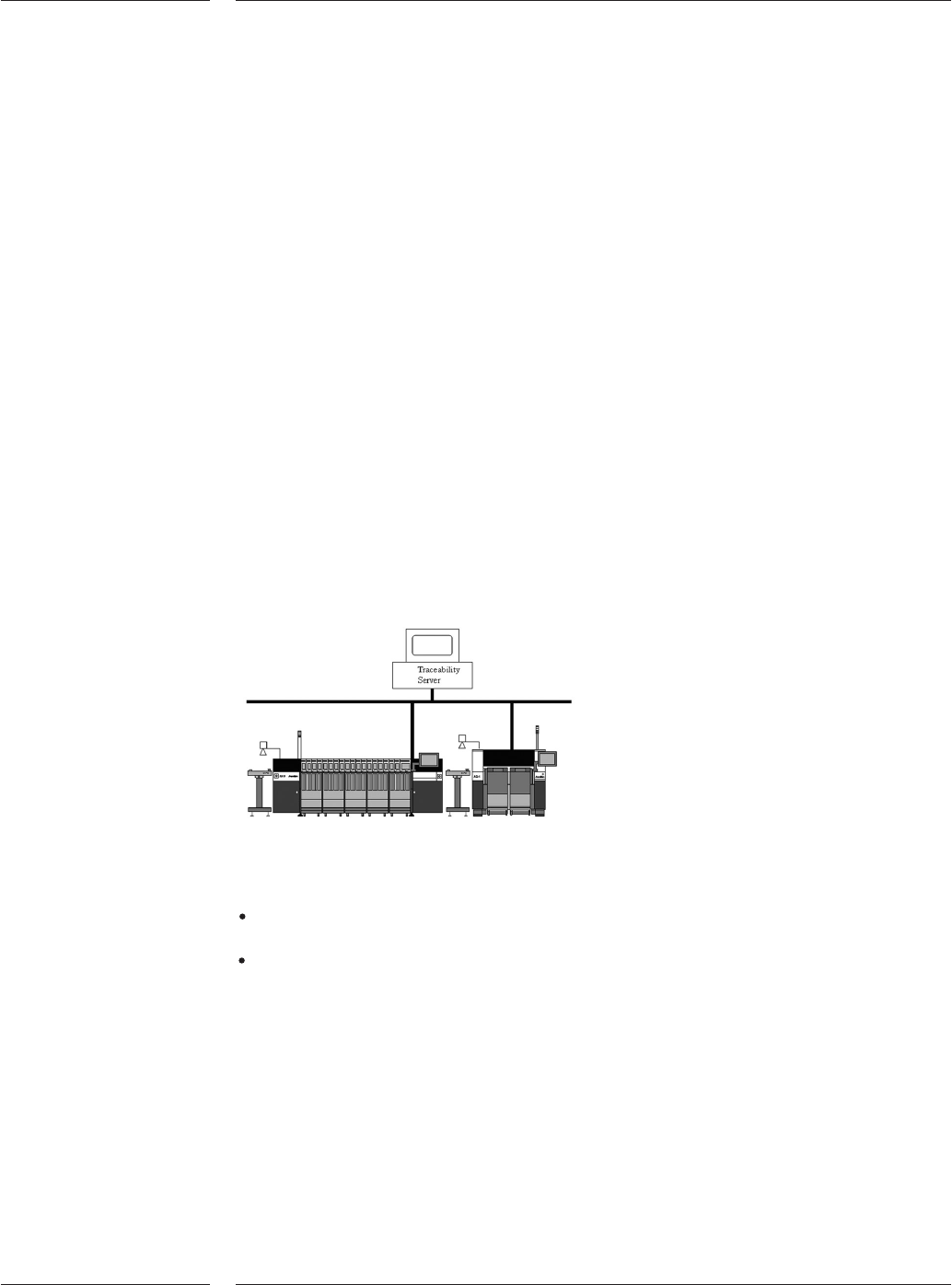
The A-Series supports traceability. Either one of the following modes are possible:
Board traceability: contains traceability information about each individual board
produced by a machine.
Batch traceability: contains traceability information summarized over all the
boards in a batch.
Both traceability products make their data available to the user in files or in
messages. In message mode traceability information is sent in XML-messages to a
front-end system. In file mode traceability information is written in XML-files to a
location on the factory network (e.g. customers file server). The files are easy read-
able using for example Excel.
4.7.2 Online
machine
setup
controller
4.8 Barcode
Triggered
Changeover
(BTCO)
4.9 Traceability
Figure 16
Options
19 of 34