96722_AX-201 AX-301 AX501 Spec bookl.pdf - 第21页
When a trolley is docked, the machine specific part of SVS Pro will start its continuous checking of the feeder set-up. If mistakes, at any time, are detected, it will be impossible to start the production or if the mach…
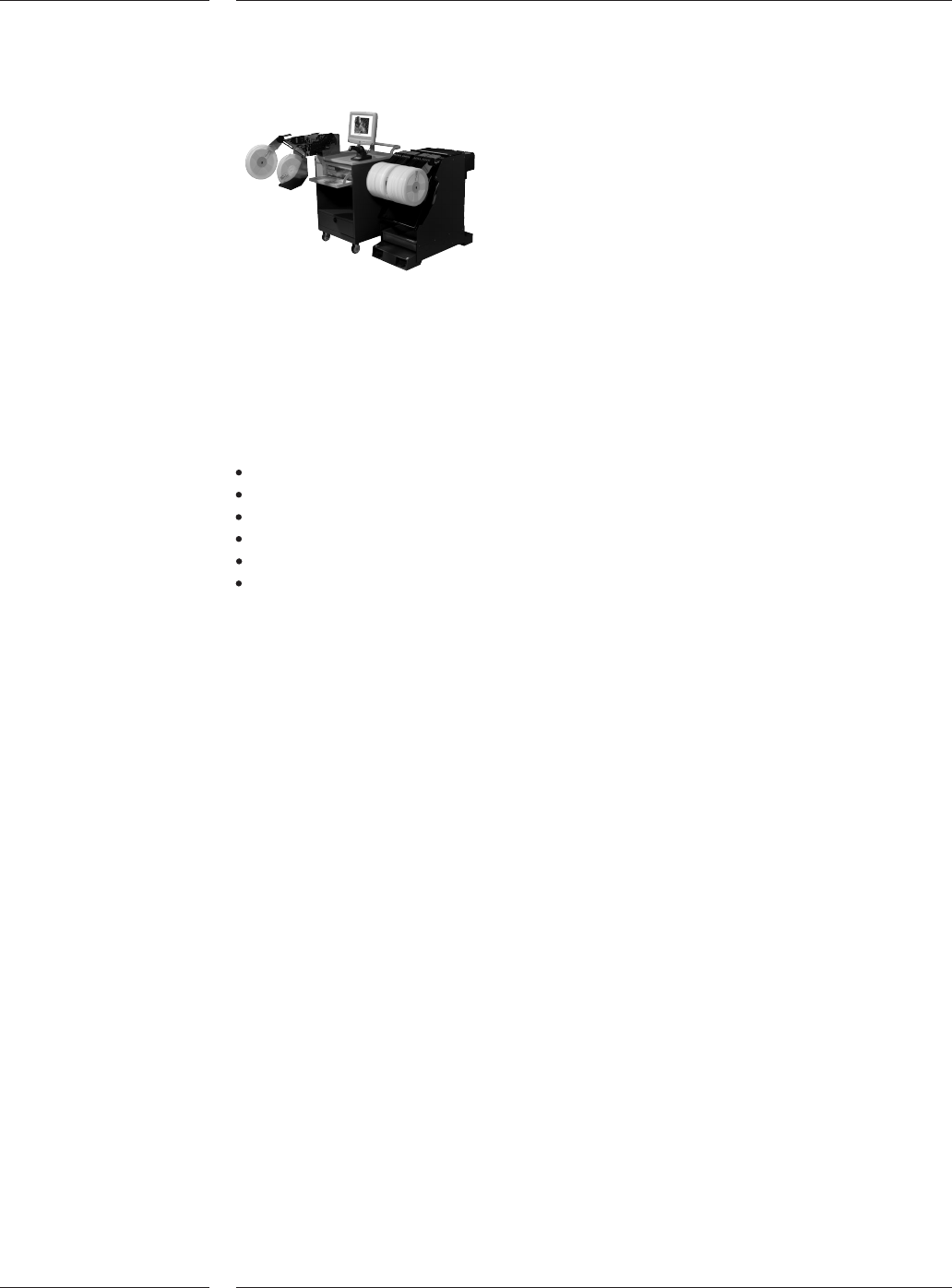
Trolley with SVS-Pro loading unit
The Setup Verification System (SVS Pro) enables zero defect (offline) preparation
and verification of the feeder set.
SVS Pro takes advantage of the intelligence in the ITF feeders. Only one time
reel-scan is required to store reel-info in the feeder memory, which means that if
you move a feeder to another placement machine the info will remain with the
reel eliminating any chance of errors. Reel info consists of:
Part number
Quantity
Vendor ID
Lot code
Operator ID
Date & time stamp
Any possible setup error can be corrected prior to the actual changeover using
SVS Pro. The system minimizes the online changeover time from one to the other
production batch to the bare minimum. Other features of SVS Pro are pro-active
pre-empty tape warnings, splice detection and continuous set-up verifications.
SVS Pro consists of two elements, an offline loading unit for the feeder and trolley
setup, and the online machine set-up controller.
The offline loading unit is a small trolley that conveniently can be moved around the
factory floor, for instance to be placed near the trolleys that needs to be prepared
for a next production batch.
The system guides the user in the creation of the setup for the selected placement
program.
On the offline loading unit a barcode and text printer can be connected to save
actual reel quantities after reels have been used. New barcode labels can be
printed when unloading the feeder. Various reports can be printed via a text
printer. The unit can be network connected to download placement programs.
The trolley is connected to the loading unit via a cable at the rear side of the
trolley unit. For SVS Pro minimum one (1) offline loading unit is required.
4.7 Setup
Verification
System
Figure 15
4.7.1 Offline
loading unit
Options
18 of 34
When a trolley is docked, the machine specific part of SVS Pro will start its
continuous checking of the feeder set-up. If mistakes, at any time, are detected, it
will be impossible to start the production or if the machines was running,
production will stop. Error messages will be provided on the Graphical User
Interface as well as on the wireless barcode scanner. The ITF feeder where an
improper setup is detected will also be indicated with a blinking LED on the ITF
feeder.
Feeder set-up errors can be resolved by (re-) programming the feeder on the
machine (online feeder programming).
Barcode Triggered Change Over provides:
1. Automatic placement program changeover if a new type of PCB is offered to the
machine (indicated with barcodes).
2. Optimal use of production with combined set-ups (e.g. family board)
3. An easy to use production scheme especially if you are running small batches
Notes:
1. Board Identification is required for this option
2. Rolling change-over can only be done if the new board has the same board width, board
thickness and index scheme (the same pitch) as the previous board.
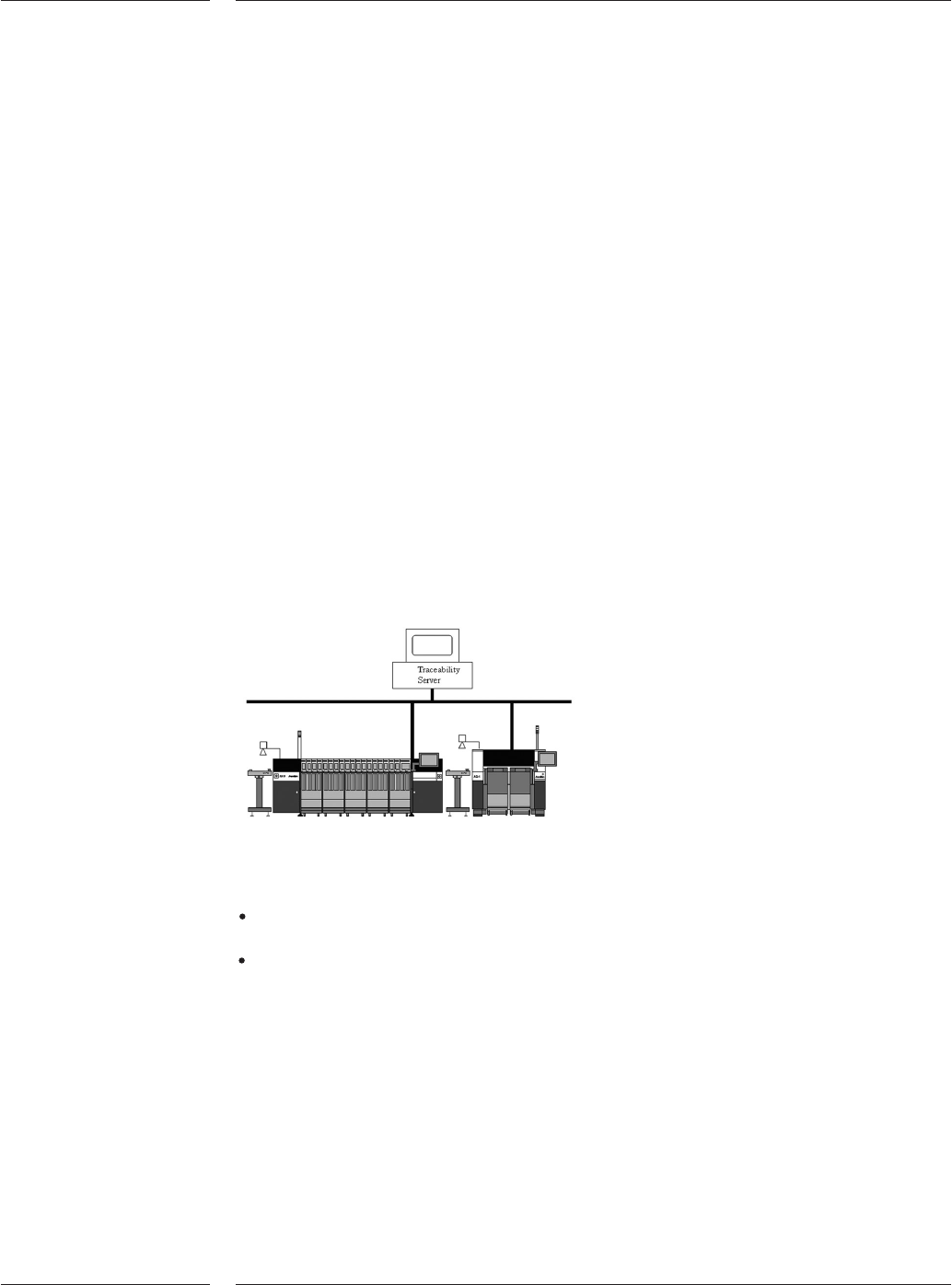
Traceability system layout
The A-Series supports traceability. Either one of the following modes are possible:
Board traceability: contains traceability information about each individual board
produced by a machine.
Batch traceability: contains traceability information summarized over all the
boards in a batch.
Both traceability products make their data available to the user in files or in
messages. In message mode traceability information is sent in XML-messages to a
front-end system. In file mode traceability information is written in XML-files to a
location on the factory network (e.g. customers file server). The files are easy read-
able using for example Excel.
4.7.2 Online
machine
setup
controller
4.8 Barcode
Triggered
Changeover
(BTCO)
4.9 Traceability
Figure 16
Options
19 of 34

4.10 Performance
data interface
4.11 Remote
diagnostics
Options
20 of 34
A traceability solution is built up out of three products:
BI or BTCO: see chapter 3.8 and 4.8
SVS Pro: see chapter 4.7
Traceability software: combines the board identification data and component
identification data
Traceability information contains:
1. Machine ID
2. Production data and time
3. Status of the production (OK/SUSPECTED or NOK)
4. Board ID
5. Part info per panel per reference designator (note: part information contains
the data that is provided by SVS Pro)
The A-Series creates, while running, performance data. To understand how the
machine is running, performance data is exported in an orderly standardized
method. The data is exported in real time so as events occur on the machine they
are exported. This makes it possible to create an application to monitor the
machine performance on remote locations. The product is supported by an
extensive description of the data and the connection method. The product also
includes some sample programs that describe how to connect to the machine
performance data.
The performance data contains:
machine status
board-count
component consumption
PPM-levels
error-events
To get support from (remote) specialists Assembleon offers the possibility of a
connection via broadband internet. The connection enables to operate all functions
remotely and to up- and download files and log information to and from the AX.