00196742-01 - Install Guide SIPLACE Explorer 2.7_de.pdf - 第29页
In stal latio ns- und Ko nfig urat ions anl eitun g S IPL ACE Explo rer 3 I ns tall ati on d es SIP LAC E E xpl orer Au sgab e 03 /2 010 D E 3. 1 Er stin stal lat ion v on S IPL ACE Exp lor er 2.7 29 3 Abb. 3 - 1 SIP LAC…

3 Installation des SIPLACE Explorer Installations- und Konfigurationsanleitung SIPLACE Explorer
3.1 Erstinstallation von SIPLACE Explorer 2.7 Ausgabe 03/2010 DE
28
HINWEIS
Bevor Sie SIPLACE Explorer V2.7 installieren können, muss Java 1.6 auf Ihrem Computer
installiert sein. Diese Komponente installieren Sie über die Support Media DVD. 3
(3)Optionen zu SIPLACE Explorer V.2.7
Die Optionen SIPLACE Traceability Option V2.0 und SIPLACE Maintenance Manager V1.0
müssen Sie extra bestellen und installieren. Diese sind nicht im Leistungsumfang des
SIPLACE Explorer V2.7 enthalten. 3
3.1.1 Installationsvorgang SIPLACE Explorer 2.7 - Erstinstallation
HINWEIS
Sie müssen über Windows Administrator-Rechte verfügen, um die Installation ausführen zu
können. 3
→ Legen Sie die Support Media DVD in Ihr DVD-Laufwerk ein. Folgen Sie den Anweisungen aus
dem Dokument "Navigation Guide for the Installation Procedure of SIPLACE Software
Systems" (Art.-Nr. 00195050-xx).
Ihr System wird auf die nötigen Software-Komponenten und deren Versionen überprüft. Sie
erhalten entsprechende Meldungsfenster und können alle noch benötigten Software-
Komponenten installieren. 3
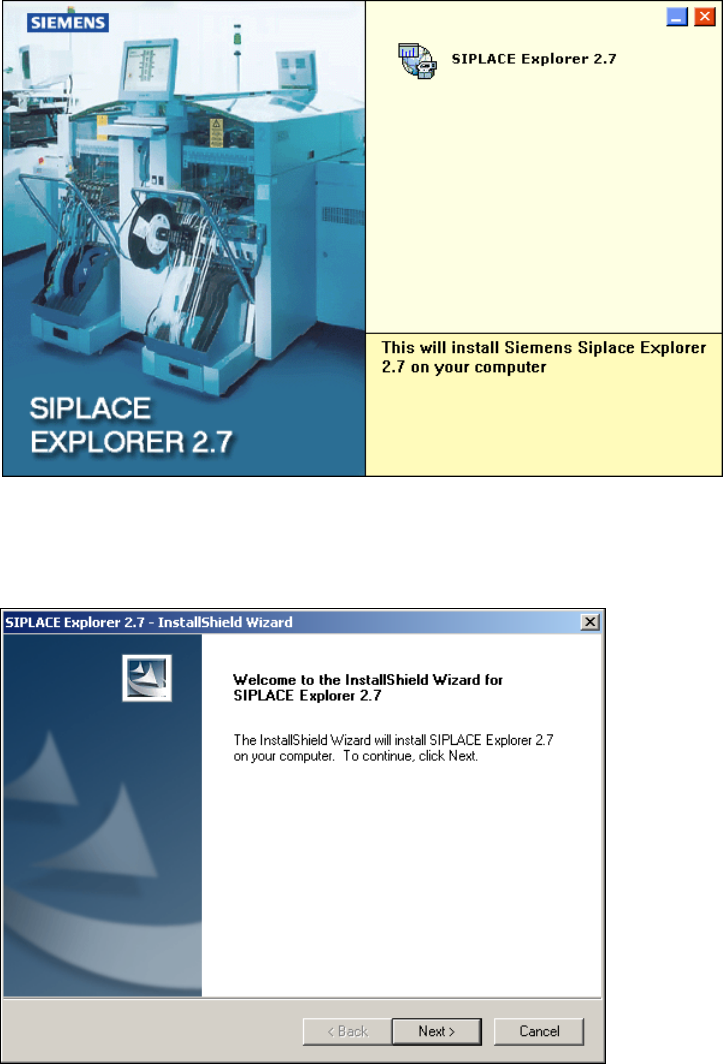
→ Legen Sie die SIPLACE Explorer CD in Ihr CD-Rom-Laufwerk ein. Es erscheint der Start
Screen.
Installations- und Konfigurationsanleitung SIPLACE Explorer 3 Installation des SIPLACE Explorer
Ausgabe 03/2010 DE 3.1 Erstinstallation von SIPLACE Explorer 2.7
29
3
Abb. 3 - 1 SIPLACE Explorer setup - Start Screen
→ Wählen Sie SIPLACE Explorer 2.7 aus.
→ Die benutzergeführte Installation von SIPLACE Explorer wird gestartet.
3
Abb. 3 - 2 SIPLACE Explorer setup - Willkommen im SIPLACE Explorer
→ Beenden Sie alle anderen Programme und klicken Sie auf Next (Weiter). Das Dialogfenster
License Agreement wird geöffnet.
3 Installation des SIPLACE Explorer Installations- und Konfigurationsanleitung SIPLACE Explorer
3.1 Erstinstallation von SIPLACE Explorer 2.7 Ausgabe 03/2010 DE
30
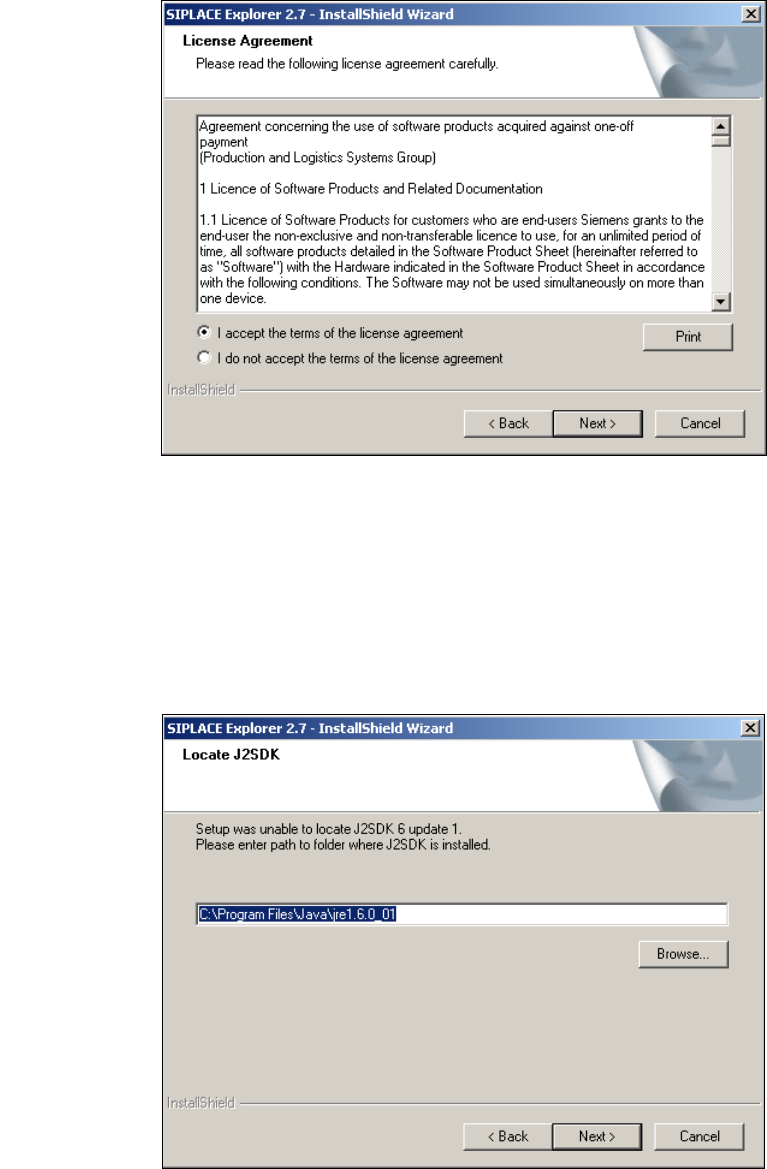
→ Lesen Sie die Lizenzbestimmungen. Wenn Sie zustimmen, I accept ... anklicken, ansonsten I
do not accept .... Wenn Sie I do not accept ... anklicken, wird die Installation beendet.
3
Abb. 3 - 3 SIPLACE Explorer Setup - Lizenzvereinbarungen
→ Bestätigen Sie Ihre Auswahl mit Next (Weiter).
→ Damit SIPLACE Explorer lauffähig ist, muss J2SE Runtime Environment 6 Update 1 oder
höher auf Ihrem PC installiert sein. Wenn es bereits installiert ist, läuft das SIPLACE Explorer
Setup-Programm weiter.
→ Wenn beim Installationsversuch J2SE 6 Update 1 nicht gefunden wird, erscheint auf Ihrem
Bildschirm das Fenster Locate J2SDK (Finden).
3
Abb. 3 - 4 SIPLACE Explorer Setup - JAVA 2SDK finden