DECAN_S2_Maintenance(Eng_Ver4.3).pdf - 第84页
Mon thly Inspe ction chapt er 5 Advanced Chip Shooter DE CAN S2 M ain ten an ce H and bo ok 5 -2 3 Cleaning and apply grease and lubricating the conveyor lead scr ew , LM guide Step 4 . U sing a n ultra-fi ne fib er clot…
Monthly Inspection
chapter 5
Advanced Chip Shooter
DECAN S2 Maintenance Handbook
5-22
Cleaning and apply grease and lubricating the conveyor lead screw, LM guide
Monthly Inspection
It is possible to prevent deformation of the corresponding section by friction or an
error due to increased temperature.
Tool for Maintenance
Ultra-fine fiber cloth, Flat Brush, Lubricator, GREASE GADUS S2 V220-2
Measures
Step 1.
Move the Front X Frame assembly backward as
described in "Backward movement of the front X-frame"
on page 1-4.
Step 2.
Press the 'STOP' and 'RESET' buttons in order after
pressing the 'EMG' button on the OP panel to stop
operation.
For more details, refer to "How to perform emergency stop" on page
1-2.
Step 3.
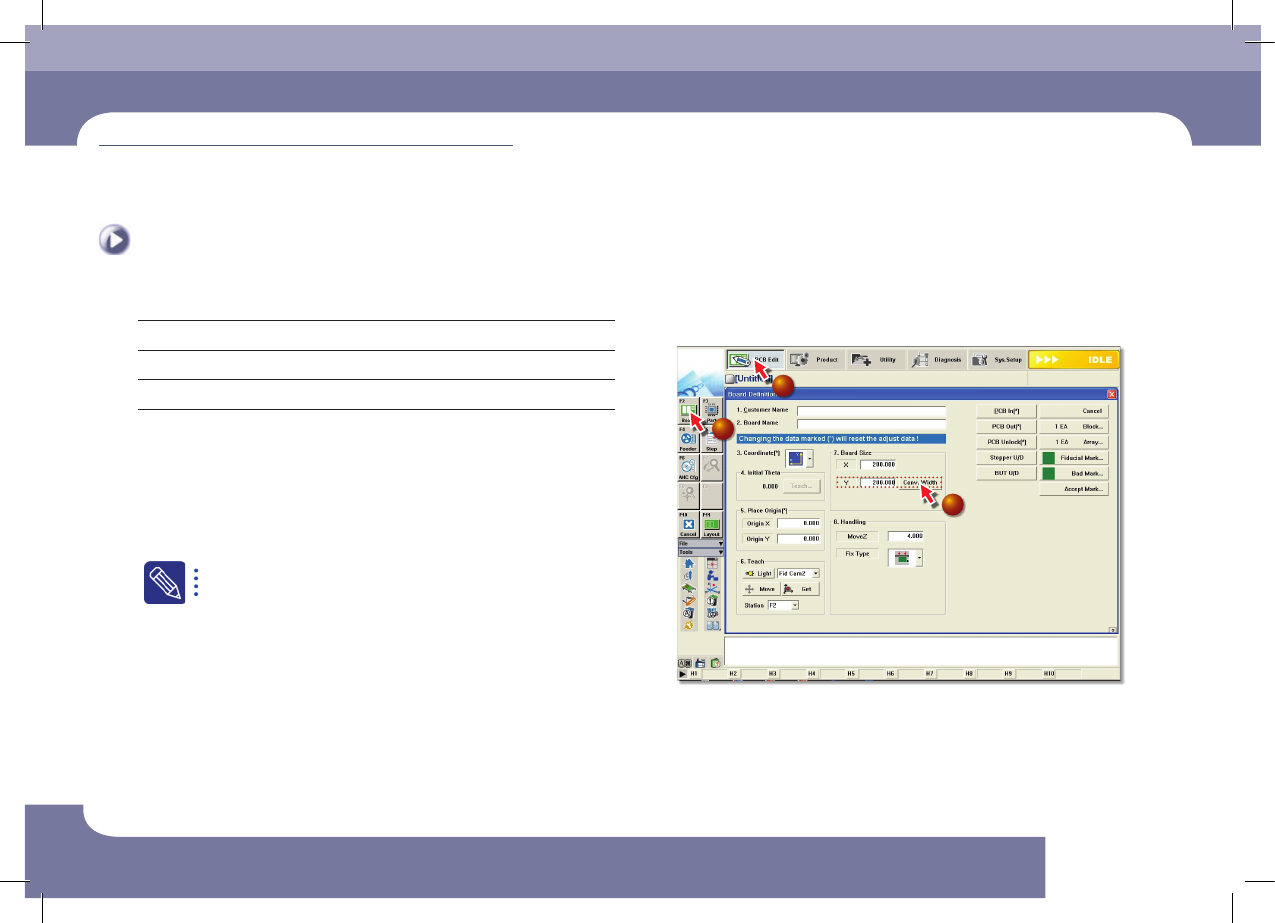
Adjust the conveyor width
1
2
3
①Select the 'PCB Edit' Menu
②Select the 'Borad' Submenu
③Enter 200 (maximum size in the Y direction) in the <7. Board Size> group and
click the <Conv.Width> Button
Cleaning and apply grease and lubricating the
conveyor lead screw, LM guide
(Time required: 30min /
No. M-11)
Monthly Inspection
chapter 5
Advanced Chip Shooter
DECAN S2 Maintenance Handbook
5-23
Cleaning and apply grease and lubricating the conveyor lead screw, LM guide
Step 4.
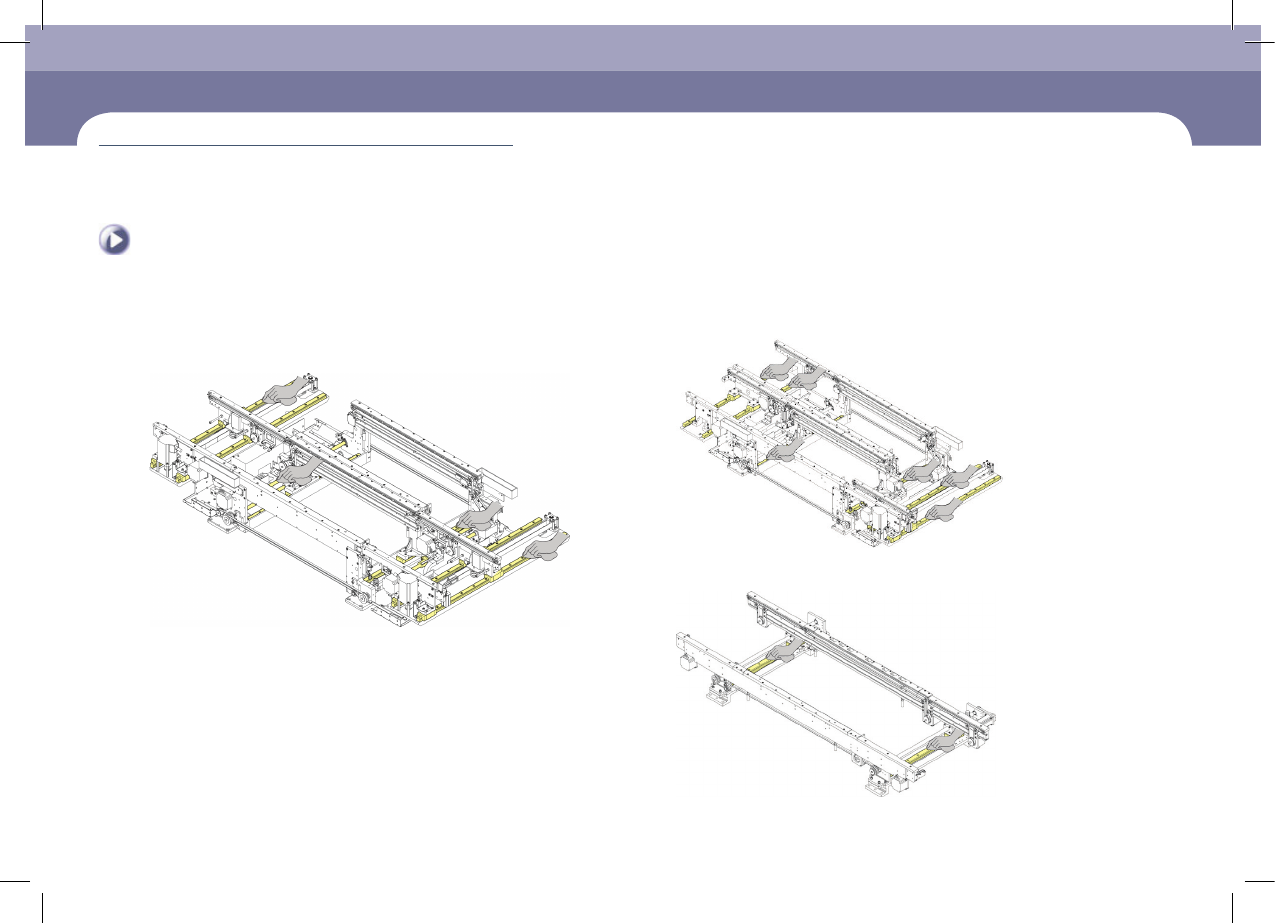
Using an ultra-fine fiber cloth, remove any dust or foreign
materials from the LM guide and lead screw of the work
station, exit station and entry station.
Option (Conveyor 2-2-1)
Option (Conveyor single)
Monthly Inspection
chapter 5
Advanced Chip Shooter
DECAN S2 Maintenance Handbook
5-24
Cleaning and apply grease and lubricating the conveyor lead screw, LM guide
Monthly Inspection
Step 5.
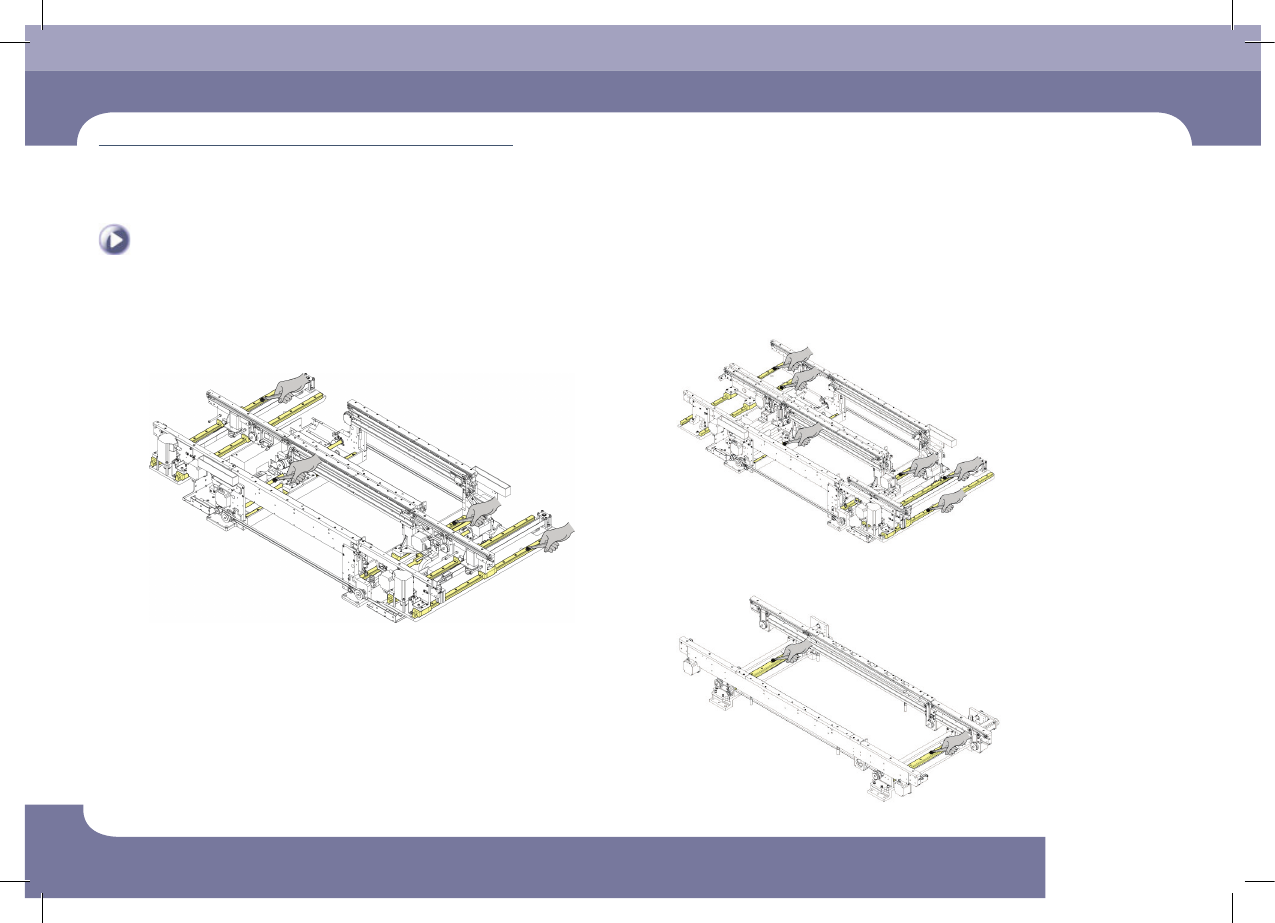
Using a flat brush, apply grease to the LM guide and
lead screw of the work station, exit station and entry
station.
Option (Conveyor 2-2-1)
Option (Conveyor single)