DECAN_S2_Maintenance(Eng_Ver4.3).pdf - 第86页
Mon thly Inspe ction chapt er 5 Advanced Chip Shooter DE CAN S2 M ain ten an ce H and bo ok 5 -25 Cleaning and apply grease and lubricating the conveyor lead scr ew , LM guide Step 6 . U sing a lu bri cato r , inje ct gr…
Monthly Inspection
chapter 5
Advanced Chip Shooter
DECAN S2 Maintenance Handbook
5-24
Cleaning and apply grease and lubricating the conveyor lead screw, LM guide
Monthly Inspection
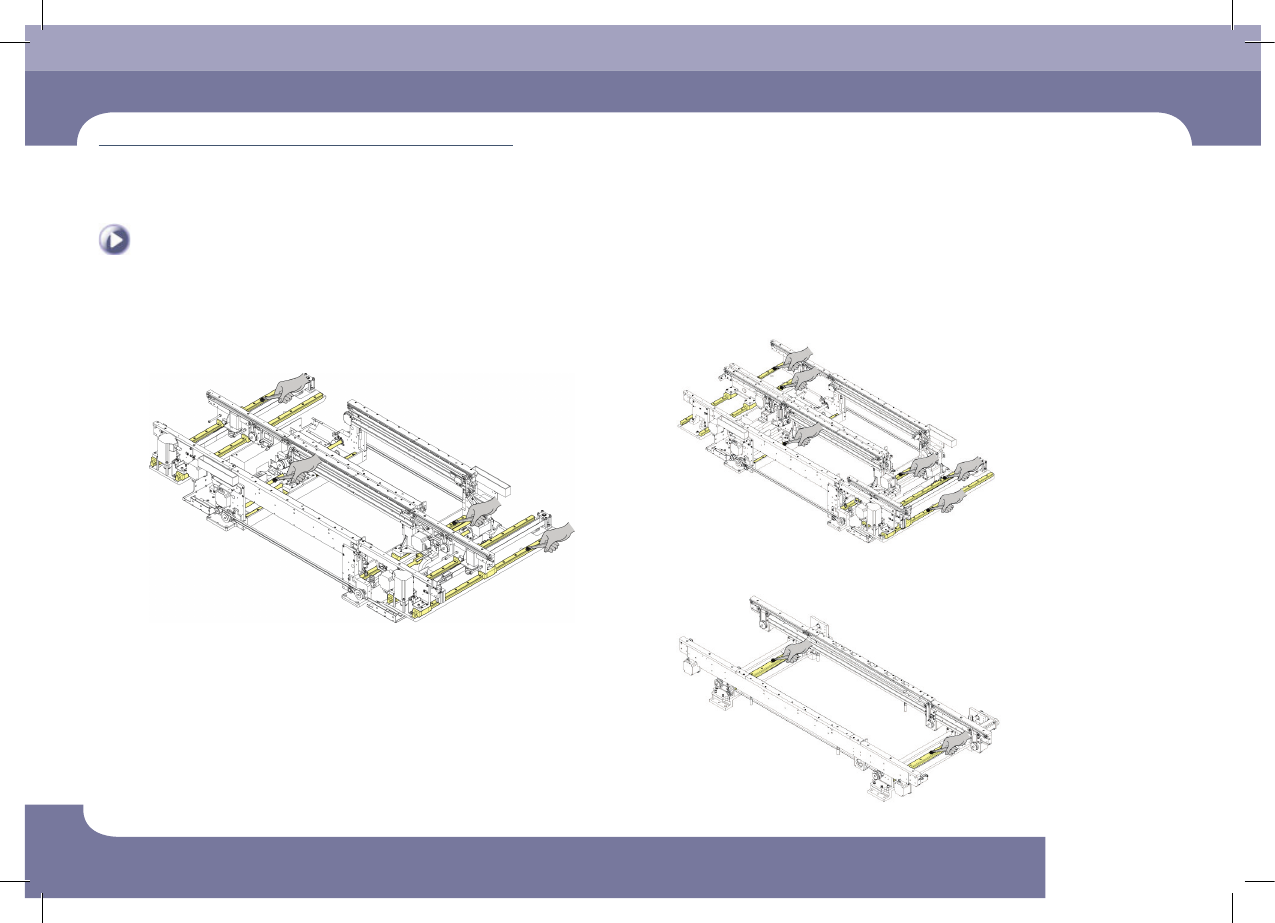
Step 5.
Using a flat brush, apply grease to the LM guide and
lead screw of the work station, exit station and entry
station.
Option (Conveyor 2-2-1)
Option (Conveyor single)
Monthly Inspection
chapter 5
Advanced Chip Shooter
DECAN S2 Maintenance Handbook
5-25
Cleaning and apply grease and lubricating the conveyor lead screw, LM guide
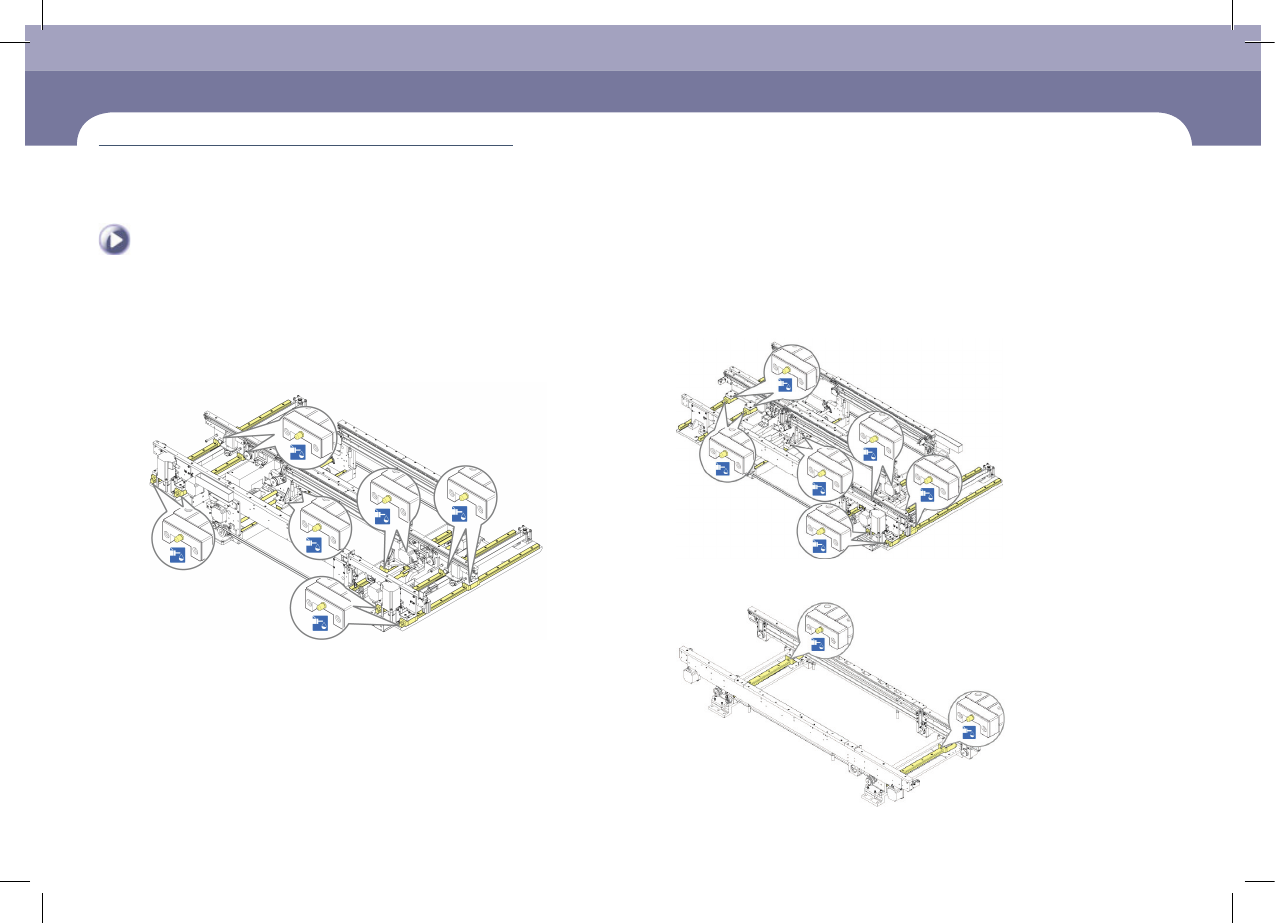
Step 6.
Using a lubricator, inject grease into the LM guide
block of the work station, exit station and entry station
through a nipple.
Option (Conveyor 2-2-1)
Option (Conveyor single)
Monthly Inspection
chapter 5
Advanced Chip Shooter
DECAN S2 Maintenance Handbook
5-26
Cleaning and apply grease and lubricating the conveyor lead screw, LM guide
Monthly Inspection
Caution
The designated grease must be applied using the designated
lubricator in the designated manner. Other lubricating methods are
unacceptable.
Caution
If the machine's operating environment is harsh, check its lubrication
status frequently.
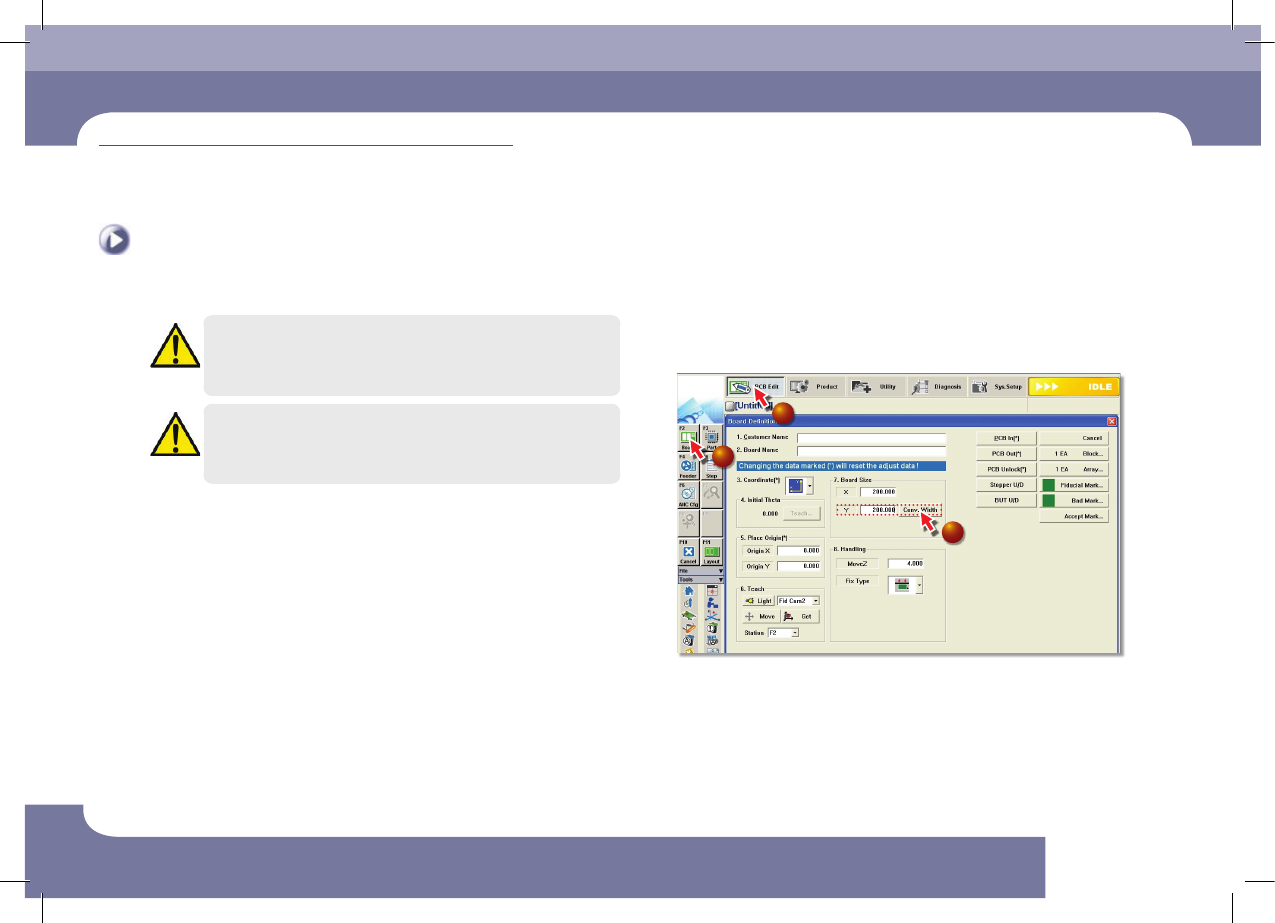
Step 7.
Adjust the width of conveyor from the Min.to the Max. 3
or 4 times so that the grease can be properly distributed
throughout the whole section
1
2
3
①Select the 'PCB Edit' Menu
②Select the 'Borad' Submenu
③Enter 200 (maximum size in the Y direction) in the <7. Board Size> group and
click the <Conv.Width> Button
Step 8.
Release the emergency stop as described in "Releasing
'Emergency Stop' mode" on page 1-10 and perform the
operation again.