00197443-02_IM_707_1_DE_EN.pdf - 第31页
Station S oftware 70 7.1 / Ins tallation Man ual Ausgabe 05/2014 E dition 31 5.4.2 Language S election Installat ion of the sta tion sof tware continues with the selection of the langua ge. ► Select th e language to be u…
Station Software 707.1 / Installation Manual Ausgabe 05/2014 Edition
30
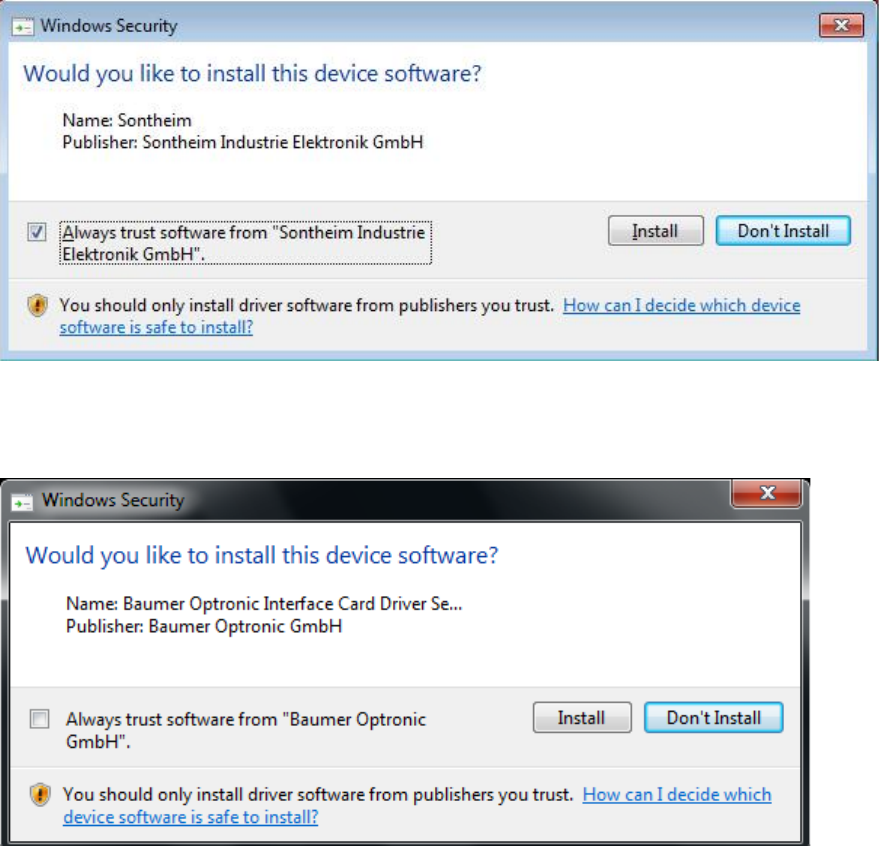
Thereafter, the following dialog is displayed.
Figure 5-8: Installing driver software for Sontheim device, part 2
► Perform the same steps as in the previous dialog.
If a Baumer card is installed, the following dialog is displayed.
Figure 5-9: Installing driver software for Baumer card
► Activate the Always trust software from "Baumer Optronic GmbH" field.
► Click the Install, button to install the corresponding driver software.
Station Software 707.1 / Installation Manual Ausgabe 05/2014 Edition
31
5.4.2 Language Selection
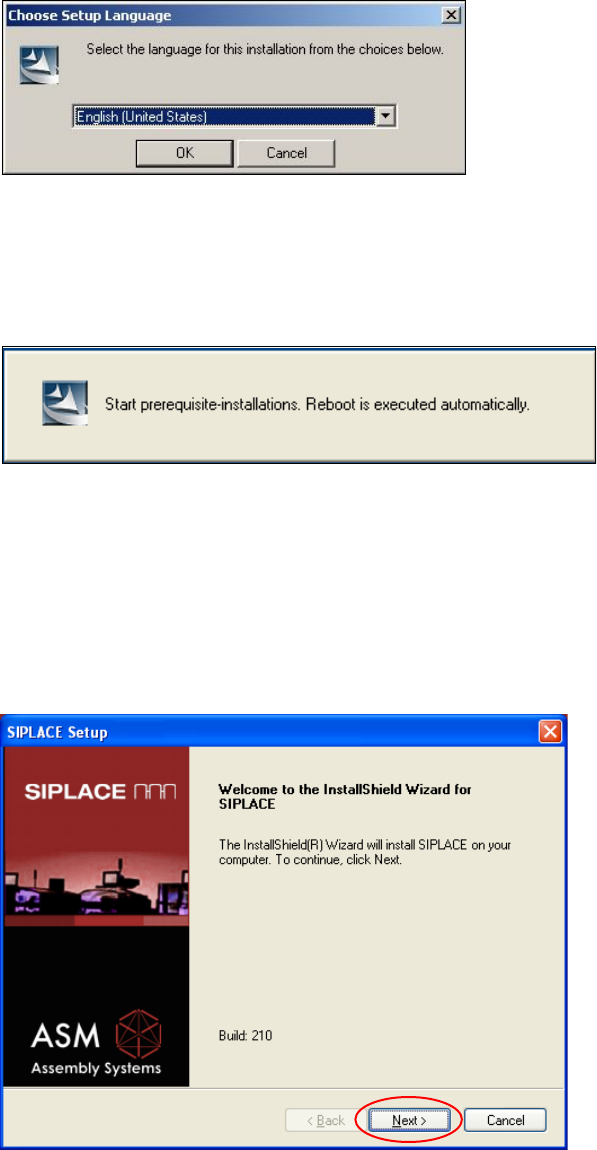
Installation of the station software continues with the selection of the language.
► Select the language to be used during installation.
You can choose between German (Germany), English (United States) and Chinese
(Simplified).
Figure 5-10: Language selection
► Click the OK button.
5.4.3 Installing the System Files
Figure 5-11: Installing the system files
The necessary system files are installed if they are not already on the machine computer. Under
Windows XP the machine computer is rebooted automatically after installation. You are
automatically logged in as administrator. Under Windows 7 no reboot is necessary.
Installation of the station software continues with the welcome screen.
5.4.4 Welcome Screen
Figure 5-12: Welcome screen
► Click the Next button.
Station Software 707.1 / Installation Manual Ausgabe 05/2014 Edition
32
5.4.5 Selecting the Machine Type
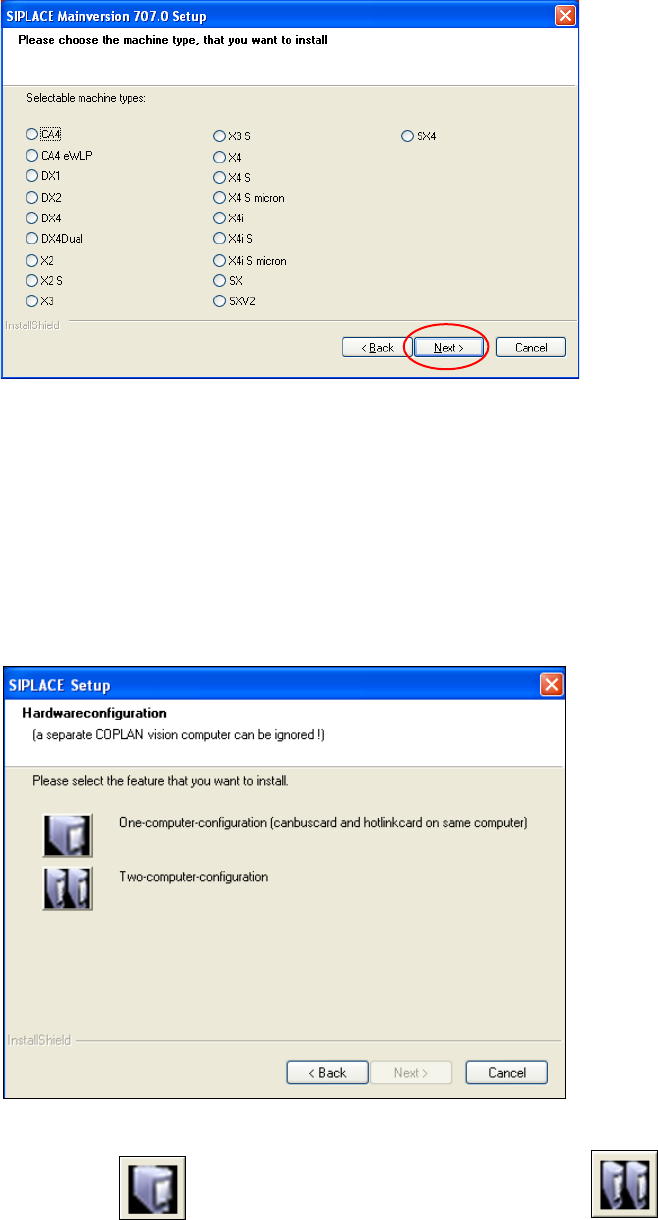
Figure 5-13: Selecting the machine type
► Select the option for the machine type for which the software is to be configured.
► Click the Next button.
5.4.6 Selecting the Hardware Configuration
The Hardwareconfiguration dialog box is opened, in which you configure the hardware for one-
computer or two-computer operation. One-computer operation is default for the SX and DX
placement machines.
Figure 5-14: "SIPLACE Setup" dialog box
► Click the One-computer-configuration button or the Two-computer-
configuration button for X-series placement machines with two computers.