00197443-02_IM_707_1_DE_EN.pdf - 第40页
Station S oftware 70 7.1 / Ins tallation Man ual Ausgabe 05/2014 E dition 40 Figure 6-3 : Finalizing the instal lation ► Click the Finish button. ► Reconnec t the USB k eyboard to t he machine c omputer . ► Reconnec t th…
Station Software 707.1 / Installation Manual Ausgabe 05/2014 Edition
39
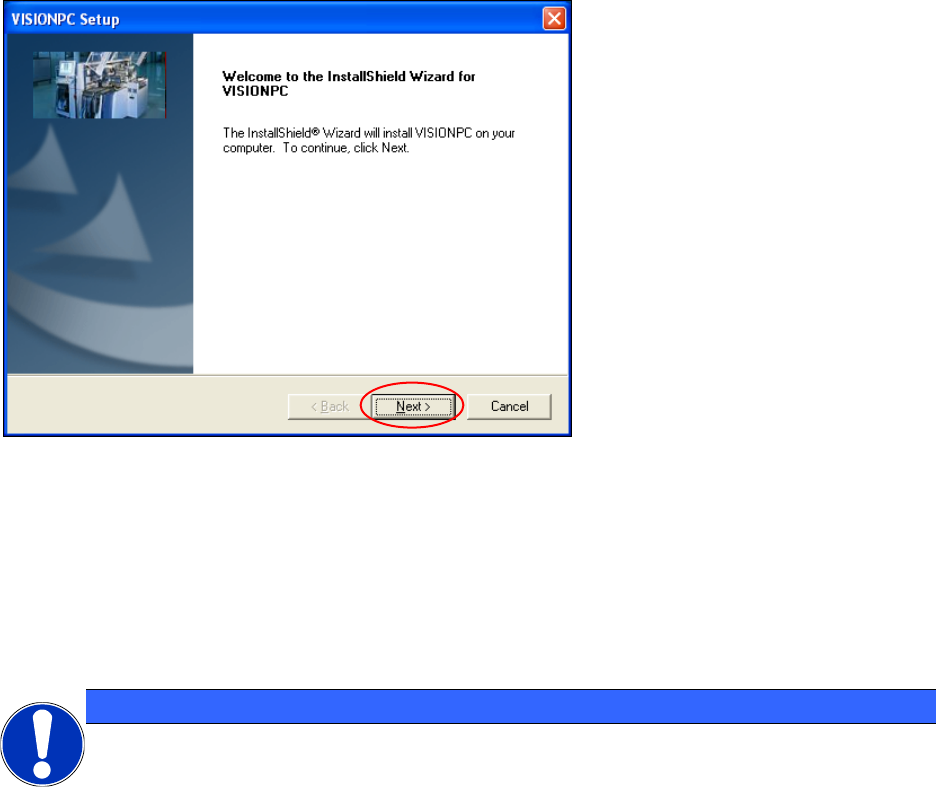
6.1 Welcome Screen
Figure 6-2: Welcome screen
► Click the Next button.
The necessary files are installed on the Vision computer.
6.2 Finalizing the Installation
NOTICE
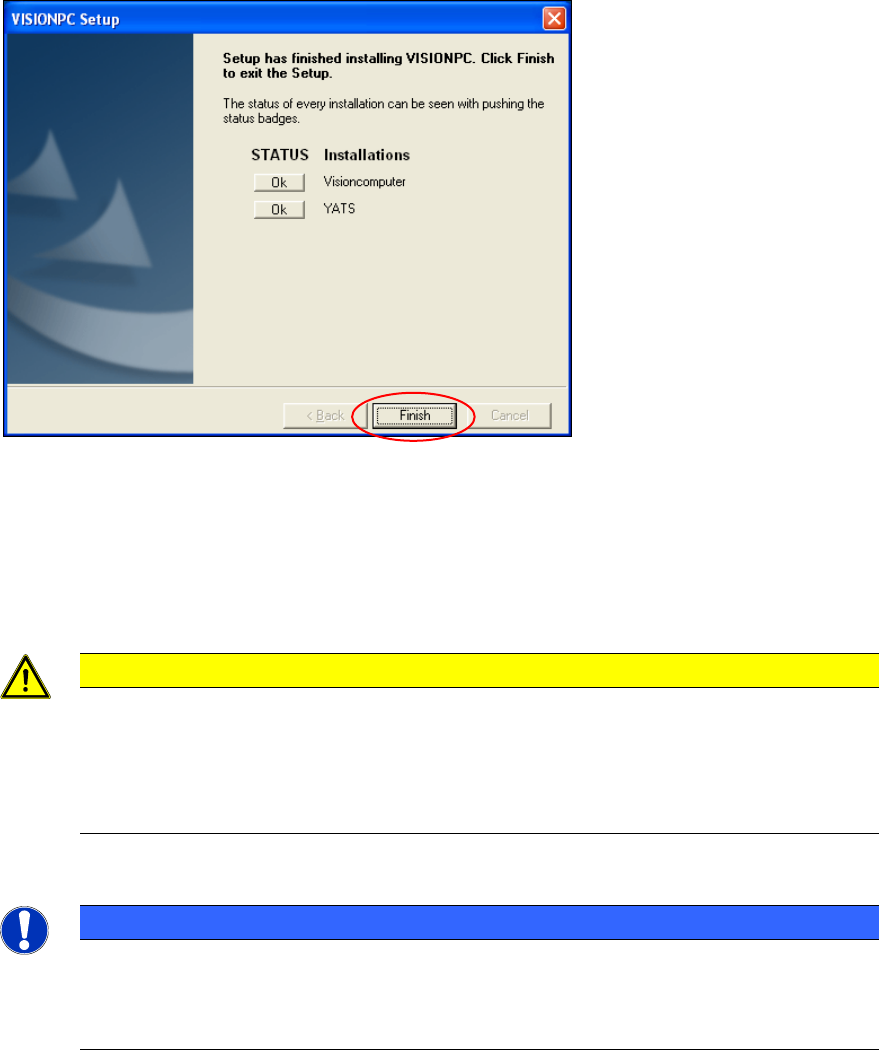
The status only lists the programs that have just been installed.
If errors occurred during installation, the status is indicated by the Error
button being displayed
next to the program name instead of the Ok button.
► If you wish to read the log of the installation of any program, click the Ok (or Error) button next
to the name of the program. The Notepad is started and displays the appropriate file.
Station Software 707.1 / Installation Manual Ausgabe 05/2014 Edition
40
Figure 6-3: Finalizing the installation
► Click the Finish button.
► Reconnect the USB keyboard to the machine computer.
► Reconnect the USB DVD drive to the machine computer.
► Switch the video multiplexer from the Vision computer to the machine computer.
CAUTION
► Wait a few seconds after you have clicked the Finish button, before you shut down
and switch off the computer / the machine!
As some installation steps are not performed until the end of the installation by the
InstallShield, the installation might otherwise be incomplete, what may cause
problems during further installations.
NOTICE
To establish the connection between the SIPLACE Vision computer software and the
SIPLACE station software after installation has been completed, the Vision computer
and the machine computer must first be shut down and the machine must then be
switched off completely.
Station Software 707.1 / Installation Manual Ausgabe 05/2014 Edition
41
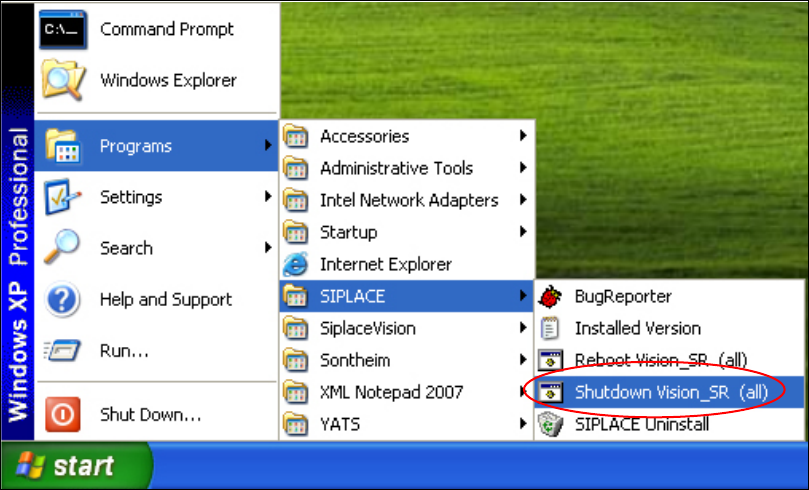
► To do this, open the Start menu and select Programs
SIPLACE
Shutdown Vision_SR
(all).
Figure 6-4: Shutting down the machine computer and Vision computer
► Switch the machine off when the computer systems have shut down.
► Switch the machine back on again. This then reboots the Vision computer and the machine
computer.