00197443-02_IM_707_1_DE_EN.pdf - 第54页
Station S oftware 70 7.1 / Ins tallation Man ual Ausgabe 05/2014 E dition 54 Figure 8-2: Starti ng uninstallation (alternative 2) ► Sele ct S IPLACE f rom the li st of instal led program s. ► Clic k the Change/Remove but…
Station Software 707.1 / Installation Manual Ausgabe 05/2014 Edition
53
8 Uninstalling the SIPLACE Software
NOTICE
You must be logged in as Administrator to uninstall the software.
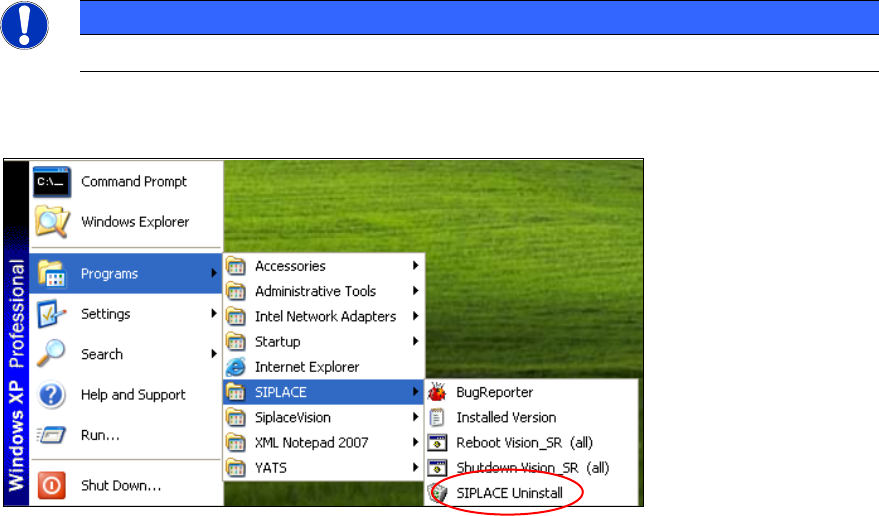
► Open the Start menu and select Programs
SIPLACE
SIPLACE Uninstall.
Figure 8-1: Starting uninstallation (alternative 1)
Or:
► Open the Start menu and select Settings
Control Panel.
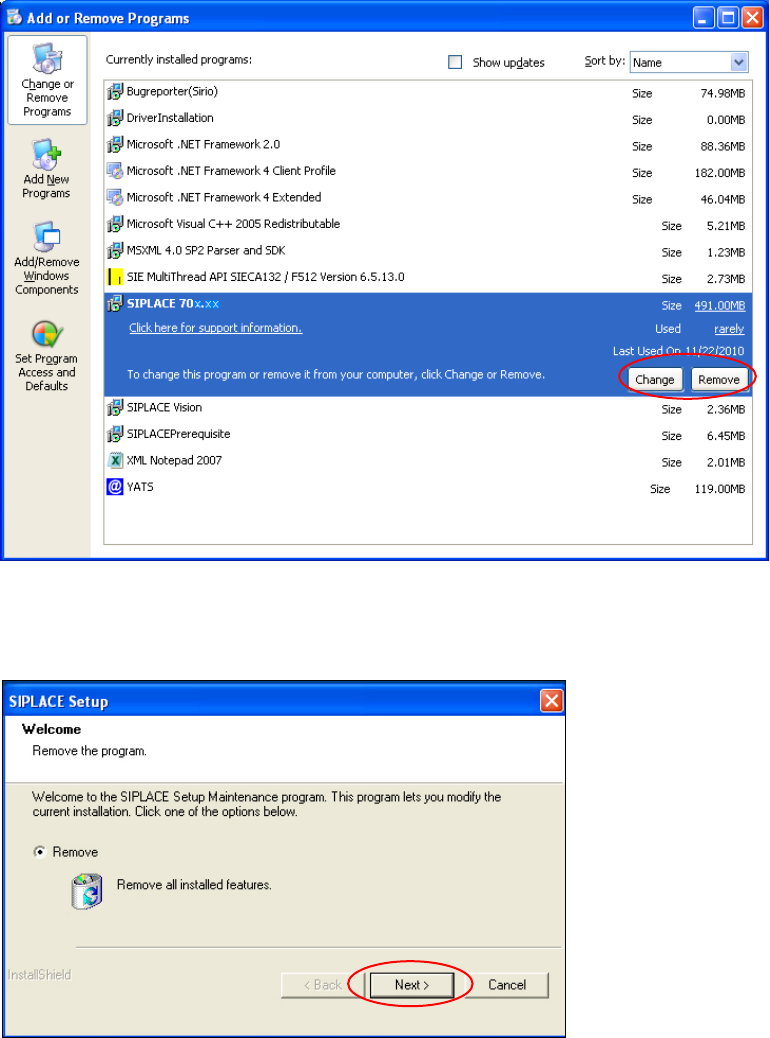
► Double-click Add/Remove Programs.
Station Software 707.1 / Installation Manual Ausgabe 05/2014 Edition
54
Figure 8-2: Starting uninstallation (alternative 2)
► Select SIPLACE from the list of installed programs.
► Click the Change/Remove button.
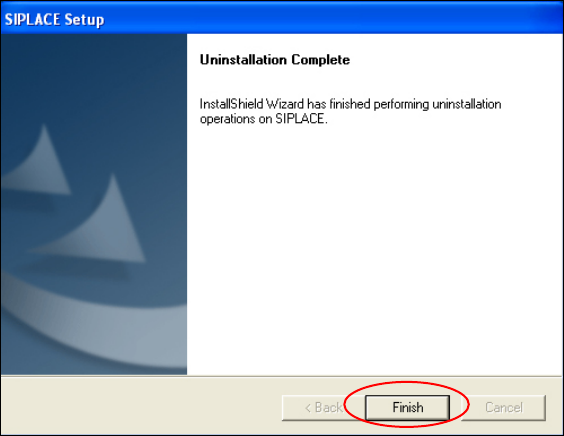
Figure 8-3: Removing a program
► Click Next.
Station Software 707.1 / Installation Manual Ausgabe 05/2014 Edition
55
The installation program now uninstalls all SIPLACE software.
Figure 8-4: Finalizing uninstallation
► Click the Finish button.
The SIPLACE software has now been uninstalled correctly.