NPM Calibration Manual-En.pdf - 第39页
NPM Maint en anc e E di ti on 9.7 Pl ac ement Load Page 9-38 EJM9BE-M B-09M-21 31 Check that it i s successfu ll y com pl ete. 32 Press the num eri c value. • T he numer i c keypad window opens. 33 Enter the m easured va…
NPM
Maintenance Edition
9.7 Placement Load
EJM9BE-MB-09M-21 Page 9-37
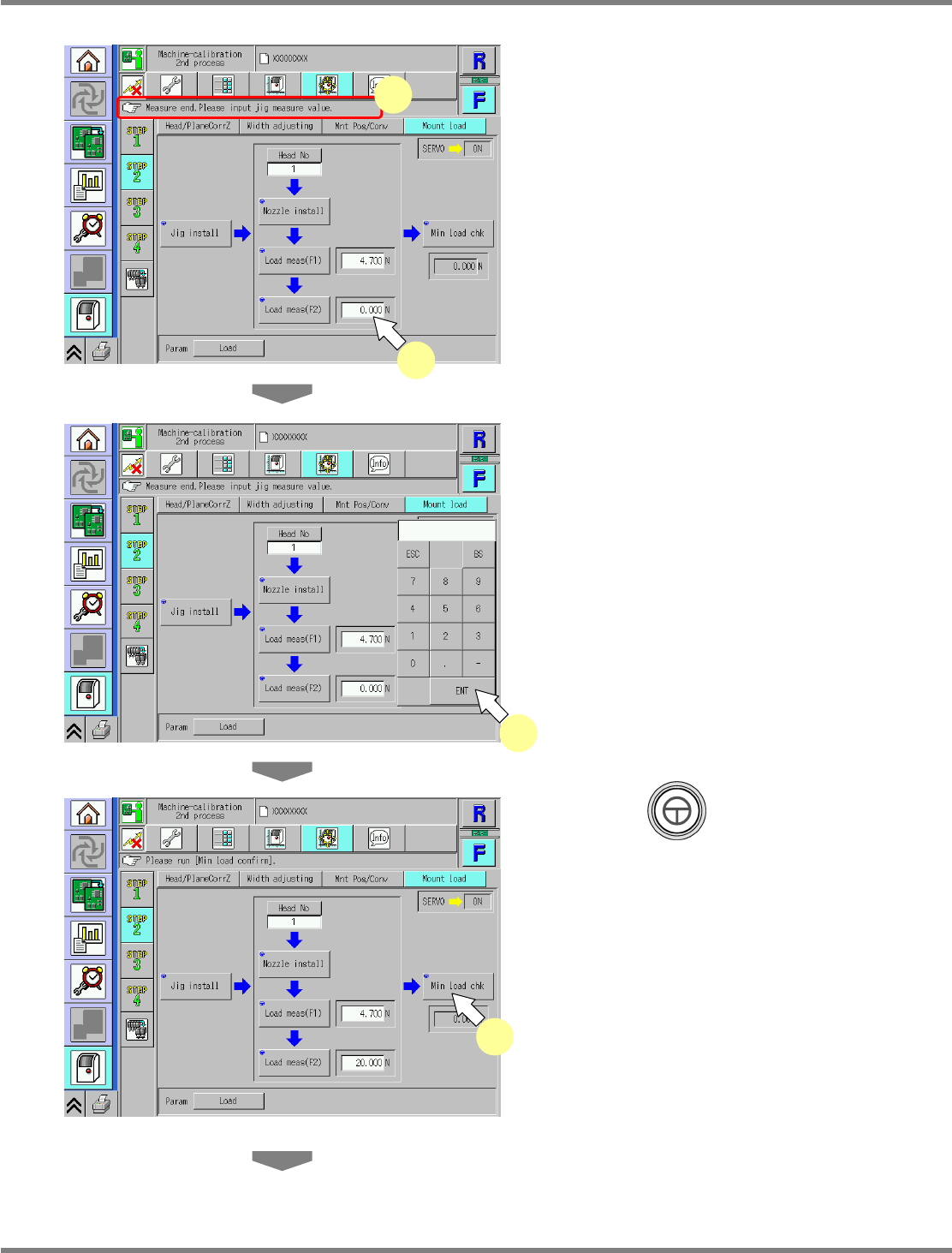
27
Check that it is successfully complete.
28
Press the numeric value.
•
The numeric keypad window opens.
29
Enter the measured value.
∗
Enter the numeric value indicated on the load
measuring jig.
Input range: 15 N to 25 N
30
Press + [Min load chk].
•
The calibration is carried out.
UnitCalibHeadLoad-11E01
27
28
UnitCalibHeadLoad-12E01
29
UnitCalibHeadLoad-13E01
30
NPM
Maintenance Edition
9.7 Placement Load
Page 9-38 EJM9BE-MB-09M-21
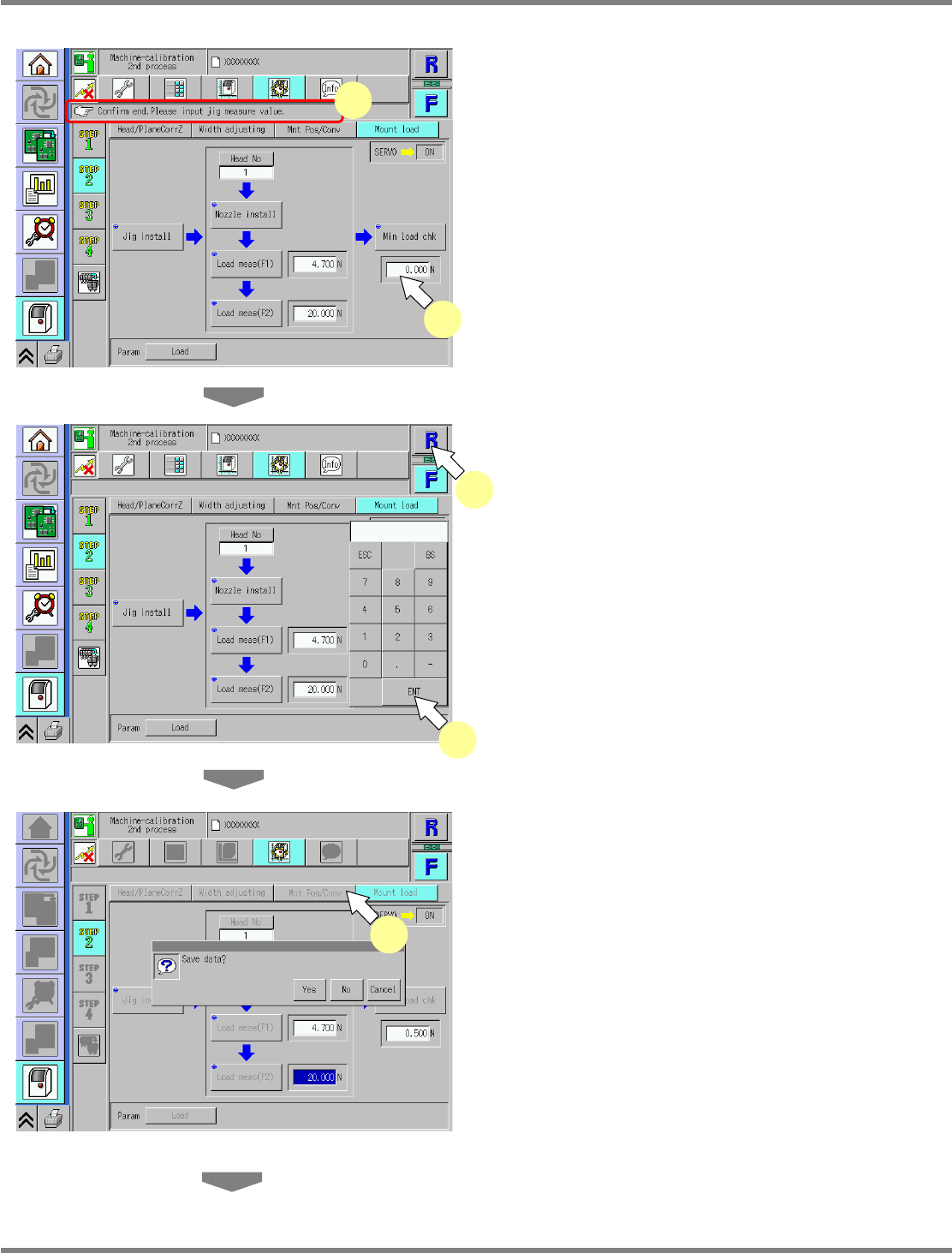
31
Check that it is successfully complete.
32
Press the numeric value.
•
The numeric keypad window opens.
33
Enter the measured value.
∗
Enter the numeric value indicated on the load
measuring jig.
∗
Perform steps 13–33 for also the other nozzle
positions.
34
Select the other table.
∗
Perform steps 5–33 for also the other table.
35
Press [Mnt Pos/Conv].
•
When exiting this screen to the other one, you
are always prompted to save the data.
∗
To save the data obtained by the calibration,
press [Yes].
•
If you press [No], the return-to-origin process
is carried out and the data obtained by the
calibration are lost.
•
After the above operation, the next screen is
displayed.
UnitCalibHeadLoad-16E01
UnitCalibHeadLoad-14E01
31
32
35
UnitCalibHeadLoad-15E01
33
34
NPM
Maintenance Edition
9.7 Placement Load
EJM9BE-MB-09M-21 Page 9-39
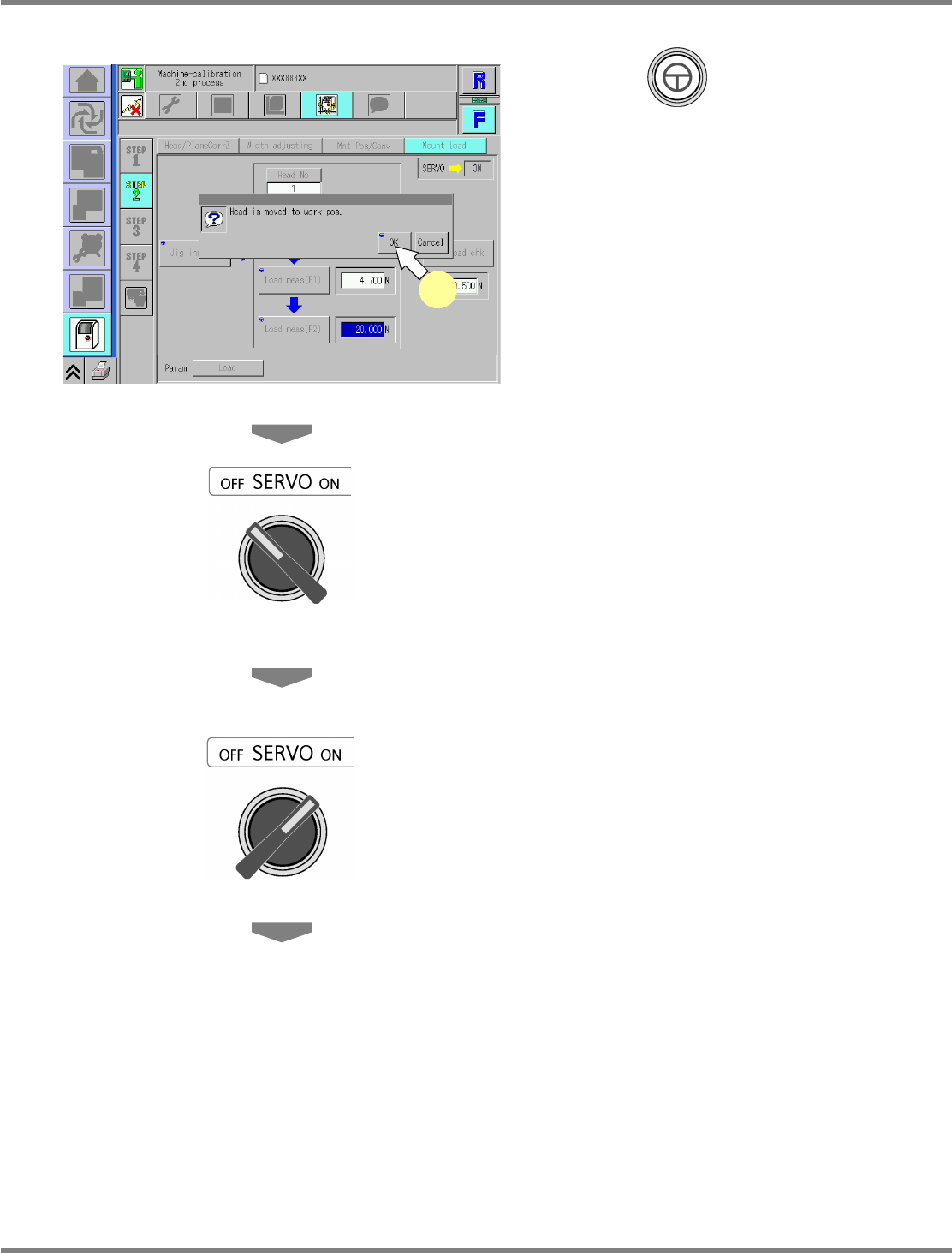
36
Press + [OK].
•
The head moves to the working position.
37
Turn OFF the servo switch.
38
Open the safety cover.
39
Detach the nozzles.
40
Close the safety cover.
41
Turn ON the servo switch.
UnitCalibHeadLoad-17E01
36