NPM Calibration Manual-En.pdf - 第70页
NPM Maint en anc e E di ti on 9.10 3D Camer a EJM9BE-M B-09M-21 Page 9-69 19 Press + [OK]. • T he cali br ation is carri ed out . 20 Check that it i s successfu ll y com pl ete. ∗ Perf orm steps 3–22 f or also the ot her…
NPM
Maintenance Edition
9.10 3D Camera
Page 9-68 EJM9BE-MB-09M-21
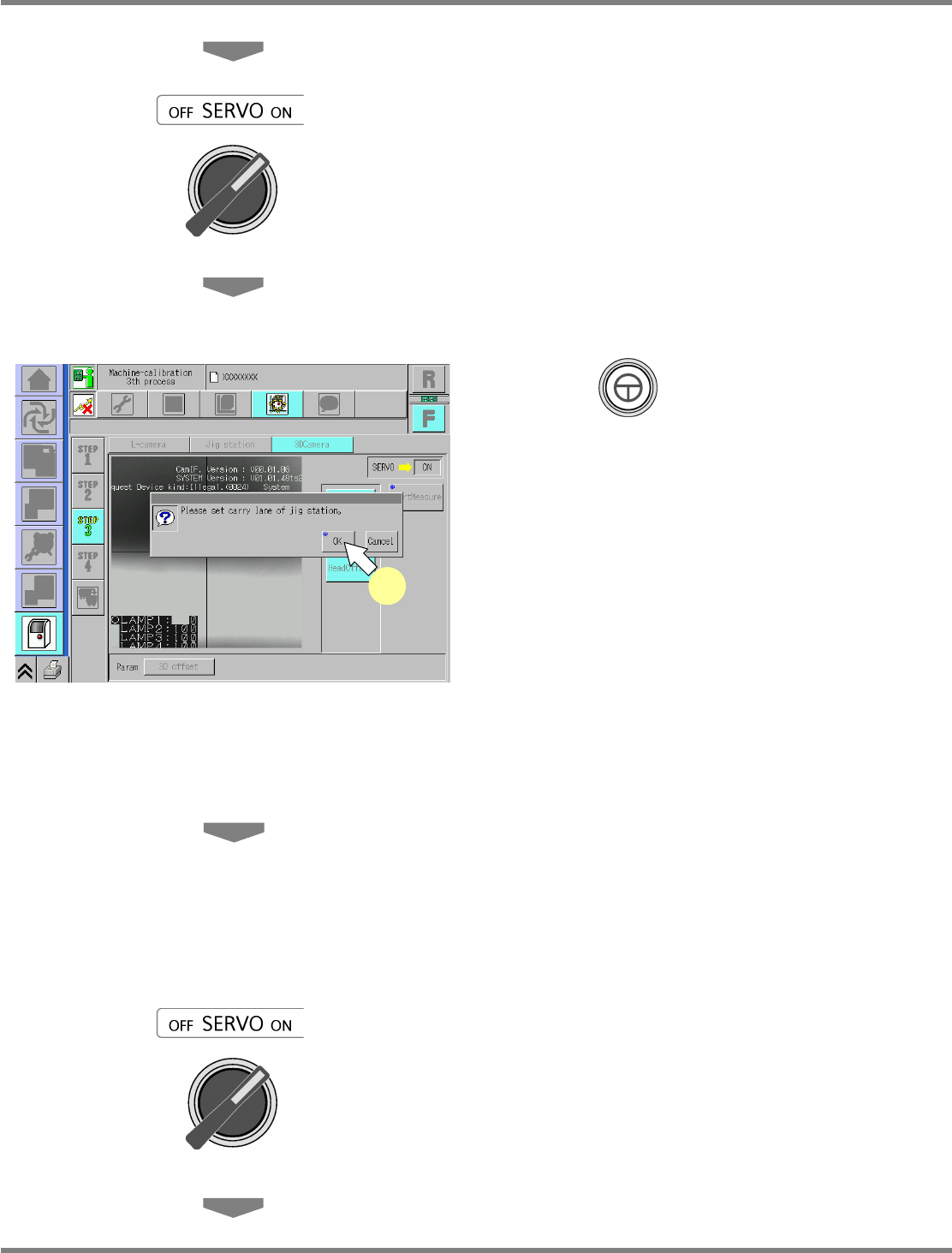
12
Close the safety cover.
13
Turn ON the servo switch.
14
Press + [OK].
•
The head moves to the working position.
15
Set the nozzle.
•
When the head has returned to the working
position, set the nozzle.
16
Attach the nozzle.
8-nozzle head
∗
Attach the No.184 nozzle to the nozzle
positions 3 and 6.
2-nozzle head
∗
Attach the No.1003 nozzles to all the nozzle
positions.
17
Close the safety cover.
18
Turn ON the servo switch.
UnitCalibCamera3D-03E00
14
NPM
Maintenance Edition
9.10 3D Camera
EJM9BE-MB-09M-21 Page 9-69
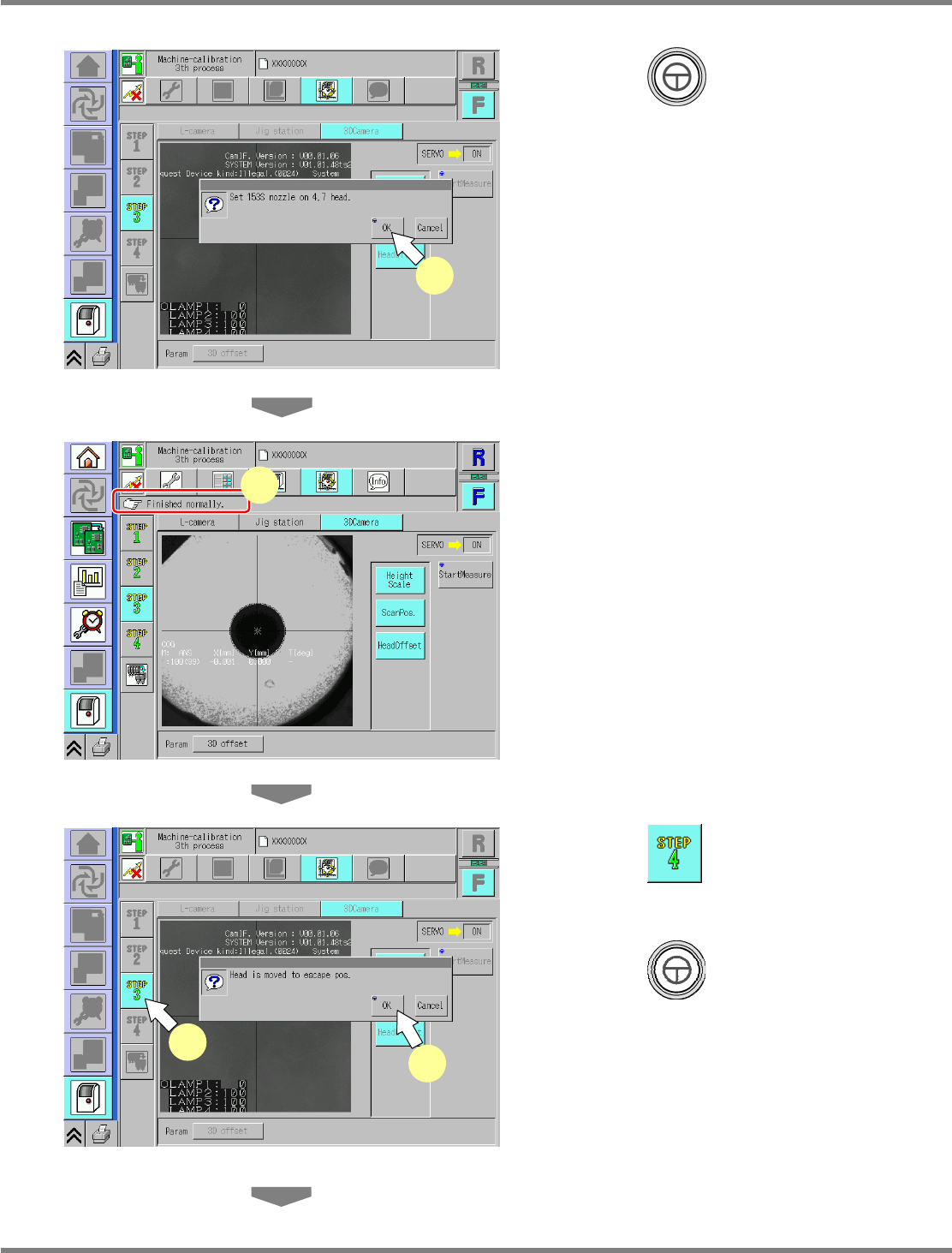
19
Press + [OK].
•
The calibration is carried out.
20
Check that it is successfully complete.
∗
Perform steps 3–22 for also the other table.
∗
In this calibration, when it is complete
successfully, the measured parameters will be
saved.
21
Press .
22
Press + [OK].
•
The head moves to the retraction position.
UnitCalibCamera3D-04E00
19
UnitCalibCamera3D-02E00
21
22
UnitCalibCamera3D-05E00
20
NPM
Maintenance Edition
9.10 3D Camera
Page 9-70 EJM9BE-MB-09M-21
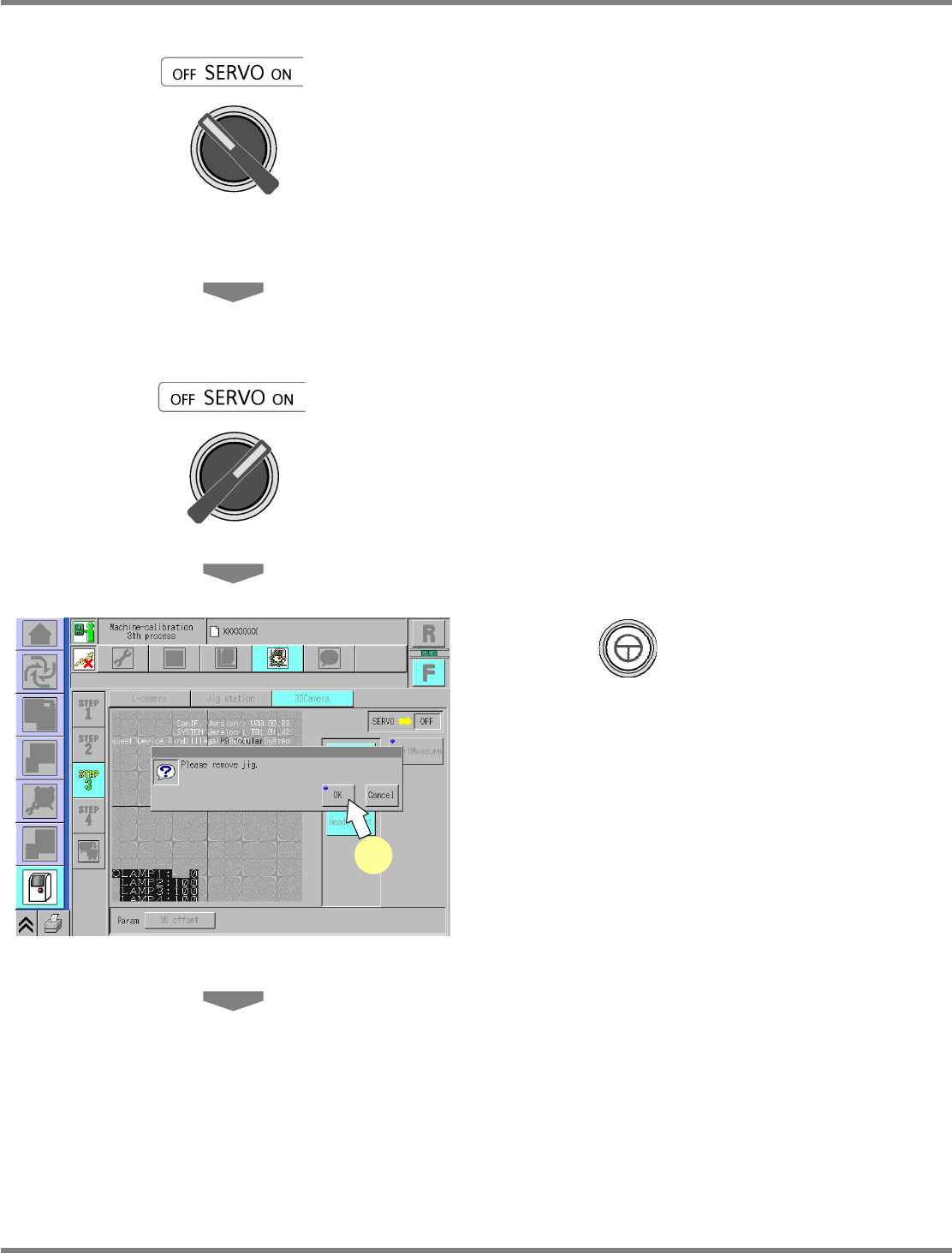
23
Turn OFF the servo switch.
24
Open the safety cover.
25
Remove the jig station.
26
Close the safety cover.
27
Turn ON the servo switch.
28
Press + [OK].
UnitCalibCamera3D-10E00-K
28