NPM Calibration Manual-En.pdf - 第51页
NPM Maint en anc e E di ti on 9.8 Li ne Camer a Page 9-50 EJM9BE-M B-09M-21 5 Press + [OK]. • T he head mov es to the worki ng posi tion. 6 Turn OFF the se rvo switch. 7 Open the s afety cover. 8 Attach the line cam era …
NPM
Maintenance Edition
9.8 Line Camera
EJM9BE-MB-09M-21 Page 9-49
9.8 Line Camera
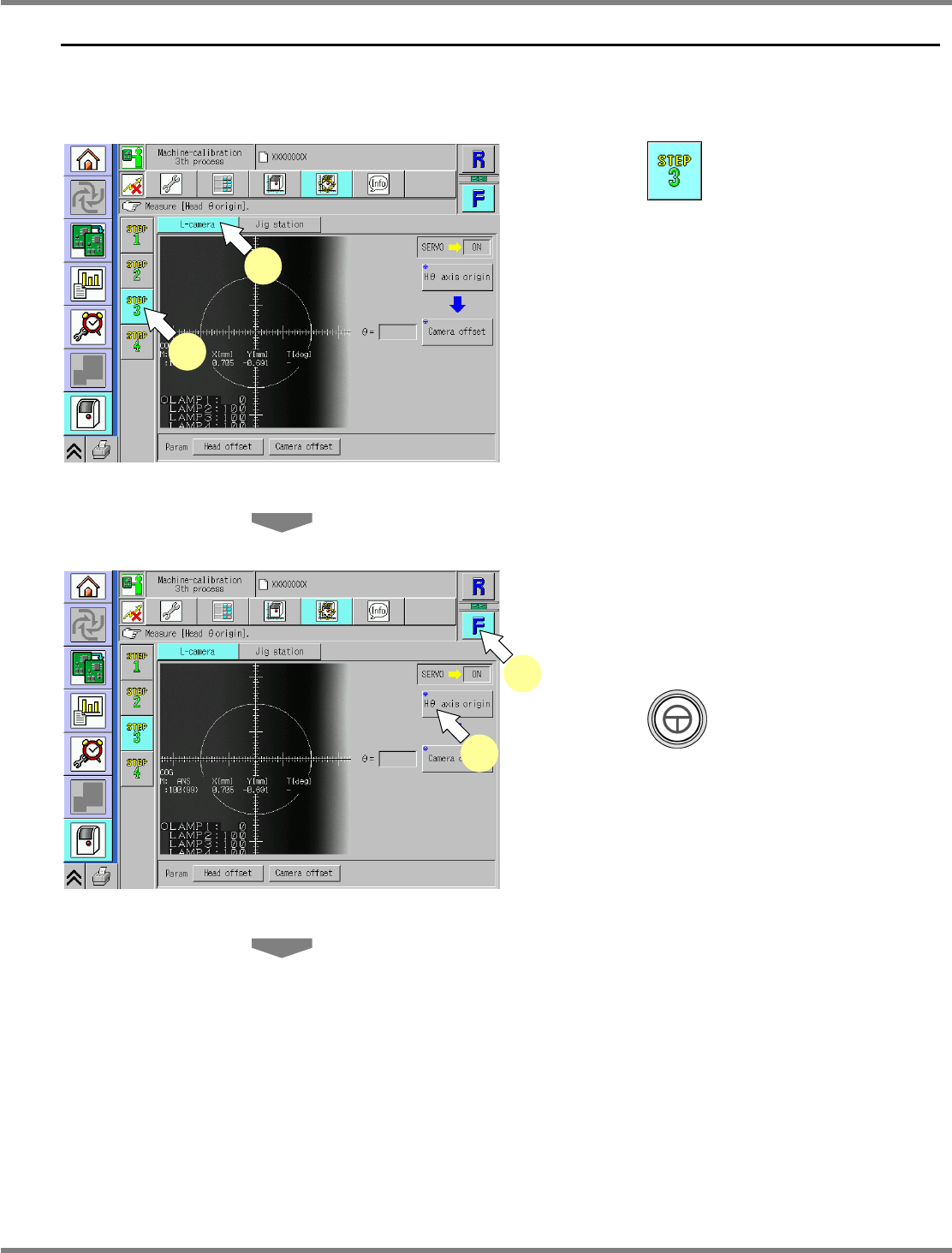
This procedure is common to 12-nozzle, 8-nozzle, and 2-nozzle heads.
If the target table is provided with feeders, remove them beforehand.
1
Press .
2
Press [L-camera].
3
Select a table.
∗
Select the target table for calibration.
4
Press + [H
θ
axis origin].
UnitCalibLineCamera-01E00
1
2
UnitCalibLineCamera-01E00
3
4
NPM
Maintenance Edition
9.8 Line Camera
Page 9-50 EJM9BE-MB-09M-21
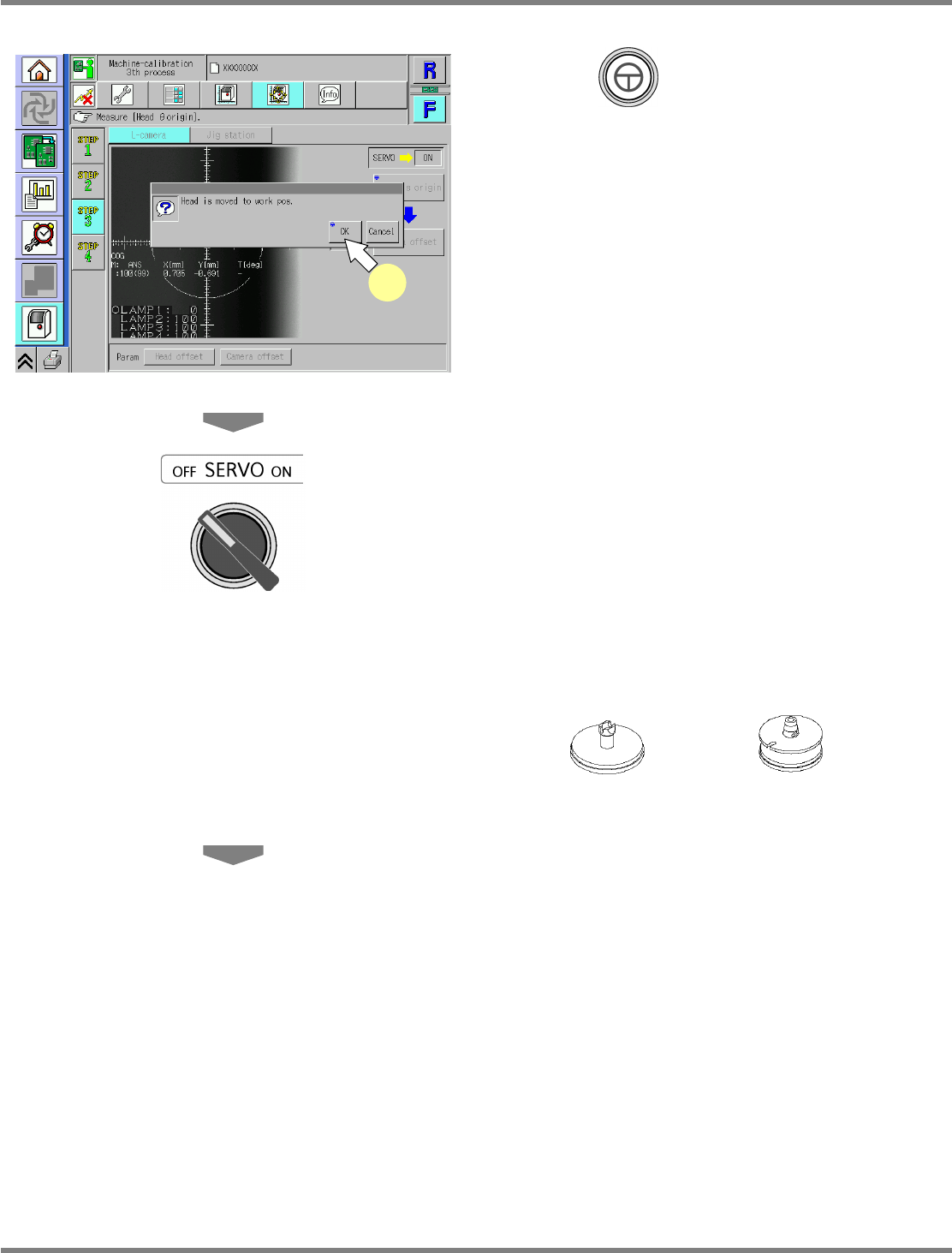
5
Press + [OK].
•
The head moves to the working position.
6
Turn OFF the servo switch.
7
Open the safety cover.
8
Attach the line camera jig.
Line camera jig
For 12-/8-nozzle head
For 2-nozzle head
12-nozzle head
∗
Attach the line camera jig to the nozzle
position 9.
8-nozzle head
∗
Attach the line camera jig to the nozzle
position 6.
2-nozzle head
∗
Attach the line camera jig to the nozzle
position 1.
9
Close the safety cover.
UnitCalibLineCamera-02E00
5
NPM
Maintenance Edition
9.8 Line Camera
EJM9BE-MB-09M-21 Page 9-51
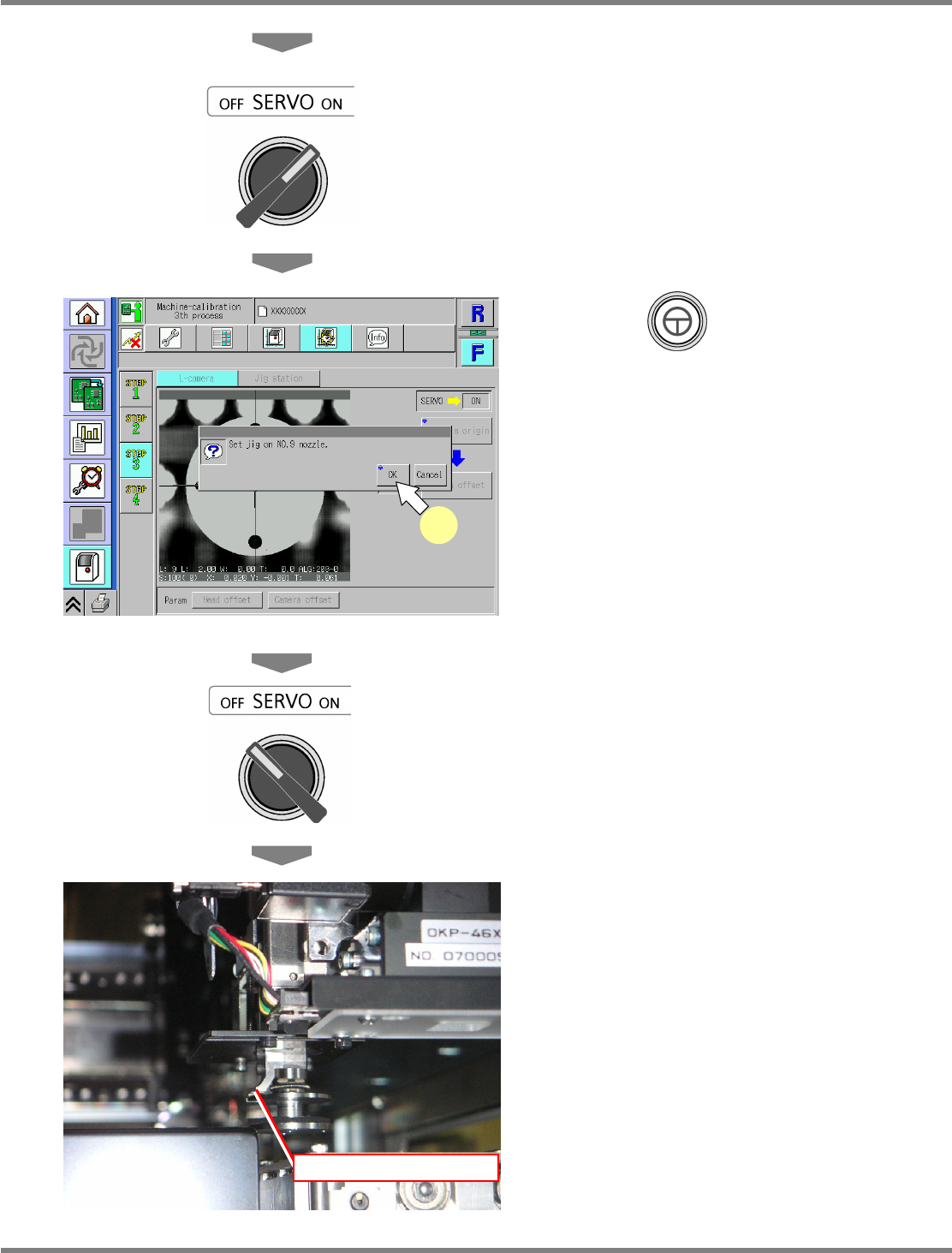
10
Turn ON the servo switch.
11
Press + [OK].
•
The calibration is carried out.
∗
For the 12-nozzle head and the 8-nozzle
head, perform step 18 onward.
∗
For the 2-nozzle head, proceed to the
following steps continuously.
12
Turn OFF the servo switch.
13
Open the safety cover.
14
Check the head installation angle.
∗
Check that the nozzle holder claw is on the
left side.
15
Close the safety cover.
Nozzle holder claw
UnitCalibLineCamera-03E00
11