Infinity EX High Throughput Conveyor Module.pdf - 第32页
INFINITY EX HIGH THROUG HPUT CONVEY OR MODULE ADJUS TMEN TS AND SE TTINGS 16.3 2 Technical Reference Manual C hapter Issue 1 Aug 02 station and the auxiliary con veyors (in four positions) is 3.0 ± 0.5mm. 2. If adjustmen…
INFINITY
EX
HIGH THROUGHPUT CONVEYOR MODULE
ADJUSTMENTS AND SETTINGS
Chapter Issue 1 Aug 02 Technical Reference Manual 16.31
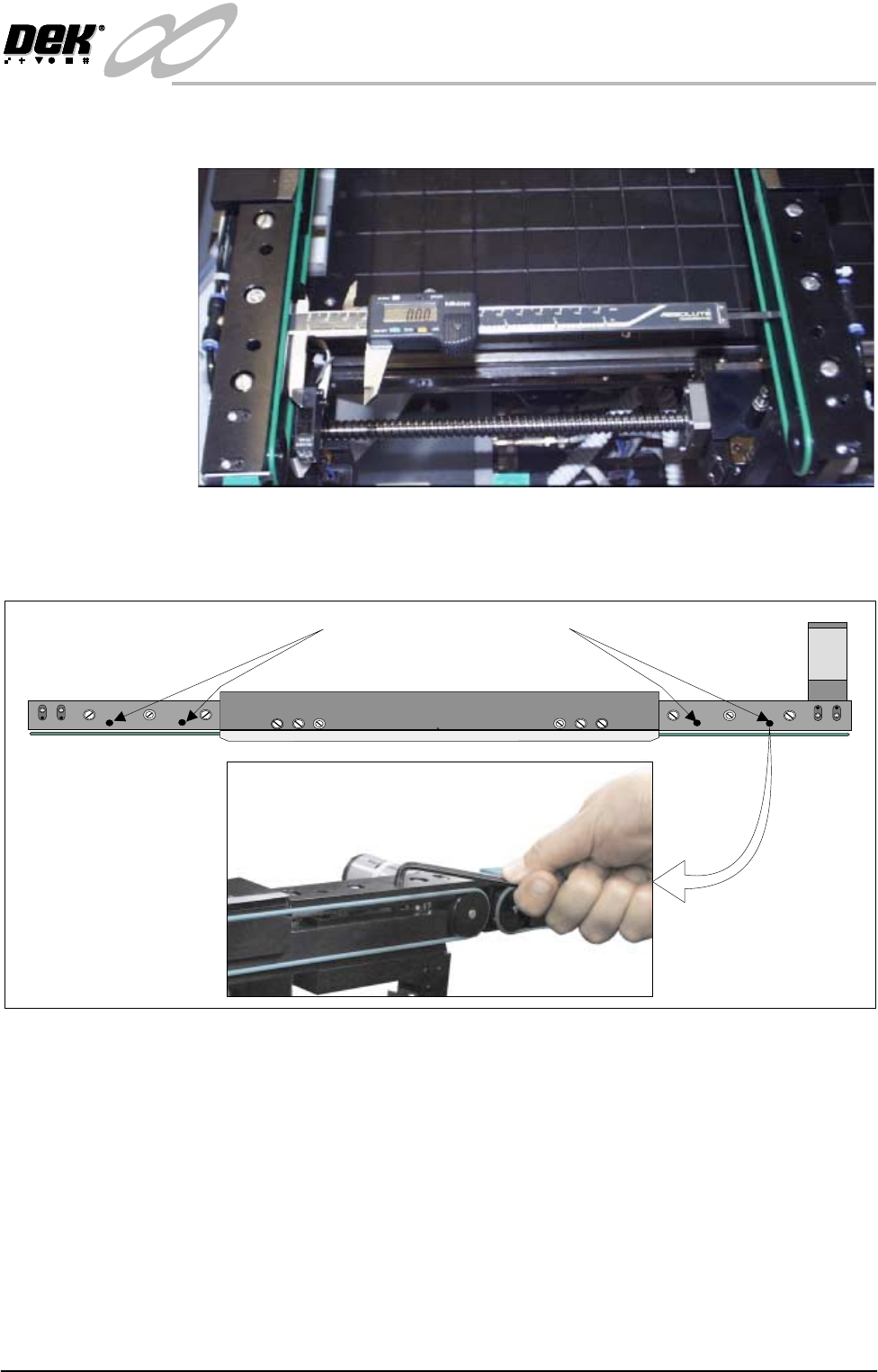
4. Using a suitable vernier calliper, at these points, check the rear rail to front
rail parallelism to within ±0.2mm.
5. If adjustment is necessary, using an Allen key, slacken the four rail securing
bolts and adjust the rear rail as required. Tighten the bolts, re-check the
parallelism.
6. On completion, carry out Home Position Rail Width check.
Auxiliary Rail to
Print Station Gap
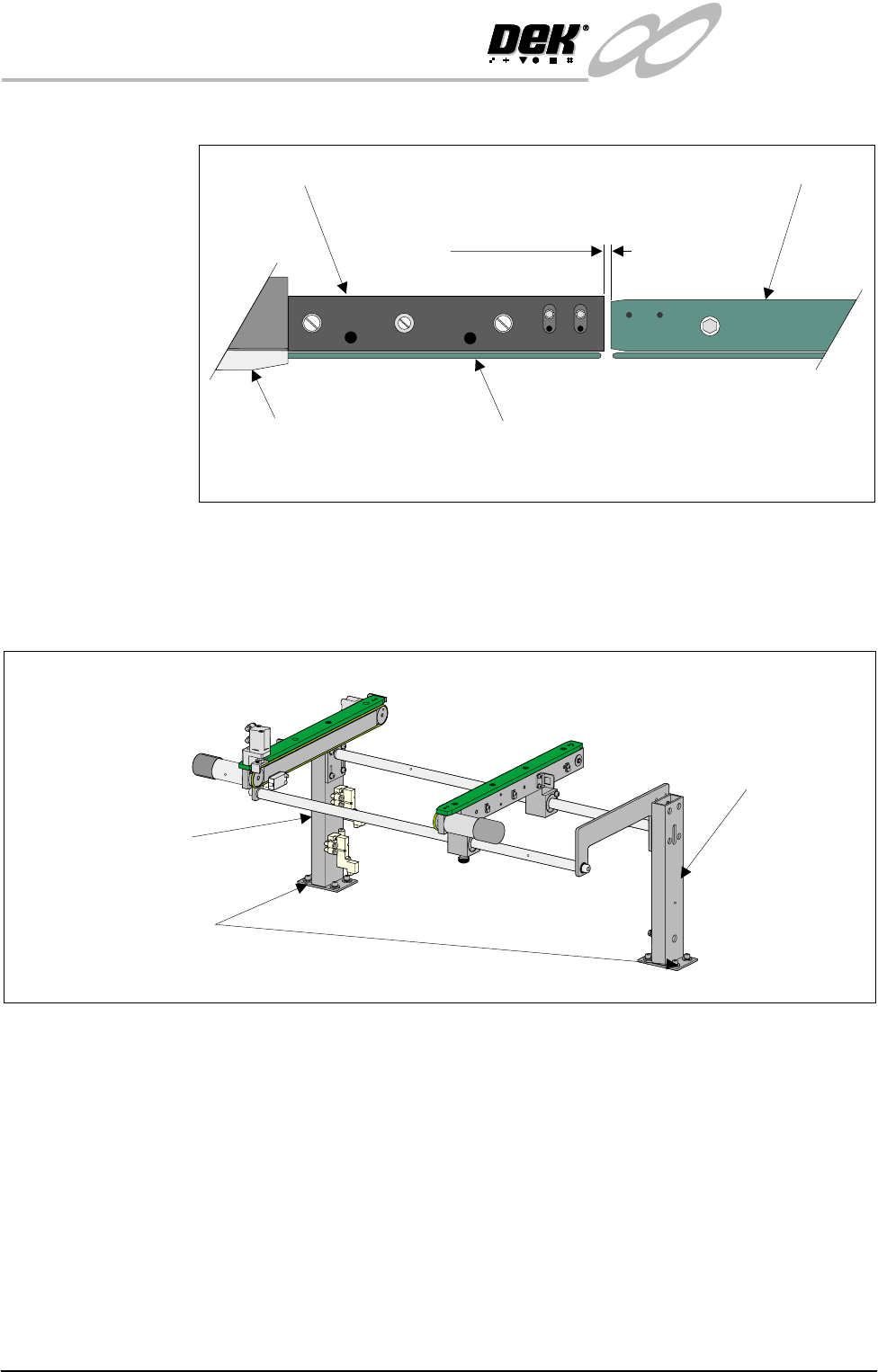
To check and if required adjust the gaps between the print station rail and the
auxiliary conveyors carry out the following procedure:
NOTE
To carry out this procedure on the front rail, the conveyor board stops must be
removed prior to and refitted on completion of this procedure.
1. Using feeler gauges or a 3mm allen key, ensure that the gap between the print
WARNING SHARP EDGE
PATENT No 5157438
Print Station Rail Securing Bolts
INFINITY
EX
HIGH THROUGHPUT CONVEYOR MODULE
ADJUSTMENTS AND SETTINGS
16.32 Technical Reference Manual Chapter Issue 1 Aug 02
station and the auxiliary conveyors (in four positions) is 3.0 ± 0.5mm.
2. If adjustment is required, carry out the following:
a. Right hand conveyor - loosen the eight auxiliary conveyor rail support
securing bolts (four bolts on each support) that secure the auxiliary
conveyor to the machine lower frame.
b. Left hand conveyor - loosen the eight auxiliary conveyor left hand frame
Board Clamp
Board Transport Rail
Auxiliary Conveyor
Print Station
Plan View on Print Station and Auxiliary Rails
5157438
3.0mm +/- 0.5mm
Rear View of Right Auxiliary Conveyor
Front Auxiliary Conveyor
Rail Support
Rear Auxiliary Conveyor
Rail Support
Rail Support to Main Frame
Bolts (4 bolts in 2 positions)
INFINITY
EX
HIGH THROUGHPUT CONVEYOR MODULE
ADJUSTMENTS AND SETTINGS
Chapter Issue 1 Aug 02 Technical Reference Manual 16.33
to lower machine frame securing bolts.
3. Adjust the position of the conveyor to obtain the 3.0 ± 0.5mm gap.
4. Re-tighten the securing bolts disturbed in Step 2a or 2b and re-check the gap
measurement.
5. On completion, carry out Front Auxiliary Conveyor Rail Parallelism check.
Auxiliary Conveyor Levelling
Right Hand
Conveyor
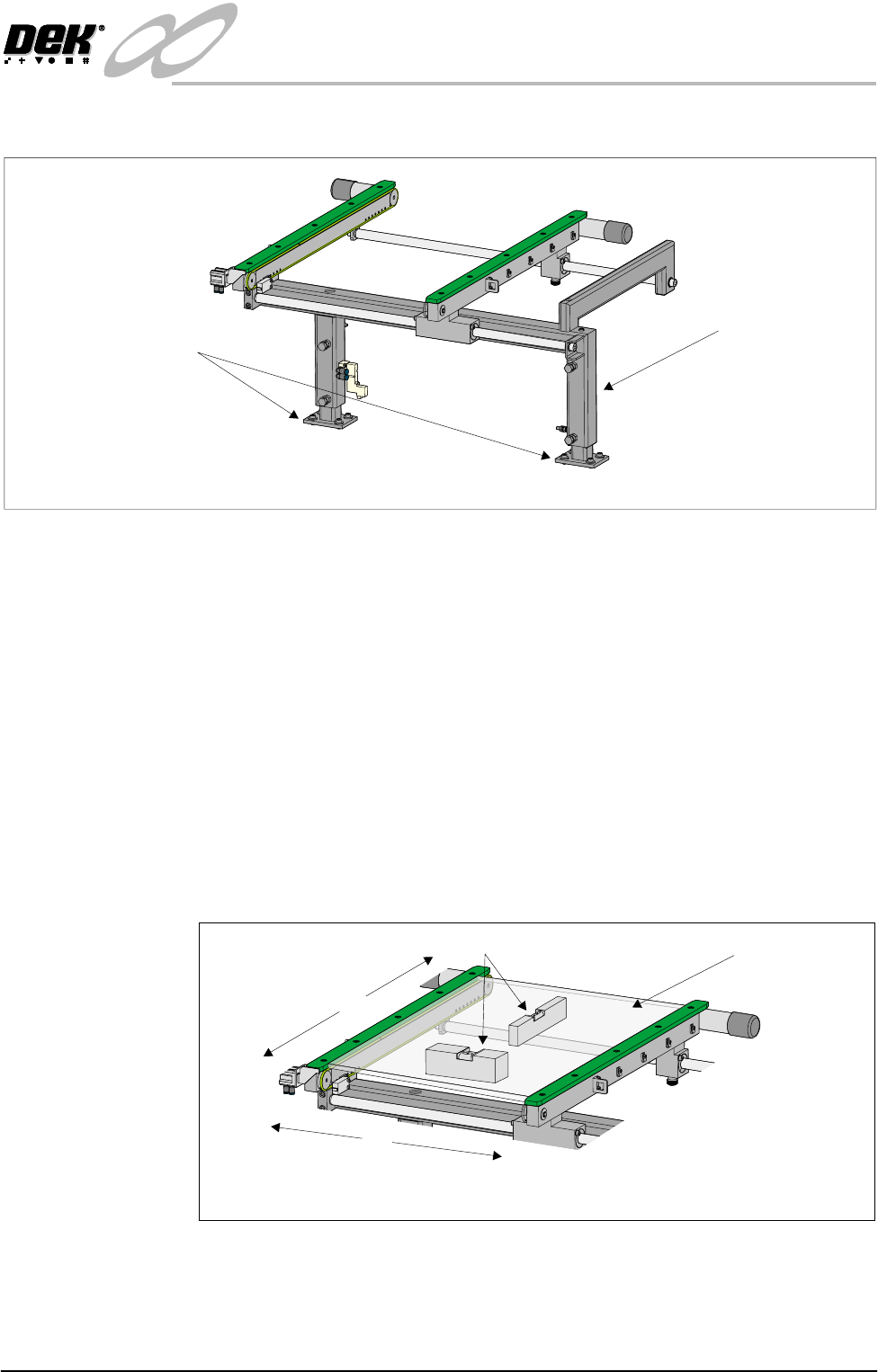
To check and if required adjust the right hand auxiliary conveyor levelling, carry
out the following procedure:
1. Adjust the right hand auxiliary conveyor rail width to approximately
250mm.
2. Place a Board Clamp Setting Plate Pt No 140403 onto the auxiliary conveyor
transport belts.
3. Place a spirit level on top of the setting plate and check the levelness of the
conveyor in the X and Y planes.
4. If adjustment is required, carry out the following:
a. Loosen the four bolts that secure the auxiliary conveyor shaft guide plate
to the rear rail support and the four bolts that secure the rail bracket to front
Rear View of Left Auxiliary Conveyor
Left Hand Auxiliary
Conveyor Frame
Conveyor Frame to
Machine Main Frame
(4 bolts in 2 positions)
X
Y
Board Clamp
Setting Plate
View on Auxiliary Conveyor
Spirit Level