Infinity EX High Throughput Conveyor Module.pdf - 第53页
INFINITY EX HIGH THROUG HPUT CONVE YOR MODULE ADJUS TMENT S AND SET TINGS Chapter Issu e 1 Aug 02 Technical Reference Manual 16.53 13. W ithdra w the allen screws and rem ov e the board stop bracket from the rail. 14. T …
INFINITY
EX
HIGH THROUGHPUT CONVEYOR MODULE
ADJUSTMENTS AND SETTINGS
16.52 Technical Reference Manual Chapter Issue 1 Aug 02
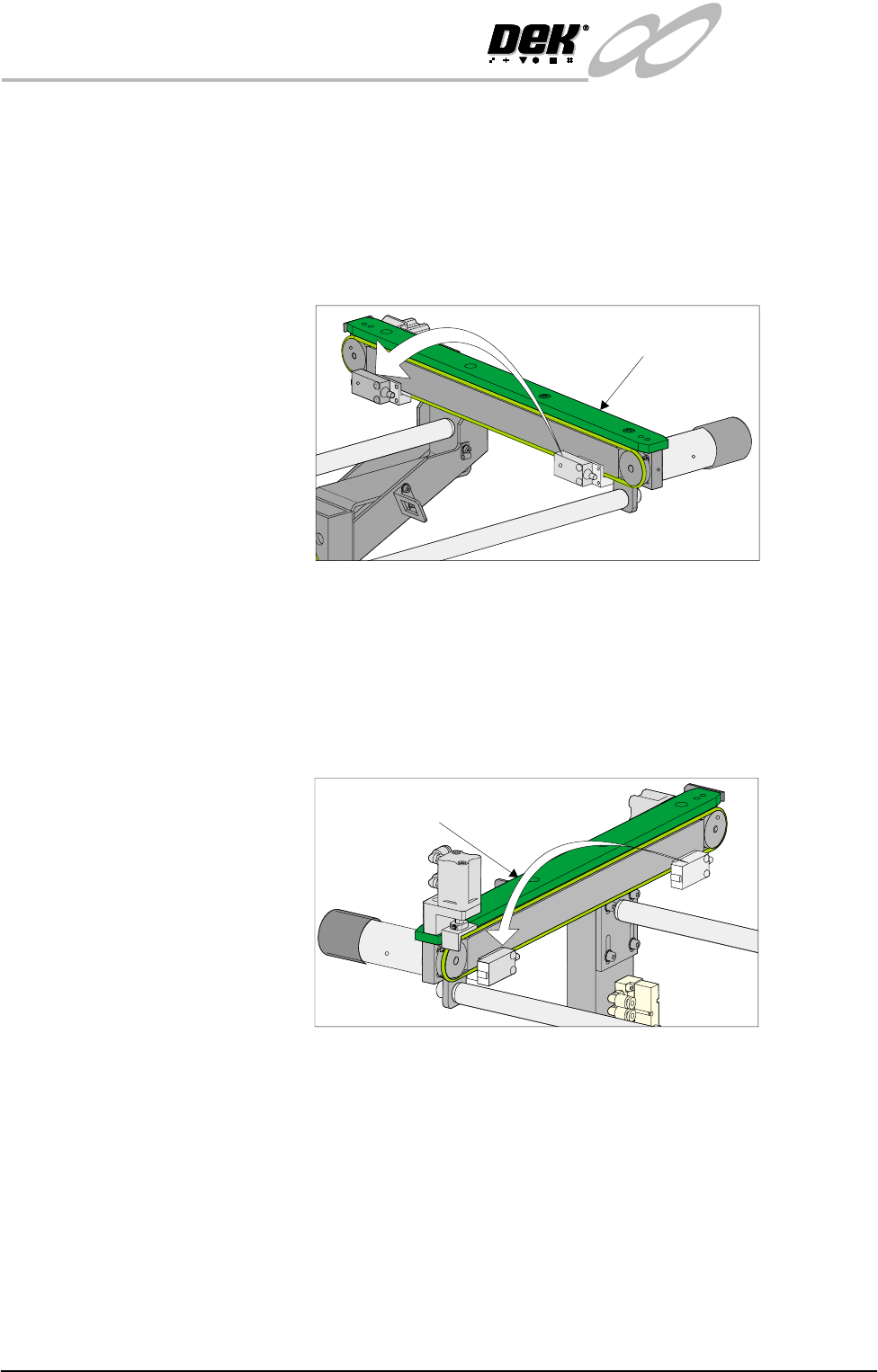
4. Remove the two sensor securing screws and remove the sensor from the
mounting bracket.
5. Remove the two bolts securing the sensor mounting bracket to the front
conveyor rail.
6. Refit the mounting bracket to left hand conveyor front rail using the inner-
most bracket mounting holes and refit the sensor removed in Step 4 to the
mounting bracket.
7. Identify the right hand auxiliary conveyor sensor, remove the two sensor
securing screws and remove the sensor.
8. Remove the two bolts securing the sensor mounting bracket to the front
conveyor rail.
9. Refit the mounting bracket to right hand conveyor front rail using the
outermost bracket mounting holes and refit the sensor removed in Step 7 to
the mounting bracket.
10.Identify the downline conveyor board stop fitted to the left hand auxiliary
conveyor.
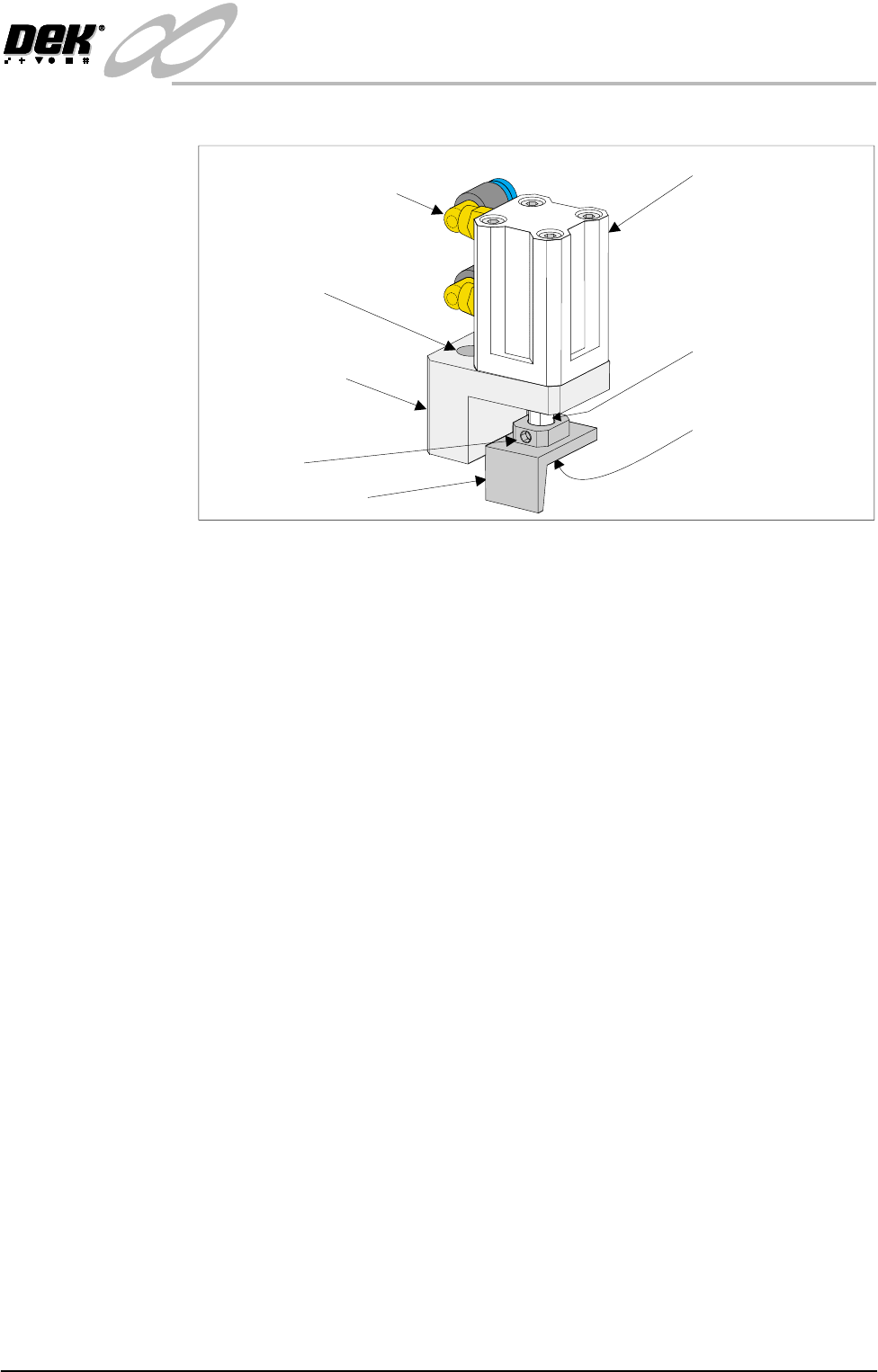
11.Disconnect the two 4mm pneumatic pipes feeding the conveyor board stop.
12.Remove the pneumatic elbow connectors to gain access to the two 3mm allen
screws securing the board stop bracket to the conveyor rail.
Left Hand
Auxiliary Conveyor
Right Hand
Auxiliary Conveyor
INFINITY
EX
HIGH THROUGHPUT CONVEYOR MODULE
ADJUSTMENTS AND SETTINGS
Chapter Issue 1 Aug 02 Technical Reference Manual 16.53
13.Withdraw the allen screws and remove the board stop bracket from the rail.
14.To orientate the downline conveyor board stop for fitment to the right hand
auxiliary conveyor, remove the small pan head screw securing the board stop
bracket to the actuator rod.
15.Loosen the grubscrew on the board stop bracket and rotate the bracket 180°;
re-tighten the grubscrew.
NOTE
Ensure the grubscrew is located onto the flat side of the actuator rod.
16.Secure the board stop bracket to the actuator rod by refitting the pan head
screw.
17.Fit the downline board stop to the right hand auxiliary conveyor front rail
utilizing the existing securing points and the 3mm allen screws.
NOTE
Ensure the board stop bracket is orientated in the correct direction, ie angled
face of bracket towards the machine.
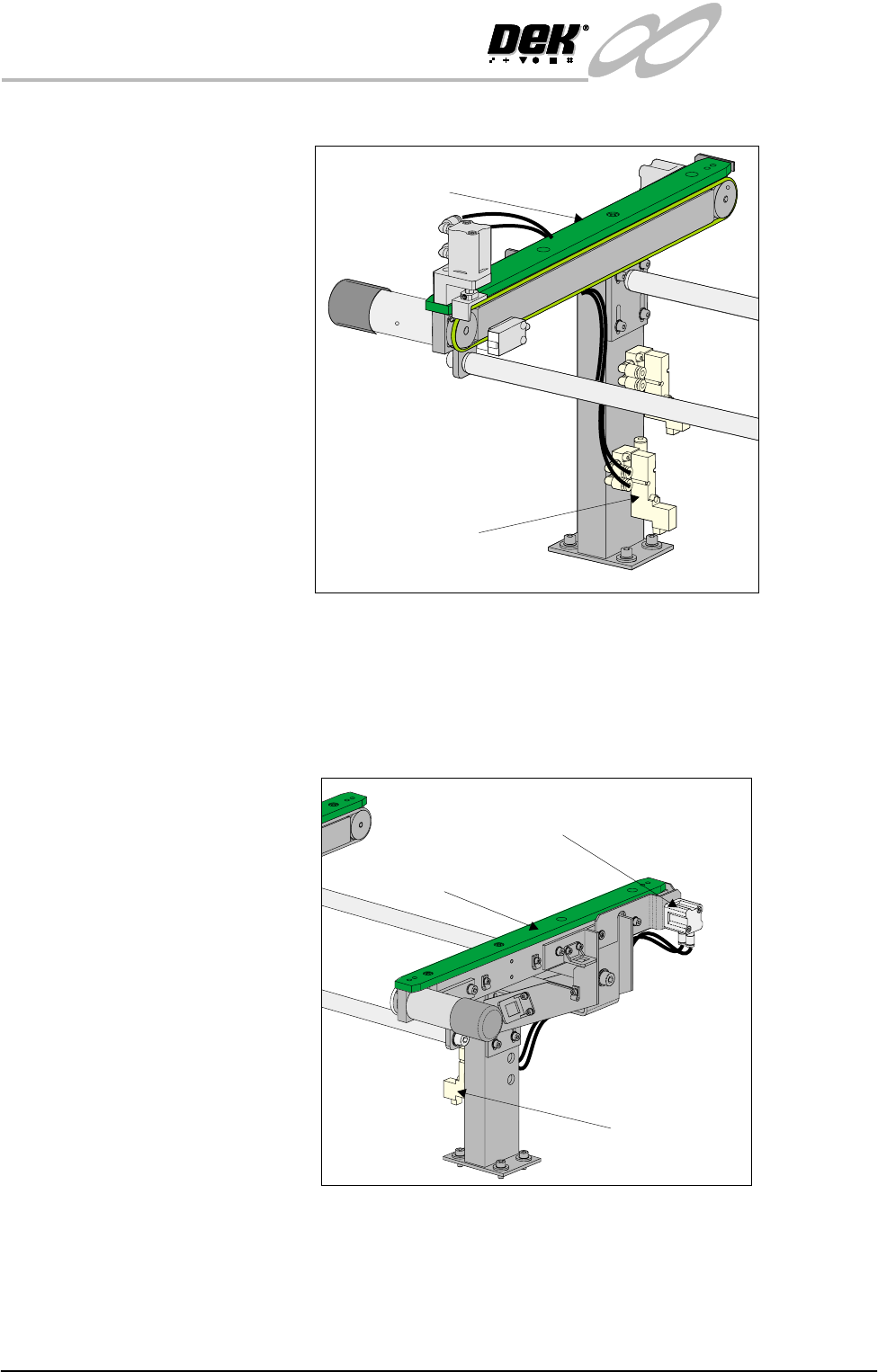
18.Disconnect the two pneumatic pipes supplying the conveyor board stop fitted
to the inboard end of the right hand auxiliary conveyor from solenoid (SOL
03).
19.Re-route the two pneumatic pipes to the downline conveyor board stop fitted
Pneumatic Elbow Joints
(2 Positions)
3mm Allen Screw
(2 Positions)
Securing Bracket
Board Stop Actuator
(Double Acting Cylinder)
Actuator Rod
Pan Head Securing
Screw (Underside of
Bracket)
Board Stop Bracket
Grubscrew
INFINITY
EX
HIGH THROUGHPUT CONVEYOR MODULE
ADJUSTMENTS AND SETTINGS
16.54 Technical Reference Manual Chapter Issue 1 Aug 02
to the outboard end of the right hand auxiliary conveyor.
20.Disconnect and remove from the machine, the two pneumatic pipes from
solenoid (SOL 01) supplying print station conveyor board stop fitted to the
inboard end of the left hand conveyor.
21.Route the pneumatic pipes from solenoid (SOL 02) to the board stop, this
now configures the board stop from the print station board stop to the upline
board stop.
22.Fit two new 4mm pneumatic pipes to the solenoid (SOL 01) output ports A
& B and route the pipes to the to the upline conveyor board stop fitted to the
inboard end of the right hand auxiliary conveyor. The board stop now is
Right Hand
Auxiliary Conveyor
Pneumatic Solenoid
(SOL 03)
Left Hand
Auxiliary Conveyor
Pneumatic
Solenoid
(SOL 02)
Print Station Board Stop
Now Configured as Upline Board Stop