Infinity EX High Throughput Conveyor Module.pdf - 第34页
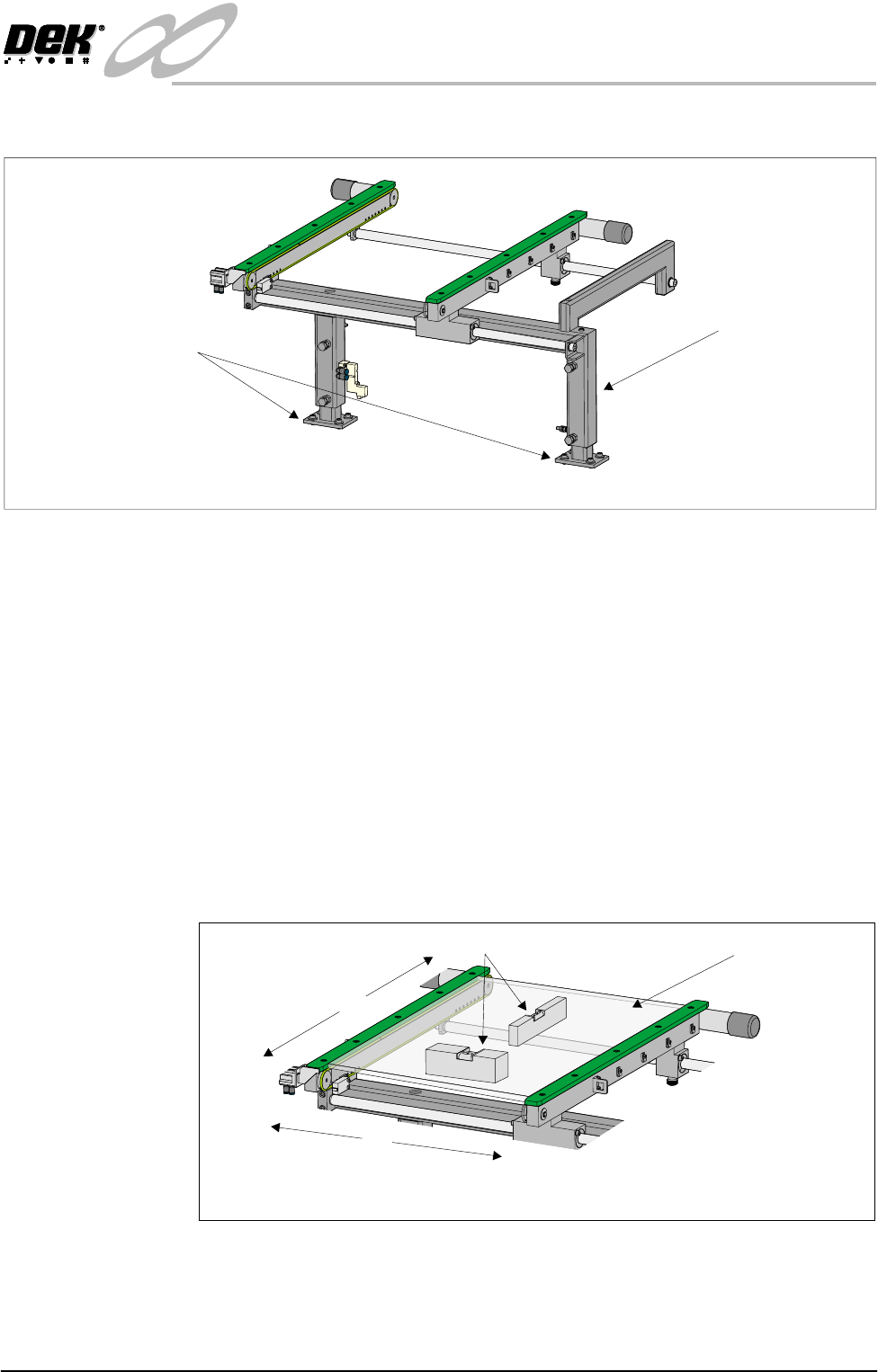
INFINITY EX HIGH THROUG HPUT CONVEY OR MODULE ADJUS TMEN TS AND SE TTINGS 16.3 4 Technical Reference Manual C hapter Issue 1 Aug 02 rail support. b . Carefully adjust the height of the auxiliary con v e yor rails to achi…
INFINITY
EX
HIGH THROUGHPUT CONVEYOR MODULE
ADJUSTMENTS AND SETTINGS
Chapter Issue 1 Aug 02 Technical Reference Manual 16.33
to lower machine frame securing bolts.
3. Adjust the position of the conveyor to obtain the 3.0 ± 0.5mm gap.
4. Re-tighten the securing bolts disturbed in Step 2a or 2b and re-check the gap
measurement.
5. On completion, carry out Front Auxiliary Conveyor Rail Parallelism check.
Auxiliary Conveyor Levelling
Right Hand
Conveyor
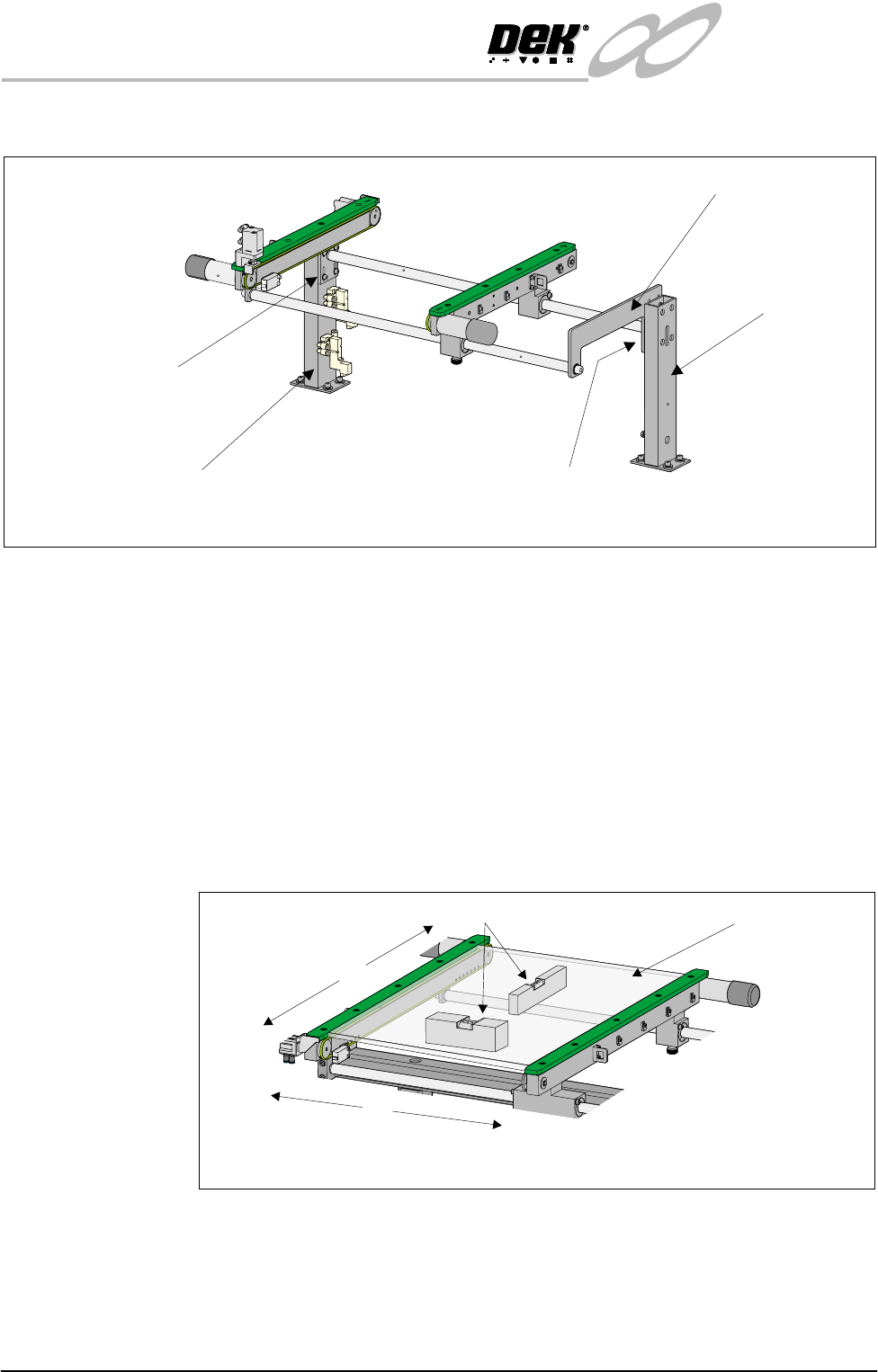
To check and if required adjust the right hand auxiliary conveyor levelling, carry
out the following procedure:
1. Adjust the right hand auxiliary conveyor rail width to approximately
250mm.
2. Place a Board Clamp Setting Plate Pt No 140403 onto the auxiliary conveyor
transport belts.
3. Place a spirit level on top of the setting plate and check the levelness of the
conveyor in the X and Y planes.
4. If adjustment is required, carry out the following:
a. Loosen the four bolts that secure the auxiliary conveyor shaft guide plate
to the rear rail support and the four bolts that secure the rail bracket to front
Rear View of Left Auxiliary Conveyor
Left Hand Auxiliary
Conveyor Frame
Conveyor Frame to
Machine Main Frame
(4 bolts in 2 positions)
X
Y
Board Clamp
Setting Plate
View on Auxiliary Conveyor
Spirit Level
INFINITY
EX
HIGH THROUGHPUT CONVEYOR MODULE
ADJUSTMENTS AND SETTINGS
16.34 Technical Reference Manual Chapter Issue 1 Aug 02
rail support.
b. Carefully adjust the height of the auxiliary conveyor rails to achieve
conveyor levelness.
c. Re-tighten the rail bracket and shaft guide plate securing bolts and repeat
the check.
Left Hand Conveyor To check and if required adjust the left hand auxiliary conveyor levelling, carry
out the following procedure:
1. Adjust the left hand auxiliary conveyor rail width to approximately 250mm.
2. Place a Board Clamp Setting Plate Pt No 140403 onto the auxiliary conveyor
transport belts.
3. Place a spirit level on top of the setting plate and check the levelness of the
conveyor in the X and Y planes.
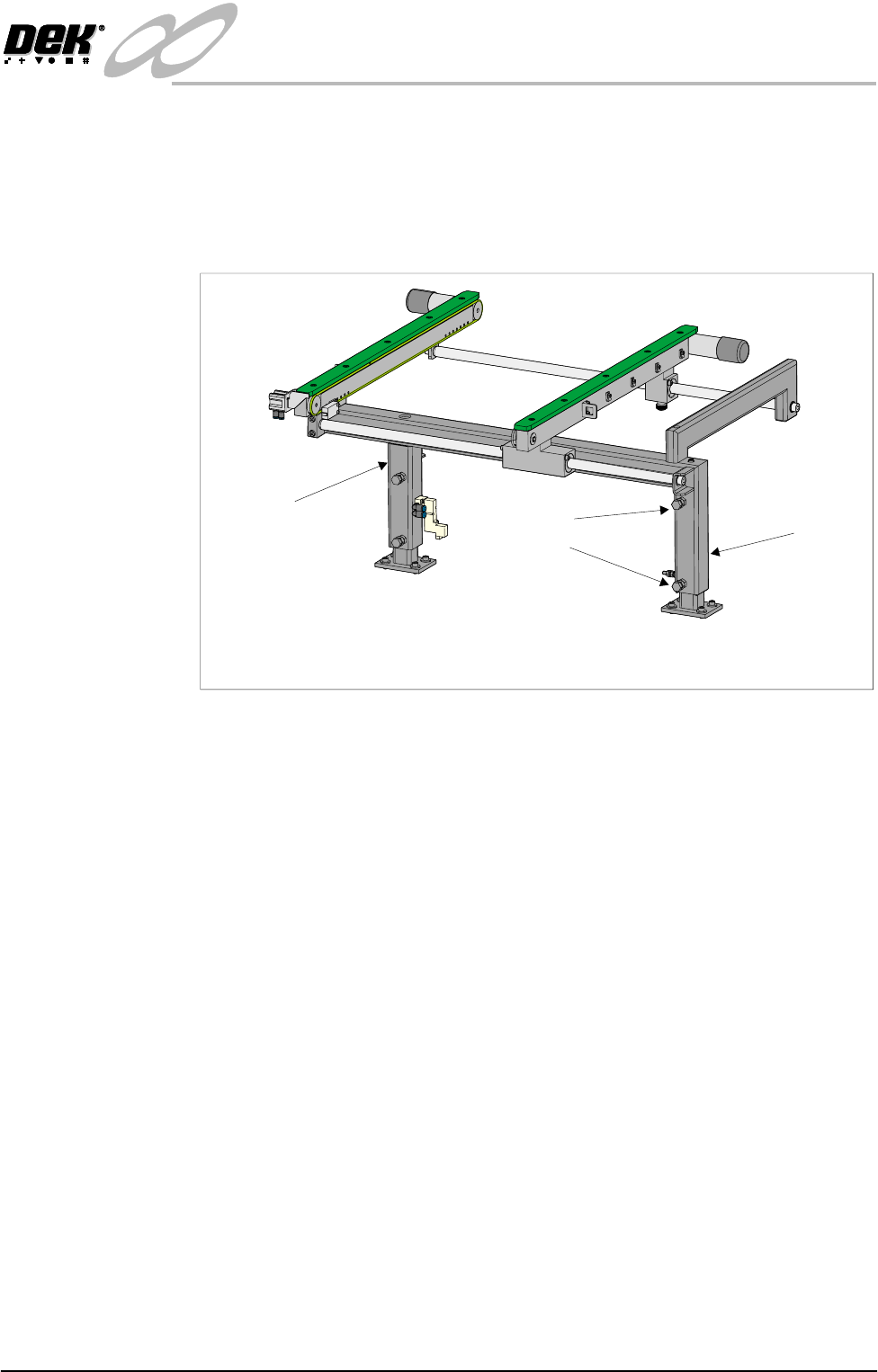
4. If adjustment in the X plane is required, carry out the following (see graphic
overleaf):
a. Loosen the three hexagonal headed bolts, two on the inner face and one on
the outer face of the front upright of the conveyor frame.
b. Using the two hexagonal headed bolts on the inner face of the rear upright
Rear View of Right Auxiliary Conveyor
Front Auxiliary Conveyor
Rail Support
Rear Auxiliary Conveyor
Rail Support
Shaft Guide Plate
Shaft Guide Plate to Rear
Rail Support Bolts (4 off)
Rail Bracket to Front
Rail Support Bolts
(in 4 positions)
X
Y
Board Clamp
Setting Plate
View on Auxiliary Conveyor
Spirit Level
INFINITY
EX
HIGH THROUGHPUT CONVEYOR MODULE
ADJUSTMENTS AND SETTINGS
Chapter Issue 1 Aug 02 Technical Reference Manual 16.35
of the conveyor frame, carefully loosen or tighten the bolts to level the
conveyor.
NOTE
Tightening bolt A and loosening bolt B raises the inboard end of the
conveyor rails. Loosening bolt A and tightening bolt B lowers the inboard
end of the conveyor rails.
c. Carefully lock bolts A and B in position using the locknuts provided.
d. Tighten the three bolts on the front upright of the conveyor frame and
repeat the check.
5. If adjustment in the Y plane is required, carry out the following (see graphic
below):
a. Loosen the bolt C on the outer face of the appropriate conveyor upright.
b. Adjust the height of the upright by loosening or tightening the height
adjustment grub screw fitted to the top of the upright.
Rear View of Left Hand Auxiliary Conveyor
(Configured as Upline Conveyor)
Bolt A
Bolt B
Rear Upright of
Conveyor Frame
Front Upright of
Conveyor Frame