00900068-02_SM_ASM_ProcessLens_EN.pdf - 第29页
ASM Proces sLens Single - l ane 03/2020 Edit ion 29 3. If the conn ector an d the p in are in l ine a noticeab le clic k sound can be hear d whe n the connector is press ed do wn. 3.6 Check the so f tw a re ver sion of t…
ASM ProcessLens Single-lane 03/2020 Edition
28
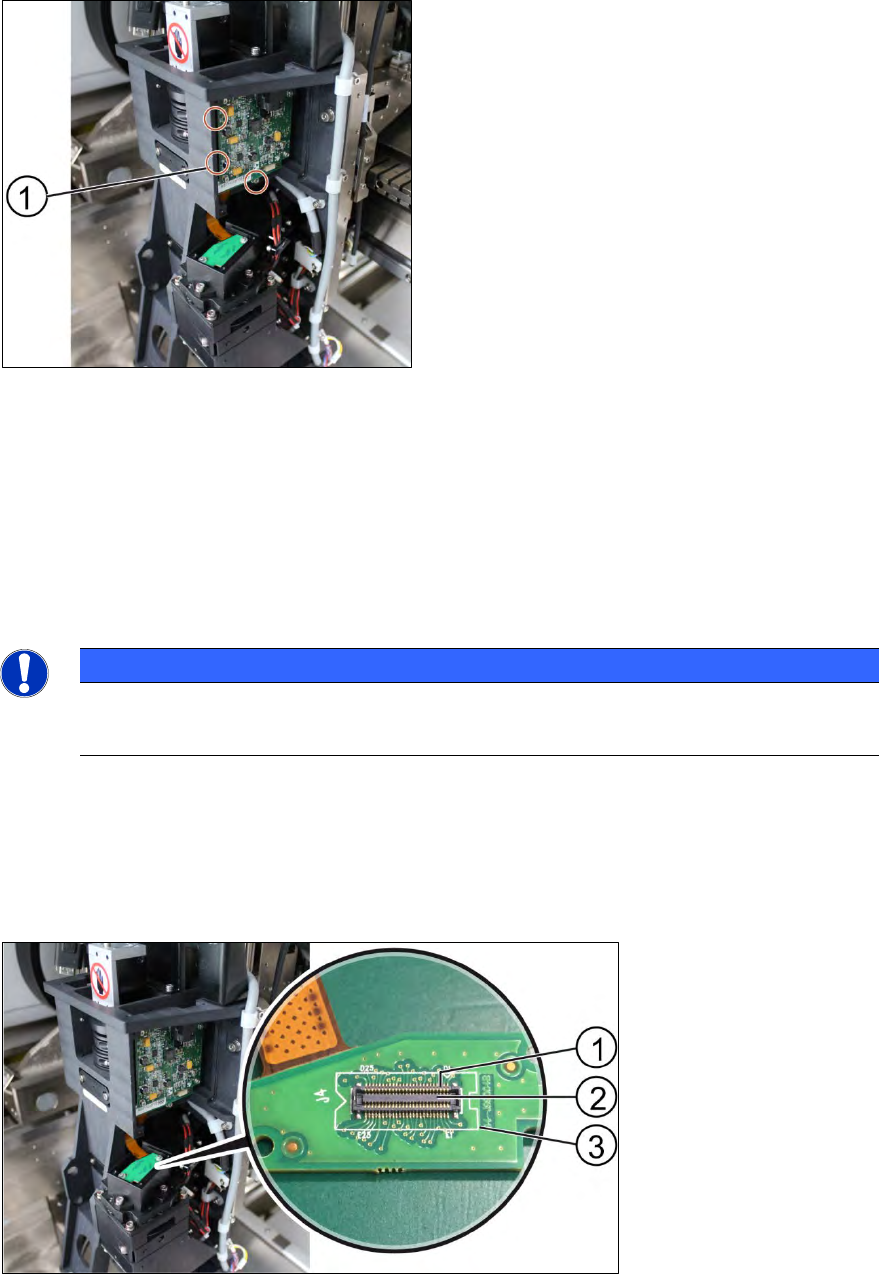
Key:
1) Screw (3 x)
Figure 3-20: DLP module
5. Unscrew the screws (1) of the DLP module by using an Allen key size 2.0.
6. Remove the circuit board and replace it.
7. The steps for the left and the right module are identical.
Installation
Follow the removal instructions in reverse order for installation.
NOTICE
Modules aren’t interchangeable
Be aware that the two modules are not interchangeable.
3.5.1 Replacing the DLP module
Requirement:
● DLP module is dismantled.
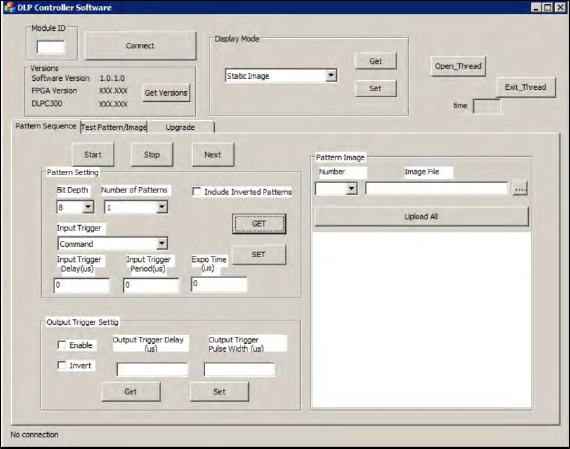
Key:
1) Pin
2) Connector
3) DLP interface board to
DMD
Figure 3-21: Connector of DLP module
1. Put the DLP module in its position.
2. Make sure that the connector is in the right position and doesn’t bend the pin. Use an external
light to check that the holes of the connector and the drilling holes for the screws are in line.
ASM ProcessLens Single-lane 03/2020 Edition
29
3. If the connector and the pin are in line a noticeable click sound can be heard when the
connector is pressed down.
3.6 Check the software version of the DLP module
When the DLP module and the DMD module have been changed, a software check for the latest
Version is needed.
Requirement:
● Machine is switched on.
1. Open the DLP controller software on the computer.
2. Double click on the application to run the software.
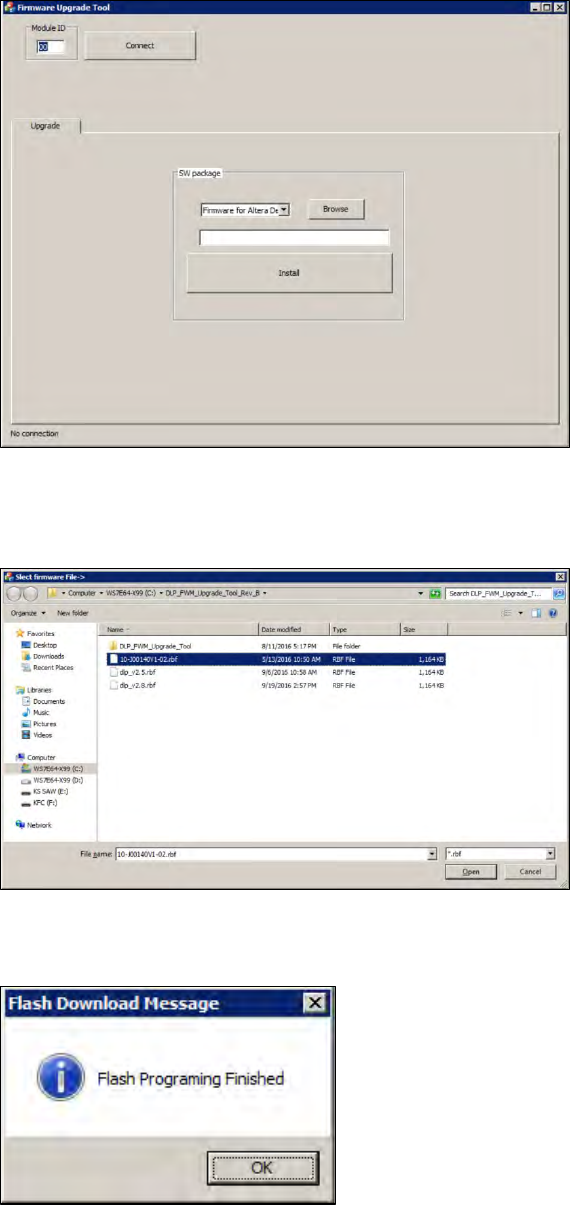
Figure 3-22: DLP Controller Software
3. Enter the number 00 for the left DLP module or 01 for the right DLP module to test the left or
the right DLP module and press connect.
4. Check if the software version is running the latest version.
5. Go to the ASM internal website to check the software version.
3.7 Upgrade the firmware of the DLP module
When the firmware of the DLP module is not running the latest firmware, it needs to be updated.
Requirement:
● Machine is switched on.
● The .rbf file is downloaded from the ASM internal website.
1. Open the DLP firmware upgrade software on the computer.
ASM ProcessLens Single-lane 03/2020 Edition
30
Figure 3-23: DLP Upgrade Tool
2. Enter the number 00 for the left DLP module or 01 for the right DLP module to test the left or
the right DLP module and press connect.
Figure 3-24: DLP Upgrade Tool
3. Click on the browse button to browse the needed .rbf file and open it.
4. Click on the install button to install the latest version.
5. The DLP module is now running the latest version.