1OM-1603-006_w.pdf - 第180页
1OM-1603 3-55 5. Stop, Interruption, and Restart of Operation : Chap.3 5.5 End of Automatic Operation 5.5.1 Stop of Automatic Operation • Stop of Automatic Operation by PCB Counter Stop Mode When the "PCB Counter St…
1OM-1603
3-54
5. Stop, Interruption, and Restart of Operation : Chap.3
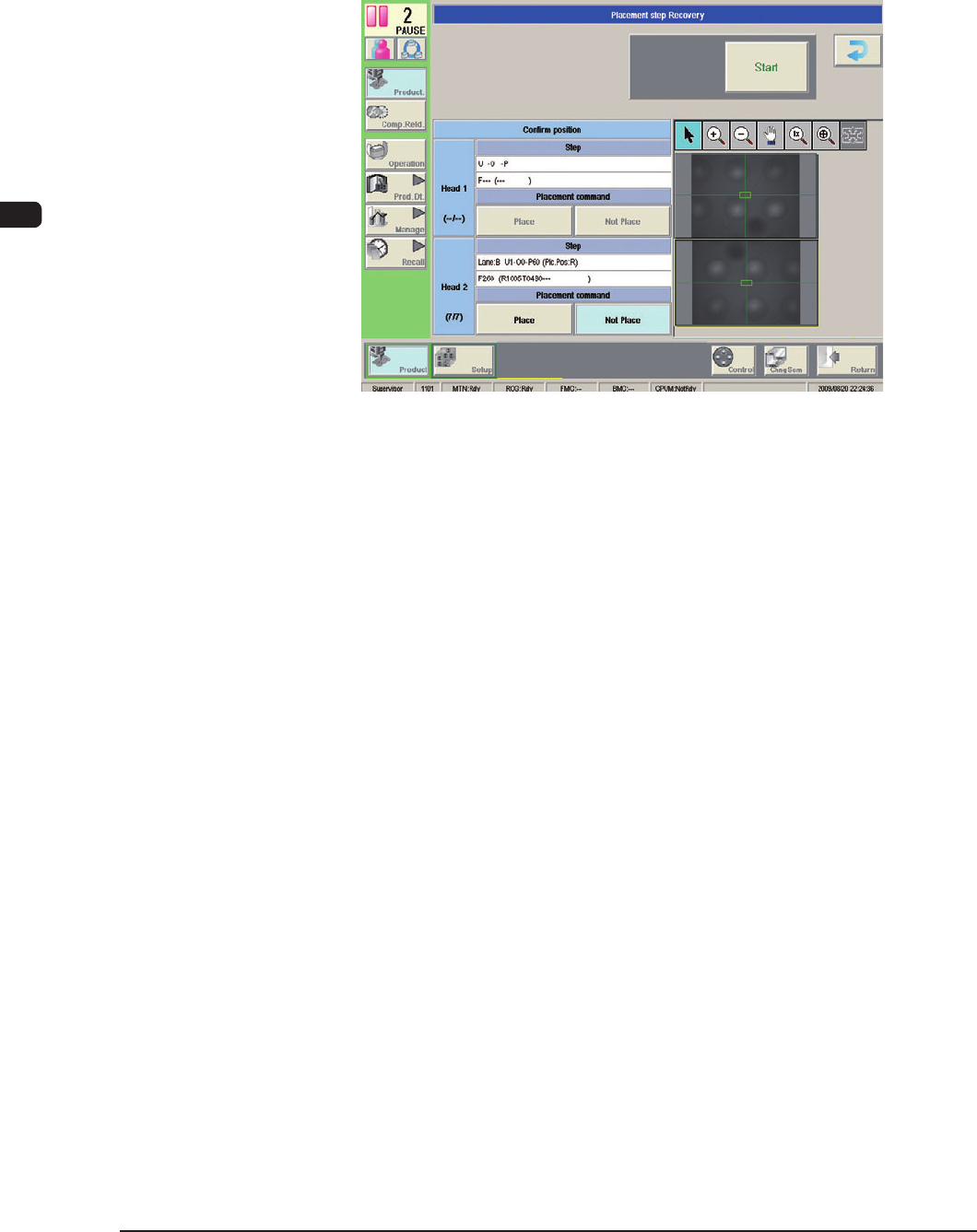
(4) Follow Steps (2) and (3) for all displayed steps.
(5) When the "Check OK" appears for the component placement status in all the
steps, press the [START] button.
(The operation will be re-started).
F1C40
1012-005
1OM-1603
3-55
5. Stop, Interruption, and Restart of Operation : Chap.3
5.5 End of Automatic Operation
5.5.1 Stop of Automatic Operation
•
Stop of Automatic Operation by PCB Counter Stop Mode
When the "PCB Counter Stop Mode" function is used, the machine stops
automatically as soon as the counter reaches the specied number of PCBs to
be produced.
Reference
Refer to "8. Count Change" in Chapter 6 (Volume 2), for the PCB Counter
Stop Mode function.
•
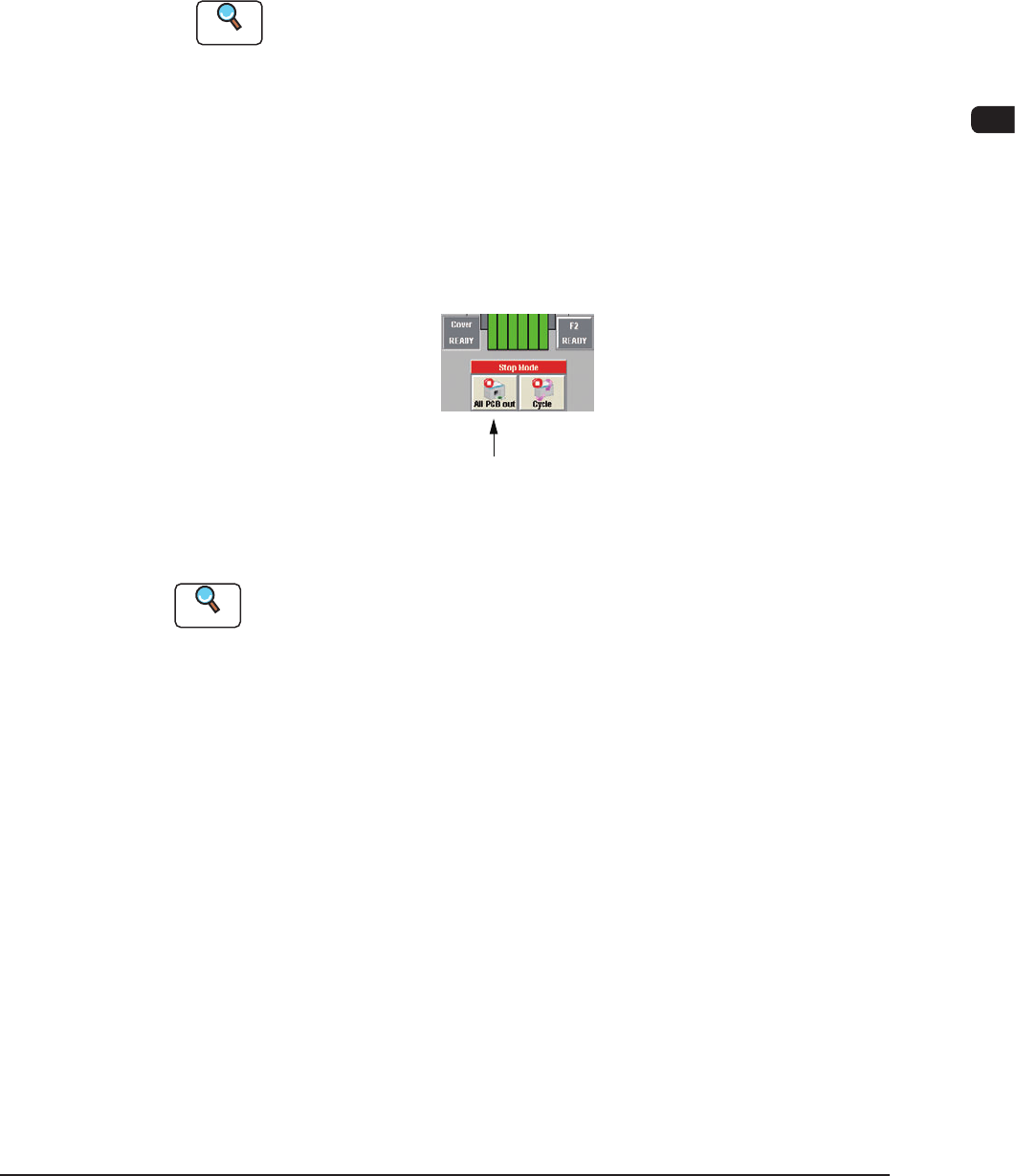
Stop of Automatic Operation with [All PCB out] Button
Press the [All PCB out] button in the status indication area (the upper area of
the operation window). The [All PCB out] button turns yellow.
After the machine has placed components on the PCB inside the machine, it
discharges the produced PCB and each device returns to its stationary position.
At this time, the [START] button on the operation panel extinguishes, the green
lamp of the light tower also goes out, and the automatic operation stops.
[All PCB out] Button
Status Indication Area (Upper Area of Operation Window)
F1C41
Reference
Refer to "5. Stop, Interruption, and Restart of Operation" in "Chapter 3" for the
other
ways to stop the machine.
1108-005
1OM-1603
3-56
5. Stop, Interruption, and Restart of Operation : Chap.3
5.5.2 Logout
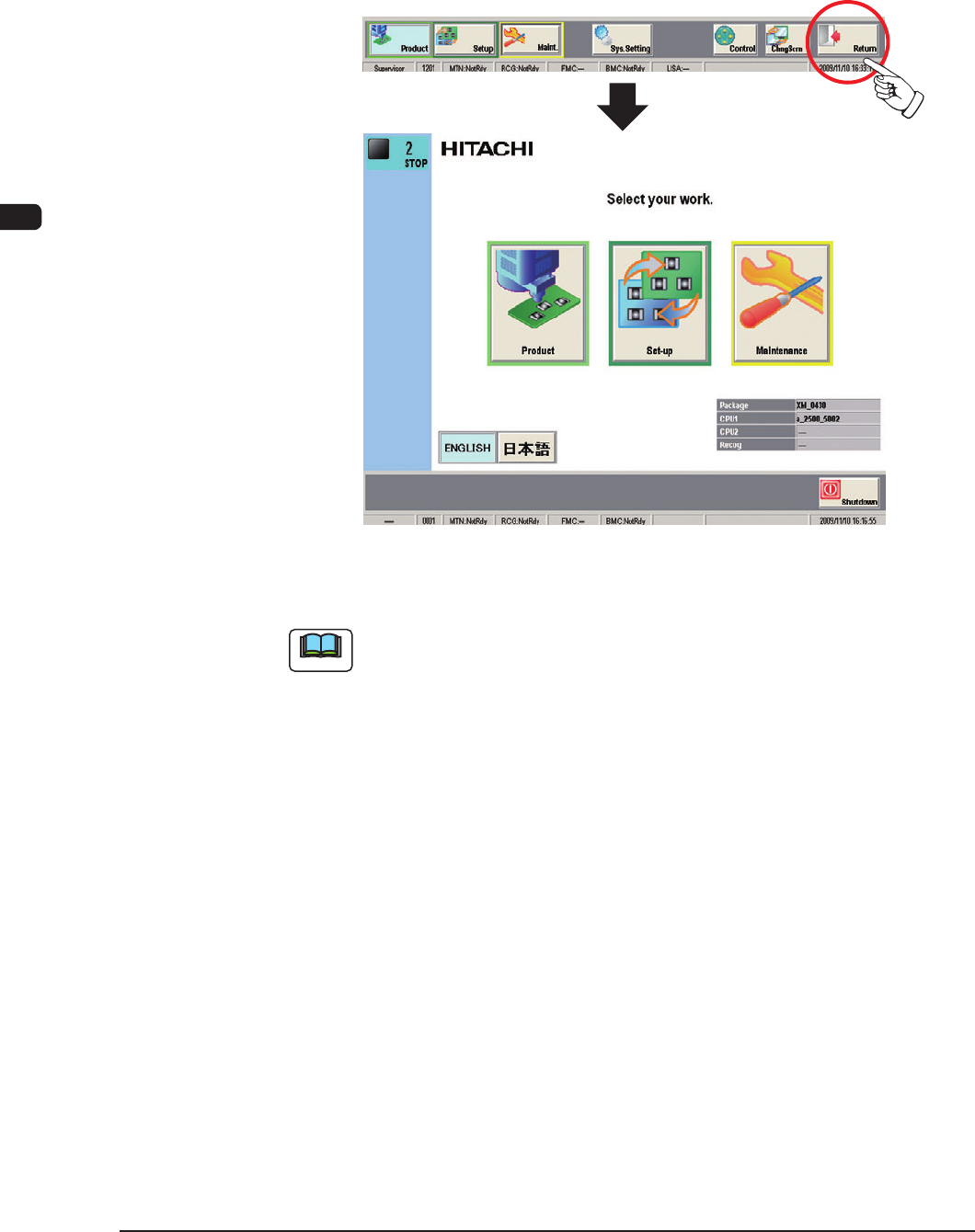
When the operation window is closed, press the [Return] button in the common
menu. When the [Return] button is pressed, the operation window is closed and
the TOP window is returned.
The TOP window opens.
F1C42
Note
(a) When an edit window such as the "Pattern Program" edit window is
displayed, follow the specied steps to close the window before the [Return]
button is pressed.
(b) When the power to the machine is to be turned OFF after the logout, press
the [Shutdown] button.
Refer to "5.2 Interruption of Automatic Operation" in "Chapter 3" for
details.
1012-005