00191413-01.pdf - 第117页
User Manual Line Computer UNIX 4 Data Management Software Version 501.xx 01/99 Issue 4.2 Data Storage 4 - 7 The switch -over procedu re is star ted and s ubsequent ly ver ified. When the swit ch-over pr ocedure has been …
4 Data Management User Manual Line Computer UNIX
4.2 Data Storage Software Version 501.xx 01/99 Issue
4 - 6
4.2.1.1 Switching Between Central and Local Data Storage
Switching between central and local data storage is effected via the "SERVICES" menu using the "Data storage"
menu option.
For the switch-over operation to be successful, the following points must be observed:
- No more jobs must be scheduled.
- No compiler or producibility check runs must be in progress.
NOTES
Following the switch-over operation the computers need not be re-booted.
If data are changed or entered in editors that may be open, these data will be stored to the newly selected
data storage upon saving.
It is possible to download data from the host computer to the local or central data storage at any time. This
takes place without any interruption of the ongoing production process.
Switching from central to local data storage:
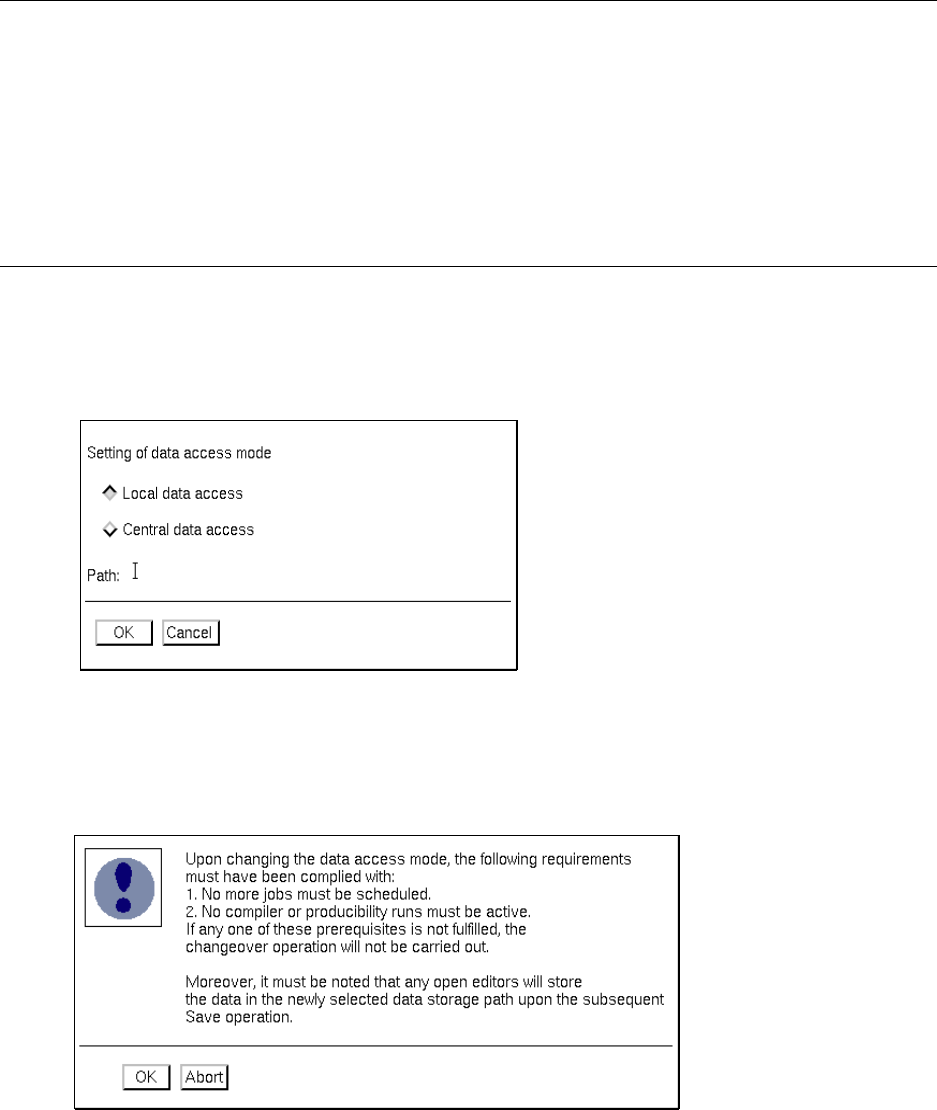
● On the SERVICES desktop menu click on the Data storage menu option.
The "Data storage" window is opened.
● Click on the Local data access button.
The button is now highlighted in gray.
● Click on OK.
The following window is opened.
● If all conditions listed in the dialog box are met, click on the OK button.
User Manual Line Computer UNIX 4 Data Management
Software Version 501.xx 01/99 Issue 4.2 Data Storage
4 - 7
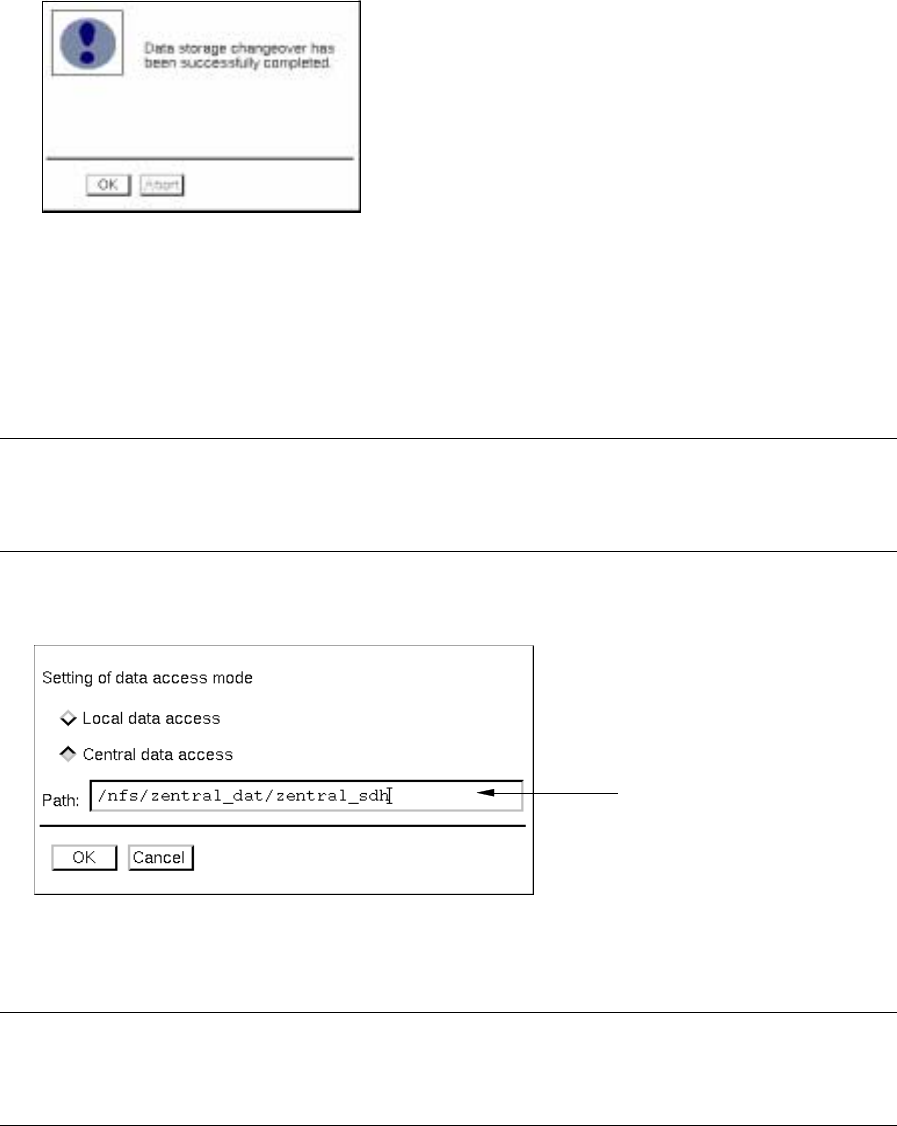
The switch-over procedure is started and subsequently verified.
When the switch-over procedure has been successfully completed, the following message is dis-
played on the screen:
● Confirm the message with OK. The data are now saved to the local data storage.
If the switch-over procedure could not be performed, a corresponding error message is displayed.
Switching from local to central data storage:
NOTE
Prerequisite for the switch-over operation is the existence of a central data storage.
If the latter does not exist yet, it will not be set up.
● Click on the Data storage menu option on the SERVICES menu on the desktop.
The "Data storage" window is opened..
● Click on the Central data access button.
● Click on the entry field and enter the pathname of the central data storage.
NOTE
Below the path of the central data storage the "Master data" and "Job data" directories must be
located (e.g. /nfs/zentral_dat/zentral_sdh/Master data; ..../zentral_sdh/Job data).
● Click on OK.
The dialog box containing a listing of the prerequisites to be fulfilled for the switch-over operation
is opened.
● If all conditions are met, click on the OK button.
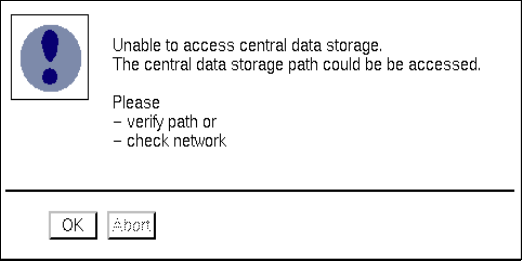
The switch-over procedure is started and subsequently verified. If it is not possible to access the
central data storage, the following error message is displayed.
entry field
4 Data Management User Manual Line Computer UNIX
4.2 Data Storage Software Version 501.xx 01/99 Issue
4 - 8
● Click on OK, eliminate the error and subsequently re-start the switch-over procedure, as described
above.
Once the switch-over procedure has been completed successfully, a corresponding message is
displayed on the screen.
● Acknowledge the message by choosing OK. The data are now saved to the central data storage.
Procedure in the event of a power failure with central data storage activated:
If a power failure has occurred, the system will inform you of this situation by displaying a warning
message on the screen together with instructions how to proceed further.
First check whether the power failure will presumably last for some time or whether power can be
restored quickly.
In the event of a short-time power failure, you can proceed as follows:
● Allow the current job to be completed.
● If the line computer is in the "control mode", finish the line computer session via the main menu by
selecting LC_End and subsequently re-start by selecting LC_Start.
(This is not required in the programming mode).
● When power has been restored, continue the assembly by means of the central data.
In the event of a power failure over an extended period of time, you can proceed as follows:
● Switch the data storage to local data access.
● If the line computer is in the "control mode", finish the line computer session via the main menu by
selecting LC_End and subsequently re-start by selecting LC_Start.
(This is not required in the programming mode).
● If necessary, copy the data from the central storage to the local line computer using a streamer
tape.
● Continue the assembly by means of the local data.