00197458-01_UG_EDM_V2.2_en.pdf - 第35页
EDM V2.2 / U ser Guid e Ausgabe 10/2013 E dition 35 Vi a th e Options – Sort Options menu entr y the objec ts can be s orted C ase sensitiv e , A lphanumeric or Desc ending : Figure 4- 26 : Sort Options In the Vi ew m en…
EDM V2.2 / User Guide Ausgabe 10/2013 Edition
34
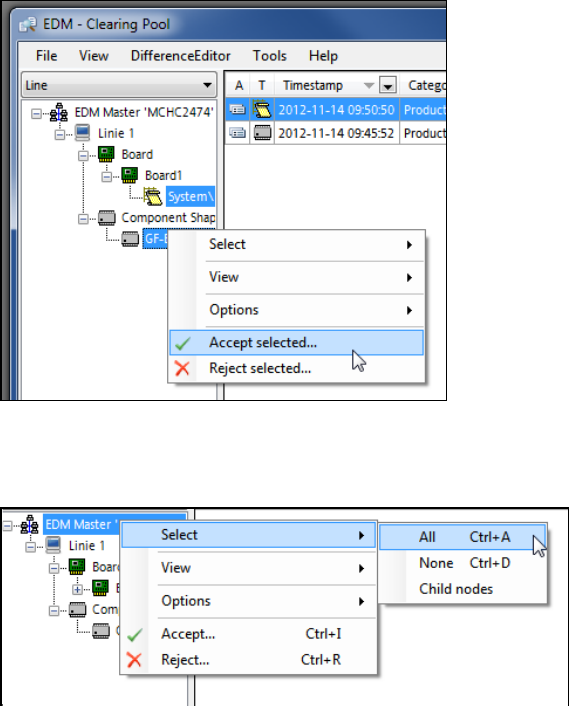
Figure 4-24: Manual selection of multiple objects
On a tree node, the user can select all objects (Select – All) or only the child nodes (Select –
Child nodes).
Figure 4-25: Selecting objects
EDM V2.2 / User Guide Ausgabe 10/2013 Edition
35
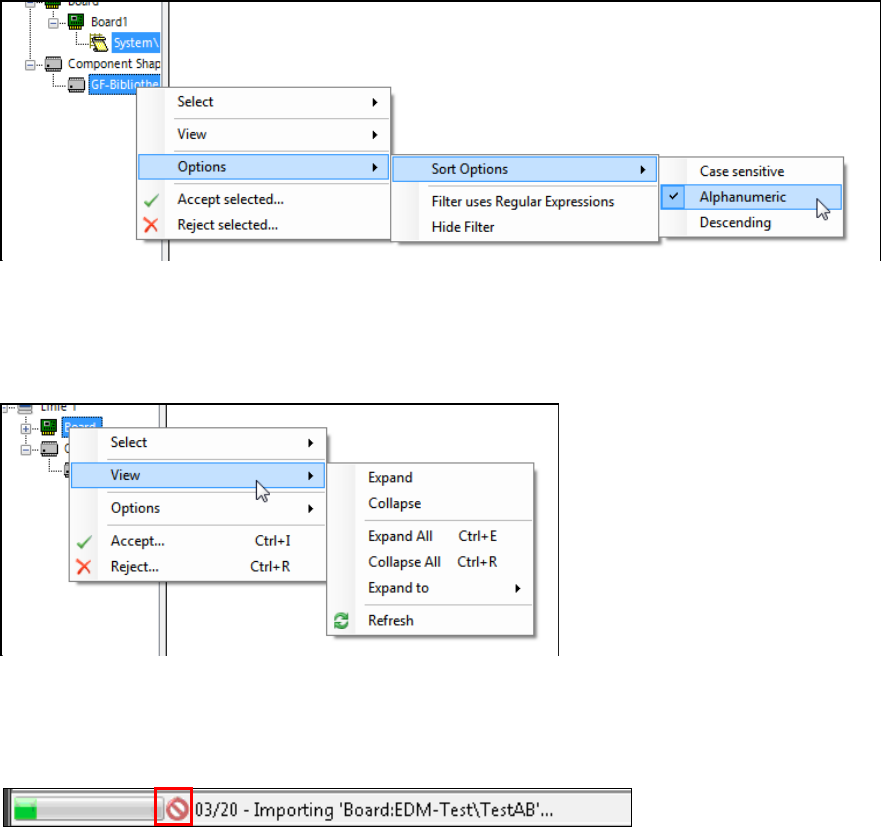
Via the Options – Sort Options menu entry the objects can be sorted Case sensitive,
Alphanumeric or Descending:
Figure 4-26: Sort Options
In the View menu entry, settings can be made for the tree structure (Expanding / Collapsing).
On a single node, the Extended Difference Editor can be displayed for the selected object in the
Show Differences menu entry:
Figure 4-27: Show Differences for a single object – Expanding / Collapsing tree view
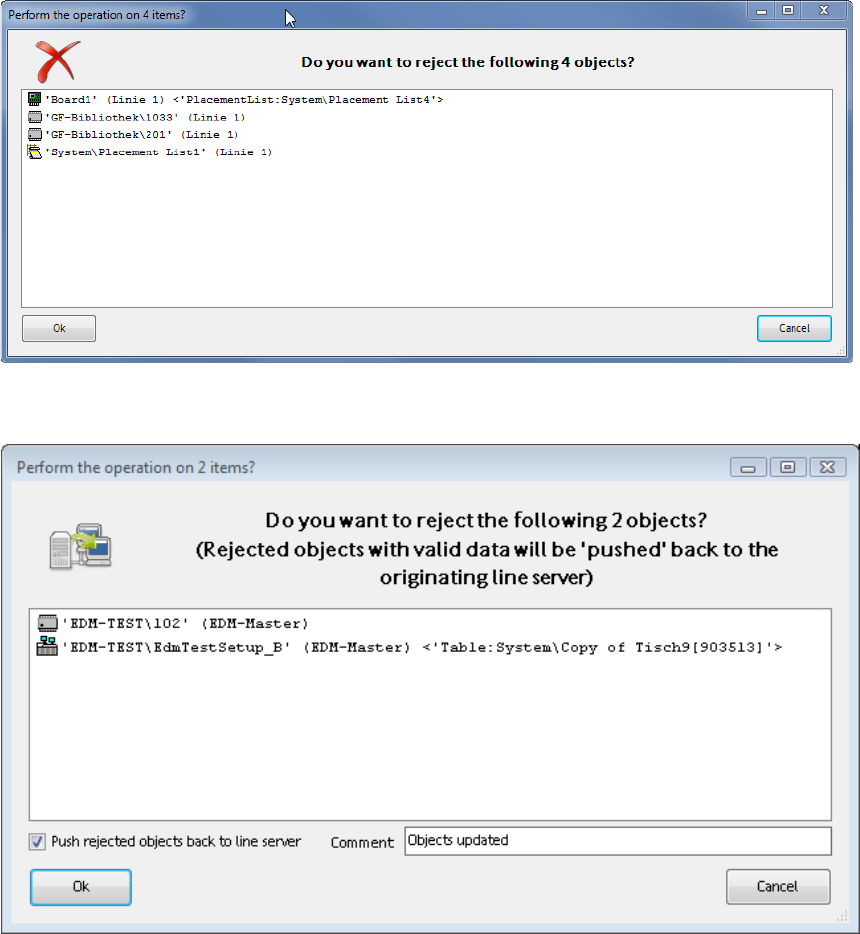
When multiple objects are imported, a dialog is displayed, in which the import has to be confirmed.
During the import of multiple objects, the batch import progress is displayed in the status bar of the
Clearing Pool:
Figure 4-28: Batch import progress
The batch import may be canceled by pressing the red icon, after the current import has been
completed.
EDM V2.2 / User Guide Ausgabe 10/2013 Edition
36
When multiple objects are rejected, a dialog is displayed, in which the rejection has to be confirmed
or canceled:
Figure 4-29: Confirmation dialog
If Auto Push is enabled, the following dialog is displayed:
Figure 4-30: Confirmation dialog with Auto Push