00197458-01_UG_EDM_V2.2_en.pdf - 第37页
EDM V2.2 / U ser Guid e Ausgabe 10/2013 E dition 37 4.4.4 Filtering Not ification s In the col umn header of the notificatio n view in the Clear ing Pool va lues can b e selecte d to filter t he notificat ion list. B y c…
EDM V2.2 / User Guide Ausgabe 10/2013 Edition
36
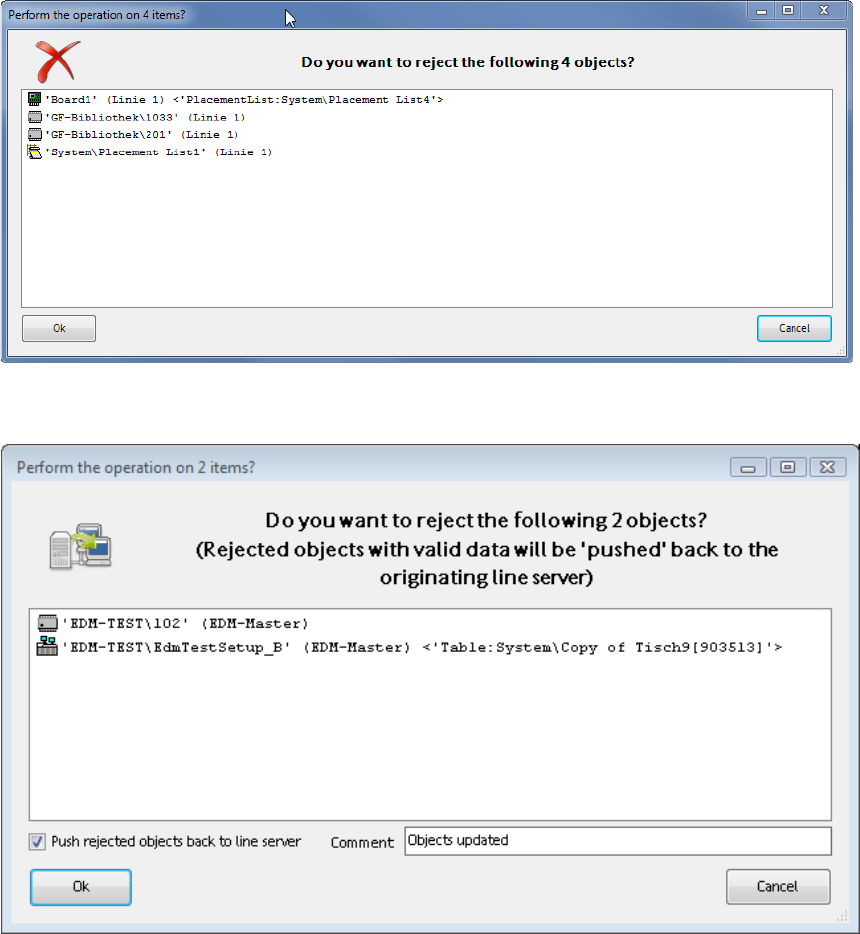
When multiple objects are rejected, a dialog is displayed, in which the rejection has to be confirmed
or canceled:
Figure 4-29: Confirmation dialog
If Auto Push is enabled, the following dialog is displayed:
Figure 4-30: Confirmation dialog with Auto Push
EDM V2.2 / User Guide Ausgabe 10/2013 Edition
37
4.4.4 Filtering Notifications
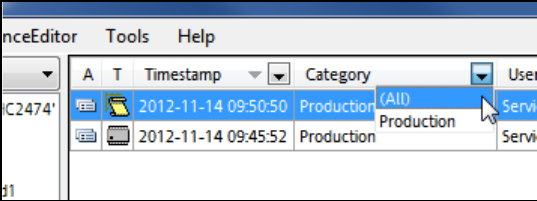
In the column header of the notification view in the Clearing Pool values can be selected to filter the
notification list. By clicking on a column header, the displayed notifications may be sorted in
ascending or descending order.
Figure 4-31: Filter values
► Select any of the available filter values or All to display all entries.
4.5 EDM Notifications
The EDM notifications subsystem converts the change notifications received from the lines into a
user-readable form and distributes them to the appropriate locations. The type of messages sent
and the recipients of the messages can be configured.
More information about this can be found in section 5.1.7.
EDM V2.2 / User Guide Ausgabe 10/2013 Edition
38
4.6 EDM Configuration Manager
The EDM Configuration Manager is the central tool for configuring the EDM system. The EDM
Configuration Manager brings the following advantages:
● It provides a central point for the configuration of EDM. Thus, the cumbersome and error prone
manual configuration of every single EDM installation in the factory can be avoided. E.g., it is
not necessary to keep multiple configuration files persistent when configuring the Line Server
alias names anymore, what ensures that no inconsistent information is transferred to the
Clearing Pool.
● It distributes the changed configurations automatically to the affected Line servers. There is no
need to copy them manually to the Line Servers anymore.
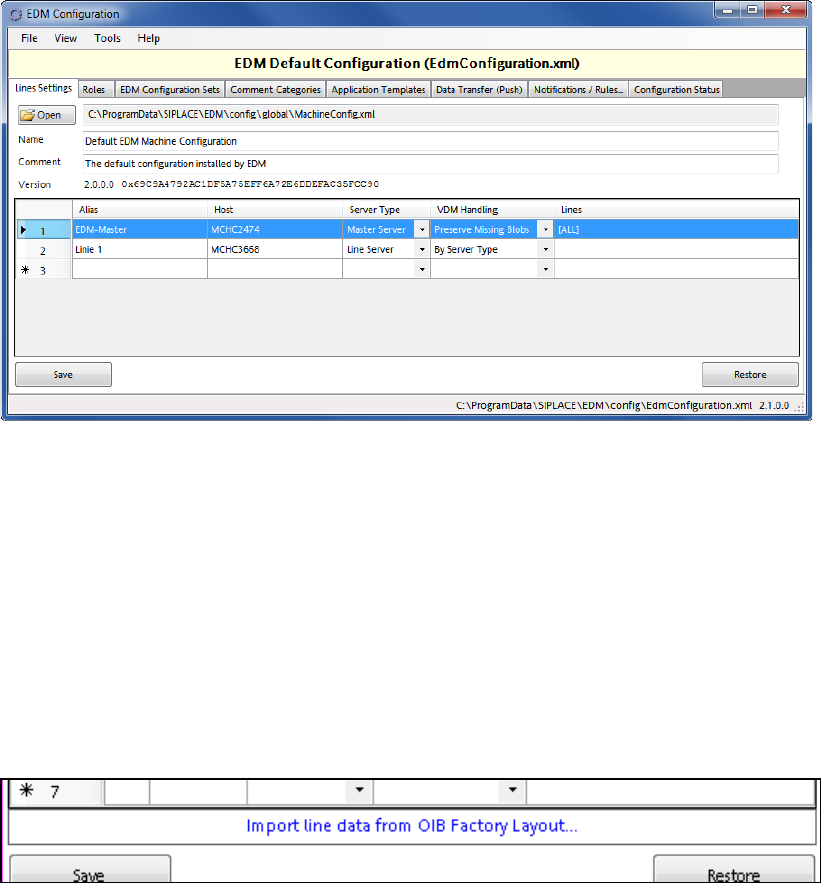
Figure 4-32: EDM Configuration Manager
The EDM Configuration Manager provides the functionality to define and change configuration sets
to support multiple EDM scenarios. A configuration set consists of references to all configuration
items, such as:
● Filter rule settings
● Settings for email notification on incoming notifications
● EDM Master Server storage location
Based on certain rules (Roles), the EDM Configuration Manager assigns exactly one configuration
set to each EDM Client computer, defining its behavior.
In the Lines Settings tab it is possible to import line data from the OIB Factory Layout into the
EDM Line Alias configuration.
Figure 4-33: Importing OIB Factory Layout data