OM-1683-001_w.pdf - 第38页
21 OM-1683 1 1.2 "PCB Stpr ." T ab Sheet This tab sheet enables the operator to adjust the PCB stopper for each lane and each block. Reference Refer to "4.3.2 "PCB Stpr" W indow" in Chapter …
20
OM-1683
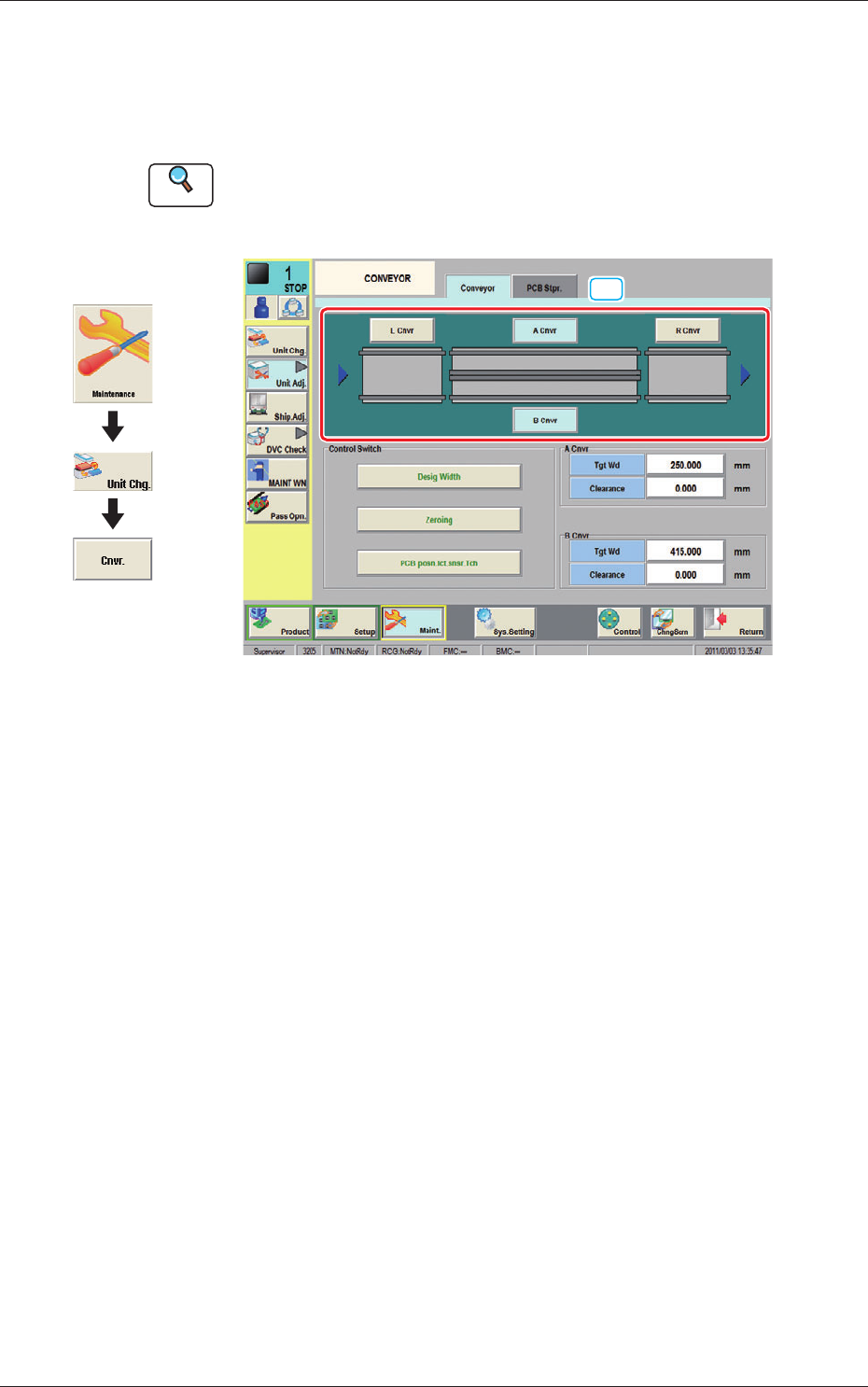
11.1 "Conveyor" Tab Sheet
This window enables the operator to adjust the overall setup or manual setup
for the conveyor width in each lane.
Reference
Refer to "4.3.1 "CONVEYOR" Window" in Chapter 1, Volume 3, in the
SIGMA-G5 main machine instruction manual for the information other
than for dual transfer.
[1]
Fig. 20 Conveyor
[1] Conveyor selection Button
Using these buttons, the target position movement, reference position
adjustment or conveyor section (Conveyor L, Conveyor A, Conveyor B or
Conveyor R) is selected.
1103-001
11.1 "Conveyor" Tab Sheet
Graphic
Development
21
OM-1683
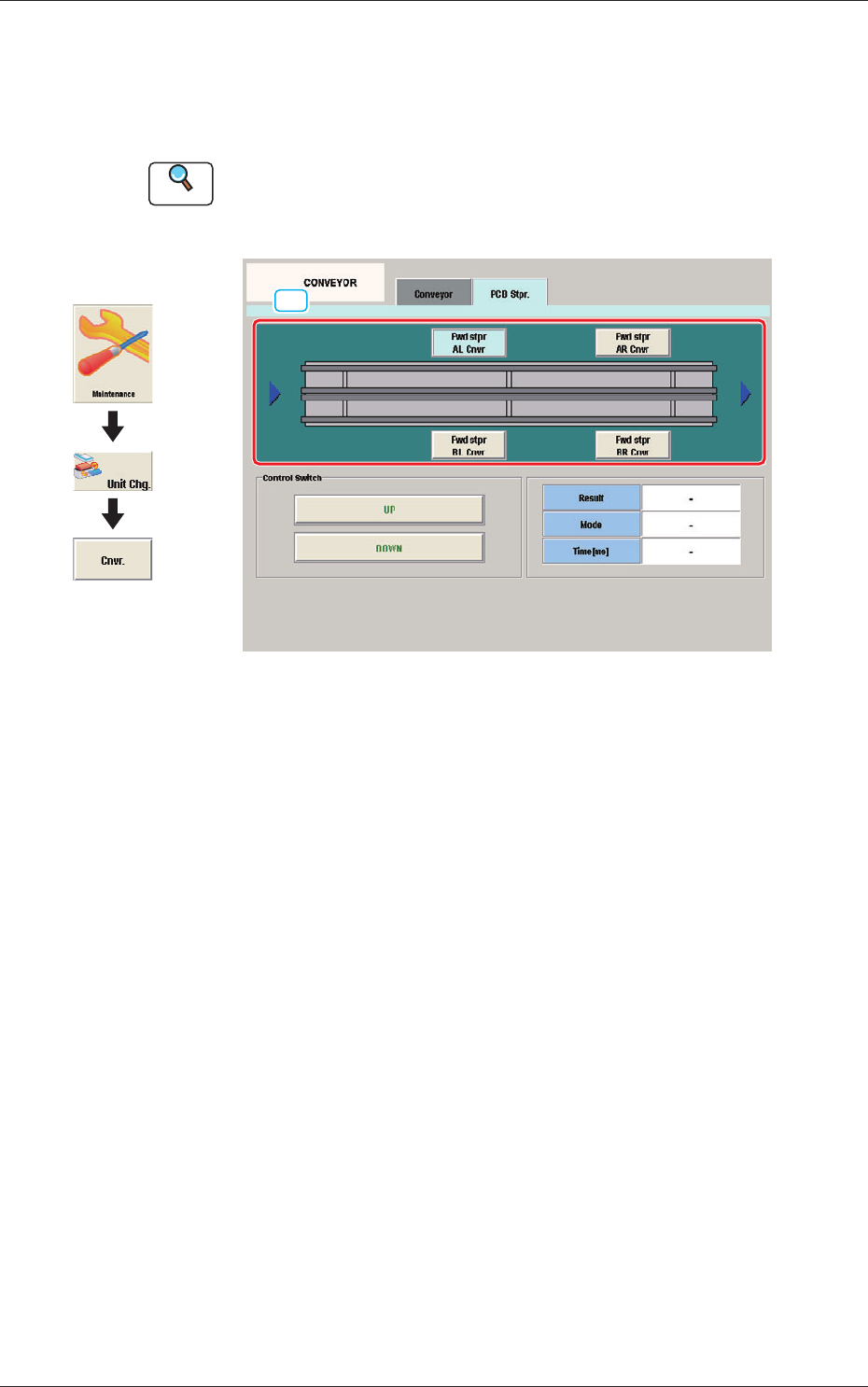
11.2 "PCB Stpr." Tab Sheet
This tab sheet enables the operator to adjust the PCB stopper for each lane
and each block.
Reference
Refer to "4.3.2 "PCB Stpr" Window" in Chapter 1, Volume 3, in the
SIGMA-G5 main machine instruction manual for the information other
than for dual transfer.
[1]
Fig. 21 PCB Stpr.
[1] Block selection Button
Using these buttons, the block in the lane where there is the PCB stopper to
be operated, is selected.
1103-001
11.2 "PCB Stpr." Tab Sheet
Graphic
Development
22
OM-1683
1103-001
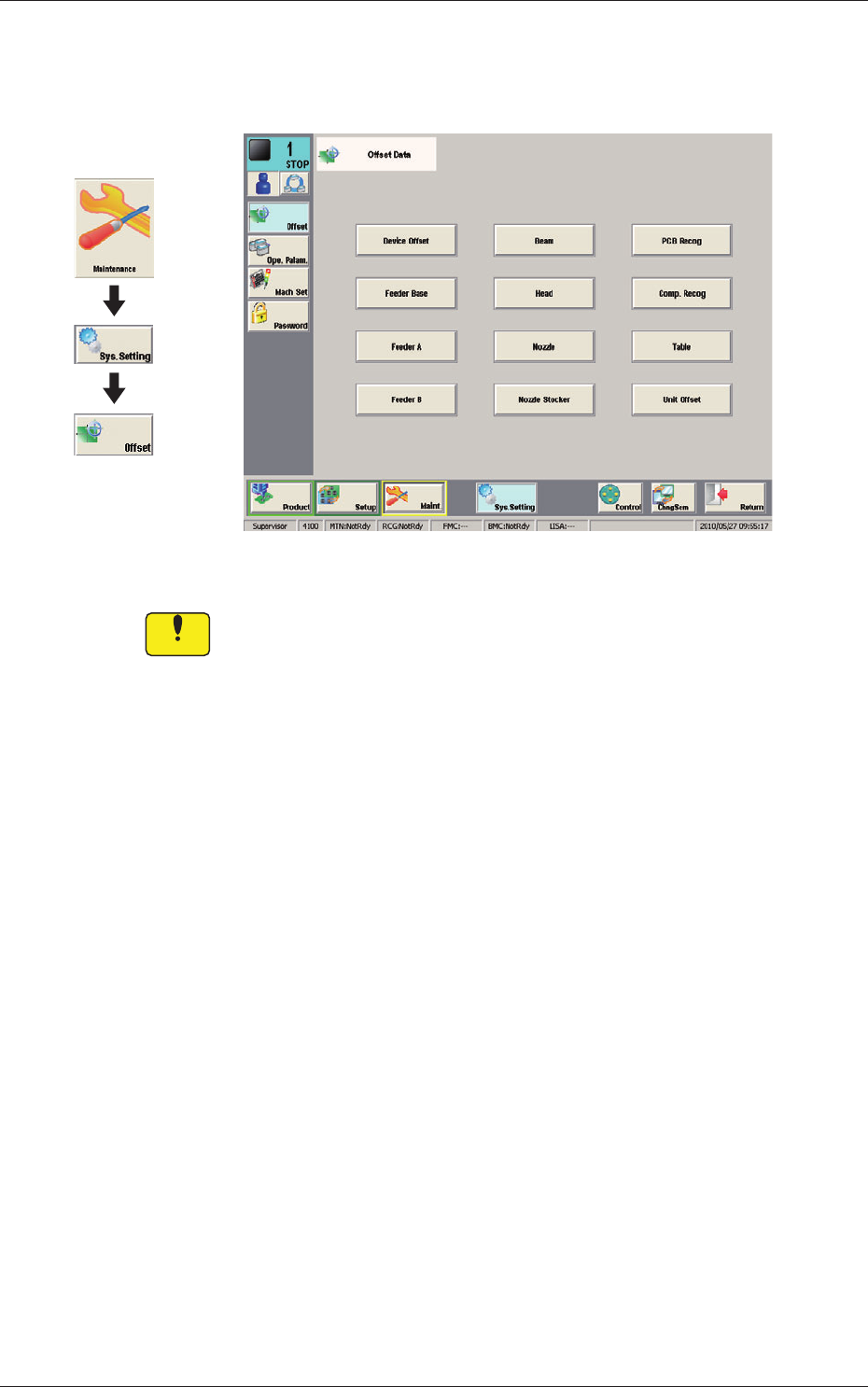
12. Machine System
12. Machine System
Fig. 22 Offset Data
Notice
Do not change the parameters unless necessary. These parameters
are factory-adjusted upon shipment of the machine.
Graphic
Development