YC8_Ope_E.pdf - 第89页
2-39 2 asic operation n When using tape components 6 Set the "T ape T ype" par ameter . Double-click the "T ape Type" parameter field and select the tape type from the dro p-down list. The "T a…
2-38
2
asic operation
3
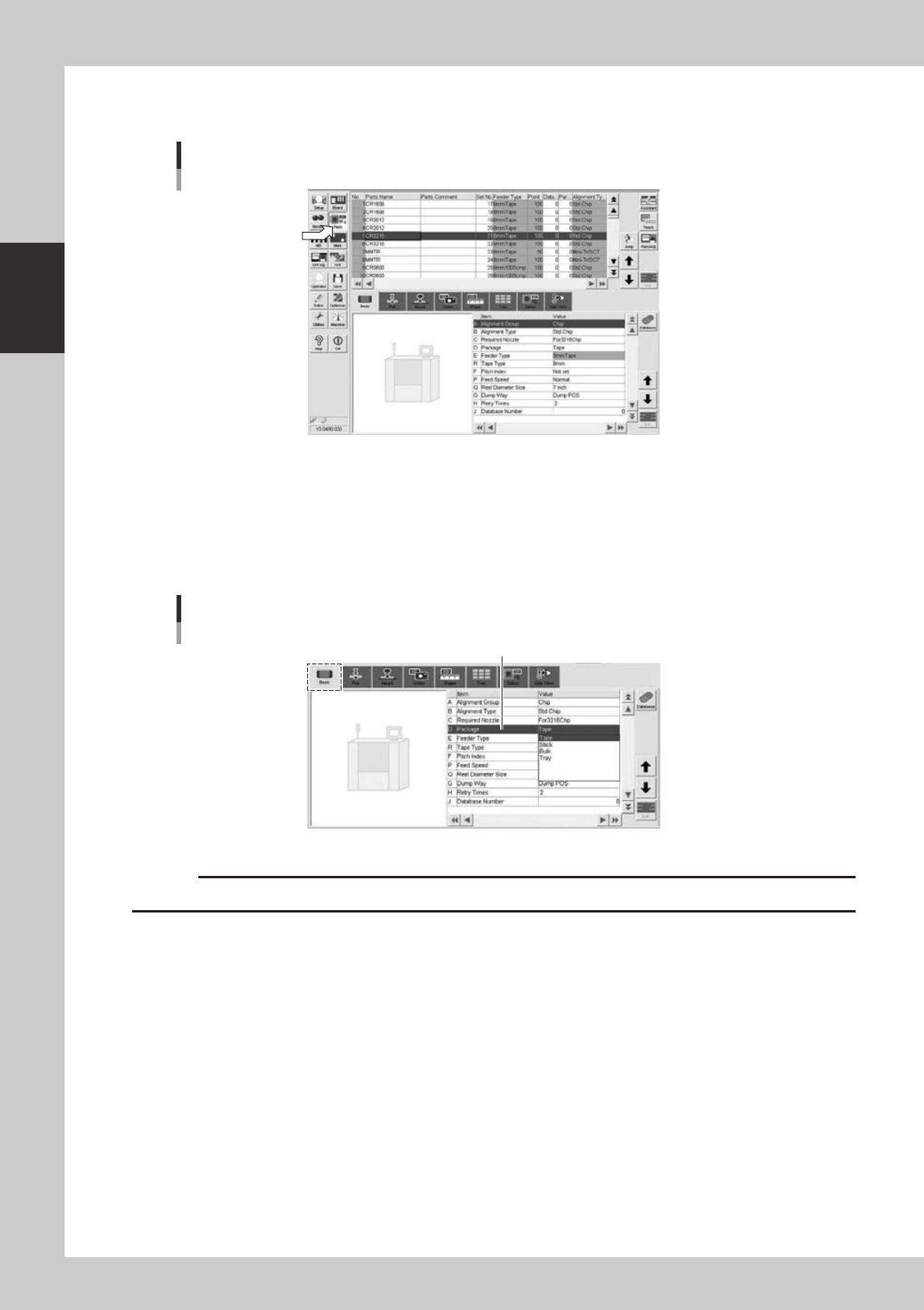
Open the Parts screen.
Press the [Parts] button to open the Parts screen and select the component from the upper list.
Parts screen
24222-N8-00
4
Display the basic parameters.
Select the [Basic] tab to display the basic parameters.
5
Set the "Package" parameter.
Double-click the "Package" parameter field and select "Tape", "Stick" or "Tray" from the drop-down list
according to the component supply unit to be used.
[Parts]-[Basic] screen
"Package" parameter
"Package"
24223-N8-00
c
2-39
2
asic operation
n
When using tape components
6
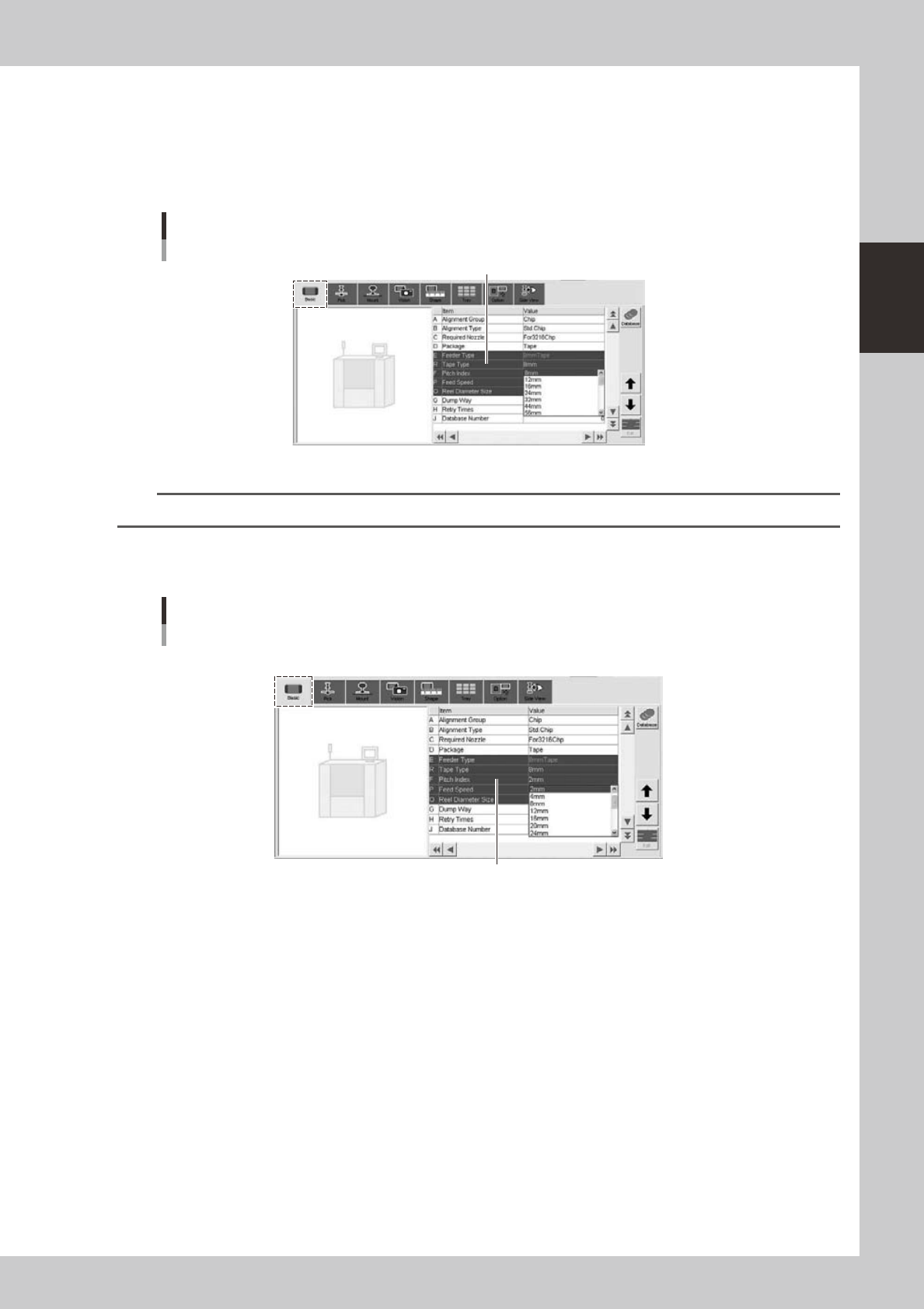
Set the "Tape Type" parameter.
Double-click the "Tape Type" parameter field and select the tape type from the drop-down list.
The "Tape Type" parameter changes as the "Package" parameter is changed, so set it to the correct
setting.
[Parts]-[Basic] screen
"Tape Type" parameter
"Tape Type"
24224-N8-00
n
NOTE
This parameter does not appear when "Reference of feeder pitch" is set to "Feeder setup".
7
Set the feed pitch.
Double-click the "Pitch Index" parameter field and select the correct feed pitch from the drop-down list.
[Parts]-[Basic] screen
"Pitch Index" parameter
"Pitch Index"
24225-N8-00
2-40
2
asic operation
n
When using tray components
6
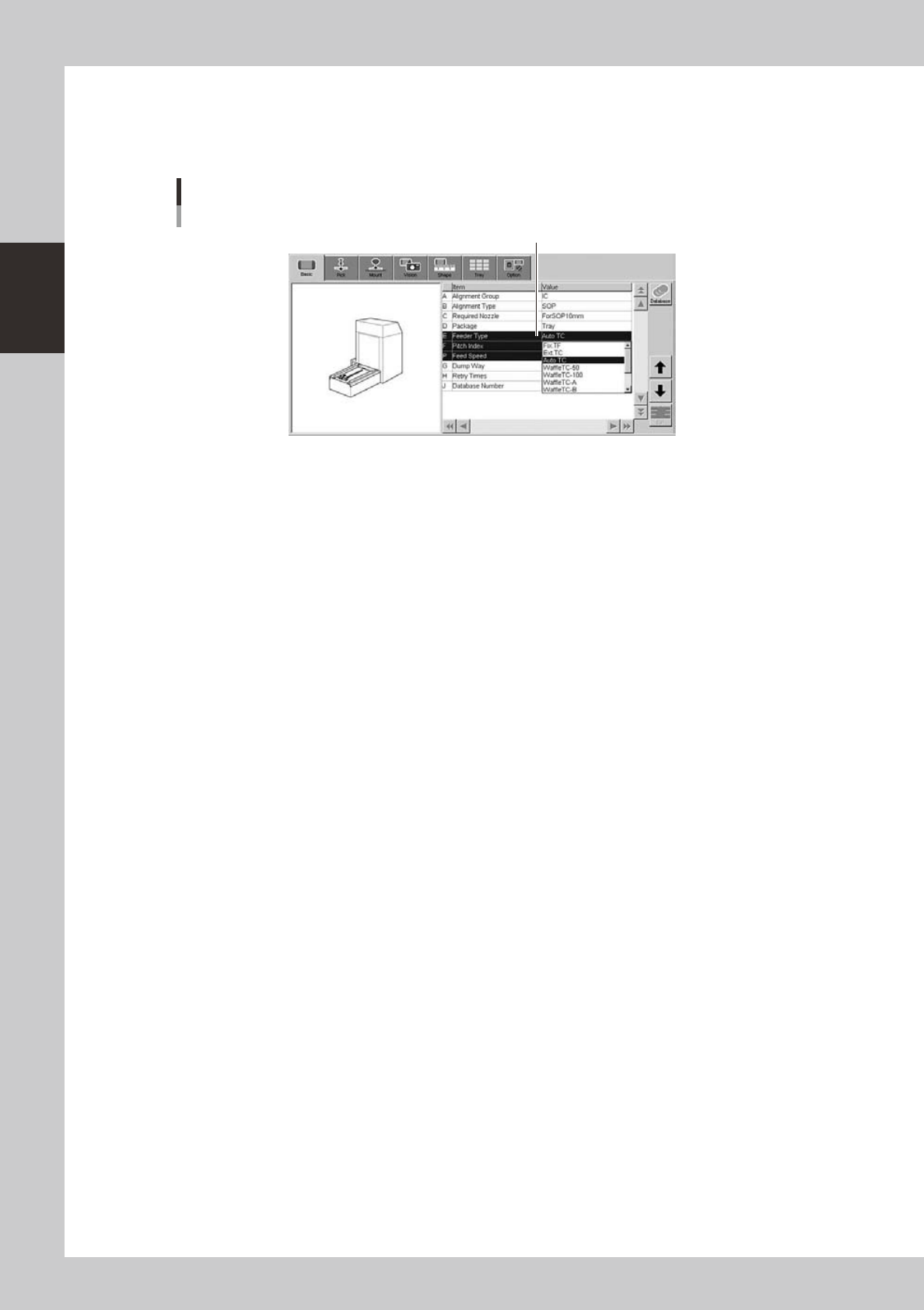
Set the "Feeder Type" parameter.
Select "Auto TC" from the drop-down list.
[Parts]-[Basic] screen
"Feeder Type" parameter
"Feeder Type"
24226-N8-00