00194716-04_AI_Abwurfbehaelter_Abfrage_X-D3_de_en.pdf - 第62页
Installation Fitting the Sensors Fitting the Sensors for the TwinHead 62 Option Verify Reject Bin Option Abfrage Abwurfbehälter Version 3: Overvi ew of sensors for TwinHe ad with MTC and CAN node infrast ructure and ad a…
Installation
Fitting the Sensors for the TwinHead Fitting the Sensors
Option Verify Reject Bin Option Abfrage Abwurfbehälter 61
3.1.2 Fitting the Sensors for the TwinHead
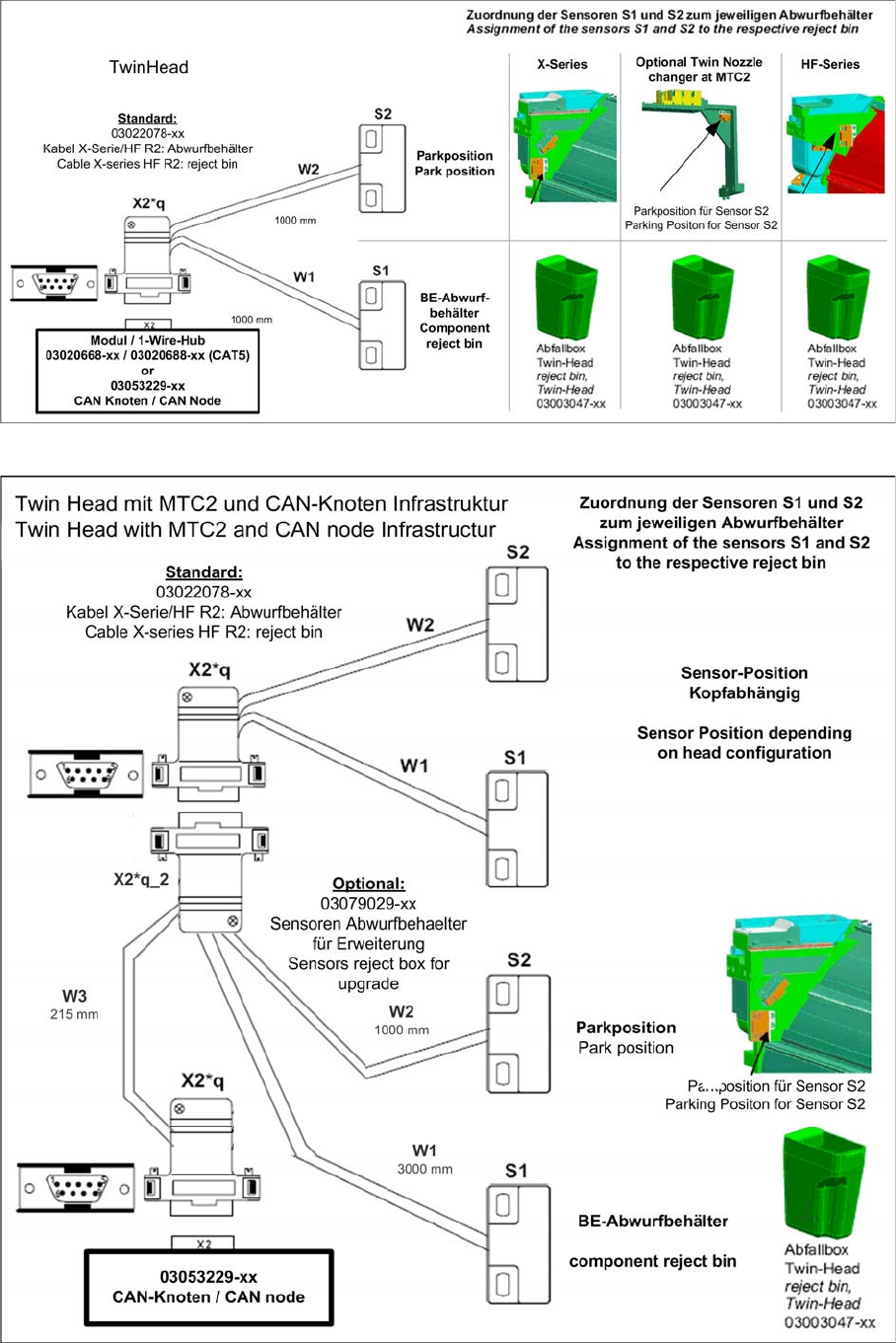
Version 1: Overview of sensors - TwinHead
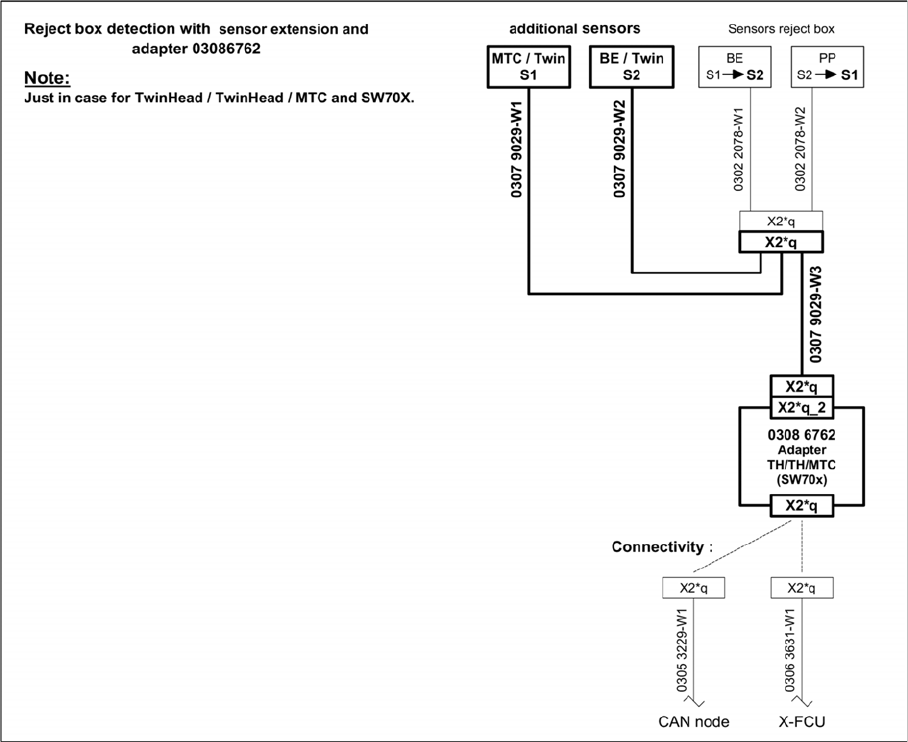
Version 2: Overview of sensors for TwinHead with MTC and CAN node infrastructure
Installation
Fitting the Sensors Fitting the Sensors for the TwinHead
62 Option Verify Reject Bin Option Abfrage Abwurfbehälter
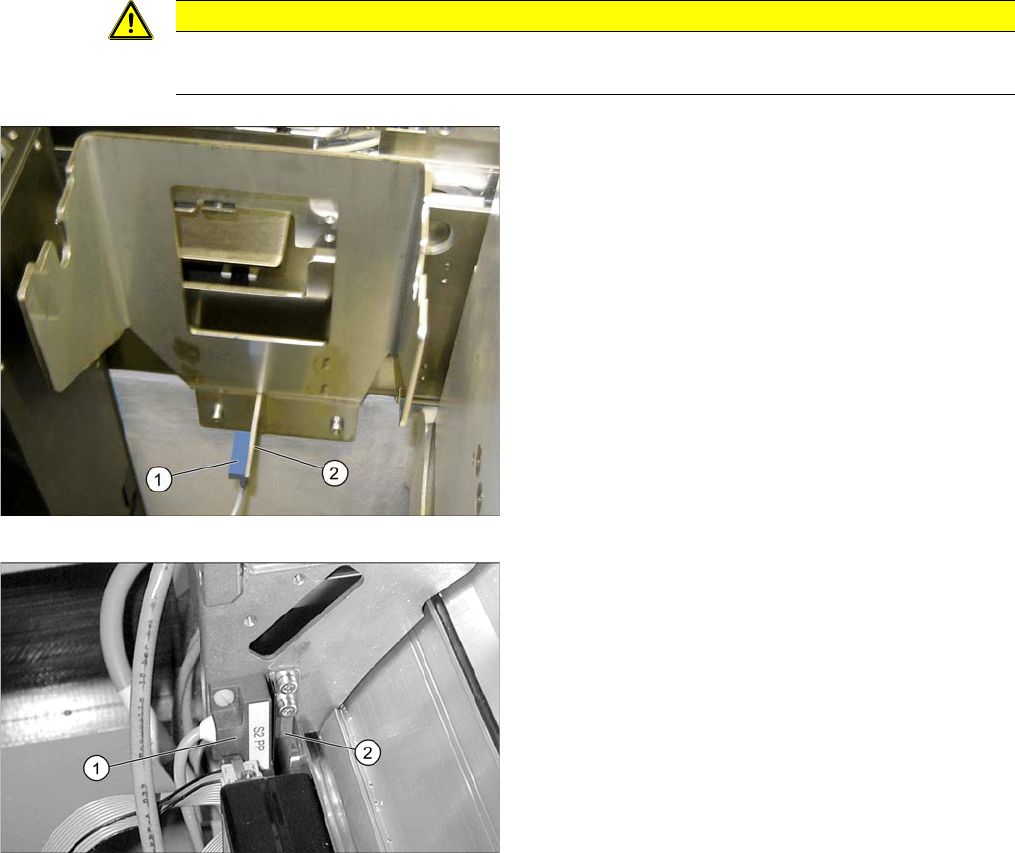
Version 3: Overview of sensors for TwinHead with MTC and CAN node infrastructure and adapter for SW70x
Installation
Fitting the Sensors for the TwinHead Fitting the Sensors
Option Verify Reject Bin Option Abfrage Abwurfbehälter 63
3.1.2.1 Fitting the Sensors for the TwinHead on the Component Feed Device
CAUTION
Screws
Only use the plastic screws provided to fasten the sensor (DIN85-M3x6-PA [00305381-xx])!
Sensor for the TwinHead reject bin
► Remove the reject bin.
► Fix sensor S1 (1) to the bracket under the large com-
ponent reject bin (2) with the two plastic screws
M3x10 [00305381-xx].
► Replace the bin.
Sensor S2 in the park position for X series machines
► Fit the sensor S2 (1) in the park position on the nozzle
reject bin carrier.
► Screw the sensor plate [03006260-xx] (2) provided
into place, next to the sensor.
► Fix the installed cable to suitable points, so that it is
not at risk of damage.