00197222-04_IM_PCB_Barcode_V2_0_SP4_de_en.pdf - 第11页
PCB Barco de V2.0 S P4 / Ins tallation Manual Ausgabe 03/2013 E dition 11 The following pic ture displa ys the installed PCB Bar code hard ware on an X - serie s placem ent machine in on e- c omputer o peration . Figure …
PCB Barcode V2.0 SP4 / Installation Manual Ausgabe 03/2013 Edition
10
4 Installing PCB Barcode
4.1 Installing PCB Barcode Hardware
The following sub-sections describe how to install the PCB Barcode hardware on the different
SIPLACE placement machines.
4.1.1 X-Series Placement Machines in One-Computer Operation
► Unplug the keyboard cable from the box PC and connect it to the USB hub.
► Plug the data cable of the USB hub into the keyboard interface of the box PC.
► Adhere the adhesive tape (Klettostar Flausch) onto the underside of the USB hub and put the
USB hub on the box PC.
► Plug the USB cable into the USB hub.
► Stow the USB cable and secure it with a cable tie.
► Plug the green USB dongle into the USB hub.
► Plug the gray USB stick into the USB hub.
PCB Barcode V2.0 SP4 / Installation Manual Ausgabe 03/2013 Edition
11
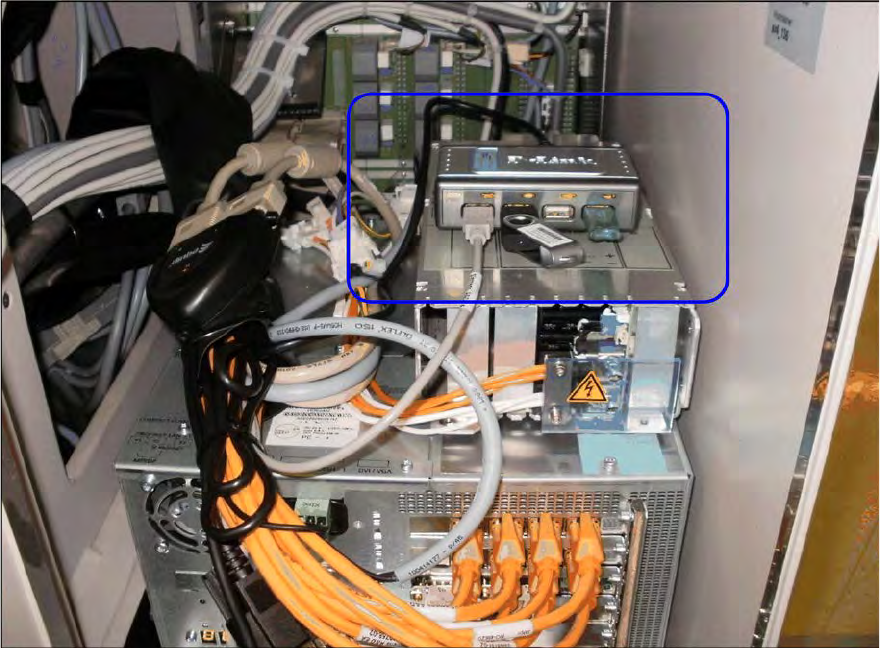
The following picture displays the installed PCB Barcode hardware on an X-series placement
machine in one-computer operation.
Figure 4-1: Installed PCB Barcode hardware on an X-series placement machine
► Install the PCB Barcode software as described in section 4.2.
4.1.2 X-series Placement Machines in Two-Computer Operation
► Plug the green USB dongle and the gray USB stick into the empty USB interfaces on the box
PC of the station computer.
► Plug the green USB dongle and the gray USB stick into the empty USB interfaces on the box
PC of the Vision computer.
► Install the PCB Barcode software as described in section 4.2.
PCB Barcode V2.0 SP4 / Installation Manual Ausgabe 03/2013 Edition
12
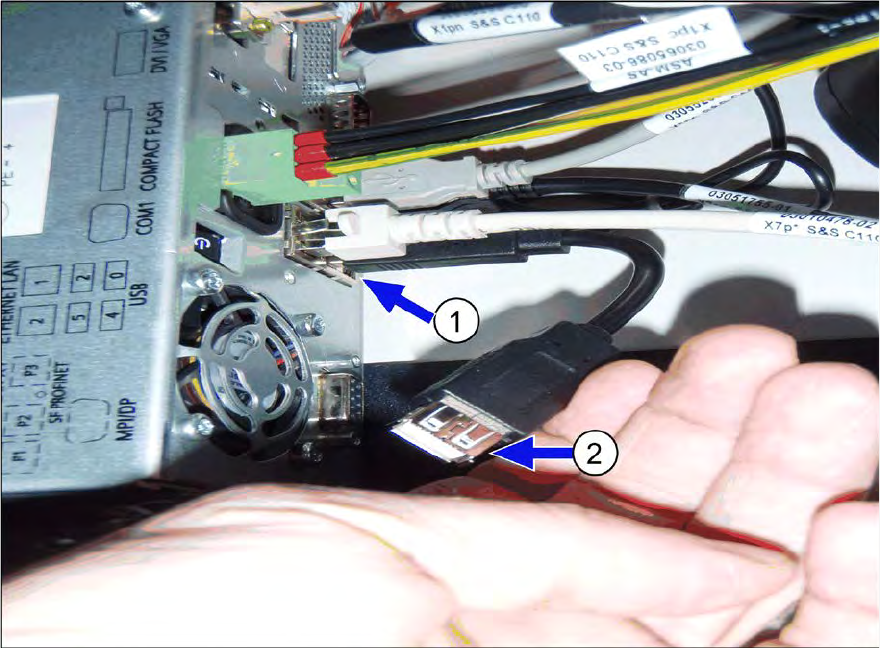
4.1.3 SX1/SX2- and DX1/DX2-Series Placement Machines
► Plug the green USB dongle into the empty USB interface on the box PC (1).
► Plug the gray USB stick into the extension of the keyboard interface on the box PC (2).
Figure 4-2: Installing PCB Barcode hardware on SX1/SX2 and DX1/DX2 placement machines
► Install the PCB Barcode software as described in section 4.2.
4.1.4 SX4- and DX4-Series Placement Machines
The installation of the PCB Barcode hardware on the SX4- and DX4-series placement machines is
performed in the same way as on the X-series placement machines in one-computer operation,
see section 4.1.1.