TM6419.PickupMACS.pdf - 第16页
SMT Software Engineering Group IM Operations Y AMAHA MOT OR CO., L TD. MDOC-SOFT50177 16/28 3). [Get Nozzle MACS] window opens. Fig.4.5. [Get Nozzle MA CS] window 4). Select [Range of Getting Nozzl e MA CS]. -…
SMT Software Engineering Group
IM Operations YAMAHA MOTOR CO., LTD.
MDOC-SOFT50177
15/28
[Machine] - [Setting] - [Machine Data] - [Precision] - [Pickup MACS] - [Sim Pick Parts Size Limit
X (Y)].
It is the individual pickup just after Nozzle MACS execution. (*1)
4.2.6. Using with Pick Position Correct
Nozzle MACS is possible to use with [Pick Position Correct].
4.2.7. Nozzle MACS by manual operation
When nozzles are exchanged by manually (Ex. Nozzle maintenance), it is necessary to get
Nozzle MACS correction value again. In this case, you need to execute Nozzle MACS manually.
How to execute Nozzle MACS manually is as below.
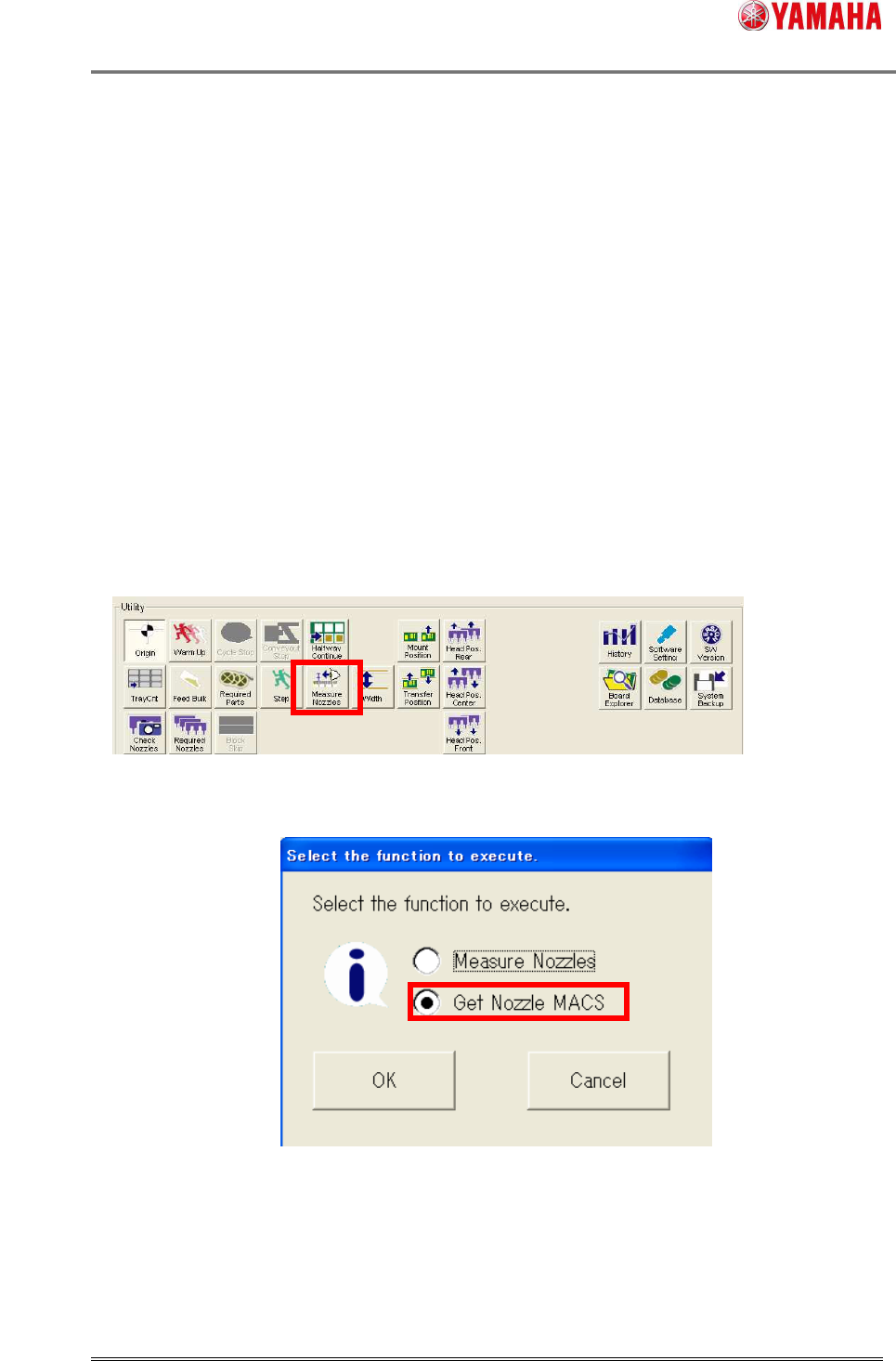
1). Press the [Measure Nozzle] button on the [Setup] screen.
The [Measure Nozzles] button is displayed when [Measure Nozzles] or [Nozzle MACS] is
enabled.
Fig.4.3. [Setup] - [Utility] window
2). The following dialog is displayed. Check [Get Nozzle MACS] and press the [OK] button.
Fig.4.4 Select function window
This dialog is displayed only when both [Measure Nozzles] and [Nozzle MACS] are enabled.
When only either one is disabled, this dialog doesn’t appear. This dialog shows a screen of each
function directly.
*1
SMT Software Engineering Group
IM Operations YAMAHA MOTOR CO., LTD.
MDOC-SOFT50177
16/28
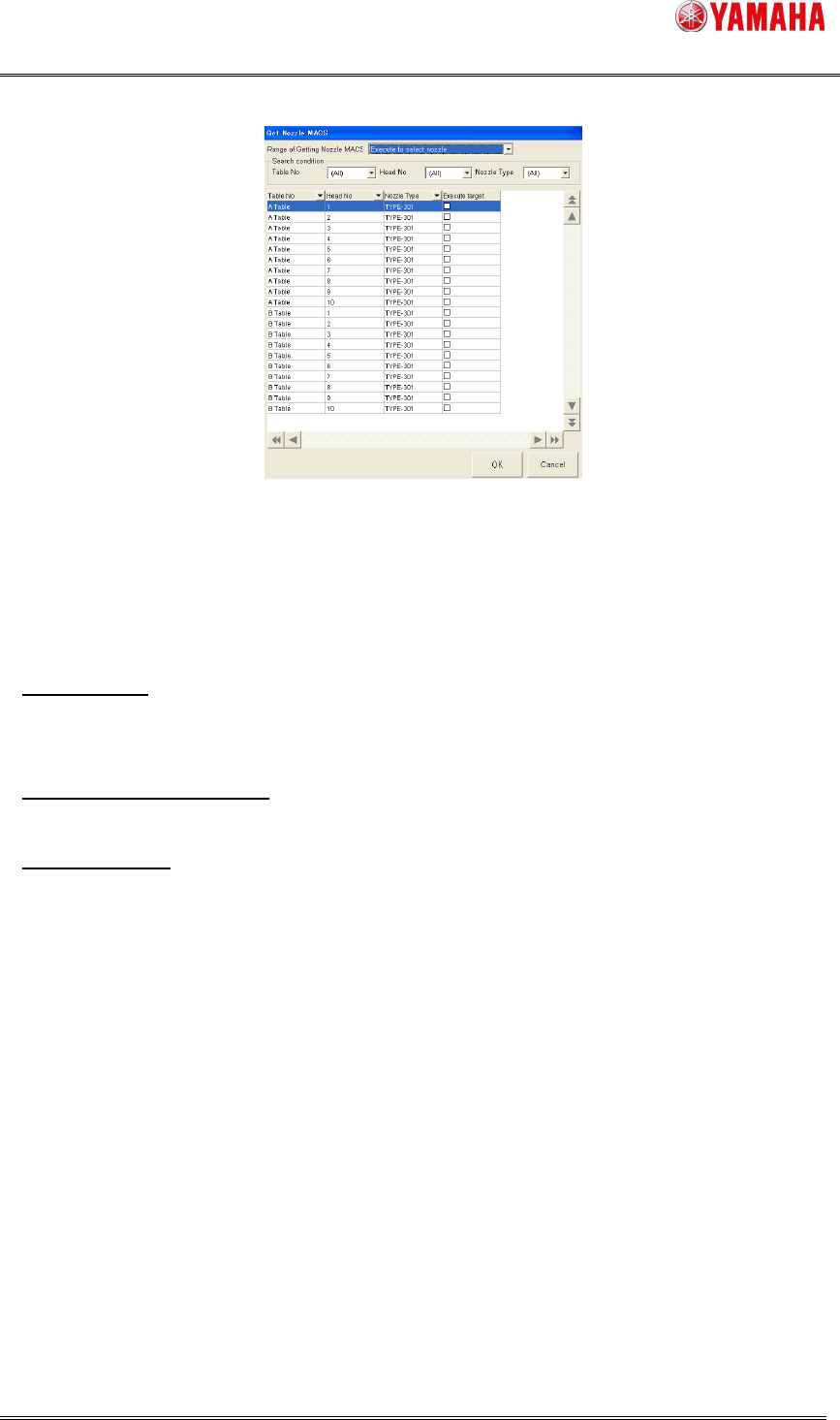
3). [Get Nozzle MACS] window opens.
Fig.4.5. [Get Nozzle MACS] window
4). Select [Range of Getting Nozzle MACS].
- [Execute all]
Nozzle MACS is executed for all nozzles that satisfy the execution conditions. In case of
[Manual Nzl Chg], Nozzle MACS is executed for all nozzles used in the loaded board data.
- [Execute to select nozzle]
Executes for all nozzles used in the loaded board data.
- [Select Nozzle]
Executes for all nozzles checked on [Check type]. (Checked state is not saved)
If the selected nozzles are stored in the nozzle station, nozzle change is performed.
When [Machine] - [Setting] - [Machine Data] - [Installation Setting] - [Nozzle Station] is set to
“None”, you can select one nozzle for each head. In that case, the nozzle is supposed to be set
on the head.
For fixed nozzle, only selected nozzles on [Machine] - [Setting] - [Machine Data] - [Head] -
[Head Offset] - [Nozzle Type] can get a Nozzle MACS correction value.
5). Press the [OK] button, and Nozzle MACS is executed for the nozzle selected at step (4).
When the [Cancel] button is pressed, Nozzle MACS is not executed.
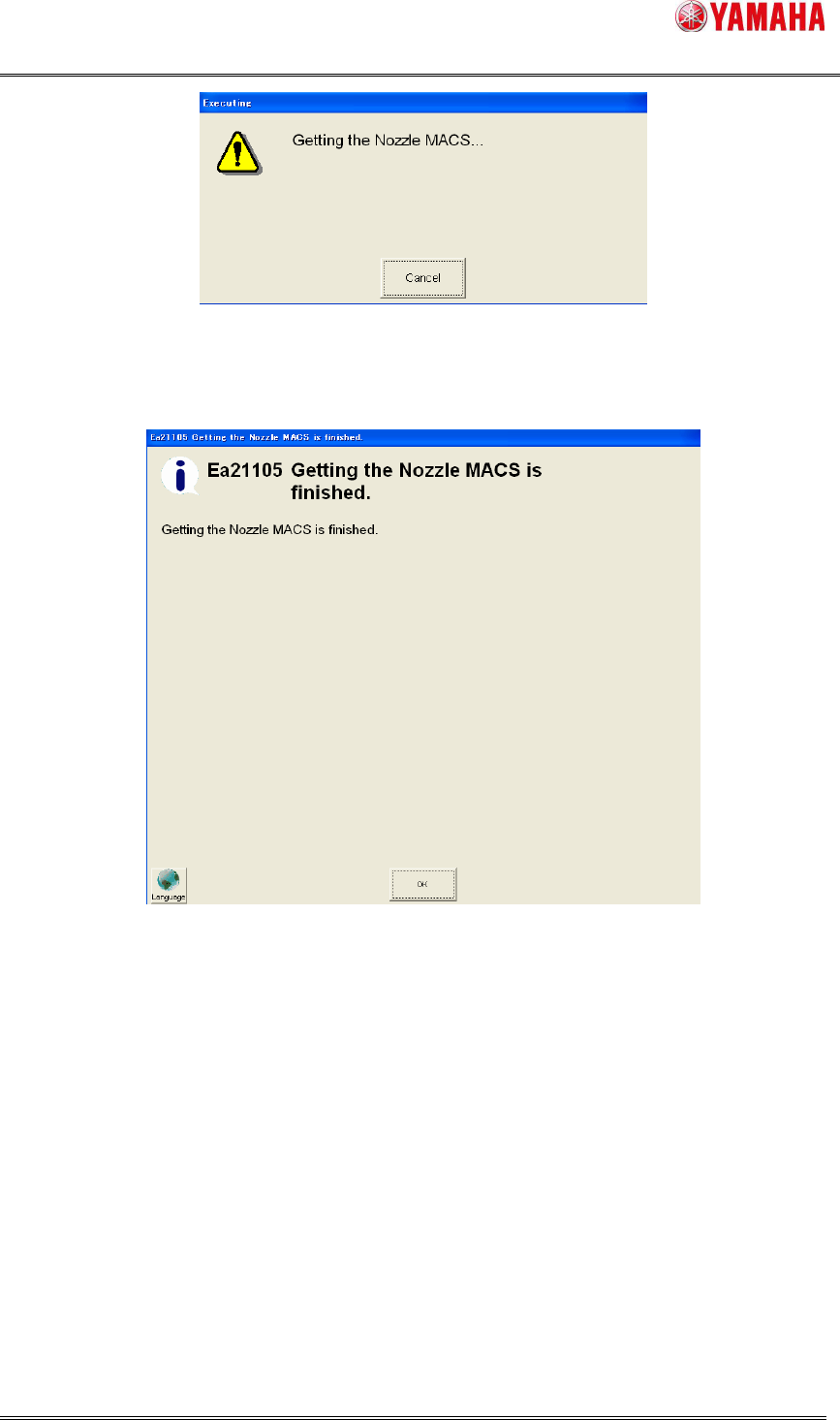
6). The following message is displayed, while executing Nozzle MACS.
When [Cancel] button is pressed in this dialog, Nozzle MACS is interrupted.
SMT Software Engineering Group
IM Operations YAMAHA MOTOR CO., LTD.
MDOC-SOFT50177
17/28
Fig.4.6 Getting Nozzle MACS
7). When Nozzle MACS action is completed, the following dialog is displayed and finishes.
Fig.4.7 Nozzle MACS finished