TM6419.PickupMACS.pdf - 第23页
SMT Software Engineering Group IM Operations Y AMAHA MOT OR CO., L TD. MDOC-SOFT50177 23/28 (11) Input the number you registered in database into [8mm Feeder Mark D B No. 1-3] or [4mm Feeder Mark DB No.]. / YS…
SMT Software Engineering Group
IM Operations YAMAHA MOTOR CO., LTD.
MDOC-SOFT50177
22/28
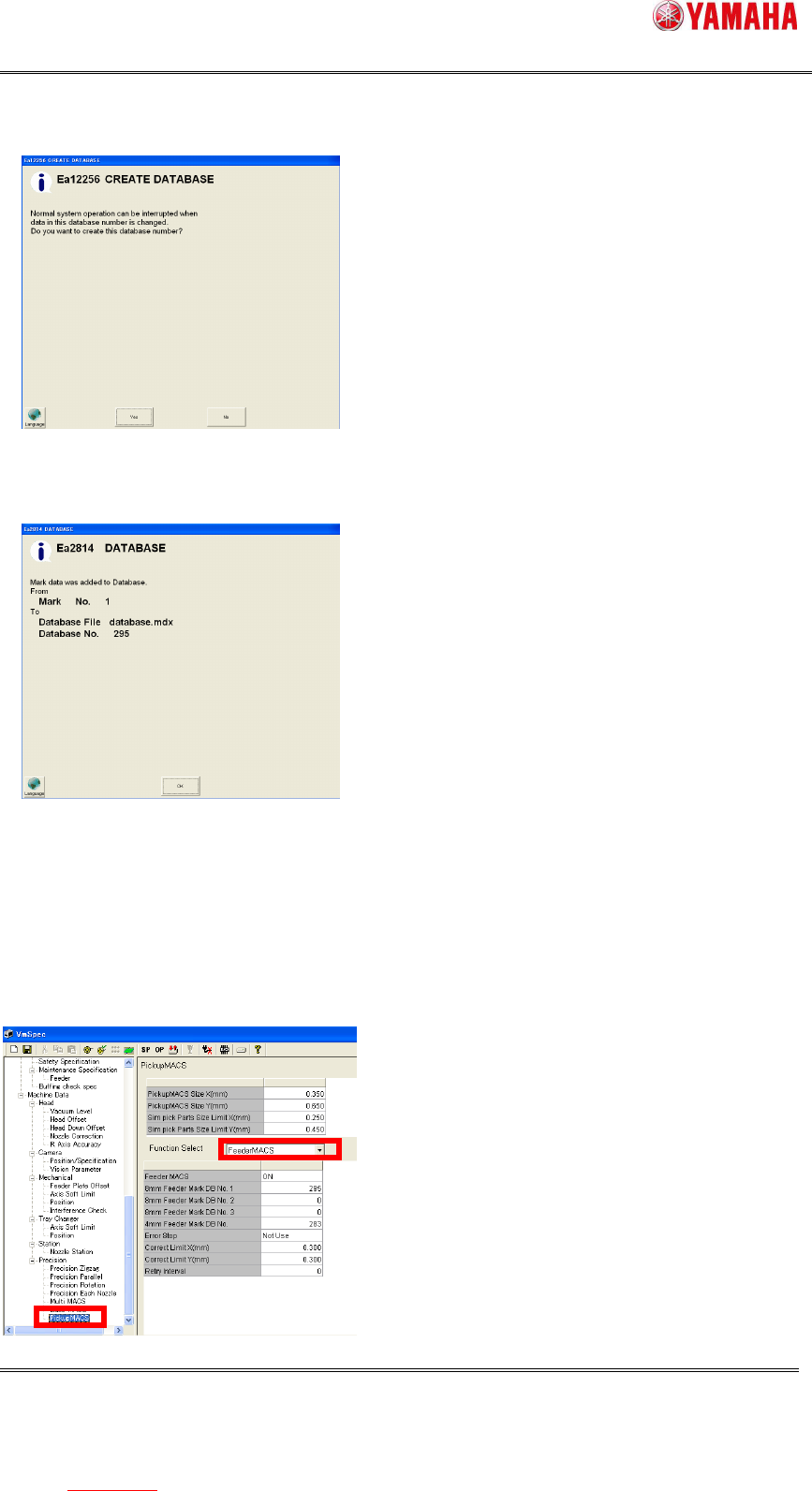
(6) Above number is input, the following message is displayed, and press the [Yes] button.
If this message appears when you select other than 295, please change the number.
(7) Dialog showing the data registration completed. Press the [OK] button.
(8) Check that the mark data exists on [Mark database overview]. If yes, the registration to
the mark database is completed.
(9) Next, reflect the registered mark database to the setting of Feeder MACS. Press the
[Machine] button and open the machine setup dialog.
(10) Select [Machine] - [Setting] - [Machine Data] - [Precision] - [Pickup MACS]. Select
“Feeder MACS” from the combo box.
SMT Software Engineering Group
IM Operations YAMAHA MOTOR CO., LTD.
MDOC-SOFT50177
23/28
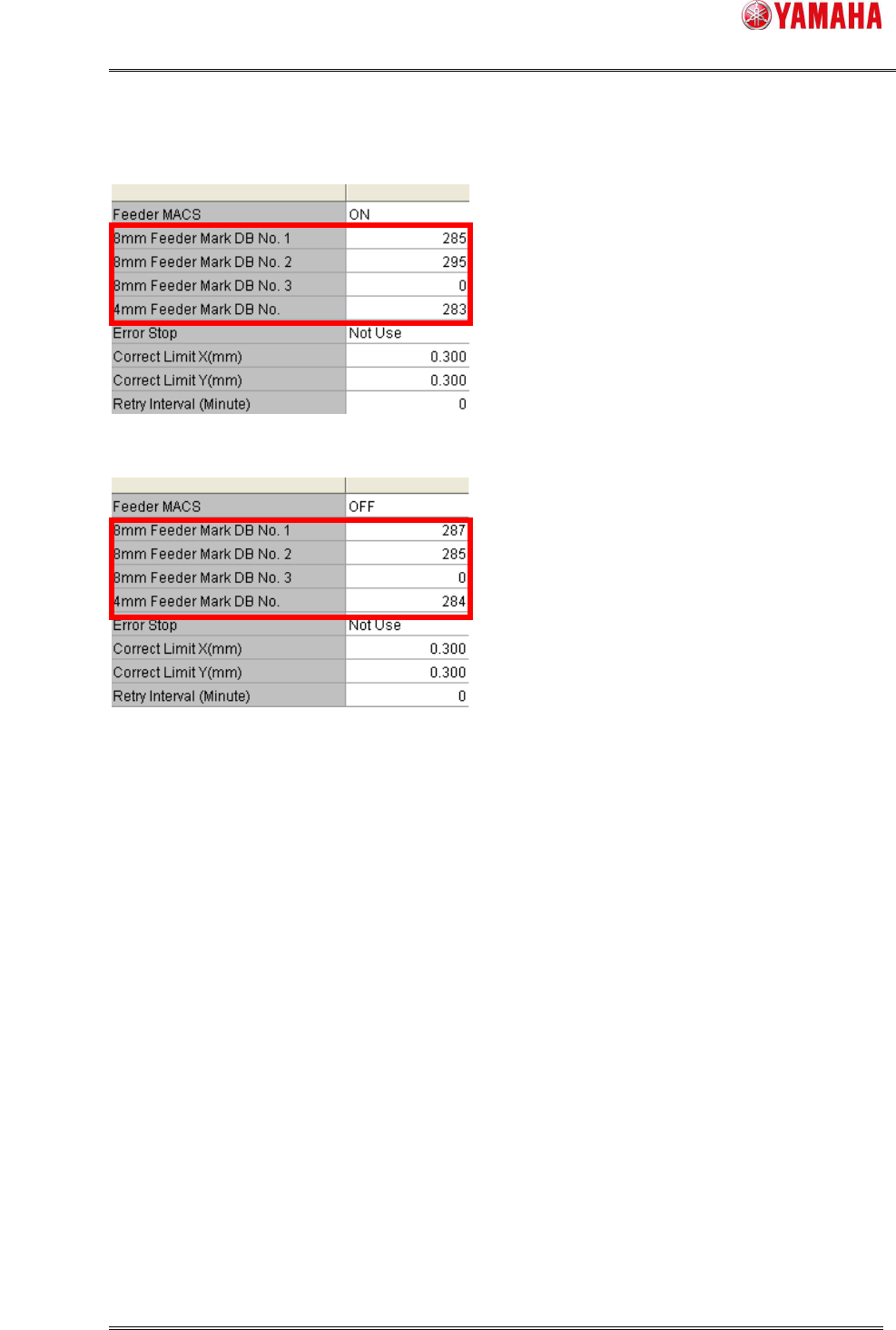
(11) Input the number you registered in database into [8mm Feeder Mark DB No. 1-3] or
[4mm Feeder Mark DB No.].
/ YS/YSM20
/ YSM40
(12) Save and read a board data again.
*7
SMT Software Engineering Group
IM Operations YAMAHA MOTOR CO., LTD.
MDOC-SOFT50177
24/28
6.2. Setting method of Nozzle MACS mark data
As described at [4.2.3. Nozzle MACS data], to execute Nozzle MACS, you need to register the
parts data into the database.
Please use the board data enclosed in the installation CD of V3.41STD R1.000 or later. Setting
method is as follows.
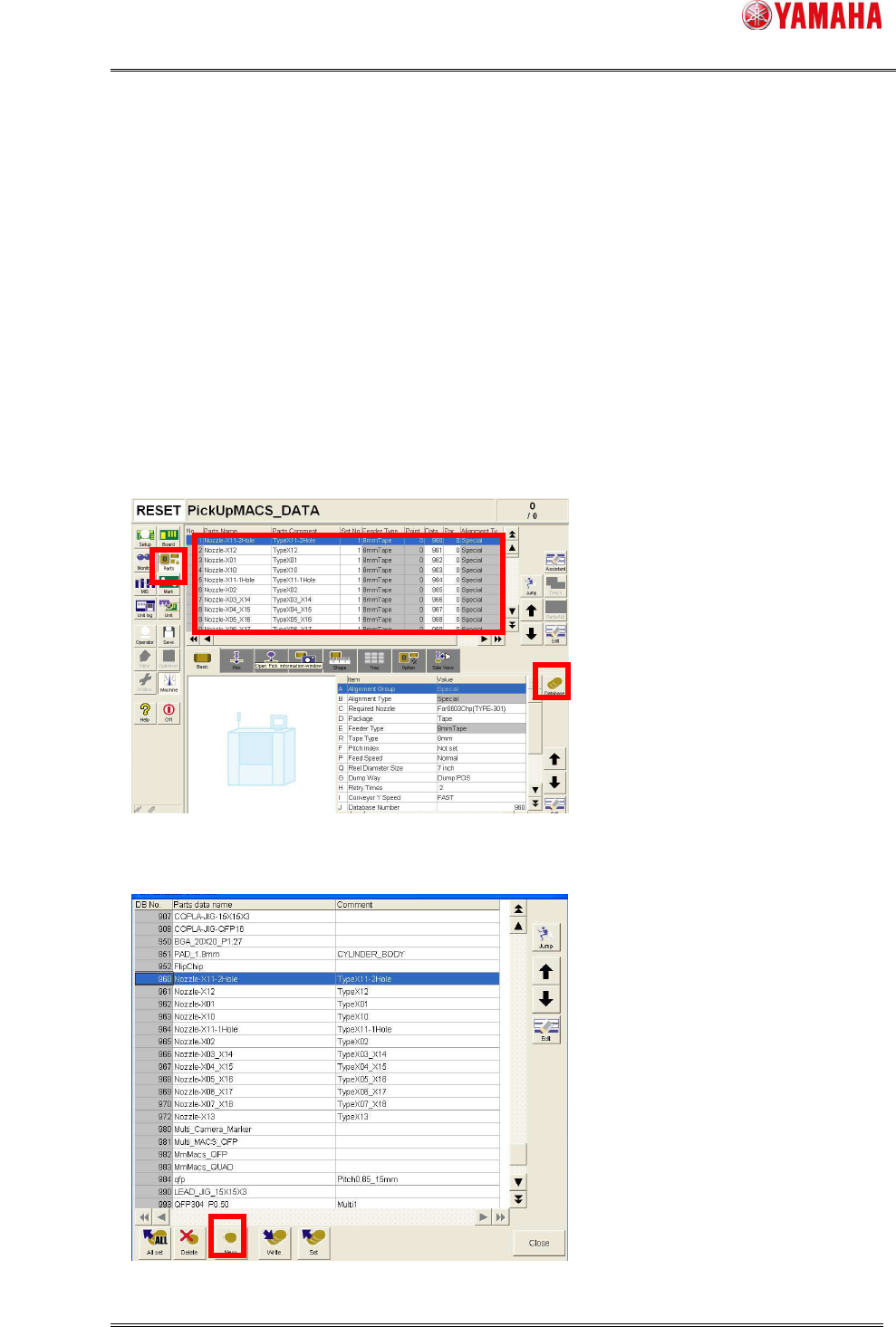
(1) Copy [PickUpMACS_DATA.ygx] from the installation CD to the [No1] file of the target
machine.
(2) Read board data [PickUpMACS_DATA.ygx] on the [Setup] screen. Sometimes a board
data read error occurs, but ignore it.
(3) Press the [Parts] button. Select a nozzle name to register to database. And press the
[Database] button.
(4) [Part database overview] dialog opens. Press the [New] button.
*4