TM6419.PickupMACS.pdf - 第24页
SMT Software Engineering Group IM Operations Y AMAHA MOT OR CO., L TD. MDOC-SOFT50177 24/28 6.2. Setting method of Nozzl e MACS mark dat a As described a t [4.2.3. Nozzle MACS data] , to execute Nozz le MACS, …
SMT Software Engineering Group
IM Operations YAMAHA MOTOR CO., LTD.
MDOC-SOFT50177
23/28
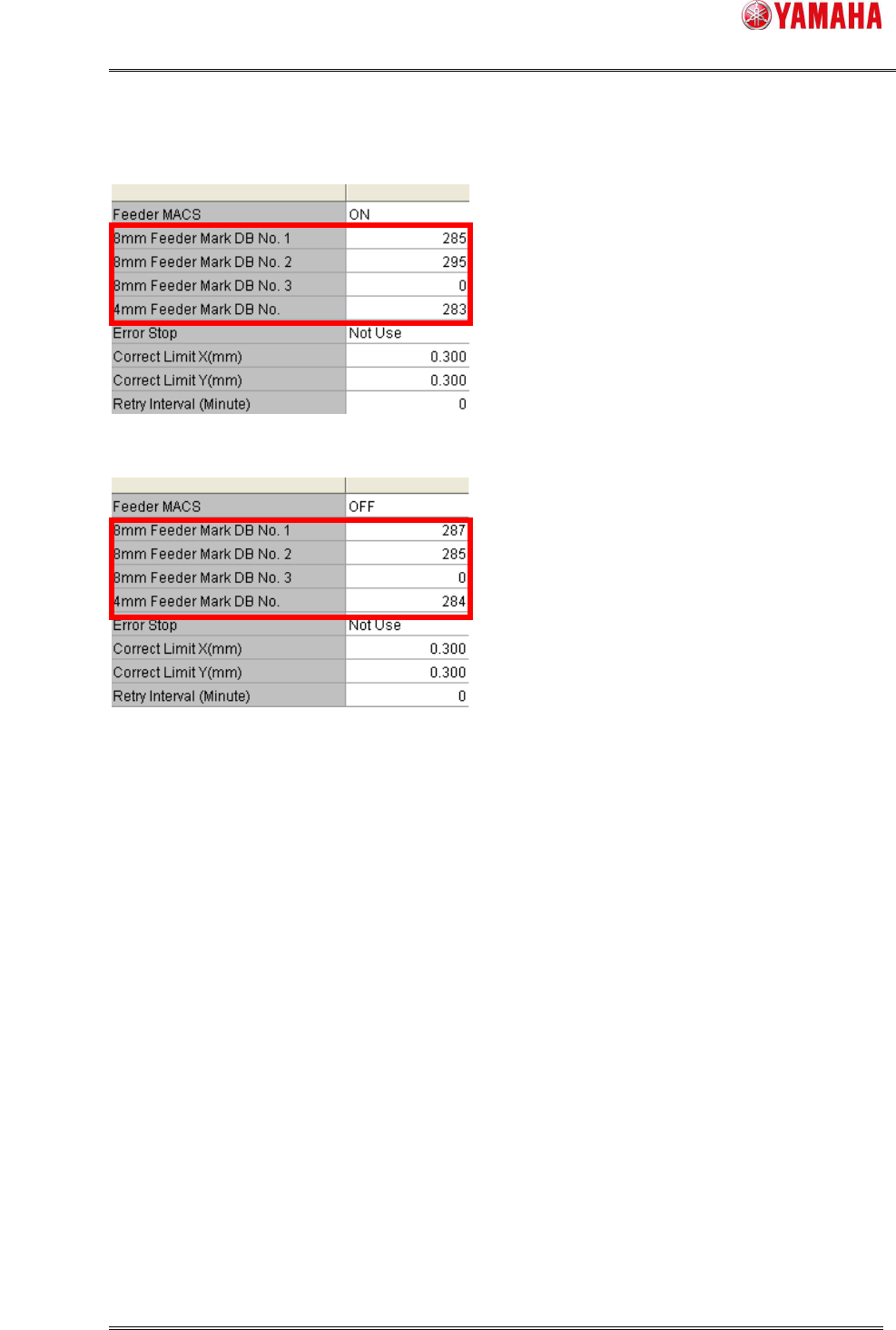
(11) Input the number you registered in database into [8mm Feeder Mark DB No. 1-3] or
[4mm Feeder Mark DB No.].
/ YS/YSM20
/ YSM40
(12) Save and read a board data again.
*7
SMT Software Engineering Group
IM Operations YAMAHA MOTOR CO., LTD.
MDOC-SOFT50177
24/28
6.2. Setting method of Nozzle MACS mark data
As described at [4.2.3. Nozzle MACS data], to execute Nozzle MACS, you need to register the
parts data into the database.
Please use the board data enclosed in the installation CD of V3.41STD R1.000 or later. Setting
method is as follows.
(1) Copy [PickUpMACS_DATA.ygx] from the installation CD to the [No1] file of the target
machine.
(2) Read board data [PickUpMACS_DATA.ygx] on the [Setup] screen. Sometimes a board
data read error occurs, but ignore it.
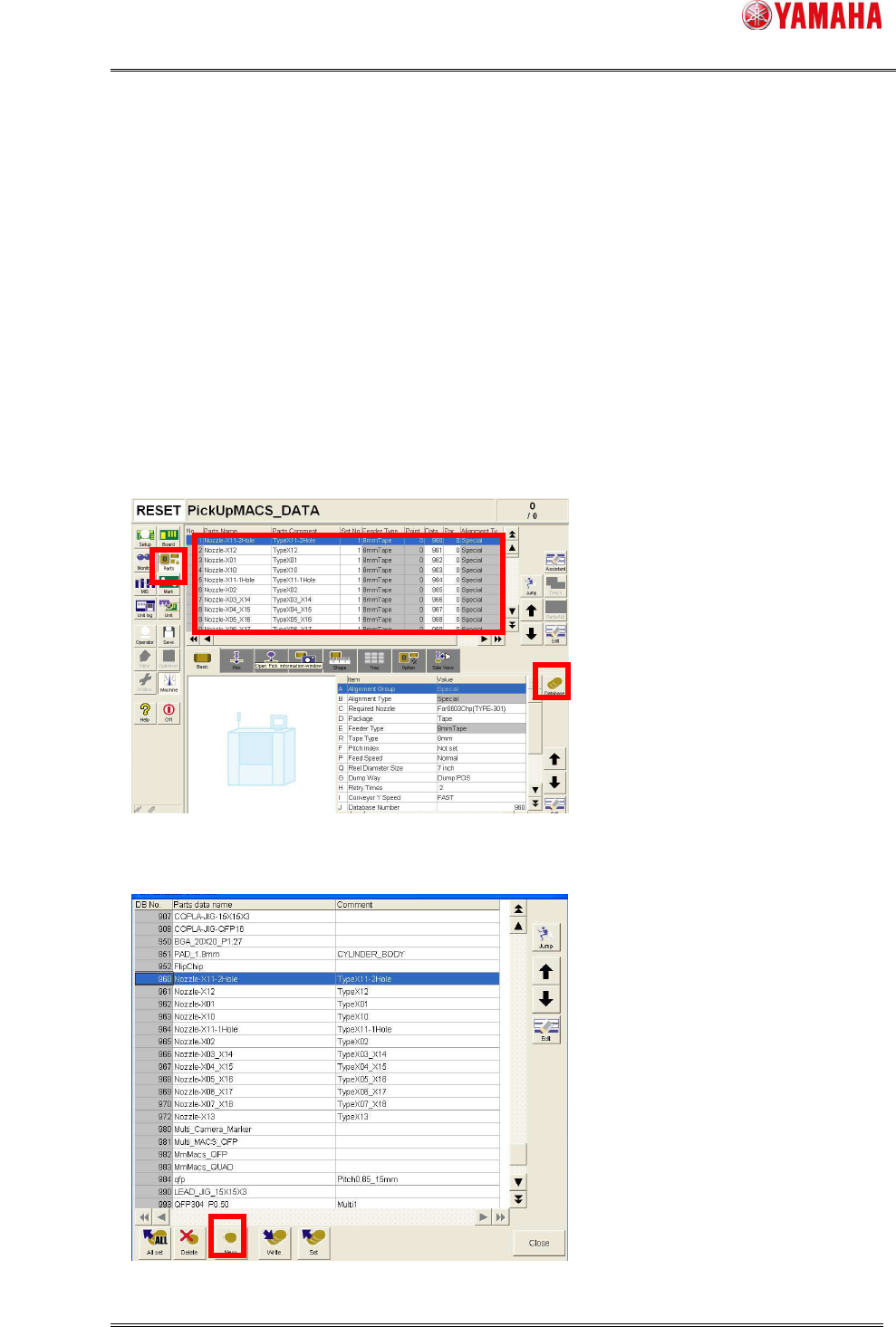
(3) Press the [Parts] button. Select a nozzle name to register to database. And press the
[Database] button.
(4) [Part database overview] dialog opens. Press the [New] button.
*4
SMT Software Engineering Group
IM Operations YAMAHA MOTOR CO., LTD.
MDOC-SOFT50177
25/28
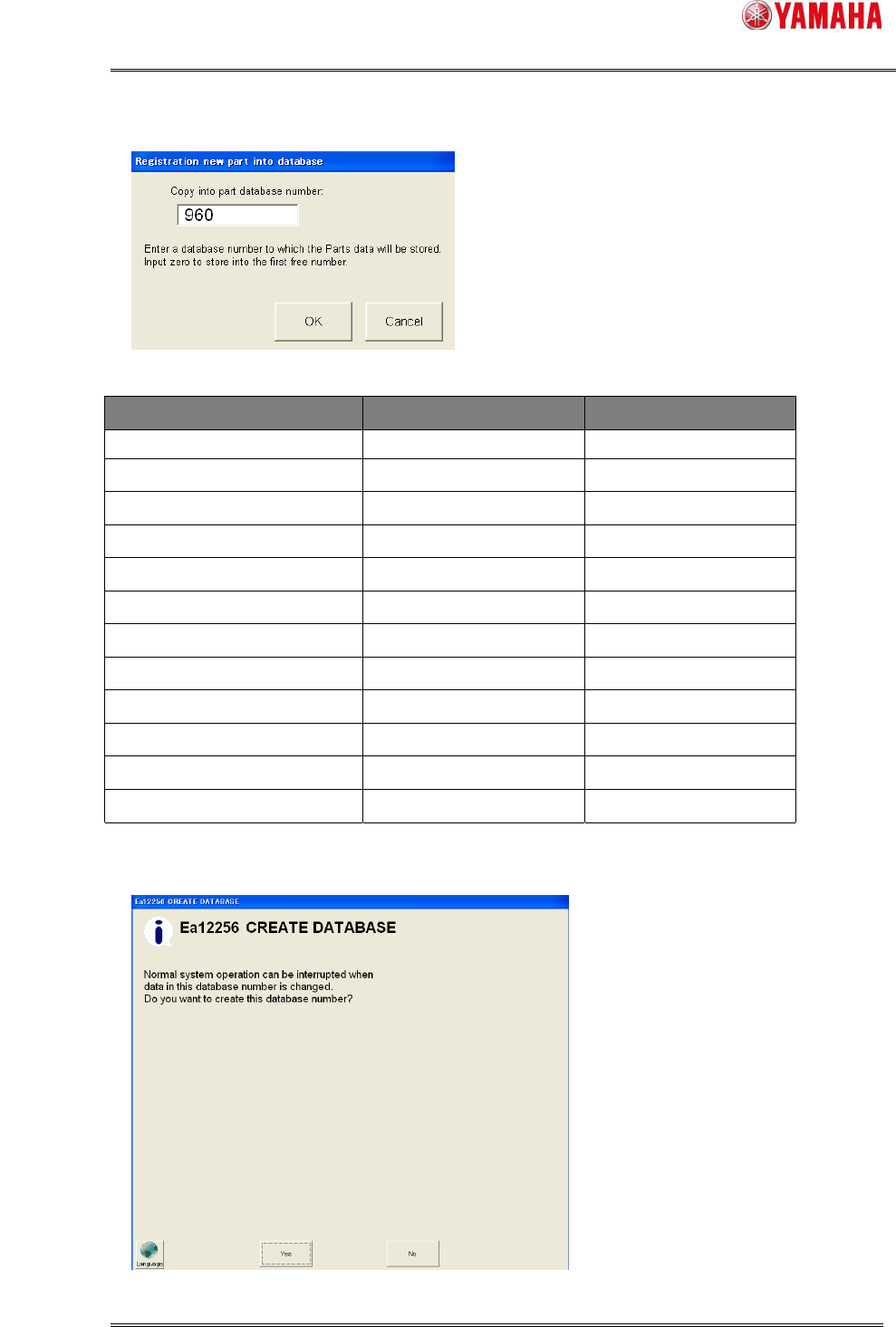
(5) The [Registration new part into database] dialog opens.
Input database number, then press [OK].
Database number is as below.
Parts Name Parts Comment Database Number
Nozzle-X11-2Hole Type-X11-2Hole 960
Nozzle-X12 Type-X12 961
Nozzle-X01 Type-X01 962
Nozzle-X10 Type-X10 963
Nozzle-X11-1Hole Type-X11-1Hole 964
Nozzle-X02 Type-X02 965
Nozzle-X03_X14 Type-X03_X14 966
Nozzle-X04_X15 Type-X04_X15 967
Nozzle-X05_X16 Type-X05_X16 968
Nozzle-X06_X17 Type-X06_X17 969
Nozzle-X07_X18 Type-X07_X18 970
Nozzle-X13 Type-X13 972
(6) When the following message is displayed, press the [No] button, and change the number.
*4