a2-100-en(v3_0).pdf - 第6页
A2 Automatic Dispenser V3 .0 4 Fig. 4.5 colorants deposi ting. W ashing assembly : Clean the nozzle after colorant disp ensing. The washing wheel want s to be keeping clea n to insure the w ashing function for the nozz…
A2 Automatic Dispenser V3.0 3
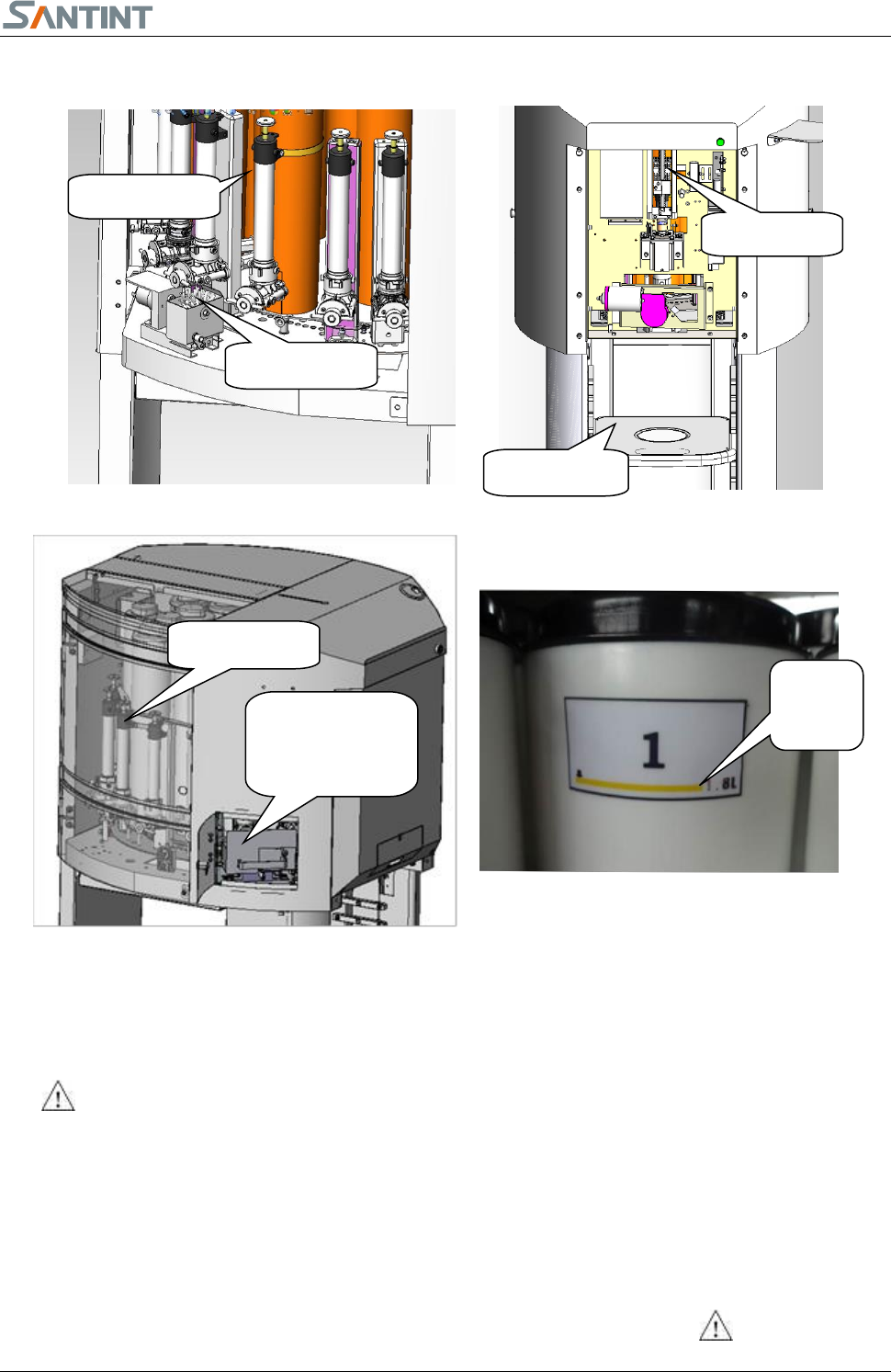
Fig 4.2
Fig 4.1
Fig 4.2
4. Machine Composition
Canister Assembly:container of colorant is with piston pump and valve,
on the valve there is a valve handle and a nozzle for colorant dispensing.
1. Do not make the added colorant exceed the maximum volume of
the canister. See the label on the canister.
2. Keep the nozzle clean.
3. The plastic lid of the canister shall be properly covered to prevent dryness.
Turntable assembly:canisters are fixed on the turntable, which can be turned to send the canisters to
dispensing position, stirring inside canisters also can be carried out while turning. Stirring avoids the
Washing Assy
Canister Assy
Lifting Assy
Loading Plate
Canister Assy
Dry-wet
Combination
Cleaning Assy
Max
Level
Fig 4.3
Fig 4.4
A2 Automatic Dispenser V3.0 4
Fig. 4.5
colorants depositing.
Washing assembly:Clean the nozzle after colorant dispensing. The washing wheel wants to be keeping clean
to insure the washing function for the nozzles.
Lifting assembly:with the assistance of electrical control system, the
machine can make the piston up and down so to dispense colorant out.
Only authorized personnel are allowed to open the front door for service.
Loading plate:base paint can is located here. Put bracket up or side face
according to the size of paint cans. Photoelectric sensor(Fig. 4.5)will
sense the base paint can.
5. Installation
5
5
.
.
1
1
M
M
a
a
c
c
h
h
i
i
n
n
e
e
I
I
n
n
s
s
t
t
a
a
l
l
l
l
i
i
n
n
g
g
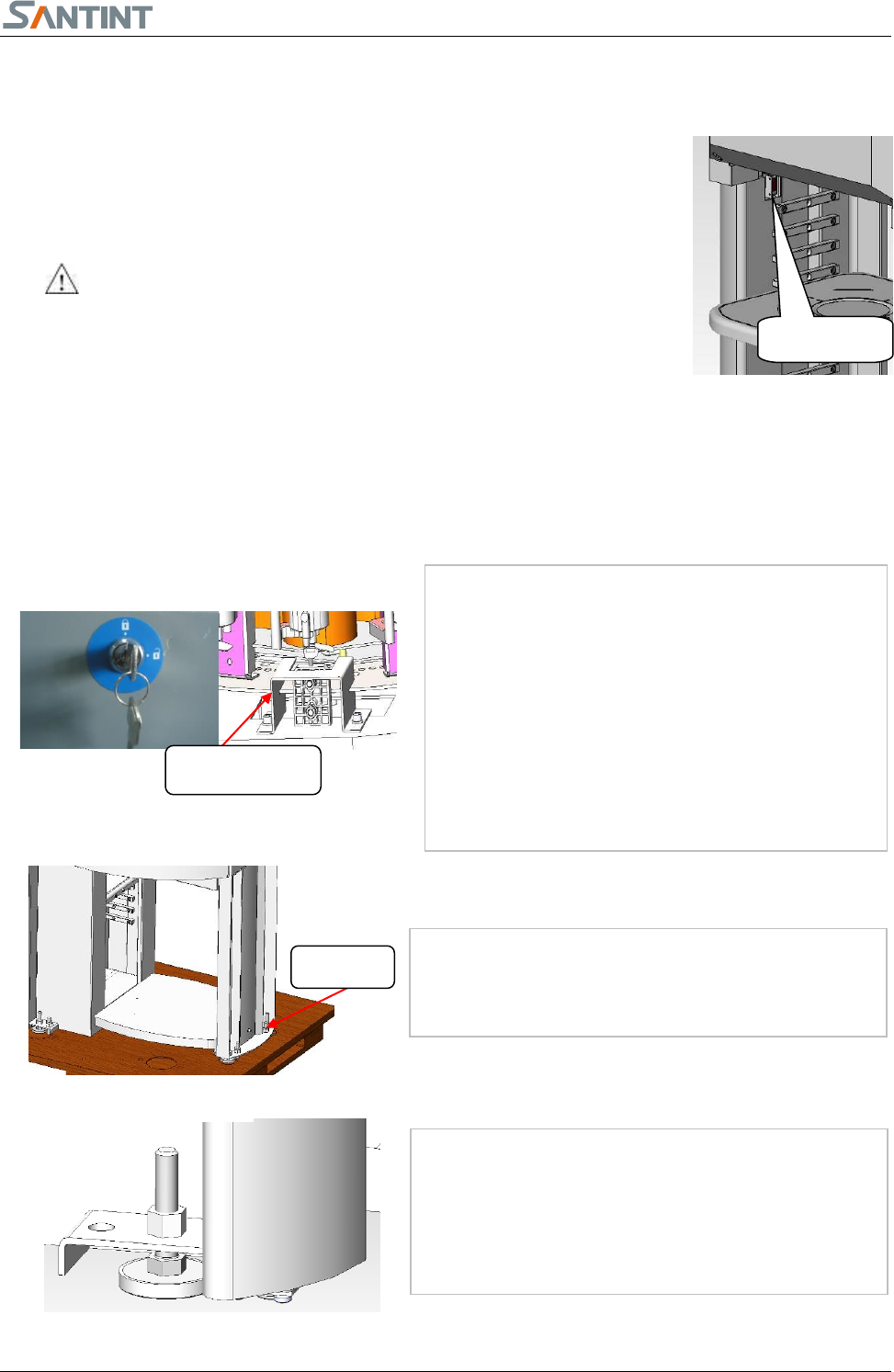
Unpack the wooden case and inner film of the
machine with necessary tools.
Take out tool box, check the items inside according
to the packing list. Preserve the tool box for next
use.
Get the side door keys from the tool box and
unlock the lock to open the side door.
Remove the transportation fixing plates using inner
hexagon spanner 5.
Remove the four screws on the foundation by using
the spanner 19. Move the machine to the working
site.
Use the spanner 19 to rotate the four feet clockwise.
Level the machine. Make sure the machine doesn’t
move or make noise.
Fig 5.1.3
Fig 5.1.1
Fixing Plate
Fig 5.1.2
M12Bolt
photosensor
A2 Automatic Dispenser V3.0 5
Before installation and maintenance, must cut off the power supply and unplug from outlet.
Do not unplug by pulling on cord. To unplug, grasp the plug, not the cord.
Do not operate any appliance with a damaged cord or plug, or after the appliance malfunctions or is dropped or
damaged in any manner. Contact the nearest authorized service facility for examination, repair, or electrical or
mechanical adjustment.
Do not lengthen the power line.
Do not operate the machine in case the machine shell is removed.
5
5
.
.
2
2
C
C
o
o
m
m
p
p
u
u
t
t
e
e
r
r
I
I
n
n
s
s
t
t
a
a
l
l
l
l
i
i
n
n
g
g
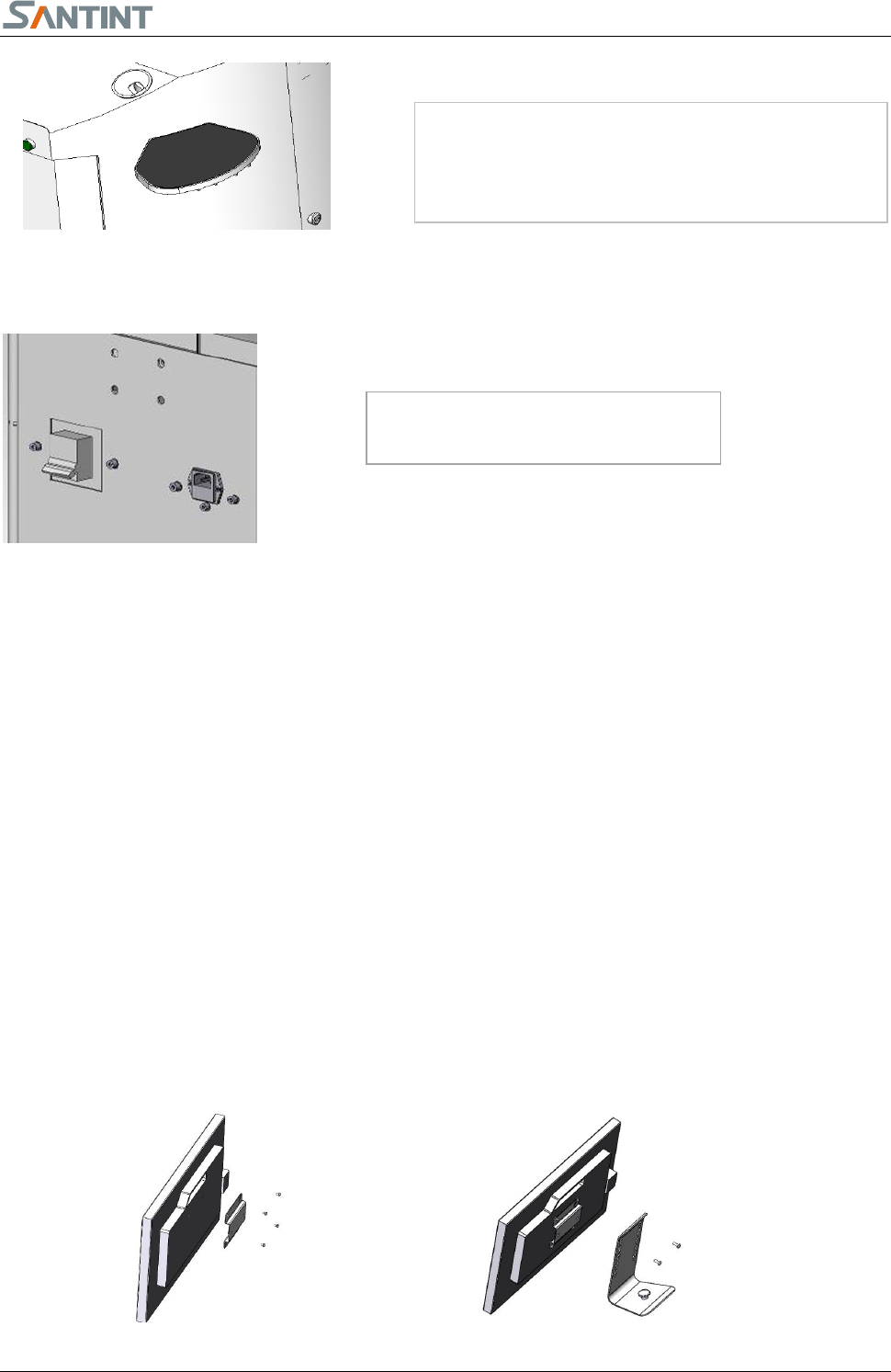
Unpack the carton, locate the computer on the bottom plate under the dispenser.
Locate the keyboard and the mouse on the top of the machine.
Install the monitor
Find the mouse tray in the tool box and install it on
the left side of the machine.
Fig 5.1.4
Fig. 5.1.5
Insert the power chord as shown in
5.1.5