00196715-01_IM_SSW_704_DE_EN.pdf - 第46页
Installation Manual, Station Software Version 704.01 04/2010 Edition Fig. 7-2: Used hardware components The Machine service activity level is required to execute the Auto-configuration. → Click the icon to call the user …
Installation Manual, Station Software Version 704.01 04/2010 Edition
7 First booting after installation
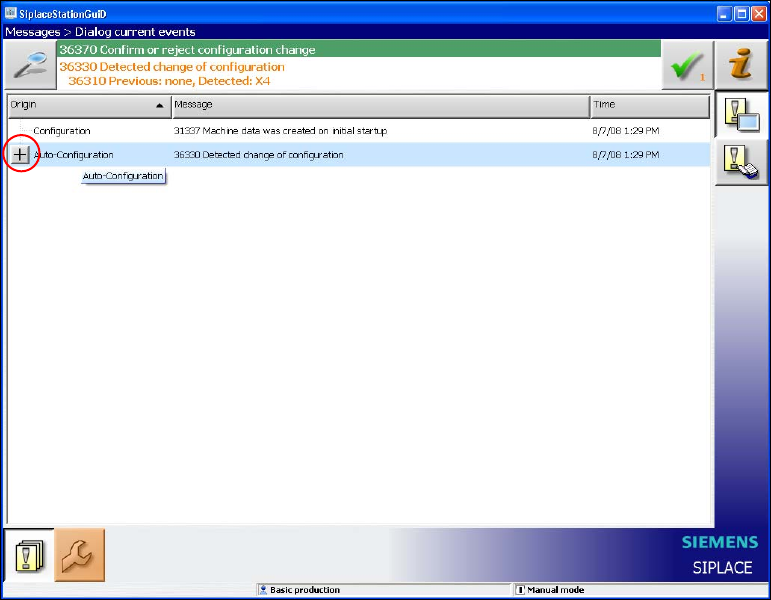
When a machine is booted for the first time after installation, the station software detects which hardware
components are used via the Auto-configuration feature and configures itself accordingly. The operator is
prompted to confirm or reject the Auto-configuration on the GUI.
Fig. 7-1: Auto-configuration
→ Click the + sign in front of Auto-configuration to open the configuration list.
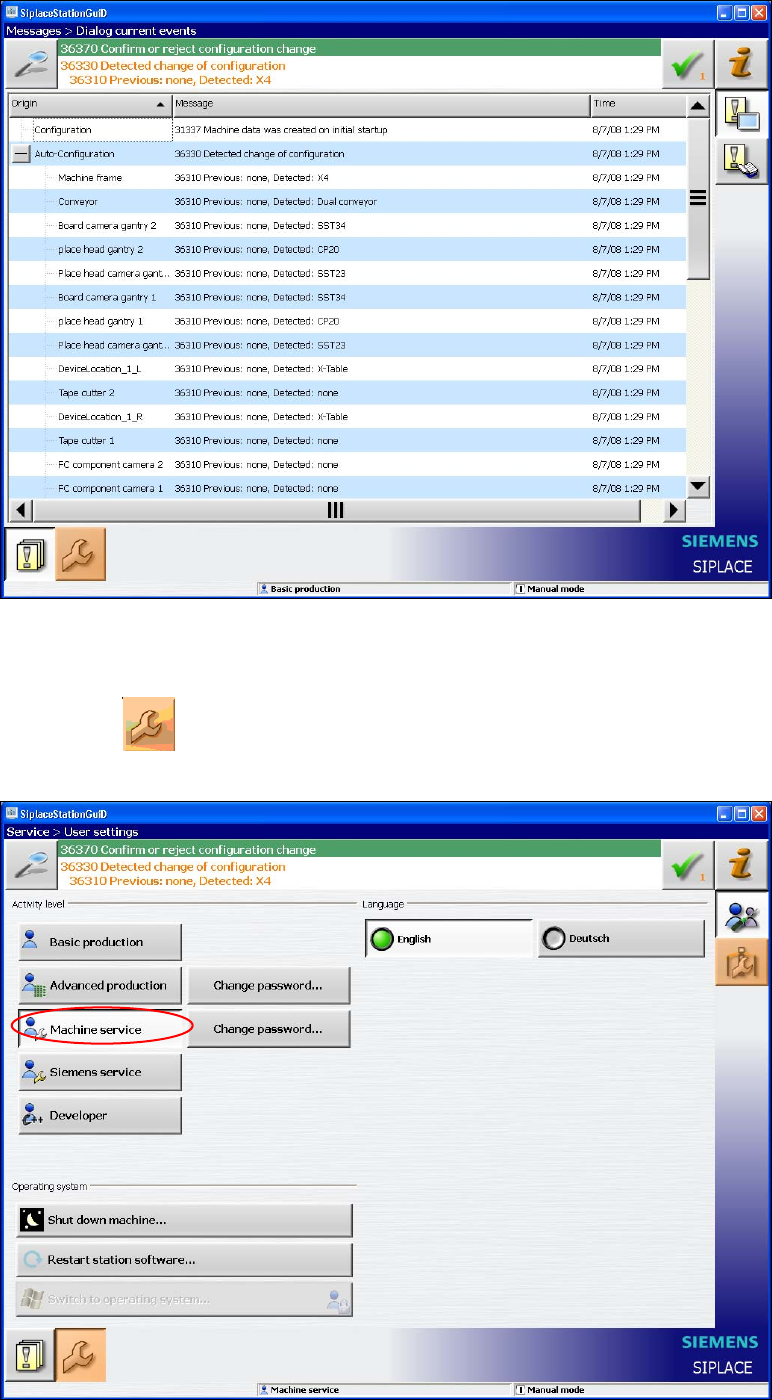
The used hardware components are displayed.
45 of 60
Installation Manual, Station Software Version 704.01 04/2010 Edition
Fig. 7-2: Used hardware components
The Machine service activity level is required to execute the Auto-configuration.
→ Click the
icon to call the user settings.
The user settings are displayed.
Fig. 7-3: Changing activity level
46 of 60
Installation Manual, Station Software Version 704.01 04/2010 Edition
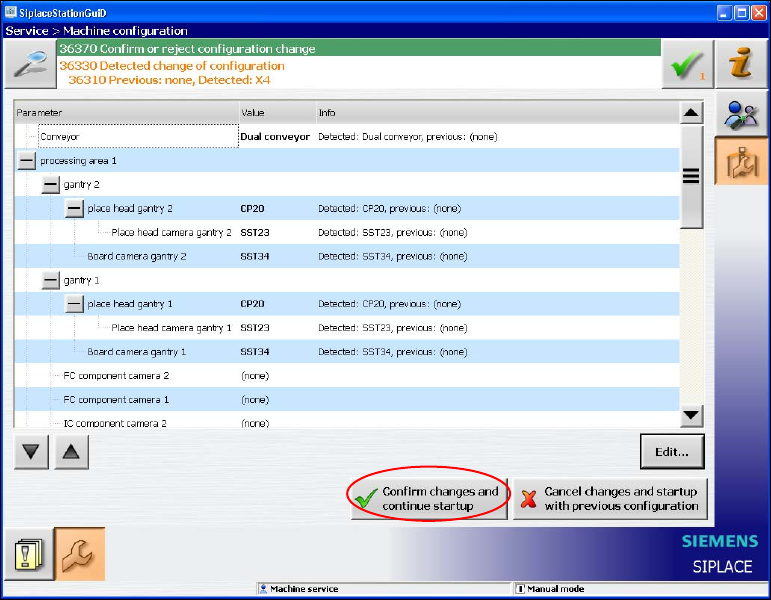
→ Click the Machine service button and enter the password to change into this activity level.
7.1 X-series placement machines
The following window is displayed for the X-series machines. Here you can edit, confirm or reject the Auto-
configuration.
Fig. 7-4: Confirming Auto-configuration for X-series
→ Click the Confirm changes and continue startup button to confirm the Auto-configuration.
47 of 60