00196500-05_IM_SSW_703_03_DE EN.pdf - 第44页
Installation Manual, Station Software Version 703.03 01/2011 Edition When you have selected all table config urations the fo llowing window is displayed, in which you co nfirm the Auto-configuration. Fig. 7-7: Confirming…
Installation Manual, Station Software Version 703.03 01/2011 Edition
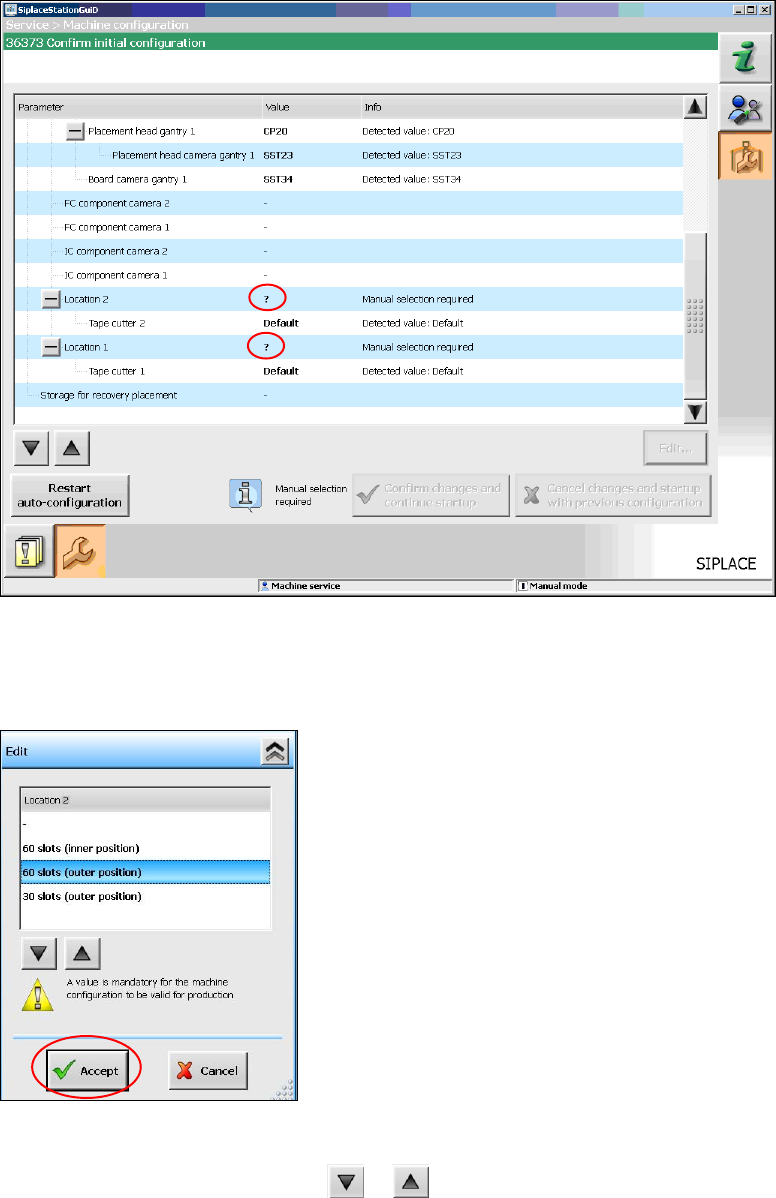
For the placement machine SX1/SX2 the following window is displayed, in which the Manual selection
required note informs, that the table configuration has to be selected manually, as this is not detected
automatically.
Fig. 7-5: Selecting table configuration
→ Click the ? question mark next to Location 2.
The selectable table configurations are displayed.
Fig. 7-6: Possible table configurations
→ Select a table configuration with or .
→ Click the Accept button.
→ Repeat the steps for Location 1.
43 of 54
Installation Manual, Station Software Version 703.03 01/2011 Edition
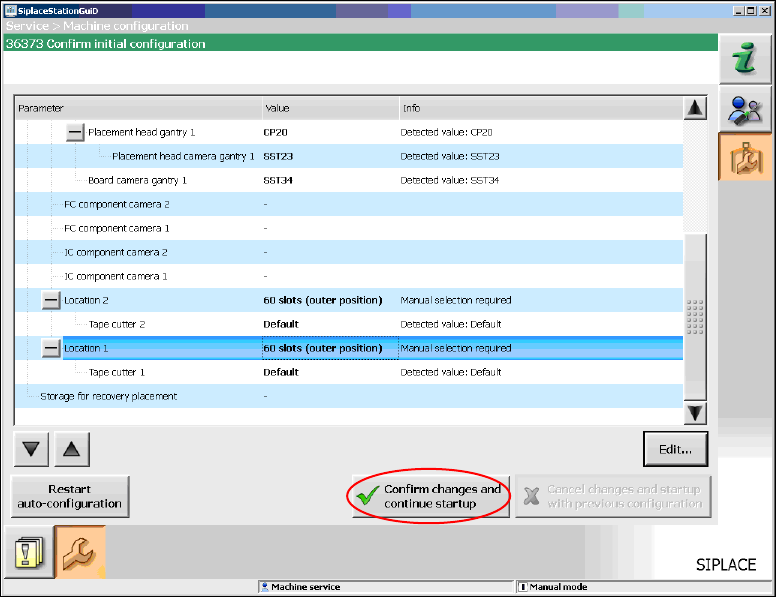
When you have selected all table configurations the following window is displayed, in which you confirm
the Auto-configuration.
Fig. 7-7: Confirming Auto-configuration for SX-Serie
→ Click the Confirm changes and continue startup button to confirm the Auto-configuration.
If the manual tray Carrier SX is used, a manual setting is required. See the Version Description to the
station software, item number 00196499-04.
7.1 Checking/Updating the embedded software
If the correct eSW versions are not available on the machine, the machine boot gets interrupted.
→ In this case, perform an eSW download.
→ Start an overall reference run for the machine.
7.2 Storage location of the machine files (calibration data etc.)
The machine-specific configuration, measurement and parameter data is stored in XML files under
C:\Sirio\Work\Individual. These XML files contain all the calibration data.
44 of 54
Installation Manual, Station Software Version 703.03 01/2011 Edition
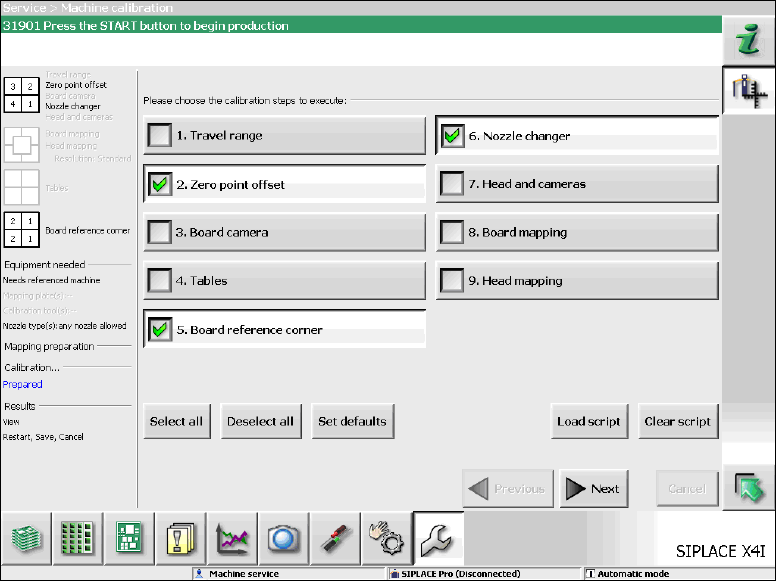
7.3 Necessary calibration steps
After upgrading from station software 701.xx and first booting of the station software, some calibration
steps are required.
Requirements:
- The eSW versions have been updated.
- The reference run has been sucessfully performed.
- A calibration nozzle (1235) has to be available on every C&P20A placement head at segment 1.
Fig. 7-8: Required calibration steps
→ Select the calibration steps that are highlighted in the figure and click on Next.
→ Select all possible components in the following input masks (all conveyor lanes, all gantries, all nozzle
changers).
45 of 54